position : 문서 상에 요소를 배치하는 방법을 지정하는 속성
- relative : 요소 자기 자신을 기준으로 배치
- absolute : 부모 (조상) 요소를 기준으로 배치 (자식)
- fixed : viewport 기준으로 배치 (고정)
relative
- 요소를 일반적인 문서 흐름에 따라 배치
- 위치 이동할 때 다른 요소에 영향을 주지 않는다,
- 문서 상 원래 위치가 그대로 유지된다.
absolute
- 요소를 일반적인 문서 흐름에서 제거
- 가장 가까운 위치에 있는 조상 요소 (relative) 를 기준으로 배치한다.
- 조상 중 position 을 가진 요소가 없다면 body 요소를 기준으로 배치한다.
- 문서 상 원래 위치를 잃어버린다. //아래에 있는 div가 해당 자리를 차지//
> 조상 요소 위치 기준으로 (top, bottom, left, right) 에서 얼만큼 떨어질 지 결정relative & absolute
- 부모 요소에 position 값이 있을 경우 --> 부모의 위치를 기준으로 배치
ex)
.parent {
position: relative;
width: 300px;
height: 300px;
border: 3px dotted black;
}
.first {
position: absolute;
width: 100px;
height: 100px;
background-color: crimson;
}
.second {
position: absolute;
width: 50px;
height: 50px;
background-color: darkgoldenrod;
}
.third {
position: absolute;
width: 30px;
height: 30px;
background-color: pink;
}
<출력>
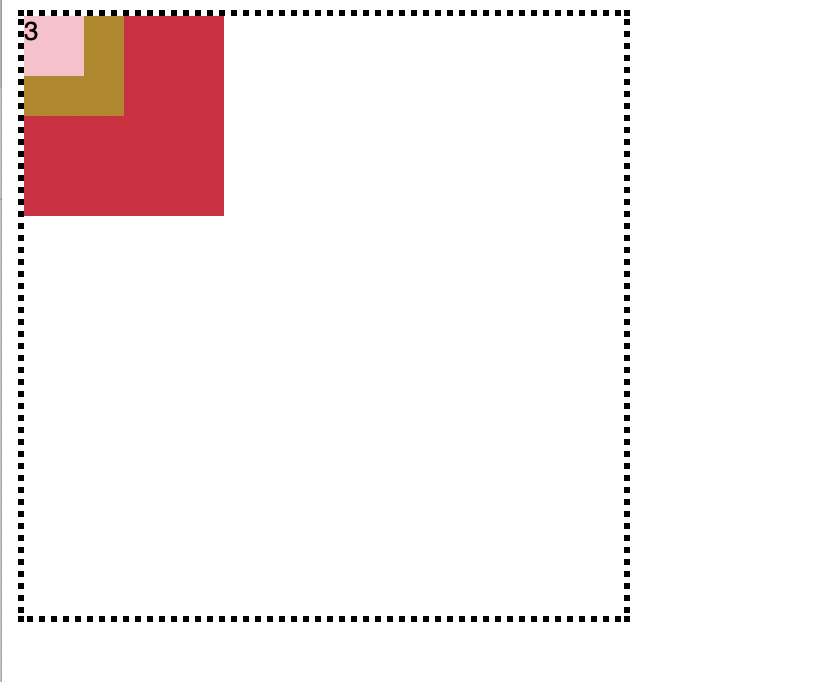
> parent 요소에 position: relative; 값을 부여하고, 각 다른 세가지 색상의 블록에 position: absolute; 값을 모두 부여 했을 때- 부모 요소(검은색 실선)에 position: relative; 을 주고 두번째 자식요소에 position: relative; 을 주었을때
.parent {
position: relative;
width: 300px;
height: 300px;
border: 3px dotted black;
}
.first {
width: 100px;
height: 100px;
background-color: crimson;
}
.second {
position: relative;
width: 100px;
height: 100px;
right: 50px;
background-color: darkgoldenrod;
}
.third {
width: 100px;
height: 100px;
background-color: pink;
}
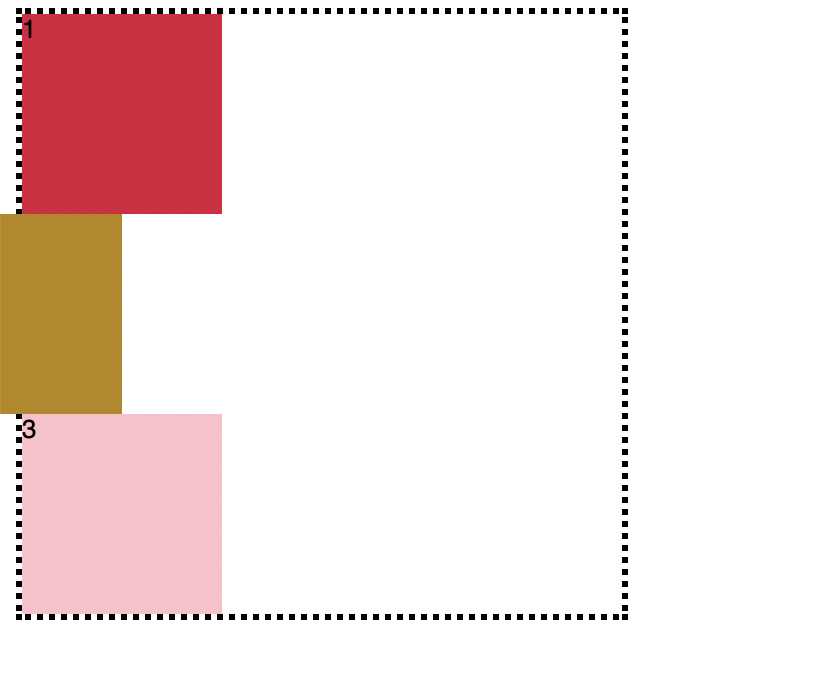
1번, 3번 블록은 부모 요소를 기준으로 배치되고, position: relative; 의 값을 갖는 2번 블록만 문서 상 본인의 원래 위치에 배치됨
fixed
- 뷰포트를 기준으로 삼고 싶은 경우
- 요소를 일반적인 문서 흐름에서 제거한다.
- 페이지 레이아웃에서 어떠한 공간도 배정하지 않는다.
- 화면에 fix 되어 있다. (뷰포트를 기준으로)
ex)
.third {
position: fixed;
width: 100px;
height: 100px;
right: 50px;
bottom: 50px;
background-color: pink;
}
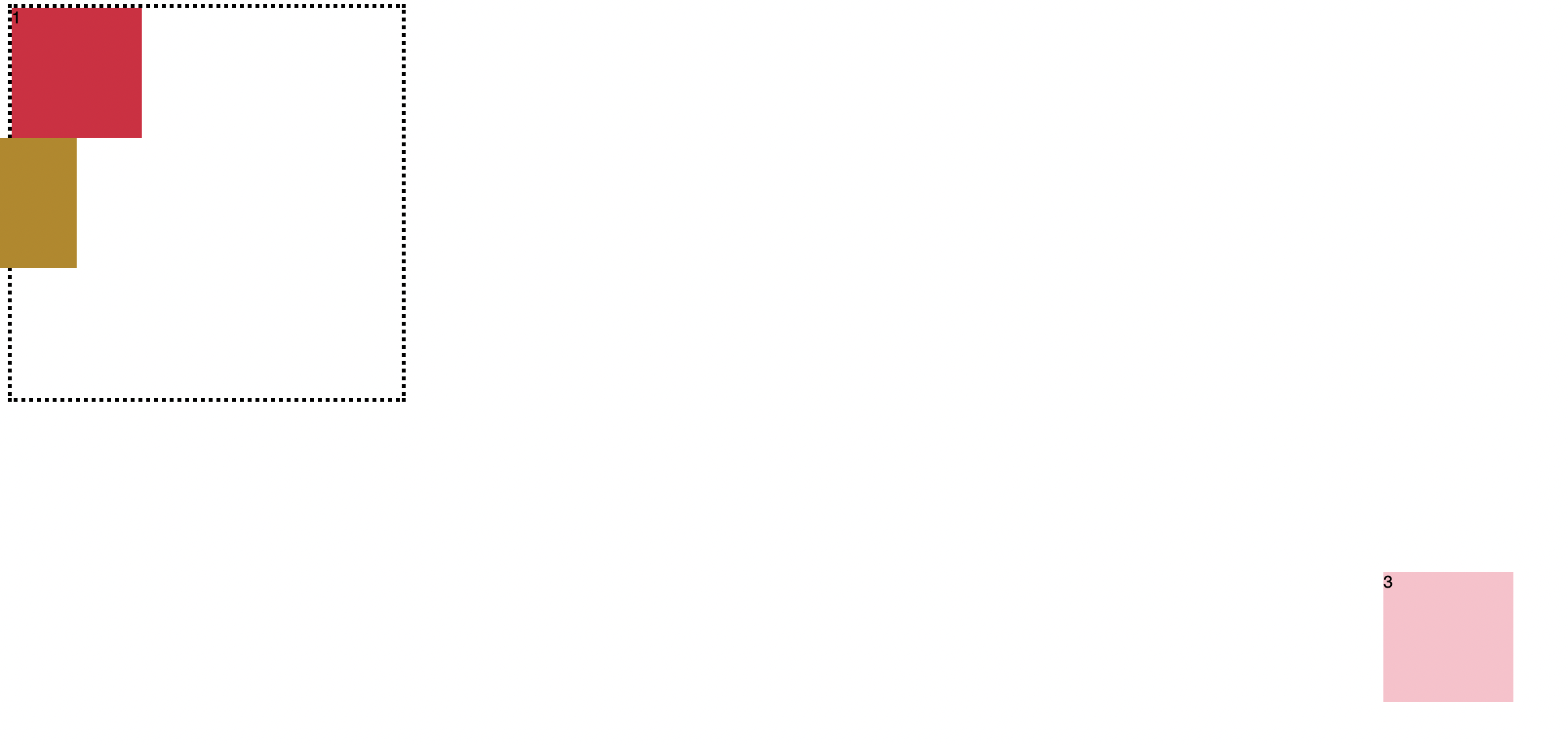
3번 블록에 position: fixed; 값을 주었을 때, 뷰포트를 기준으로 fix 됨