진짜 마지막이자냐...!
8.0 Geolocation
여기서는 다른거 필요없이 이 함수만 쓰면 브라우저에서 자동으로 모든 정보를 가져다준다.
navigator.geolocation.getCurrentPosition()근데 이 getCurrentPosition함수에서 argument가 두개 필요하다. 하나는 모든게 잘 되었을 때 실행될 함수이고, 하나는 에러가 발생했을 때 실행될 함수이다.
모든게 잘 되었을 때 실행될 함수 onGeoOk()와 에러가 발생했을 때 실행될 함수 onGeoError()를 만들어야 한다.
function onGeoOk(position){
    const lat = position.coords.latitude;
    const lng = position.coords.longitude;
    console.log("You live in", lat, lng);
}
function onGeoError(){
    alert("Can't find you. No weather for you.");
}
navigator.geolocation.getCurrentPosition(onGeoOk, onGeoError);
이렇게 쓰면 내 위치를 알려준다.

8.1 Weather API

왜 처음부터 사이트에 안들어가지는겨??
근데 API key 처음 만들면 승인되기 전까지 안들어가진다고 한다.
좀 기다리니까 되네!!! 내 API_KEY는 212d9efda8e280ee34bf4028e2db867d이다.
const API_KEY = "212d9efda8e280ee34bf4028e2db867d";

function onGeoOk(position){
    const lat = position.coords.latitude;
    const lon = position.coords.longitude;
    console.log("You live in", lat, lon);
    const url = `https://api.openweathermap.org/data/2.5/weather?lat=${lat}&lon=${lon}&appid=${API_KEY}`
    console.log(url);
}
function onGeoError(){
    alert("Can't find you. No weather for you.");
}
navigator.geolocation.getCurrentPosition(onGeoOk, onGeoError);
이렇게 코드를 작성하면 우리가 원하는 사이트의 링크를 받아서 이동할 수 있다.
하지만 여기서 fetch(url); 쓰면 실제로 그 링크를 통해서 접속할 필요 없이 js자체에서 그 url을 불러준다.
이제 여기서 url의 정보를 불러왔는데, 정보를 불러온 뒤에 어떤 것을 실행해라 라는 내용을 넣어주기 위해서 fetch 뒤에 어떤 내용을 붙여야 한다. 순서가 fetch한 이후에 response를 받아야 하므로 then 을 쓴다.
const url = `https://api.openweathermap.org/data/2.5/weather?lat=${lat}&lon=${lon}&appid=${API_KEY}&units=metric`;
    fetch(url).then(response => response.json());
위 코드에서 url을 수정하기 위해서 &units=metric을 추가해주었고, url을 불러준 뒤에 response의 json을 얻는 작업을 위해서 fetch뒤에 .then(response => response.json())을 붙여주었다.
fetch(url)
    .then(response => response.json())
    .then((data) => {
        console.log(data.name, data.weather[0].main);
    });
이 코드처럼 써도 되지만, 더 많은 정보를 담기 위해서는 아래와 같이 쓰는 것이 좋다. 일단 HTML에 새로운 div를 만들어주고, 그 안에 두개의 span을 만든다.
    <div id="weather">
        <span></span>
        <span></span>
    </div>
첫번째 span에는 날씨를, 두번째 span에는 그 지역의 city이름을 적어주기 위해서 js에서 두개의 span을 불러와줘야 한다.
fetch(url)
    .then(response => response.json())
    .then((data) => {
        const weather = document.querySelector("#weather span:first-child");
        const city = document.querySelector("#weather span:last-child");
        city.innerText = data.name;
        weather.innerText = data.weather[0].main;
이렇게 하면 화면을 새로고침했을 때 날씨와 장소가 뜬다.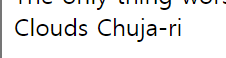 근데 추자리가 어디야....
여기서 온도까지 나오게 해보자. 마지막에 이렇게 써주면
weather.innerText = `${data.weather[0].main} / ${data.main.temp}`;온도가 나온다.
이제 진짜 끝!!! JS 타파하기 완료 ㅎㅎ