프로세스 / 스레드
프로세스
실행중인 프로그램. 실행을 위해 메모리에 올라간 프로그램- iOS의
앱은 iOS에 속한프로그램이다 - 앱이 실행되면 프로세스라고 할 수 있다
스레드
- 프로세스 내에서 작업을 수행하는 단위
메인 스레드/백그라운드 스레드로 구분- 멀티 스레딩 : 여러 스레드로 동시에 작업하는 것
동기(sync) / 비동기(saync)
동기
직렬적인 작업 수행- ex) 실행중인 작업이 모두 끝나고 나서 다른 작업을 처리
(1) A작업 실행중
(2) 새로운 작업 B추가
(3) A작업이 완료되면 B작업 시작
(4) B작업 완료
- ex) 실행중인 작업이 모두 끝나고 나서 다른 작업을 처리
비동기
병렬적인 작업 수행- ex) 실행중인 작업이 있을때 작업이 추가되면 새로운 스레드에 할당
(1) A작업 실행중
(2) 새로운 작업 B추가
(3) B작업을 다른 스레드에서 수행
(4) A작업의 완료와 별개로 B작업 완료
- ex) 실행중인 작업이 있을때 작업이 추가되면 새로운 스레드에 할당
GCD(Grand Central Dispath)
GCD는 동시성 프로그래밍을 돕는 프레임워크이다.
GCD 안에 DispatchQueue가 포함되어있다.
DispatchQueue
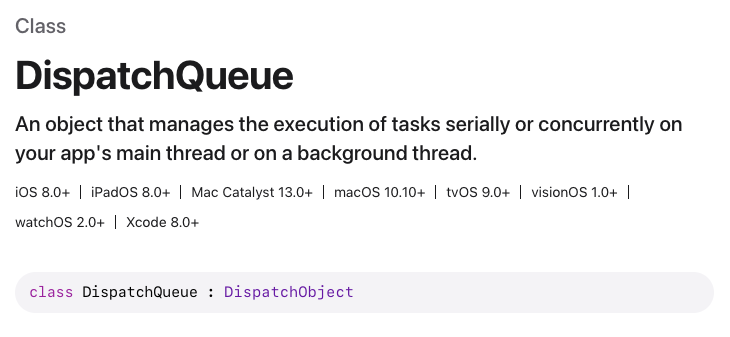
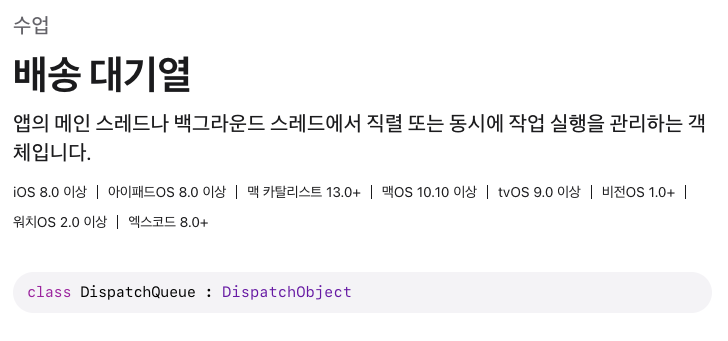
DispatchQueue란?
작업들이 DispatchQueue에 전달되면 DispatchQueue는 작업을 적절한 쓰레드에 할당해서 멀티쓰레드로 작업을 수행하게 해준다.
DispatchQueue 종류
-
Main(메인 큐)
- 메인 쓰레드에서 실행
- UI 업데이트 관련 처리
-Serial Queue(직렬 큐) -
Global(글로벌 큐)
- 백그라운드 작업을 처리
-Concurrent Queue(동시성 큐)
-
Custom(커스텀 큐)
- 개발자가 직접 생성하고 관리
- 직렬 또는 동시 큐 설정 가능
Serial Queue / Concurrent Queue
- Serial Queue(직렬 큐)
- 큐에 추가된 작업들을 하나의 쓰레드에서 실행
- 작업 순서가 보장됨 - Concurrent Queue(동시성 큐)
- 큐에 추가된 작업들을 동시에 실행 가능
- 멀티 쓰레드 작업 수행(병렬적)
- 작업 순서 보장되지 않음
DispatchQueue 사용법
기본 형태
DispatchQueue.{큐종류}.{qos옵션}.{sync/async} {
		// 수행할 작업 코드 작성
}
// 큐 종류: Main / Global / Custom
// qos: Quality Of Service
// sync: 동기적으로 작업 수행
// async: 비동기적으로 작업 수행- Main
DispatchQueue.main.async {
    // UI 업데이트 코드
    self.label.text = "작업 완료!"
}- Global
DispatchQueue.global().async {
    // 네트워크 통신 또는 계산이 무거운 작업을 백그라운드에서 수행
    let result = self.someHeavyComputation()

    DispatchQueue.main.async {
        // 결과를 메인 스레드에서 UI에 반영
        self.updateUI(with: result)
    }
}- Custom
// label에 큐의 고유 이름 설정
// attributes 에 serial/concurrent 설정
// 설정하지 않으면 기본값 serial(직렬)
let customQueue = DispatchQueue(label: "com.myapp.customqueue", attributes: .concurrent)

customQueue.async {
    // 커스텀 큐에서 실행할 작업
}
Qos (Quality Of Service)
작업의 중요도를 시스템에 알리는 방법. 이를 통해 시스템의 리소스를 효율적으로 분배
User Interactive(최고 우선순위)
- 매우 빠르게 처리되어야 하는 작업
- ex) UI작업User Initiated(높은 우선순위)- 몇 초 안에 완료되어야 하는 작업
- ex) 버튼 클릭 후 데이터 로딩
Default(기본 우선순위)- 특별한 지정이 없는 평범한 작업
- ex) 일반적인 백그라운드 작업
Utility(낮은 우선순위)- 시간이 걸리지만 즉시 필요하지 않은 천천히 해도 되는 작업
- ex) 데이터 다운로드, 백업
Background(최저 우선순위)- 언제 끝나도 상관없는 작업. 사용자가 인지하지 못하는 작업
- ex) 대용량 데이터 정리, 동기화
Unspecified(시스템 결정)- 우선순위가 상관없는 작업
- 시스템이 알아서 우선순위 결정
DispatchQueue 실습
(1) SerialQueue + sync + async
import UIKit

// SerialQueue + sync + async 예제

// 커스텀 큐 생성. attributes를 생성하지 않으면 자동으로 SerialQueue
let serialQueue = DispatchQueue(label: "com.myapp.myqueue")

serialQueue.sync {
    print("Task 1 started")

    Thread.sleep(forTimeInterval: 2)// 2초 동안 쓰레드 휴식

    print("Task 1 finished")
}

print("hello 1")

serialQueue.async {
    print("Task 2 started")

    Thread.sleep(forTimeInterval: 2)

    print("Task 2 finished")
}

print("hello 2")

serialQueue.async {
    print("Task 3 started")

    Thread.sleep(forTimeInterval: 2)

    print("Task 3 finished")
}
(1) 결과
Task 1 started
Task 1 finished
hello 1
hello 2
Task 2 started
Task 2 finished
Task 3 started
Task 3 finished
attributes를 설정하지 않았기 때문에 직렬 큐로 설정되었고 순서가 보장되는 결과가 출력되었다. 하나의 쓰레드가 처리하기 때문에 작업의 대기가 생겼다.
(2) ConcurrentQueue + sync + async
import UIKit

// ConcurrentQueue + sync + async 예제
let concurrentQueue = DispatchQueue(label: "com.myapp.myqueue", attributes: .concurrent)

concurrentQueue.sync {
    print("Task 1 started")

    Thread.sleep(forTimeInterval: 5)

    print("Task 1 finished")
}

concurrentQueue.async {
    print("Task 2 started")

    Thread.sleep(forTimeInterval: 4)

    print("Task 2 finished")
}

concurrentQueue.async {
    print("Task 3 started")

    Thread.sleep(forTimeInterval: 3)

    print("Task 3 finished")
}
(2) 결과
Task 1 started
Task 1 finished
Task 2 started
Task 3 started
Task 3 finished
Task 2 finished
attributes를 .concurrent로 설정해서 병렬 큐로 설정되었다. 작업 순서 처리를 아래에 정리해보았다.
-
Task1은
sync이기 때문에동기처리를 하게되어 순차적으로 "Task 1 started"이 출력되고 "Task 1 finished"가 출력되었다. -
Task1에 쓰레드 휴식이 5초가 부여되었기에 쓰레드는 5초가 지난 후에 작업이 진행될 수 있다.
-
Task2와 Task3은
async이기 때문에비동기처리된다. 그래서 Task2의 "Task 2 started"가 출력되고 Task3의 "Task 3 started"이 출력된다. -
Task3의 쓰레드 휴식 시간이 Task2보다 짧기 때문에 "Task 3 finished"이 출력되고 "Task 2 finished"가 마지막으로 출력되었다.
(3) ConcurrentQueue + sync + async + qod
import UIKit

// ConcurrentQueue + sync + async + qod 예제

let concurrentQueue = DispatchQueue(label: "com.myapp.myqueue", attributes: .concurrent)

concurrentQueue.sync {
    print("Task 1 started")
    Thread.sleep(forTimeInterval: 2)
    print("Task 1 finished")
}

concurrentQueue.async(qos: .background) {
    print("Task background started")
    Thread.sleep(forTimeInterval: 2)
    print("Task background finished")
}

concurrentQueue.async(qos: .userInteractive) {
    print("Task userInteractive started")
    Thread.sleep(forTimeInterval: 2)
    print("Task userInteractive finished")
}

concurrentQueue.async(qos: .utility) {
    print("Task utility started")
    Thread.sleep(forTimeInterval: 2)
    print("Task utility finished")
}
(3) 결과
Task 1 started
Task 1 finished
Task userInteractive started
Task utility started
Task background started
Task userInteractive finished
Task utility finished
Task background finished
DispatchQueue는 병렬로 설정되었다.
작업 순서는 아래에 정리해보았다.
-
Task1은
sync이기 때문에 Task1이 모두 출력되고 다음 작업이 진행된다. -
qos는 작업의 중요도에 따라 순서를 부여해 처리된다. 따라서 "Task userInteractive started" → "Task utility started" → "Task background started" 순으로 출력되었다. -
3개의 작업의 쓰레드의 휴식시간이 동일하기 때문에 작업이 시작된 순서대로 종료됐다.