- 창 타이틀 변경
document.title = "Hello, world!";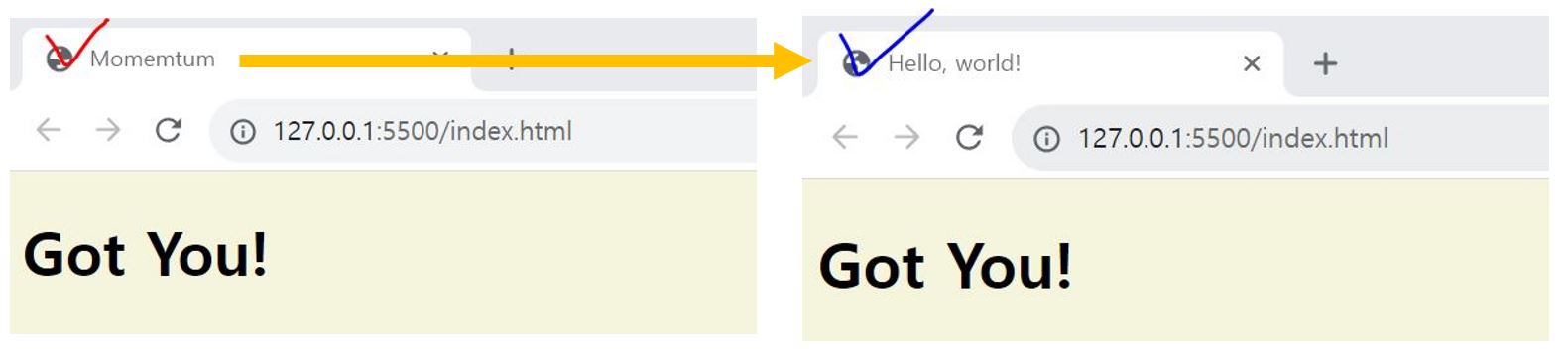
- 해당 element의 id를 넣어 변수에 저장
- 해당 id와 일치하는 id가 없을 경우 -> null varuable의 innerText Propert 변경불가
Uncaught TypeError : Cannot set property 'innerText' of null
const title = document.getElementById("title");- id가 title인 text 변경
title.innerText = "Got You!";
- id가 title인 id 및 className 가져오기
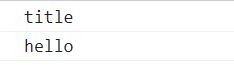
- 해당 element의 클래스의 이름이 hello를 찾아 변수에 저장
const hellos = document.getElementsByClassName("hello");
console.log(hellos);
📍 querySelector
element를 CSS 방식으로 검색
(.클래스 원하는요소): hello 란 class 내부에 있는 h1을 가지고 올 수 있음 ( 못 찾을 경우 null 반환 )- 여러개일 경우 첫번째만 가져옴 -> 여러 개 모두 가져오기 위해
querySelectorAll
const title = document.querySelector(".hello h1");
title.innerText = 'Click ME!!!';
querySelector('')
getElementById('')
-> 위 두개 모두 하는 일은 같음
-> BUT, querySelector('') 는 h1을 가져오거나 하위의 form을 가져 올 수 있음. getElementById('')는 불가함
📍 addEventListener
이벤트 발생
- 글자색 변경
title.style.color = 'tomato';

function handleTitleClick() {
    console.log("title was clicked!");
    title.style.color = 'red';
};
title.addEventListener('click', handleTitleClick);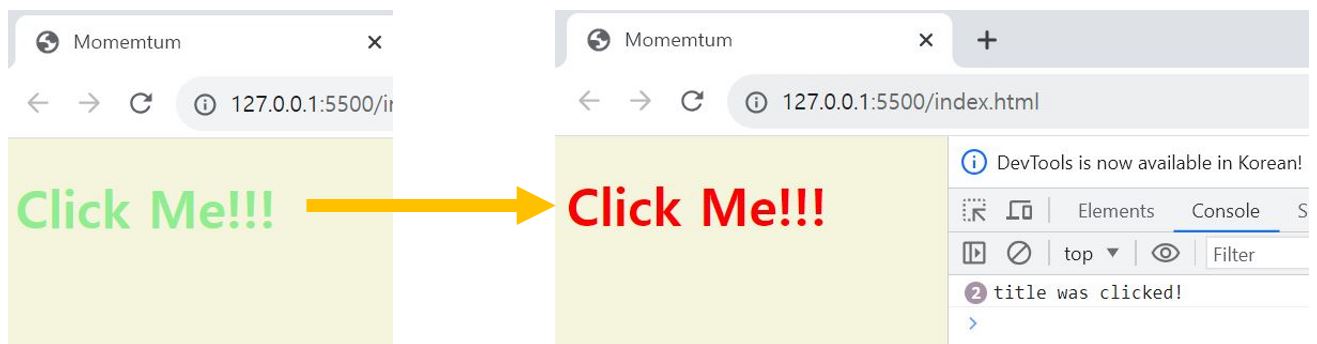
// 같은 표현
title.addEventListener('click', handleTitleClick);
title.onClick = handleTitleClick;
🔎 mouseenter
: 마우스 호버시 이벤트
function handleMouseEnter() {
    console.log("Mouse is here");
    title.innerText = "Mouse is here!";
    title.style.color = "green";
}
title.addEventListener('mouseenter', handleMouseEnter);
// title.onmouseenter = handleMouseEnter;
🔎 mouseleave
: 마우스 호버 아웃시 이벤트
function handleMouseLeave() {
    console.log("Mouse is leaved");
    title.innerText = "Mouse is gone!";
    title.style.color = "blue";
}
title.addEventListener('mouseleave', handleMouseLeave);
🔎 resize
: 창 크기 조절시 이벤트 발생
function handleWindowResize() {
    document.body.style.backgroundColor = "lightgray";
};
window.addEventListener("resize", handleWindowResize);
🔎 copy
: 복사-붙여넣기 시 이벤트 발생
function handleWindowCopy() {
    alert("copier");
};
window.addEventListener("copy", handleWindowCopy);
🔎 offline
: 인터넷 연결 안될 경우 이벤트 발생
function handleWindowOffline() {
    alert("NO WIFI")
};
window.addEventListener("offline", handleWindowOffline);
🔎 online
: 인터넷 연결시 이벤트 발생
function handleWindowONline() {
    alert("All GOOD")
};
window.addEventListener("online", handleWindowONline);
📝 4일차 챌린지 과제
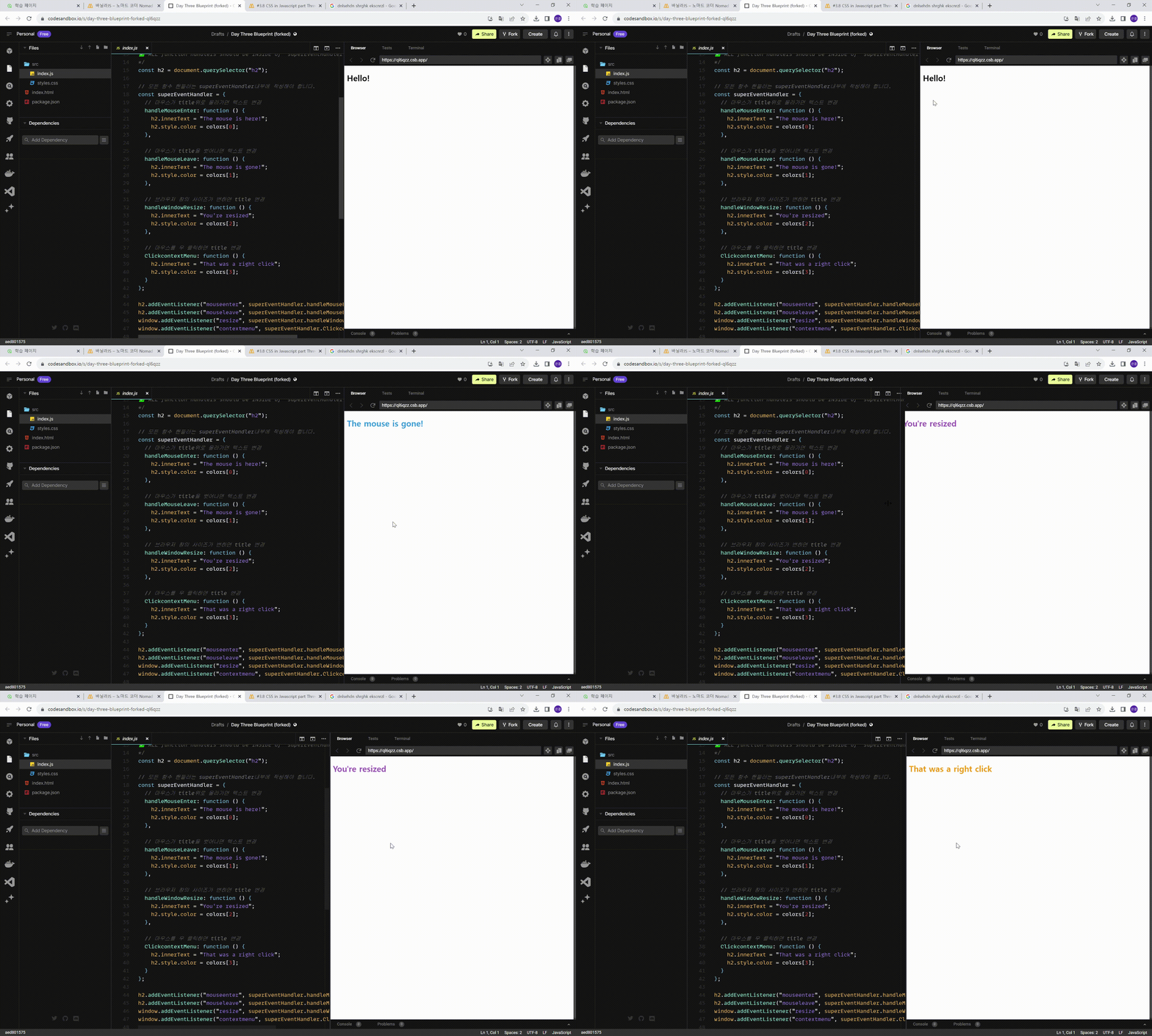
https://codesandbox.io/s/day-three-blueprint-forked-ql6qzz