1) 원본 영상을 multi-response로 streaming 하기
https://www.thisdot.co/blog/building-a-multi-response-streaming-api-with-node-js-express-and-react
2) 처음부터 영상을 잘라놓고 서버에서는 잘라진 파일을 연속적으로 서비스
hls-server 서버를 별도로 만들고 싶지 않고 기존에 작업한 api 서버에 영상 서비스 기능도 추가하고 싶었다.
=> m3u8를 video로 재생하는 html을 서비스한다.
2-1) nodejs로 영상 작게 분할하기 (ffmpeg)
yarn add fluent-ffmpeg @ffmpeg-installer/ffmpegfluent-ffmpeg으로 영상 썸네일도 만들 수 있는데 나중에 한번 해봐야할듯.
영상을 변환하는 소스를 추가한다. (videos 하위에 있는 8개의 동영상을 가져와서 videos/stream/개별 폴더 에 분할한 파일을 생성)
ffmpeg에 옵션을 줘서 분할하는 파일의 사이즈를 조절한다거나 할 수 있는 것 같다.
const fs = require('fs');
const ffmpegPath = require('@ffmpeg-installer/ffmpeg').path;
const ffmpeg = require('fluent-ffmpeg');
ffmpeg.setFfmpegPath(ffmpegPath);

Array.from({ length: 8 })
  .map((_name, idx) => `video_${idx + 1}`)
  .forEach((fileName) => {
    var command = ffmpeg(`videos/${fileName}.mp4`)
      .input(fs.createReadStream(`videos/${fileName}.mp4`))
      .output(`videos/stream/${fileName}/output.m3u8`)
      .on('end', () => {
        console.log(`${fileName} end`);
      })
      .run();
  });
node로 실행하면 저렇게 조각난 파일과 그 파일들의 연결고리(?)인 m3u8 파일이 생성된다.
node ffmpeg.cjs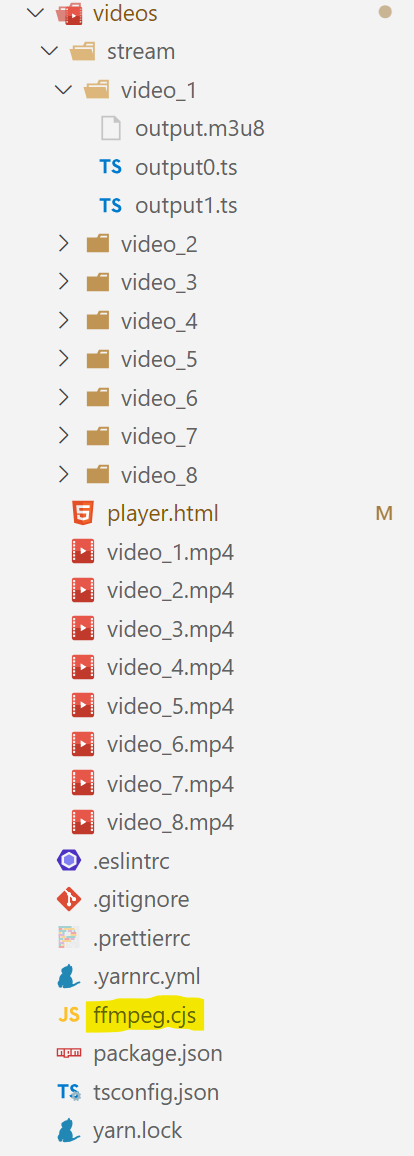
2-2) m3u8를 video로 재생하는 html 서비스
<!doctype html>
<html>
  <head>
    <title>{{fileName}}</title>
    <style>
      body { margin: 0; padding: 0; }
      video { display: block; background-color: #141414; margin: 0; padding: 0; width: 100%; aspect-ratio: 16 / 9; }
    </style>
  </head>
  <body>
    <video id="video" controls></video>
    <script src="https://cdn.jsdelivr.net/npm/hls.js@latest"></script>
    <script>
      const video = document.getElementById('video');
      const videoSrc = 'http://localhost:8080/videos/stream/{{id}}/output.m3u8';

      if (Hls.isSupported()) {
        const hls = new Hls();
        hls.loadSource(videoSrc);
        hls.attachMedia(video);
        hls.on(Hls.Events.MANIFEST_PARSED, () => {
          video.play();
        });
      } else if (video.canPlayType('application/vnd.apple.mpegurl')) {
        alert('Hls not supported');
        video.src = videoSrc;
        video.addEventListener('loadedmetadata', () => {
          video.play();
        });
      }
    </script>
  </body>
</html>
일단 player.html을 추가한다. title이나 videoSrc는 아이템마다 다르기 때문에 replace하기 위해 변수화했다.
server 파일에 /videos/stream 하위의 정적 파일을 서비스할 수 있게 셋팅하고, /html/stream/~으로 접근 시 replace한 html을 서비스한다.
/**
 * 정적 파일 서비스
 */
app.use('/videos/stream', express.static('videos/stream'));

/**
 * 영상 재생하는 html 제공
 */
app.get('/html/stream/:contId', (
  req: Request<{
    contId: string;
  }>,
  res: Response
) => {
  try {
    const video = vidoesParsed.find(
      (item) => String(item.contId) === req.params.contId
    );

    if (video) {
      const playerHTML = fs.readFileSync(path.join(
        __dirname,
        '../videos/player.html'
      ), 'utf8').replace('{{id}}', video.fileName || '').replace('{{fileName}}', video.fileName || '');

      res.status(200).type('html').send(playerHTML);
    } else {
      res.status(200).type('application/json').send(make500Response('영상 없음'));
    }
  } catch (e) {
    res
      .status(200)
      .send(make500Response(e instanceof Error ? e.message : String(e)));
  }
});
2-3) 서버를 실행해서 영상이 재생되는지 확인
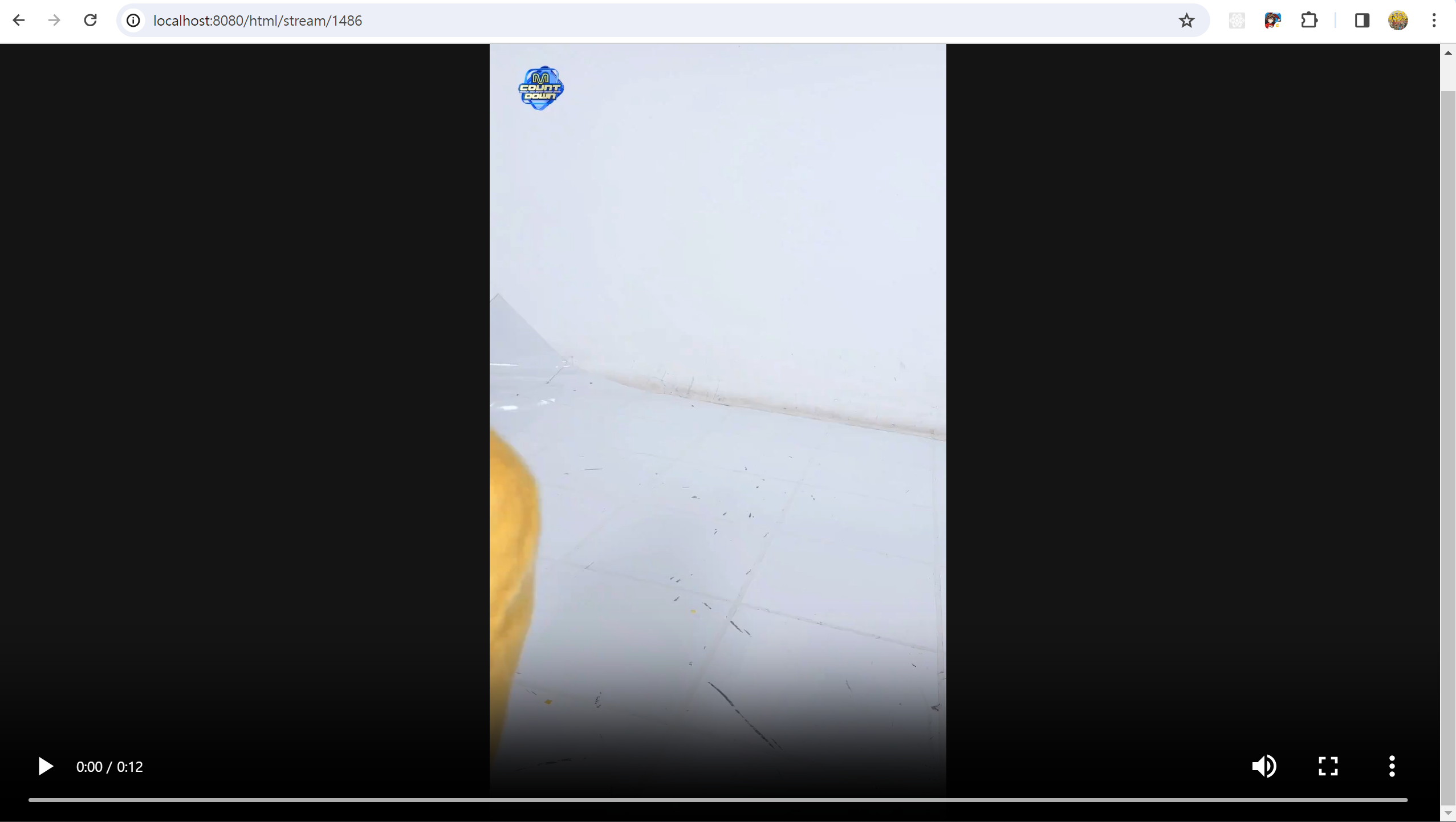
잘됨. 굿
iframe src로 사용했을 때도 잘나온다! 끗