
9.4(수)
1. Param
👉 MyBatis에서는 mapper에서 sql정의할때 매개변수를 한개밖에 사용하지 못한다. 하지만, 두개 이상 사용하기 위해서는 param이라는 어노테이션을 사용해야한다.
1-1. mapper Interface
package org.zerock.w2.mapper;

import java.util.List;

public interface ReplyMapper {

    List<ReplyVO> list (@Param("bno") Long bno, @Param("pr")  PageRequest pageRequest);

    int count(@Param("bno") Long bno, @Param("pr") PageRequest pageRequest);

    int insert(ReplyVO replyVO);


}
👉 insert에서는 ReplyVO라는 객체 한가지만 매개변수로 사용하고있지만, list와 count와 count같은 경우에는 bno와 PageRequest 두가지를 사용하고있다.
👉 이때, Param이라는 어노테이션으로 두개의 매개변수를 분리하고,
1-2. mapper.xml
    <insert id="insert">
        insert into tbl_reply (bno, reply, replyer)
        values (#{bno}, #{reply}, #{replyer})
    </insert>

    <select id="list" resultType="ReplyVO">
        select * from tbl_reply where bno = #{bno} and rno > 0 limit #{pr.skip}, #{pr.size}
    </select>

    <select id="count" resultType="int">
        select count(*) from tbl_reply where bno = #{bno} and rno > 0
    </select>

</mapper>
👉 기존의 인자가 들어갈 자리에 #{}으로 작성하되, 인터페이스에서 지정했던 param의 이름으로 #{pr.skip}, #{pr.size}처럼 사용한다.
2. 썸네일 이미지 - 첨부파일
2-1. gradle
implementation 'net.coobird:thumbnailator:0.4.20'2-2. web.xml 추가 / 해당코드는 톰캣에서 지원하는 파일업로드 기능을 사용하겠다는 의미
        <multipart-config>
            <location>C:\\upload</location>
            <max-file-size>20971520</max-file-size><!-- 최대크기 1MB * 20 -->
            <max-request-size>41943040</max-request-size><!--  1MB * 40 -->
            <file-size-threshold>20971520</file-size-threshold><!--  1MB * 20 -->
        </multipart-config>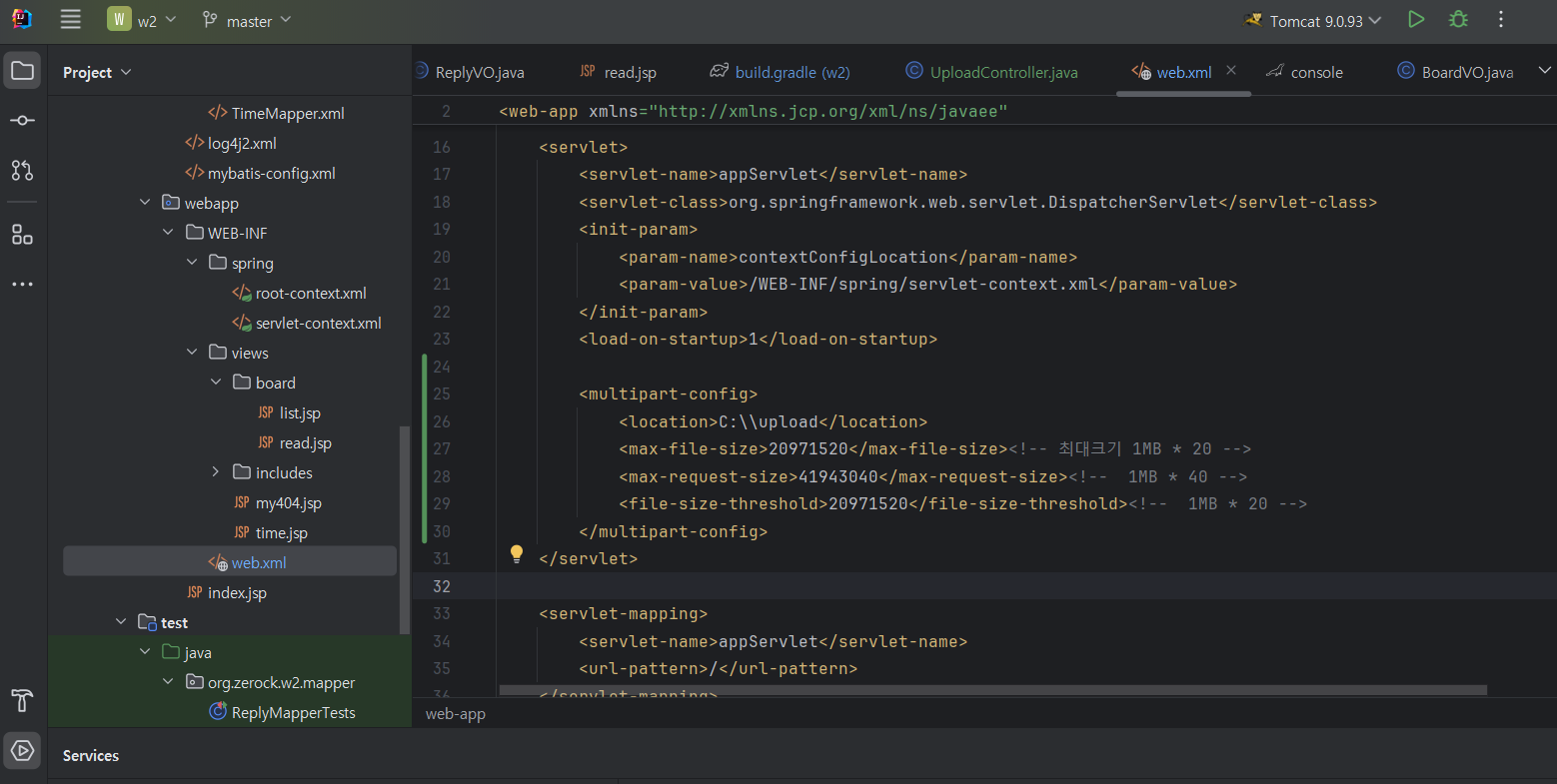
2-3. servlet-context.xml 추가
<bean id="multipartResolver"
            class="org.springframework.web.multipart.support.StandardServletMultipartResolver"/>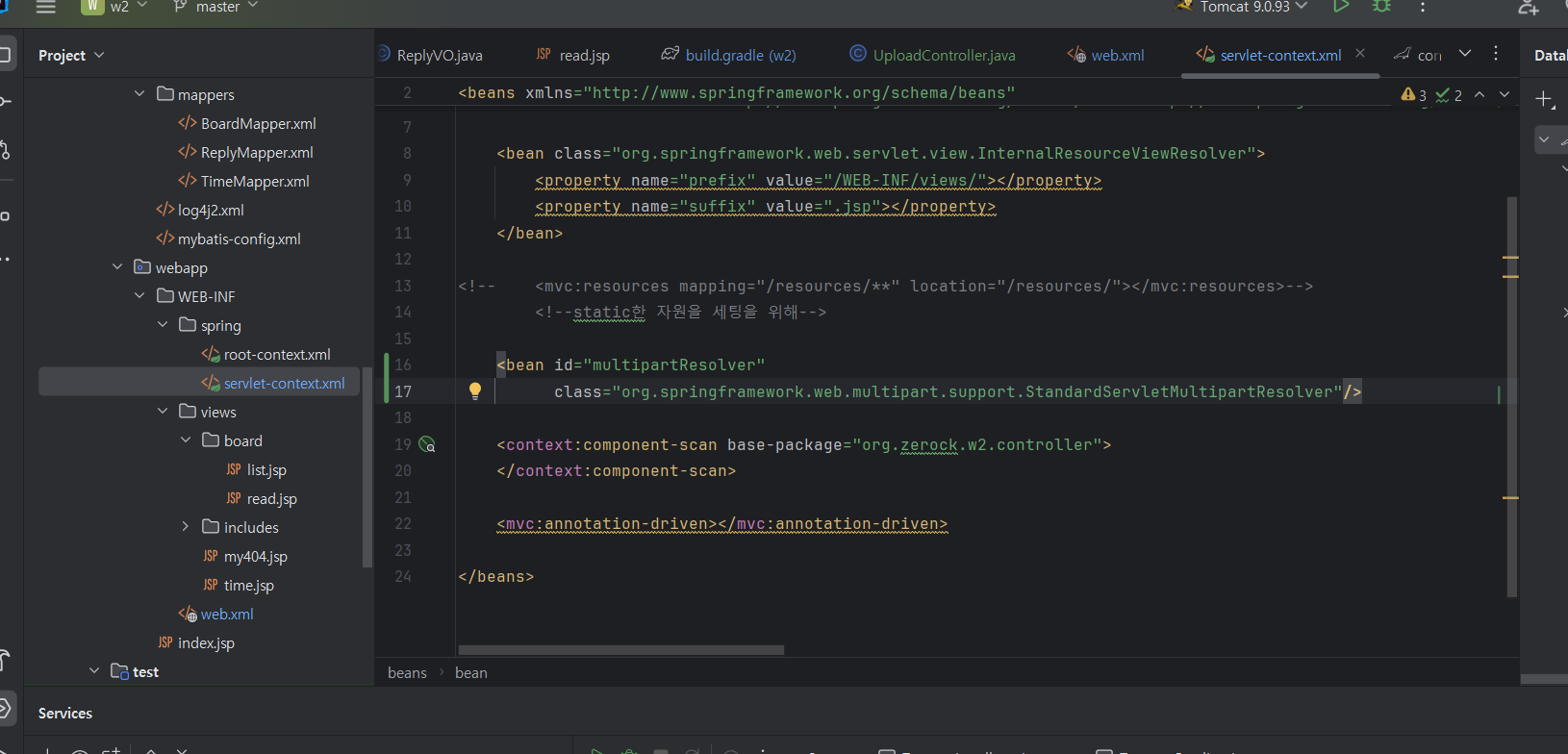
2-4. UploadUtill
package org.zerock.w2.util;


@Log4j2
public class UploadUtil {

    private final static String folder = "C:\\upload\\attach";

    public static List<String> upload(MultipartFile[] files)throws RuntimeException {

        List<String> list = new ArrayList<String>();

        if (files != null && files.length > 0) {
            for (MultipartFile file : files) {

                log.info(file.getName());
                log.info(file.getContentType());
                log.info(file.getSize());
                log.info("------------------------------");

                String fileName = file.getOriginalFilename();

                String saveFileName = UUID.randomUUID().toString() + "_" + fileName;

                File copyFile = new File(folder, saveFileName);

                try {
                    FileCopyUtils.copy(file.getBytes(), copyFile);

                    //이미지 파일 이라면 썸네일 생성해라
                    if (file.getContentType().startsWith("image")) {

                        Thumbnails.of(copyFile)
                                .size(160, 160)
                                .toFile(new File(folder, "s_" + saveFileName));


                    }
                    list.add(saveFileName);

                } catch (IOException e) {
                    throw new RuntimeException(e);
                }
            }
        }

        return list;
    }

}
2-5. UploadController
package org.zerock.w2.controller;

@RestController
@RequestMapping("/upload")
@Log4j2
public class UploadController {

    @PostMapping("")
    public ResponseEntity<List<String>> upload(MultipartFile[] files){ //RestController를 사용하면 ResponseEntity
    // post를 보내면 json의 형태로 보내진다.
        List<String> uploadNames = UploadUtil.upload(files);

        return ResponseEntity.ok(uploadNames);

    }

}
2-6. table 설계
create table tbl_board_attach (
    bno int,
    fileName varchar(200) not null,
    ord int default 0
)

-----------------------------------------
alter table tbl_board_attach
add constraint fk_board foreign key (bno)
references tbl_board(bno);

-----------------------------------------

create index idx_board on tbl_board_attach (bno desc, ord asc);