Golang을 공부하면서 visual studio에서 실행 시 문제가 발생하는 부분 기록
💻 문제 상황
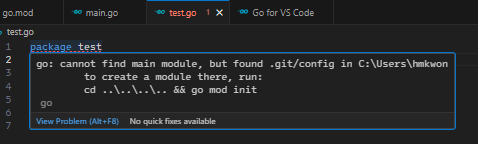
test.go가 실행은 되지만 문제가 있는 것 같음
💡 해결 방법
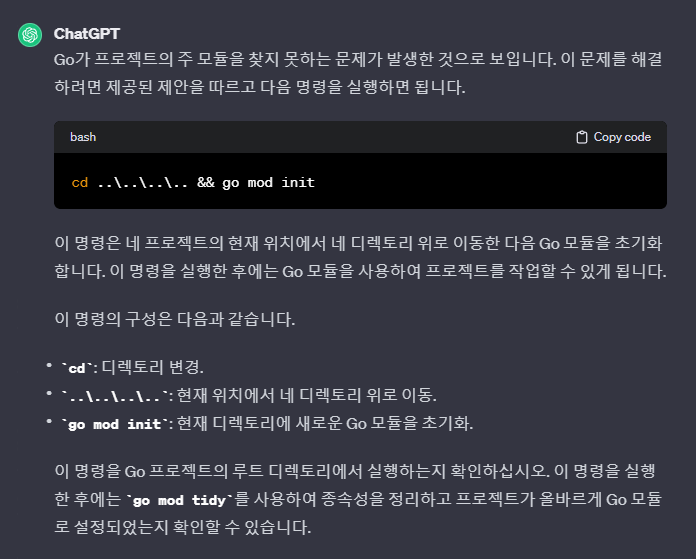
Go가 프로젝트의 주 모듈을 찾지 못하는 문제가 발생한 것이기에 Go 모듈 초기화 작업 필요
📑 실행 코드
go mod init: 현재 디렉토리에 새로운 Go 모듈 초기화
go mod tidy: 종속성 정리
C:\Users\Desktop\Test\Go>go mod init
go: cannot determine module path for source directory C:\Users\Desktop\Test\Go (outside GOPATH, module path must be specified)

Example usage:
        'go mod init example.com/m' to initialize a v0 or v1 module
        'go mod init example.com/m/v2' to initialize a v2 module

Run 'go help mod init' for more information.

C:\Users\Desktop\Test\Go>go mod init C:\Users\Desktop\Test\Go
go: malformed module path "C:\\Users\\Desktop\\Test\\Go": invalid char ':'

C:\Users\Desktop\Test\Go>go mod init Users\Desktop\Test\Go
go: malformed module path "Users\\Desktop\\Test\\Go": invalid char '\\'

C:\Users\Desktop\Test\Go>go mod init Users/Desktop/Test/Go
go: creating new go.mod: module Users/Desktop/Test/Go
go: to add module requirements and sums:
        go mod tidy

C:\Users\hmkwon\Desktop\hm\Test\Go>go mod tidy
go: finding module for package github.com/gofiber/fiber/v2
go: downloading github.com/gofiber/fiber v1.14.6
go: downloading github.com/gofiber/fiber/v2 v2.51.0
go: found github.com/gofiber/fiber/v2 in github.com/gofiber/fiber/v2 v2.51.0
go: downloading github.com/google/uuid v1.4.0
go: downloading github.com/valyala/fasthttp v1.50.0
go: downloading github.com/mattn/go-colorable v0.1.13
go: downloading github.com/mattn/go-runewidth v0.0.15
go: downloading github.com/mattn/go-isatty v0.0.20
go: downloading github.com/valyala/bytebufferpool v1.0.0
go: downloading golang.org/x/sys v0.14.0
go: downloading github.com/valyala/tcplisten v1.0.0
go: downloading github.com/klauspost/compress v1.16.7
go: downloading github.com/andybalholm/brotli v1.0.5

iamda.tistory.com 이사 중