
Node.js의 모듈 중 fs 모듈은 파일 시스템을 관리해주는 모듈이다.
지난번 http 모듈을 이용해 서버를 만들어 보았는데 이번엔 fs 모듈에 대해서 알아보도록 하겠다.
fs 모듈과 readFile()메서드로 파일 불러오기
Node.js로 아래 코드와 같이 fs 모듈과 readFile() 메서드를 사용해서 클라이언트에서 요청(request)시 파일을 읽어서 응답(response) 해보았다.
const http = require('http');
// 파일 관리해주는 파일 시스템 모듈 불러오기
const fs = require('fs');

const server = http.createServer((req, res)=>{
    res.setHeader('Content-Type', 'text/html');
  	// readFile(): 파일을 읽어오는 메서드
  	// readFile 함수로 index.html 파일 가져오기
    fs.readFile('./views/index.html', (err, data)=>{
        if(err){ // 에러 발생한 경우
            console.log(err);
            res.end();
        }else{	// 정상적으로 불러온 경우
            res.end(data);
        }
    })
});
server.listen(8000, ()=>{
    console.log('8000포트에서 서버 실행중');
})
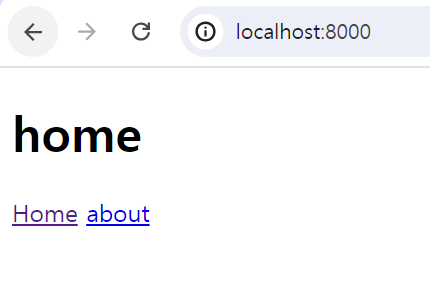
node 명령어로 실행하고 주소창에 http://localhost:8000/ 으로 접속하면 index.html 파일을 읽어서 응답하는걸 볼 수 있다.

index.html 파일 코드
<!DOCTYPE html>
<html lang="en">
<head>
    <meta charset="UTF-8">
    <meta name="viewport" content="width=device-width, initial-scale=1.0">
    <title>Document</title>
</head>
<body>
    <h1>home</h1>
    <nav>
        <a href="/">Home</a>
        <a href="/about">about</a>
    </nav>
</body>
</html>
이제 코드를 살펴보도록 하자.
이전 게시물에서 다뤘던 내용은 간략히 다루고 fs 모듈에 대해서만 상세히 다뤄보도록 하겠다.
1. 모듈 가져오기
const http = require('http');
const fs = require('fs'); - http 모듈 불러오기
- 파일 모듈 불러오기
--require()메서드를 사용해서fs모듈을 불러온다.
--fs: 파일 관리해주는 파일 시스템 모듈
2. 서버 생성
const server = http.createServer((req, res)=>{
    // req : request(요청), res : response(응답)
});createServer(): http 서버를 생성한다.
3. 요청에 대한 이벤트 처리
res.setHeader('Content-Type', 'text/html');
fs.readFile('./views/index.html', (err, data)=>{
        if(err){
            console.log(err);
            res.end();
        }else{
            res.end(data);
        }
})res.setHeader(): 응답 헤더 작성readFile(): 파일을 읽어오는 메서드fs.readFile('파일 경로', (콜백함수)=>{}):
1) 에러가 났을 경우 ?
=> 로그에 에러 찍고 끝낸다.
2) 정상적으로 불러왔을 경우 ?
=> 콜백함수 안의 data 객체로 파일 내용을 전달하고 콜백함수 안에서 응답 객체의 메서드(end())를 사용해서 파일 내용을 클라이언트로 전송한다.
4. 서버 실행
server.listen(8000, ()=>{
    console.log('8000포트에서 서버 실행중');
})
server.listen('포트번호', (콜백함수)=>{}): 8000포트에서 서버를 실행시키고 '8000포트에서 서버 실행중' 을 로그로 찍는다.
이전 포스트와 더불어 http 모듈과 fs 모듈을 알아보면서 Node.js로 서버 생성하는 법을 알아보았다. 다음엔 express로 서버 생성하는 법을 정리해보겠다. 😊

웹 개발 공부하는 코린이