행과 열
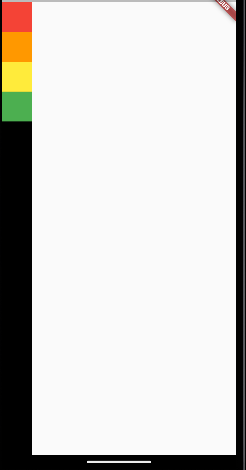
Column, Row를 이용해 특정 구성 요소를 행과 열에 배치할 수 있다.
Scaffold(
  body: SafeArea(
    child: Container(
      color: Colors.black,
      child: Column(
        children: [
          Container(
            color: Colors.red,
            width: 50.0,
            height: 50.0,
          ),
          ...
        ],
      ),
    ),
  )
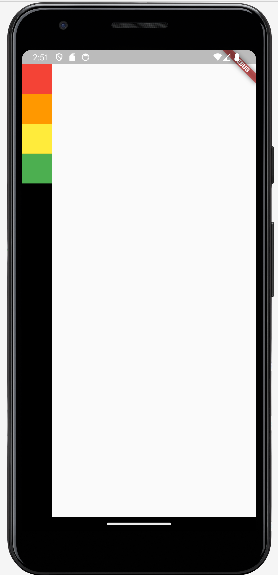
);
SafeArea: 상태바와 같이 기본 시스템 레이아웃을 제외한 화면만 고려하여 위젯을 화면에 표시하게 만드는 함수.
함수 안의 구성 요소
mainAxisAlignment: 주축 정렬, 해당 위젯들의 위치를 지정해주는 요소. 항상 최대 공간을 차지한다.start: 시작end: 끝center: 가운데spaceBetween: 위젯과 위젯 사이 간격 동일spaceEvenly: 위젯과 위젯 사이 간격 동일 (여백으로 시작)spaceAround: 위젯과 위젯 사이 간격 동일 (끝 여백은 1/2)
child: Column(
	mainAxisAlignment: MainAxisAlignment.start,
    children: [
    ...
    ],
),-
CrossAxisAlignment: 반대축 정렬, 해당 위젯들의 위치를 지정해주는 요소. 항상 최소 공간을 차지한다.center: 가운데start: 시작stretch: 최대 (Container에서 지정한 요소를 무시하고 부모 요소에 지정한 stretch의 값이 적용된다)baseline: text의 밑 부분을 정렬하는 요소end: 끝
child: Column(
	crossAxisAlignment: CrossAxisAlignment.start,
    children: [
    ...
    ],
),MainAxisSize: 주축 크기.max: 최대min: 최소
child: Column(
	mainAxisSize: MainAxisSize.max,
    children: [
    ...
    ],
),
Expanded와 Flexible
Expanded: 남은 공간 전부를 차지하게 만드는 옵션. 여러 개의 Container에 부여하면 각 위젯이 동일한 공간을 차지한다.flex: 남은 공간을 차지하는 비율
child: Column(
    children: [
      Expanded(
      	flex: 2,
      	child: Container(
        	...
        ),
      ),
      ...
    ],
),Flexible:Expanded와 같은 공간을 차지하되, 위젯이 사용하지 않는 공간은 반환.flex값은Expanded와 동일
child: Column(
    children: [
      Flexible(
      	flex: 2,
      	child: Container(
        	...
        ),
      ),
      ...
    ],
),