Spaceship Titanic 데이터셋
구글드라이브에서 파일 업로드하는 법
import pandas as pd
import numpy as np
import matplotlib.pyplot as plt
import seaborn as sns

from google.colab import drive
drive.mount('/content/drive')
- 위 코드 실행하면 구글로그인 창 뜨고 로그인
- 옆에 파일창에 drive경로가 자동추가됨
train = pd.read_csv('/content/drive/My Drive/train.csv')
test = pd.read_csv('/content/drive/My Drive/test.csv')
- 변수에 데이터 저장(경로는(절대경로) /content/drive/ 여기서부터 경로 보고 적기)
Spaceship Titanic 데이터셋 확인
print(train.shape)
print(test.shape)
print(train.info())
print(train.isnull().sum())
print(train.describe())
import seaborn as sns
import matplotlib.pyplot as plt
print(f"원본데이터 shape : {train.shape}")
train['Age'].fillna(train['Age'].mean(), inplace=True)
dropdf = train.drop(['PassengerId', 'RoomService', 'FoodCourt', 'ShoppingMall', 'Spa', 'VRDeck', 'Name', 'HomePlanet', 'Destination', 'Cabin'], axis = 1)
print(f"첫번째 드롭 : {dropdf.shape}")
dropdf['CryoSleep'] = dropdf['CryoSleep'].map({True : 1, False : 0})
dropdf['VIP'] = dropdf['VIP'].map({True : 1, False : 0})
dropdf = dropdf.dropna(subset = ['CryoSleep', 'VIP'], axis = 0)
print(f"결측값 있는 마지막 데이터 전부 제거 : {dropdf.shape}")

print(dropdf.shape)
print(dropdf.isnull().sum())
dropdf

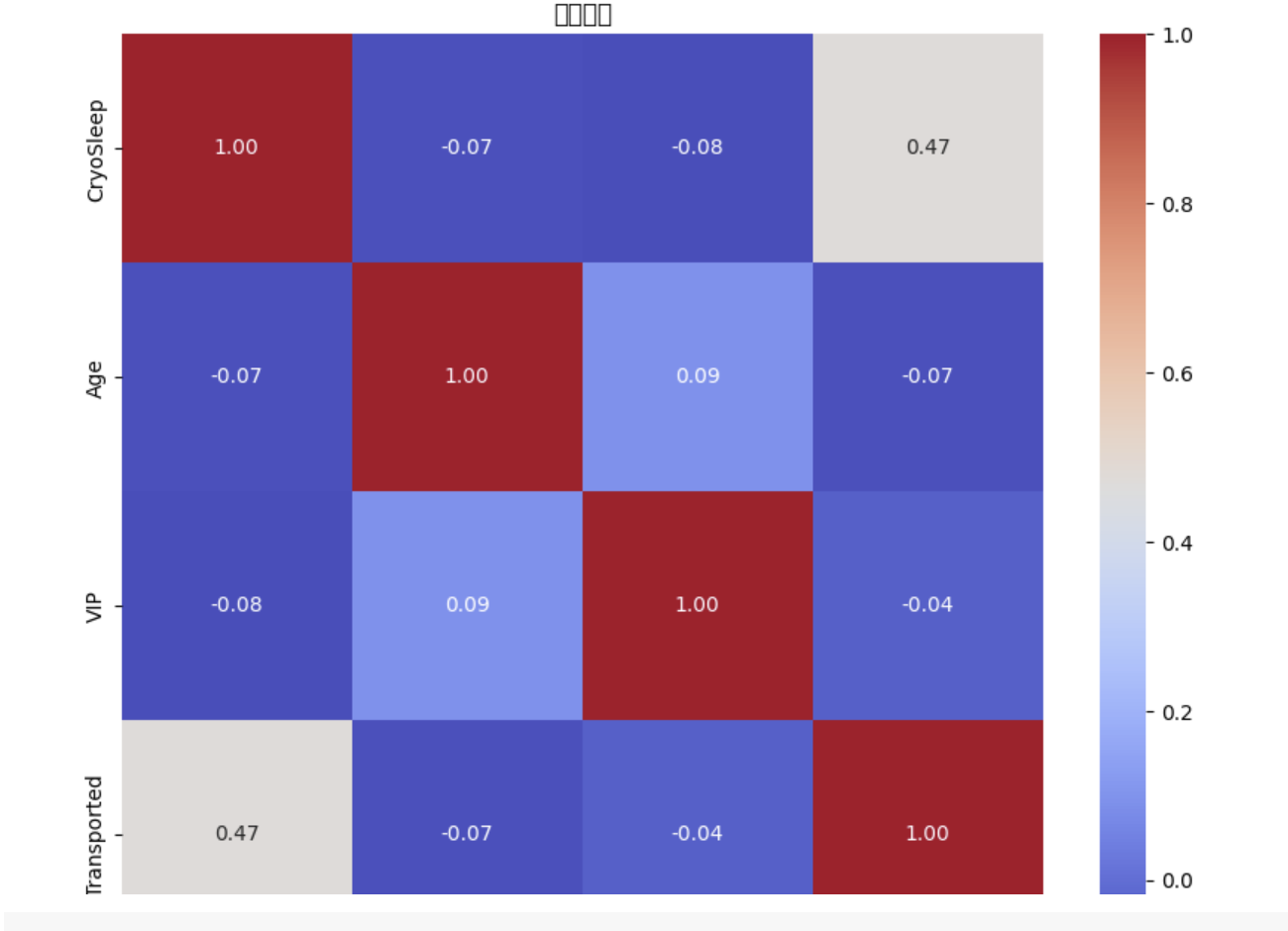
plt.figure(figsize = (10,8))
sns.heatmap(dropdf.corr(), annot = True, cmap = 'coolwarm', fmt = ".2f")
plt.title("상관관계")
plt.show()
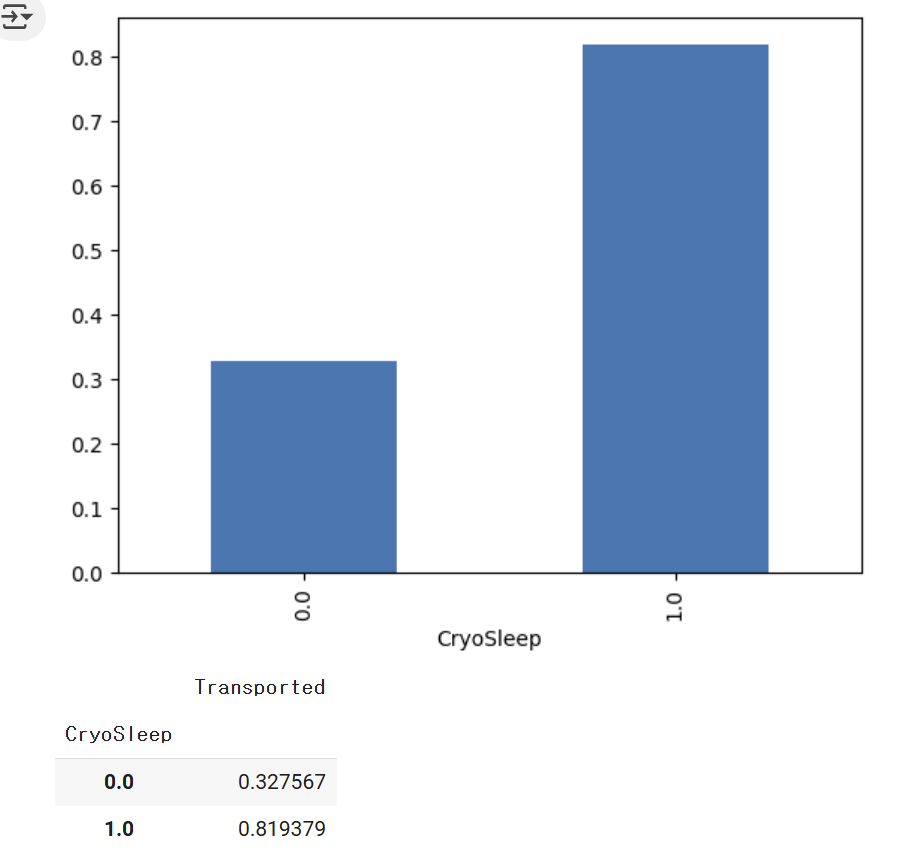
df = dropdf.groupby('CryoSleep').mean()['Transported']
df.plot(kind = 'bar')
plt.show()

df