파일 구성
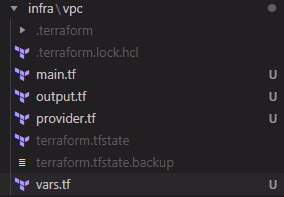
- vpc, subnet, IGW, NAT, Route 가 main.tf 한곳에 다 있다.
provider.tf
terraform {
  required_providers {
    aws = {
      source = "hashicorp/aws"
      version = "6.13.0"
    }
  }
}

provider "aws" {
  region = var.region
}
vars.tf
variable "region" {
  type    = string
  default = "ap-northeast-2"
}

variable "cidr_block" {
  type    = string
  default = "10.7.0.0/16"
}

variable "public_subnet_cidr" {
  type    = list(any)
  default = ["10.7.0.0/20", "10.7.16.0/20"]
}

variable "private_subnet_cidr" {
  type    = list(any)
  default = ["10.7.64.0/20", "10.7.80.0/20"]
}

variable "azs" {
  type    = list(any)
  default = ["ap-northeast-2a", "ap-northeast-2c"]
}
main.tf
resource "aws_vpc" "user07-vpc" {
  cidr_block = var.cidr_block

  tags = {
    Name = "user07-vpc"
  }
}
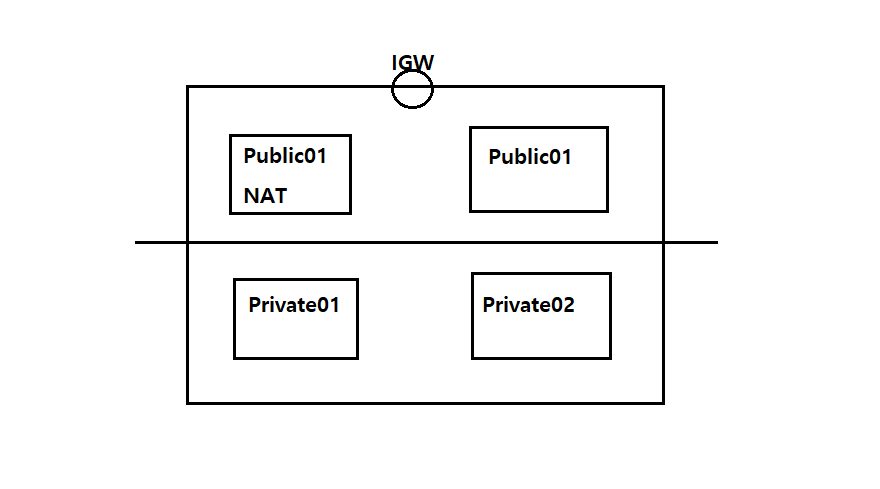
// subnet 만들기 --- public 2개, private 2개
resource "aws_subnet" "user07-public01" {
  vpc_id            = aws_vpc.user07-vpc.id
  cidr_block        = var.public_subnet_cidr[0]
  availability_zone = var.azs[0]

  tags = {
    Name = "user07-public01"
  }
}

resource "aws_subnet" "user07-public02" {
  vpc_id            = aws_vpc.user07-vpc.id
  cidr_block        = var.public_subnet_cidr[1]
  availability_zone = var.azs[1]

  tags = {
    Name = "user07-public02"
  }
}

resource "aws_subnet" "user07-private01" {
  vpc_id            = aws_vpc.user07-vpc.id
  cidr_block        = var.private_subnet_cidr[0]
  availability_zone = var.azs[0]

  tags = {
    Name = "user07-private01"
  }
}

resource "aws_subnet" "user07-private02" {
  vpc_id            = aws_vpc.user07-vpc.id
  cidr_block        = var.private_subnet_cidr[1]
  availability_zone = var.azs[1]

  tags = {
    Name = "user07-private02"
  }
}

// Internet Gateway 만들기 ---
resource "aws_internet_gateway" "user07-igw" {
  vpc_id = aws_vpc.user07-vpc.id

  tags = {
    Name = "user07-igw"
  }
}

// EIP 만들기 ---
resource "aws_eip" "user07-eip" {
  domain = "vpc"
  # depends_on = ["aws_internet_gateway.user07-igw"] // 자꾸 warring떠서 주석처리
  lifecycle {
    create_before_destroy = true
  }
  tags = {
    Name = "user07-eip"
  }
}

// NAT Gateway 만들기 ---
resource "aws_nat_gateway" "user07-nat-gw" {
  allocation_id = aws_eip.user07-eip.id
  subnet_id     = aws_subnet.user07-public01.id
  depends_on    = ["aws_internet_gateway.user07-igw"]
  tags = {
    Name = "user07-nat-gw"
  }
}

// Public Route Table 만들기 ---
resource "aws_default_route_table" "user07-public-rt" {
  default_route_table_id = aws_vpc.user07-vpc.default_route_table_id

  route {
    cidr_block = "0.0.0.0/0"
    gateway_id = aws_internet_gateway.user07-igw.id
  }
  tags = {
    Name = "user07-public-rt"
  }
}

// Public Subnet 과 Route Table 연결 ---
resource "aws_route_table_association" "user07-public01-rt-assoc" {
  subnet_id      = aws_subnet.user07-public01.id
  route_table_id = aws_default_route_table.user07-public-rt.id
}

resource "aws_route_table_association" "user07-public02-rt-assoc" {
  subnet_id      = aws_subnet.user07-public02.id
  route_table_id = aws_default_route_table.user07-public-rt.id
}

// Private Route Table 만들기 ---
resource "aws_route_table" "user07-private-rt" {
  vpc_id = aws_vpc.user07-vpc.id

  route {
    cidr_block     = "0.0.0.0/0"
    nat_gateway_id = aws_nat_gateway.user07-nat-gw.id
  }
  tags = {
    Name = "user07-private-rt"
  }
}


// Private Subnet 과 Route Table 연결 ---
resource "aws_route_table_association" "user07-private01-rt-assoc" {
  subnet_id      = aws_subnet.user07-private01.id
  route_table_id = aws_route_table.user07-private-rt.id
}

resource "aws_route_table_association" "user07-private02-rt-assoc" {
  subnet_id      = aws_subnet.user07-private02.id
  route_table_id = aws_route_table.user07-private-rt.id
}
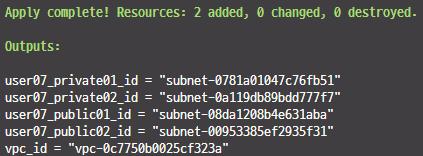
output.tf
output "vpc_id" {
  value = aws_vpc.user07-vpc.id
}

output "user07_public01_id" {
  value = aws_subnet.user07-public01.id
}

output "user07_public02_id" {
  value = aws_subnet.user07-public02.id
}

output "user07_private01_id" {
  value = aws_subnet.user07-private01.id
}

output "user07_private02_id" {
  value = aws_subnet.user07-private02.id
}
중간중간 apply하면서 확인
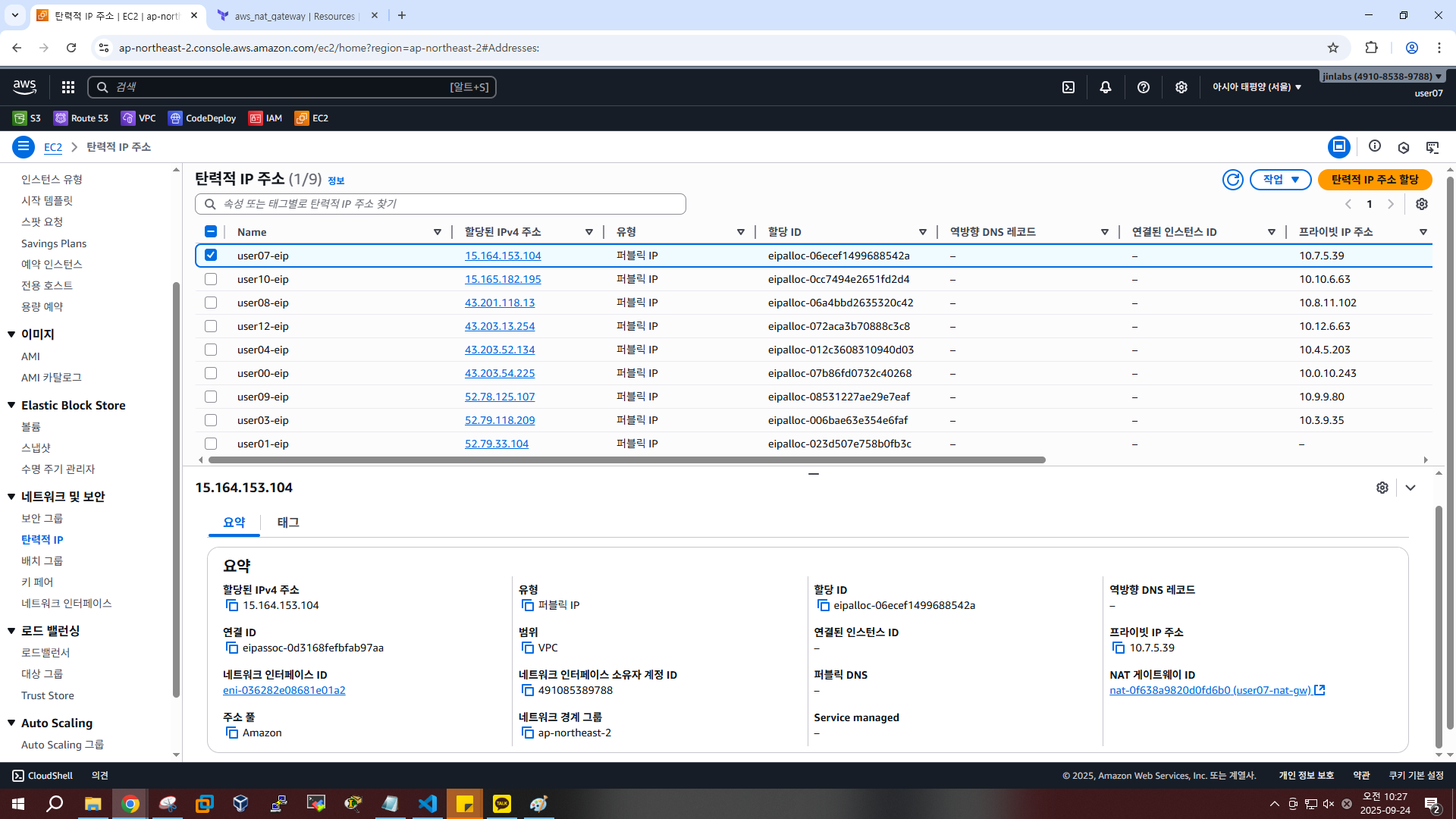
EIP 생성 확인
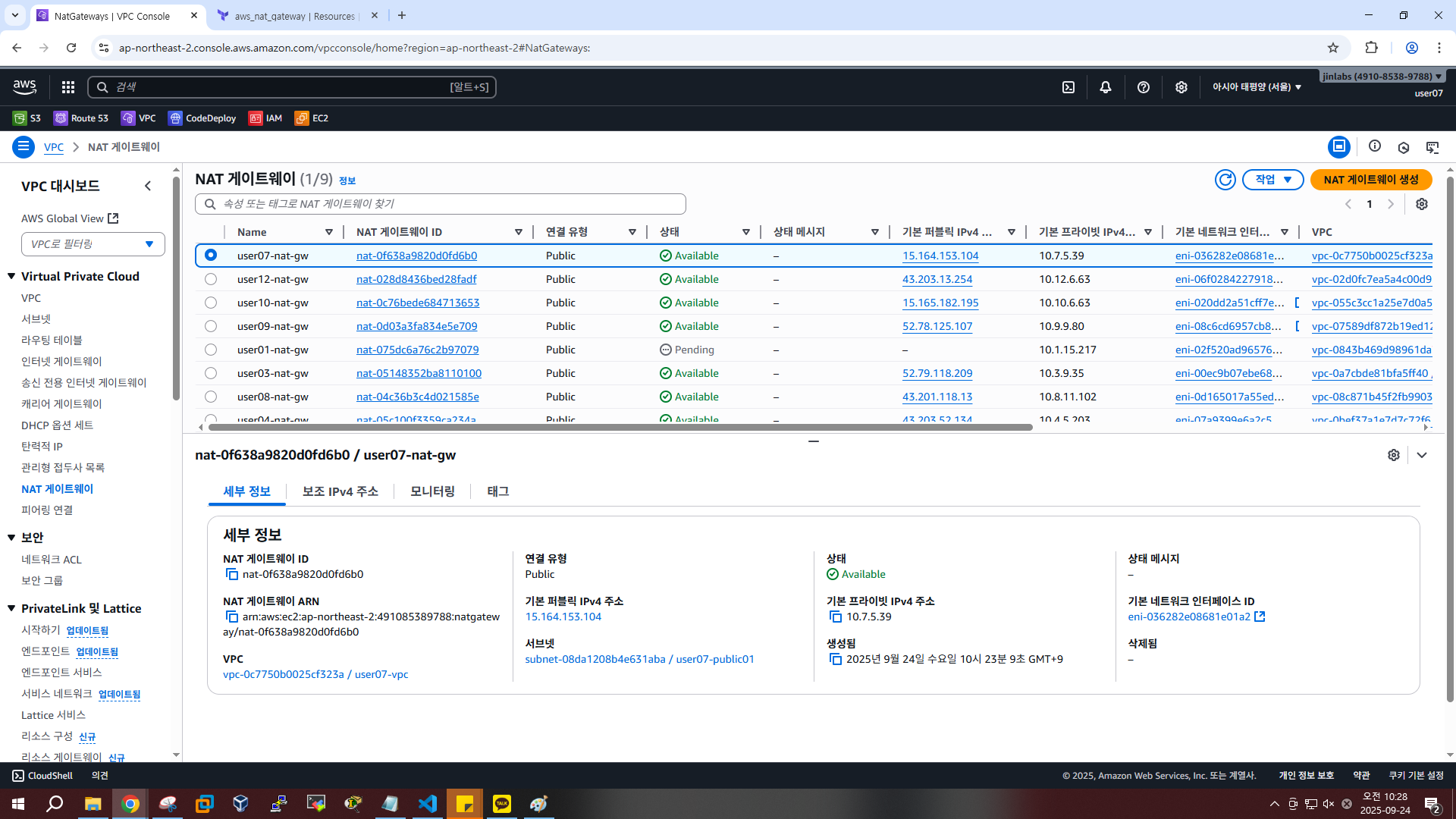
NAT 게이트웨이 확인
라우팅 테이블 확인
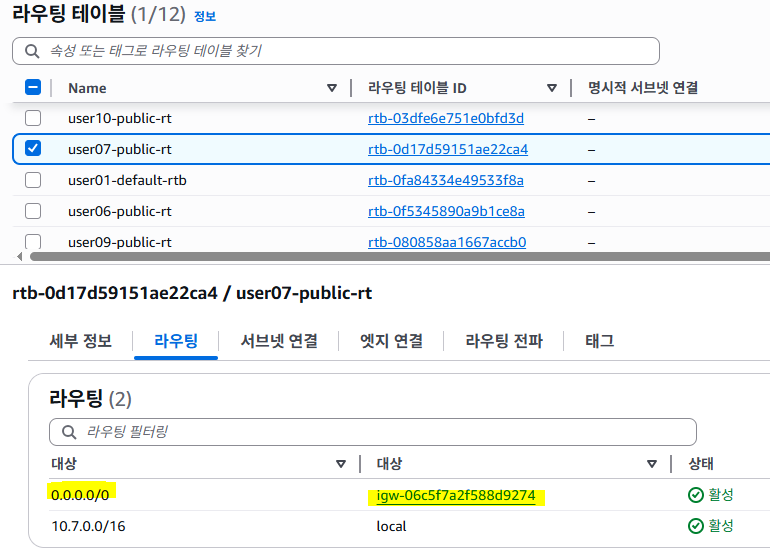
- 룰 만들어졌는지 확인
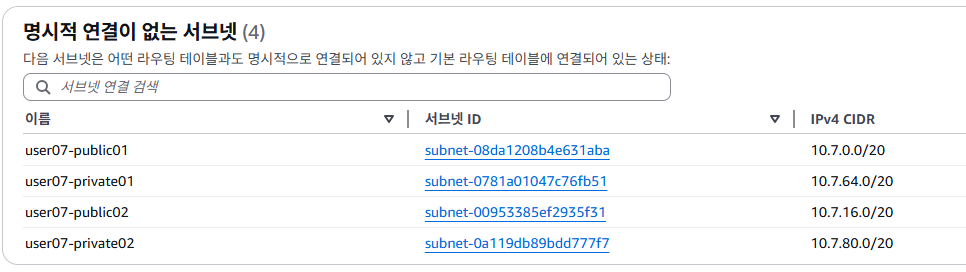
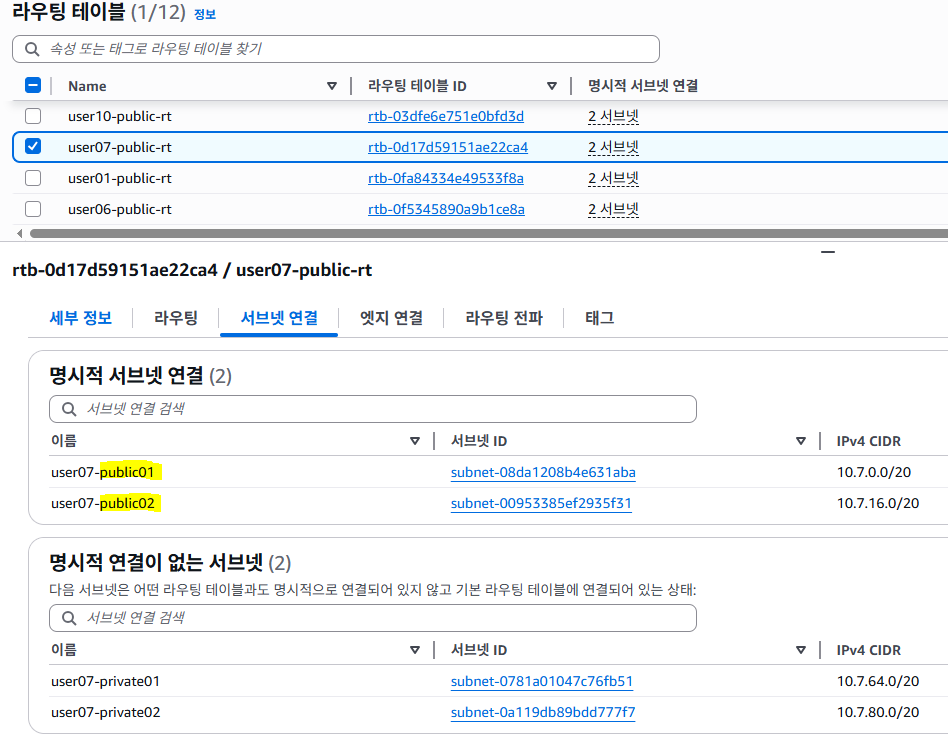
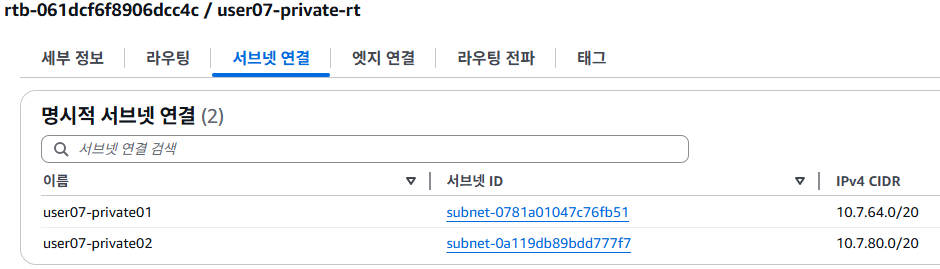
- 서브넷 연결하기
Private Route Table 확인
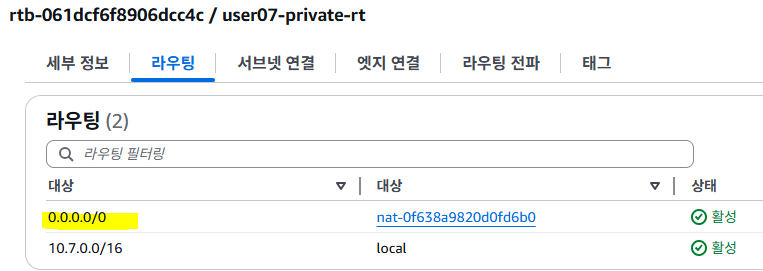
Private Subnet 과 Route Table 연결

`•.¸¸.•´´¯`••._.• 🎀 𝒸𝓇𝒶𝓏𝓎 𝓅𝓈𝓎𝒸𝒽💞𝓅𝒶𝓉𝒽 🎀 •._.••`¯´´•.¸¸.•`