❕ 문제 상황
이미지 업로드 기능 테스트 중 포스트맨으로 2.1MB 크기의 이미지 파일을 전송했다.
❗️ 에러문구
<html>

<head>
    <title>413 Request Entity Too Large</title>
</head>

<body>
    <center>
        <h1>413 Request Entity Too Large</h1>
    </center>
    <hr>
    <center>nginx/1.18.0 (Ubuntu)</center>
</body>

</html>
💡 application.properties에서 하나의 multipart파일 요청은 10MB로 제한을 두었기 때문에 파일이 업로드되고, 저장되어야 한다.
하지만, Nginx의 요청 크기 제한을 초과하여 요청이 거부된 것이었다.
Nginx에서는 업로드하는 파일의 용량을 기본적으로 1MB로 제한함
// application.properties
spring.servlet.multipart.max-request-size=50MB
spring.servlet.multipart.max-file-size=10MB- 추후 채팅방 파일 업로드 고려하여 하나의 multipart파일 요청은 10MB로 제한
(페이스북, 인스타 - 8MB)
💡 해결방법
1. Nginx 설정 파일 수정
vm으로 접근하여 Nginx 설정 파일을 수정한다.
sudo nano /etc/nginx/nginx.conf
2. http나 server 블록에 설정을 추가한다.
client_max_body_size 50M;
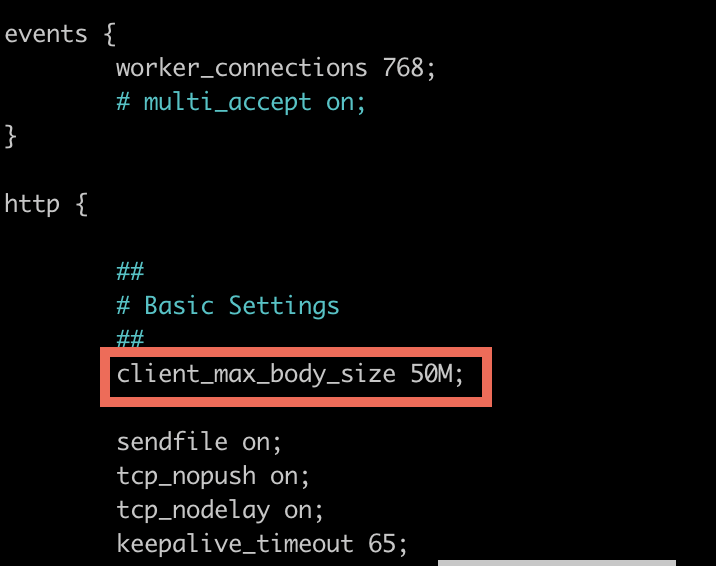
ctrl + x(나가기)
y저장할건지 물으면 (y or Y)
enter(파일명 확인 후 저장)
3. Nginx를 재시작한다
sudo systemctl restart nginx
✅ 향후 개선 및 고려사항
- 업로드크기 제한을 프로필, 파일 업로드, 채팅 이미지로 나누어 설정
- 채팅 이미지, 파일 압축 후 업로드
🗂️ 레퍼런스