Github 여러 프로젝트를 하나의 Repository에 올리기
깃허브에 과제한 것들을 올려놓다보니 repository가 너무 많아졌다.
그래서 좋은 방법이 없을까 고민하던 중에 하나의 repository에 폴더별로 프로젝트를 모아두는 방법을 알아냈다.
간단한 개요는 다음과 같다.
1. Repository를 만들고, 프로젝트를 올려둔다. (자식 레파지토리)
2. 부모가 될 Repository를 만든다. (최초 1번)
3. 부모 repository를 클론하고 클론한 폴더 안으로 이동한다.
4. subtree를 이용하여 폴더를 만들고, 1번에서 만든 repository를 올려둔다.
5. 필요없어진 1번 repository는 삭제해준다.
1. 자식 repository를 만들고, 프로젝트를 업로드한다.
$ git init
$ git add .
$ git commit -m "commit message"
$ git remote add origin "repository address"
$ git checkout -b [new branch]
$ git push -u origin [new branch]
2. 부모가 될 repository를 만든다. (최초 1번)
github에서 new repository를 이용해서 만들면 된다.
3. 부모 repository를 클론하고 클론한 폴더 안으로 이동한다.
$ git clone [parent repository address]클론을 한 다음에 cd 명령어로 부모 레포지토리로 이동해준다.
$ cd [parent repository name]
4. subtree를 이용하여 폴더를 만들고, 1번에서 만든 repository를 올려둔다.
subtree를 이용해 자식 프로젝트를 저장할 폴더를 만들고, 자식 프로젝트의 repository를 넣는다.
$ git subtree add --prefix=[project name] [child repository address] [branch name]예를 들면 이렇게 project name에는 생성할 폴더 이름을 넣어주고, child repository address에는 자식 레포지토리, 즉 1번에서 만들어둔 레포지토리 주소를 넣어준다. branch name에서는 1번에서 branch에 업로드 할 때 사용한 branch 이름을 넣어준다.
$ git subtree add --prefix=item-service https://github.com/eunsxx/item-service.git main마지막으로, 깃허브에 push를 해준다.
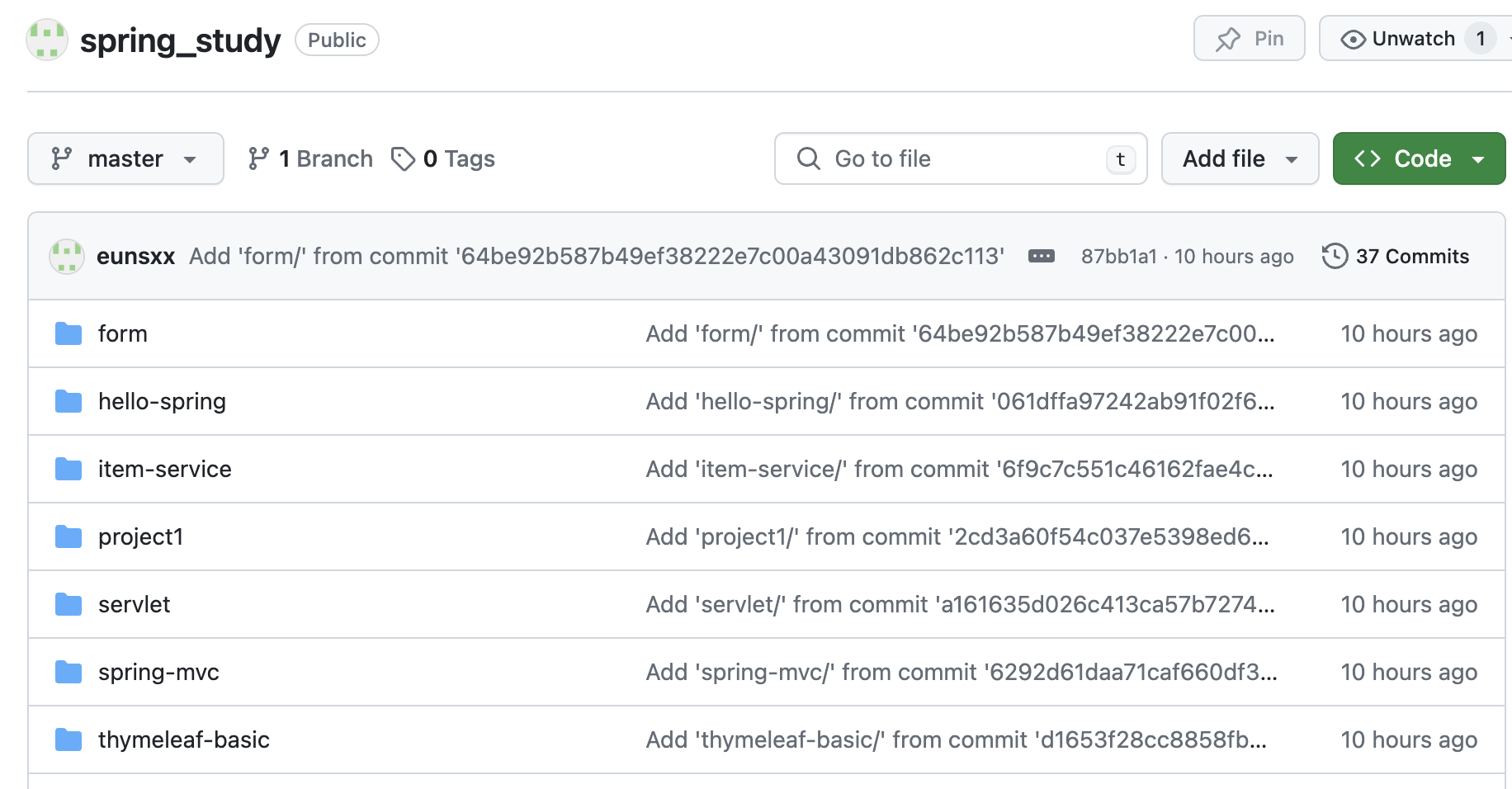
$ git push origin [branch]그러면 다음과 같이 부모 레포지토리(ex. spring_study) 안에 각각의 프로젝트마다 자식 레포지토리들이 폴더별로 올라가있는 것을 볼 수 있다.
트러블 슈팅
1. fatal: working tree has modifications. Cannot add.
repository가 최신 버전이 아니라서 발생하는 오류이다. git push로 최신버전으로 업데이트 해주고 다시 명령어를 실행하면 된다.$ git push

아무것도 모르는 말하는 감자 입니다