progress bar
- 프로그레스바 구현
- 스크롤을 내리면 상단 바가 스크롤한 길이만큼 늘어남
요소 사이즈와 스크롤
https://ko.javascript.info/size-and-scroll

- 자바스크립트로 요소 사이즈나 스크롤 높이 등을 알 수 있음
- 주황색 보더를 기준
- 보더 바깥쪽: offsetTop, offsetLeft
- 보더 사이: clientTop, clinetLeft
- 콘텐츠: clientWidth, clientHeight
- 보더 포함한 콘텐츠: offsetWidth, offsetHeight
- 콘텐츠의 전체 길이: scrollHeight
- 스크롤바의 수직 위치: scrollTop
throttle & debounce
https://css-tricks.com/debouncing-throttling-explained-examples/
- 시간이 지남에 따라 함수가 실행되도록 허용하는 횟수를 제어하는 방법
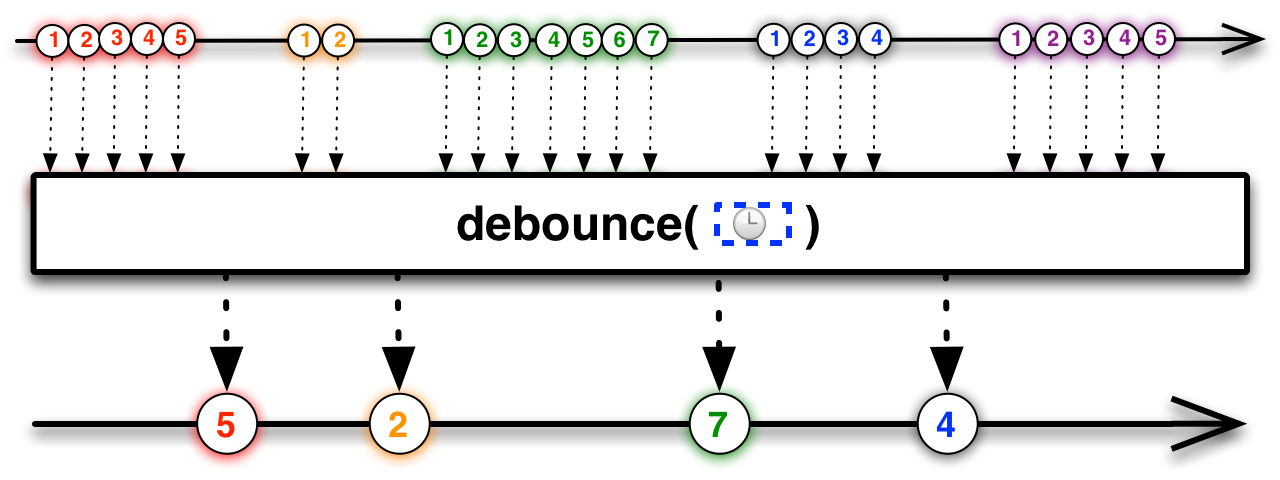
debounce
- debounce: 특정 시간이 지난 후 하나의 이벤트만 발생시키는 방법
- 예시) 버튼 중복 클릭 방지
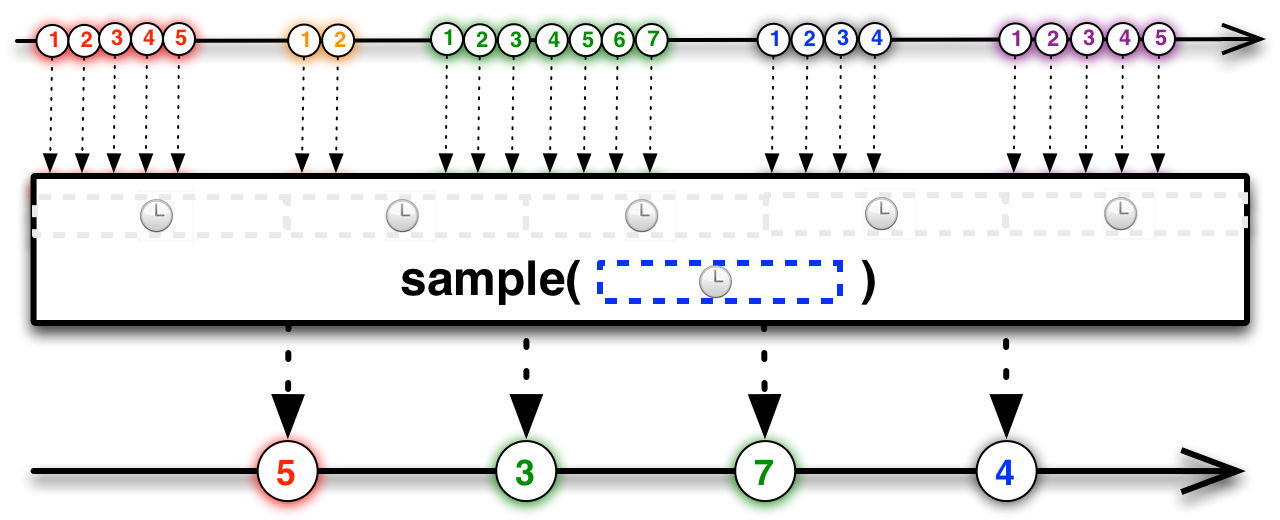
throttle
- throttle: 일정한 주기마다 이벤트를 발생시키는 방법
- 예시) 스크롤 이벤트
scroll에 따른 프로그래스 바 실습
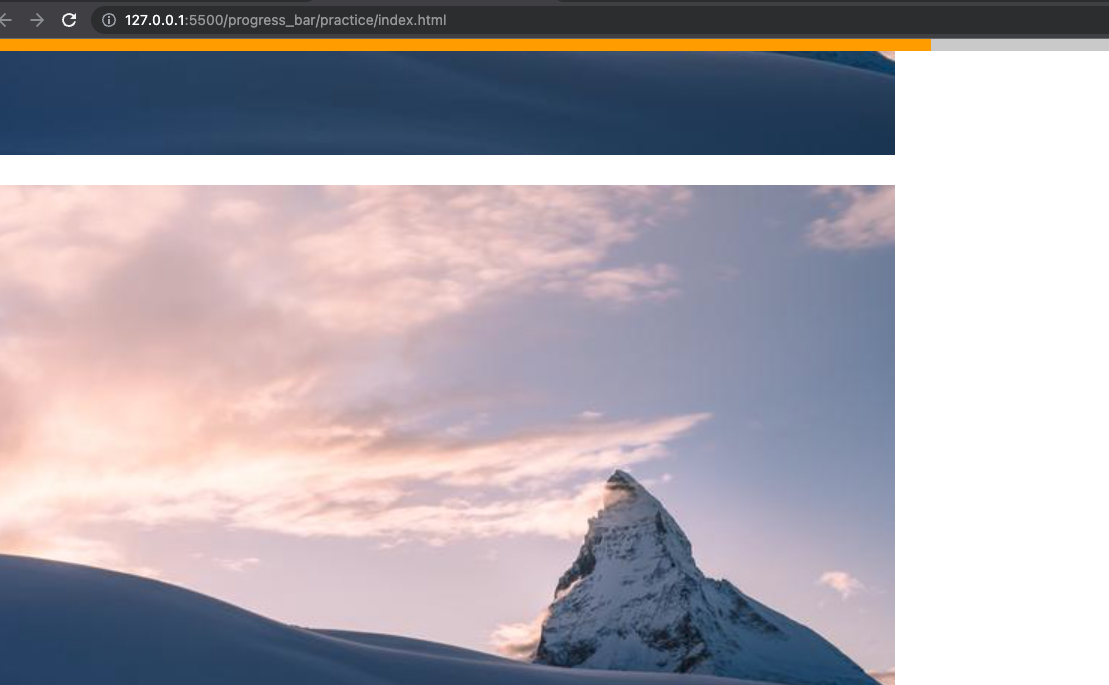
스크롤을 올리고 내림에 따라 따라오는 프로그래스 바를 만들어 주기 위해서
먼저
[CSS]
.header {
  position: fixed;
  top: 0;
  z-index: 1;
  width: 100%;
  background-color: #f1f1f1;
}

.progress-container {
  width: 100%;
  height: 8px;
  background: #c6c6c6;
}

.progress-bar {
  height: 8px;
  background: #ff9800;
  width: 0%;
}
스타일링을 한 후 진행할
progress-bar에 JS 를 넣어준다.
;(function () {
  'use strict'

  let timerId

  const get = (target) => {
    return document.querySelector(target)
  }

  const $progressBar = get('.progress-bar')

  const onScroll = () => {
    const scrollTop = document.documentElement.scrollTop;
    console.log(scrollTop);

    const height = //보여지는 영역을 제외한 길이
      document.documentElement.scrollHeight - //스크롤의 총길이
      document.documentElement.clientHeight //보여지는 영역

    //결국 이걸 통해 progress-bar 의 width 값을 채워줄 것임
    const scrollWidth = (scrollTop / height) * 100;
    $progressBar.style.width = scrollWidth + '%' //스타일 변경
  }

  window.addEventListener('scroll', () => onScroll())

})()
위 scrollWidth 를 console에서 보면
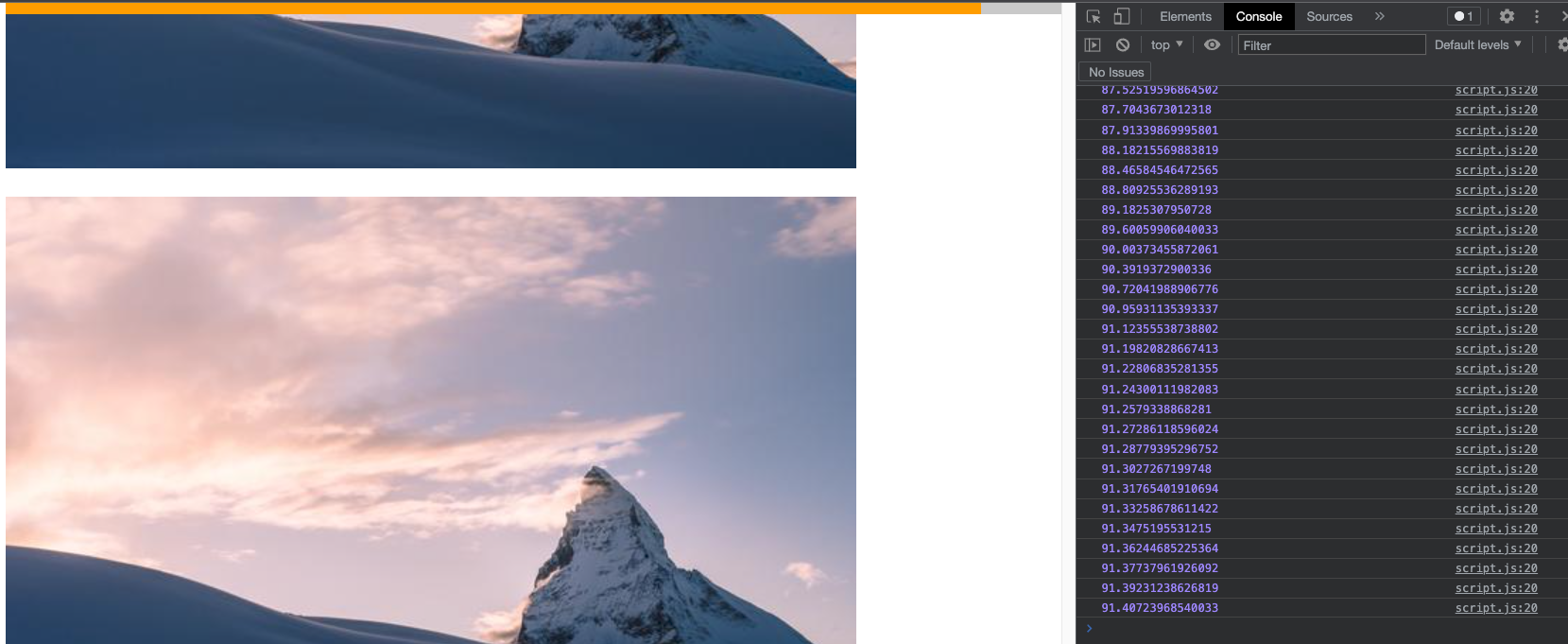
이렇게 width 값들이 나옴 이걸 통해 프로그래스바 스타일에서 위드값 변경을 해주는 것 (100을 곱한것도 그 이유)
Throttle 에 따른 프로그래스 바
- throttle: 일정한 주기마다 이벤트를 발생시키는 방법
- 스크롤을 일정 시간을 부여함으로서 프로그래스 바 width 변경
 let timerId;
 const throttle = (callback, time) => {
    if (timerId) return
    timerId = setTimeout(() => {
      callback()
      timerId = undefined; // 한번 실행후 초기화 되게
    }, time)
}- 콜백함수와 time 을 매개변수로 받음
- 한 번 실행 후 초기화 시키기 위해 timerID 변수를 생성해서 코드 작성해줌
;(function () {
  'use strict'

  let timerId; //throttle 에 쓸 timerID라는 변수 생성

  const get = (target) => {
    return document.querySelector(target)
  }

  const $progressBar = get('.progress-bar')

  //성능향상에는 좋지만 시각적으로 뚝뚝 끊어져보일 수 있음 - 시간설정 잘 해주면 됨 !

  const throttle = (callback, time) => {
    if (timerId) return
    timerId = setTimeout(() => {
      callback()
      timerId = undefined; // 한번 실행후 초기화 되게
    }, time)
  }

  const onScroll = () => {
    const scrollTop = document.documentElement.scrollTop;
    console.log(scrollTop);

    const height = //보여지는 영역을 제외한 길이
      document.documentElement.scrollHeight - //스크롤의 총길이
      document.documentElement.clientHeight //보여지는 영역

    const scrollWidth = (scrollTop / height) * 100;
    $progressBar.style.width = scrollWidth + '%' //스타일 변경
  }

  window.addEventListener('scroll', () => {
    throttle(onScroll, 100) //throttle (스크롤,원하는시간)
  })
})()

Front-End Developer
죄송합니다... 혹시... html 코드도 부탁드려도 되나요?...