position - relative, absolute, fixed
> position이 뭐지?!
레이아웃을 배치하거나 객체를 위치시킬 때.. 등 정밀하게 레이아웃 조정할 수 있도록 해주는 CSS 속성
최종 위치는 포지션의 top, right, bottom, left값에 따라 결정된다.
relative
일반적인 흐름을 따라 요소를 배치하고, 자신을 기준으로 위치 값을 적용할 때 사용.
추가적으로 부여되는 top, right, bottom, left의 속성은 자기 자신을 기준으로 적용한다.
[html]
<span class="box1">BOX1</span>
<span class="box2">BOX2</span>
<span class="box3">BOX3</span>
<div class="box4">BOX4</div>
[css]
span {
  color: green;
  background: yellow;
  border: solid 1px;
}

.box1 {
  position: relative;
  left: 15px;
}

.box2 {
  position: relative;
  top: 15px;
}

.box3 {
  position: relative;
  left: 55px;
}

div {
  color: white;
  background: blue;
}
[result]
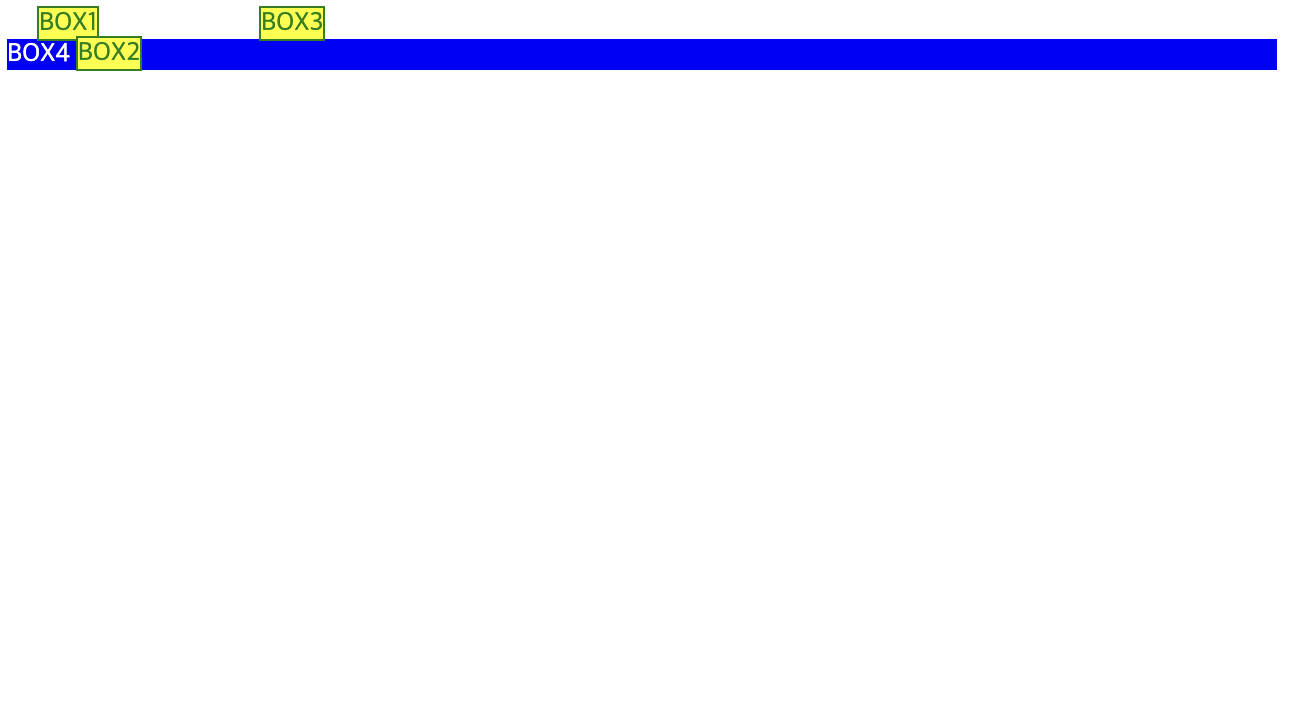
https://jsfiddle.net/exnyxxng/7egqpwyL/8/
absolute
absolute는 static이 아닌 속성이 부여된 부모를 기준으로 위치를 설정.
부모에 부여된 속성이 없을 경우 body 기준으로(상위 컨테이너 블록을 기준으로) 정렬된다.
[html]
<span class="box1">BOX1</span>
<div class="boxContainer">
  <span class="box2">BOX2</span>
  <span class="box3">BOX3</span>
</div>
<div class="box4">BOX4</div>
[css]
span {
  color: green;
  background: yellow;
  border: solid 1px;
}

.box1 {
  position: relative;
  left: 15px;
}

.box2 {
  position: relative;
  top: 15px;
}

.box3 {
  position: relative;
  left: 55px;
}

div {
  color: white;
  background: blue;
}
[result]
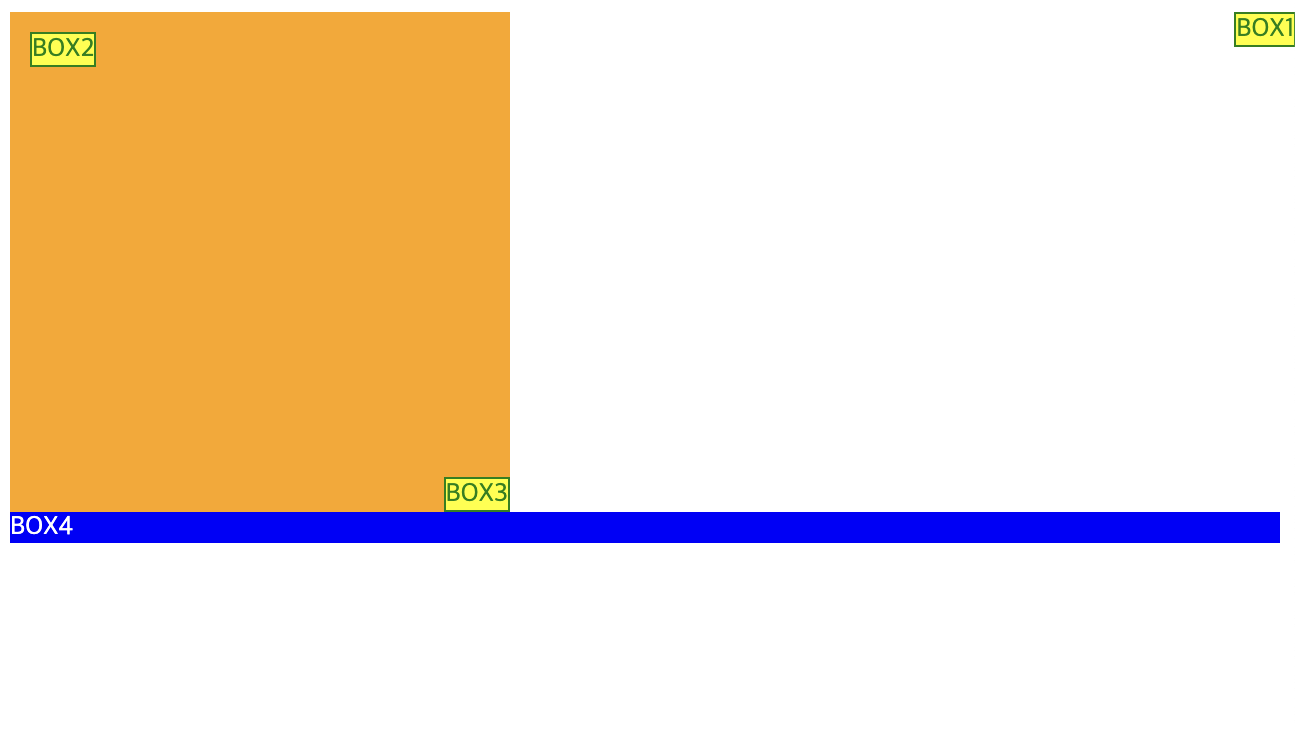
https://jsfiddle.net/exnyxxng/7egqpwyL/9/
fixed
fixed는 화면상 특정한 위치에 고정.
아래 코드를 참고했을 때 2번 박스와 3번 박스는 fixed 속성에 의해 스크롤을 내려도 해당 요소는 고정되어있음을 알 수 있다.
[html]
<span class="box1">BOX1</span>
<div class="boxContainer">
  <span class="box2">BOX2</span>
  <span class="box3">BOX3</span>
</div>
<div class="box4">BOX4</div>
<br>
<br>
<br>
<br>
.
.
.
<br>
[css]
span {
  color: green;
  background: yellow;
  border: solid 1px;
}

div {
  color: white;
  background: blue;
}

.boxContainer {
  position: fixed;
  background: orange;
  height: 250px;
  width: 250px;
  right: 0;
  bottom: 0;
}

.box1 {
  position: absolute;
  right: 0;
}

.box2 {
  position: absolute;
  top: 10px;
  left: 10px;
}

.box3 {
  position: absolute;
  right: 0;
  bottom: 0;
}
[result]
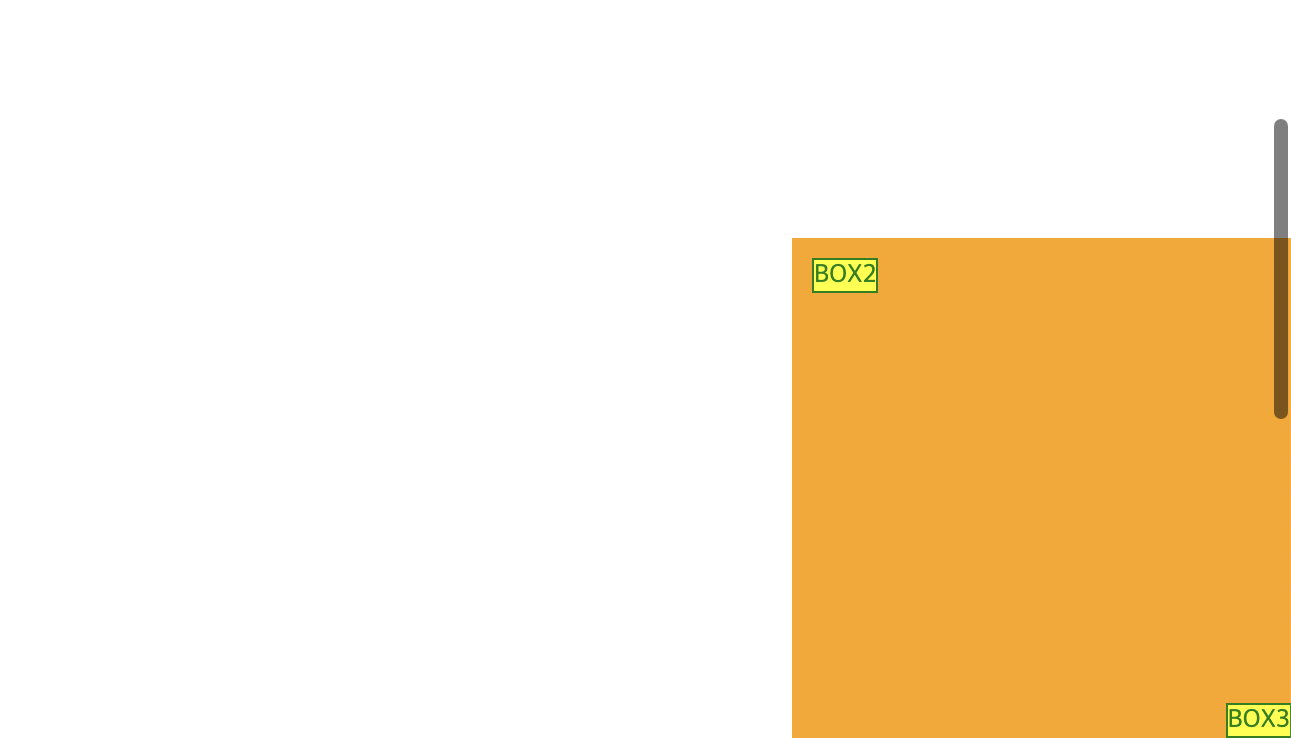
옆의 깨알같은 스크롤!
아래 주소에서 참고하면 좋아요.

:)