오늘 하루 요약

✏️ 오늘의 한 일
- CSAPP Homework 문제
- Proxy 설계
🌈오늘의 성장!
11.6c Output 분석
Accepted connection from (localhost, 39858)

Request headers:
GET /jisell.jpeg HTTP/1.1  => 요청 헤더
Sec-Fetch-Dest: image
User-Agent: Mozilla/5.0 (Macintosh; Intel Mac OS X 10_15_7)  => Client 정보 AppleWebKit/605.1.15 (KHTML, like Gecko) Version/18.3.1 Safari/605.1.15
Accept: image/webp,image/avif,image/jxl,image/heic,image/heic- sequence,video/*;q=0.8,image/png,image/svg+xml,image/*;q=0.8,*/*;q=0.5
Referer: http://localhost:8080/ -> 요청보낸 URL
Sec-Fetch-Site: same-origin
Sec-Fetch-Mode: no-cors
Accept-Language: ko-KR,ko;q=0.9
Priority: u=3, i
Accept-Encoding: gzip, deflate
Connection: keep-alive

Response headers:
HTTP/1.0 200 OK
Server: Tiny Web Server
Connection: close
Content-length: 6707 => Data의 총 바이트 길이
Content-type: image/jpeg => Content의 타입
11.9 malloc, rio_readn , rio_writen 활용
- 기존 Mmap, Rio_writen 활용
- mmap을 활용, 가상 메모리 공간에 직접 매핑
- 파일 내용 별도 버퍼로 복사 X
- 특정 메모리 주소를 통해 내용에 직접 접근
- Rio_written → mmap으로 얻은 메모리 주소인 srcp 를 직접 사용, 매핑된 메모리 영역의 데이터를 클라이언트 소켓
fd로 전송
- mmap을 활용, 가상 메모리 공간에 직접 매핑
  if (strcasecmp(method, "GET") == 0)
  { // method가 GET일때만 응답 객체 받게끔
    /* 요청한 파일의 내용을 fd로 복사해서 응답 본체를 보낸다. Send response body to client */
    srcfd = Open(filename, O_RDONLY, 0);                        // 읽기 위해 filename을 오픈한다. open
    srcp = Mmap(0, filesize, PROT_READ, MAP_PRIVATE, srcfd, 0); // 요청한 파일을 가상 메모리 영역으로 매핑한다. mmap
    Close(srcfd);                                               // 파일을 메모리로 매핑한 후 더 이상 식별자가 필요 없으므로 파일을 닫는다. close
    Rio_writen(fd, srcp, filesize);                             // write
    Munmap(srcp, filesize);                                     // munmap
}- 수정본
mmalloc으로 filesize 만큼 메모리 영역을 동적 할당 →버퍼 srcp 마련rio_readn으로 srcfd(파일 디스크립터, 정수값) 로 부터 srcp (버퍼)의 내용 읽기rio_writen으로 읽은 것, 커널의 소켓 버퍼로 데이터가 복사
  if (strcasecmp(method, "GET") == 0)
  { // method가 GET일때만 응답 객체 받게끔
    /* 요청한 파일의 내용을 fd로 복사해서 응답 본체를 보낸다. Send response body to client */
    srcfd = Open(filename, O_RDONLY, 0); // 읽기 위해 filename을 오픈한다. open
    srcp = (char *)malloc(filesize); // malloc으로 메모리에 동적 할당
    if (srcp == NULL)
    {
      fprintf(stderr, "serve_static: Malloc error for file %s\n", filename);
      Close(srcfd);
      return; // 함수 종료
    }
    // 버퍼의 파일컨텐츠를 읽기
    if (rio_readn(srcfd, srcp, filesize) != filesize)
    {
      fprintf(stderr, "serve_static: Rio_readn error for file %s\n", filename);
      free(srcp); // 에러 발생 시 할당된 메모리 해제
      Close(srcfd);
      return; // 함수 종료
    }
    // 파일 디스크립터 닫기 (더 이상 필요 없음)
    Close(srcfd);
    // *** 누락된 부분: 읽어온 데이터를 클라이언트에게 전송 ***
    if (rio_writen(fd, srcp, filesize) != filesize)
    {
      fprintf(stderr, "serve_static: Rio_writen error for file %s\n", filename);
      // 쓰기 오류가 발생해도 메모리는 해제해야 함
    }
    // *** 누락된 부분: 성공 경로에서 할당된 메모리 해제 ***
    free(srcp);
  }
11.10 CGI로 동적 컨텐츠 보여주기
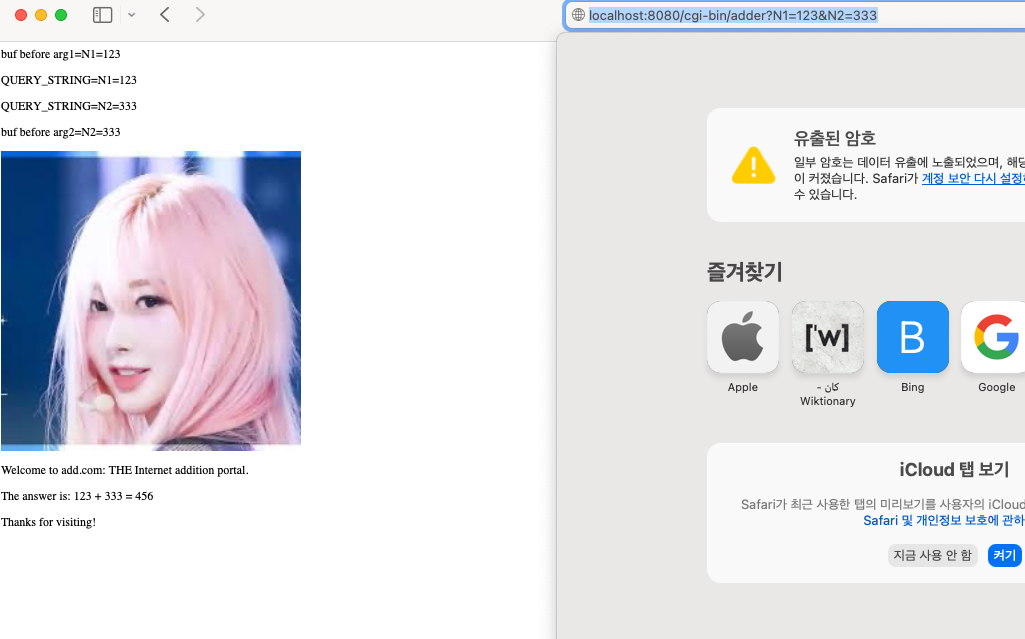
- HTML 수정
  <form action="/cgi-bin/adder" method="GET">
        <p>
            First Number:
            <input type="text" name="N1" size="10">
        </p>
        <p>
            Second Number:
            <input type="text" name="N2" size="10">
        </p>
        <p>
            <input type="submit" value="Calculate Sum">
        </p>
</form>- 요청
http://localhost:8080/cgi-bin/adder?N1=123&N2=234cgi-bin을 보고 서버는 CGI를 활용, 사용자의 입력을 받아서 동적으로 서버에서 컨텐츠를 전달한다.
parse_uri 함수에서 쿼리스트링을 분리한 뒤 adder.c를 호출해서 계산을 진행한다.
11.11 HEAD 메서드
- HEAD 메서드는 뭘 하나요?
HEAD 메서드는 HTTP 요청 메서드 중 하나로, GET 메서드와 동일한 요청을 처리하지만, 서버는 실제 데이터(본문, body)를 제외하고 헤더 정보만을 응답합
즉, 클라이언트가 HEAD /index.html HTTP/1.1과 같은 요청을 보내면, 서버는 /index.html 파일에 대한 GET 요청 시 반환될 헤더들(예: Content-Type, Content-Length, Last-Modified 등)을 그대로 보내주지만, index.html 파일의 실제 내용은 보내지 않습니다.
- HEAD 메서드는 어디에 쓰이나요?
-
리소스 정보 확인: 전체 리소스를 다운로드하지 않고도 리소스의 크기(Content-Length), 타입(Content-Type), 최종 수정일(Last-Modified) 등의 메타데이터를 확인할 수 있습니다. 이는 대역폭을 절약하고 응답 시간을 단축하는 데 도움이 됩니다.
-
리소스 존재 여부 및 접근성 확인: 특정 URL의 리소스가 실제로 존재하고 접근 가능한지 확인할 때 사용합니다. 응답 코드가 200 OK이면 리소스가 존재하고 접근 가능하다는 의미입니다.
-
캐시 유효성 검사: 클라이언트나 프록시 서버가 가지고 있는 캐시된 리소스가 최신인지 확인할 때 사용합니다. 예를 들어 If-Modified-Since 헤더와 함께 HEAD 요청을 보내 서버의 리소스가 특정 날짜 이후에 변경되었는지 확인할 수 있습니다. 변경되지 않았다면 서버는 304 Not Modified 응답을 보내고, 클라이언트는 캐시된 버전을 사용합니다.
-
링크 유효성 검사: 웹 크롤러나 링크 체커 등이 깨진 링크(broken link)를 찾기 위해 사용합니다. 전체 페이지를 다운로드할 필요 없이 헤더만 받아 상태 코드를 확인하여 링크의 유효성을 빠르게 판단할 수 있습니다.
void serve_static(int fd, char *filename, int filesize, char *method)
{
  int srcfd;         // source file descriptor
  char *srcp = NULL; // source file pointer, 파일 내용 저장 위한 메모리 공간 시작 주소
  char filetype[MAXLINE], buf[MAXBUF];
  // rio_t rio; // rio_t is usually for buffered I/O (rio_readlineb), may not be needed here unless csapp.c uses it internally for rio_readn/rio_writen wrappers.

  /* Send response headers to client */
  get_filetype(filename, filetype); // 파일 이름을 통해 파일 타입 결정. getfiletype
  // sprintf(buf, "HTTP/%s 200 OK\r\n", reshttp); // Assuming reshttp is defined elsewhere, e.g., "1.0" or "1.1"
  sprintf(buf, "HTTP/1.0 200 OK\r\n"); // Using 1.0 for consistency with original Tiny example
  sprintf(buf, "%sServer: Tiny Web Server\r\n", buf);
  sprintf(buf, "%sConnection: close\r\n", buf);
  sprintf(buf, "%sContent-length: %d\r\n", buf, filesize);
  sprintf(buf, "%sContent-type: %s\r\n\r\n", buf, filetype);
  Rio_writen(fd, buf, strlen(buf)); // 헤더 종료. endserve
  printf("Response headers:\n");
  printf("%s", buf);

  // 추가 부분
  if (strcasecmp(method, "HEAD") == 0)
  {
    return;
}- 결과
ker/webproxy-lab/tiny$ telnet localhost 8080
Trying ::1...
Connection failed: Connection refused
Trying 127.0.0.1...
Connected to localhost.
Escape character is '^]'.
HEAD /karina_2.mpg HTTP/1.0

HTTP/1.0 200 OK
Server: Tiny Web Server
Connection: close
Content-length: 14882816
Content-type: video/mpg
⛏ 오늘의 삽질
이 피곤한 몸으로 9-12 달리는 내가 지금 삽질...

지젤 핑크머리 미쳐따