포스트를 안올렸던 이틀간은 청년인턴에 지원하는 서류를 작성하느라 포스트를 쓰지 못했다.
그래도 codetree에서 제공하는 문제풀이 잔디 연동 서비스를 이용해서 잔디는 끊기지 않았다 :)
오늘 12시에 인턴 서류를 제출하고 다시 작업에 복귀했다.
슬슬 끝이 보이긴 한다. 기능적인 일이 끝나간다는 말이 아닐까?
오늘 한 일
- First화면 스크롤 정비
- firebase 권한 정비
- firebase의 포트폴리오 데이터 저장 재설계
- 포트폴리오 세부정보 표시 페이지 기능 재설계
첫 화면 스크롤 정비
첫 화면이 뭐냐면..
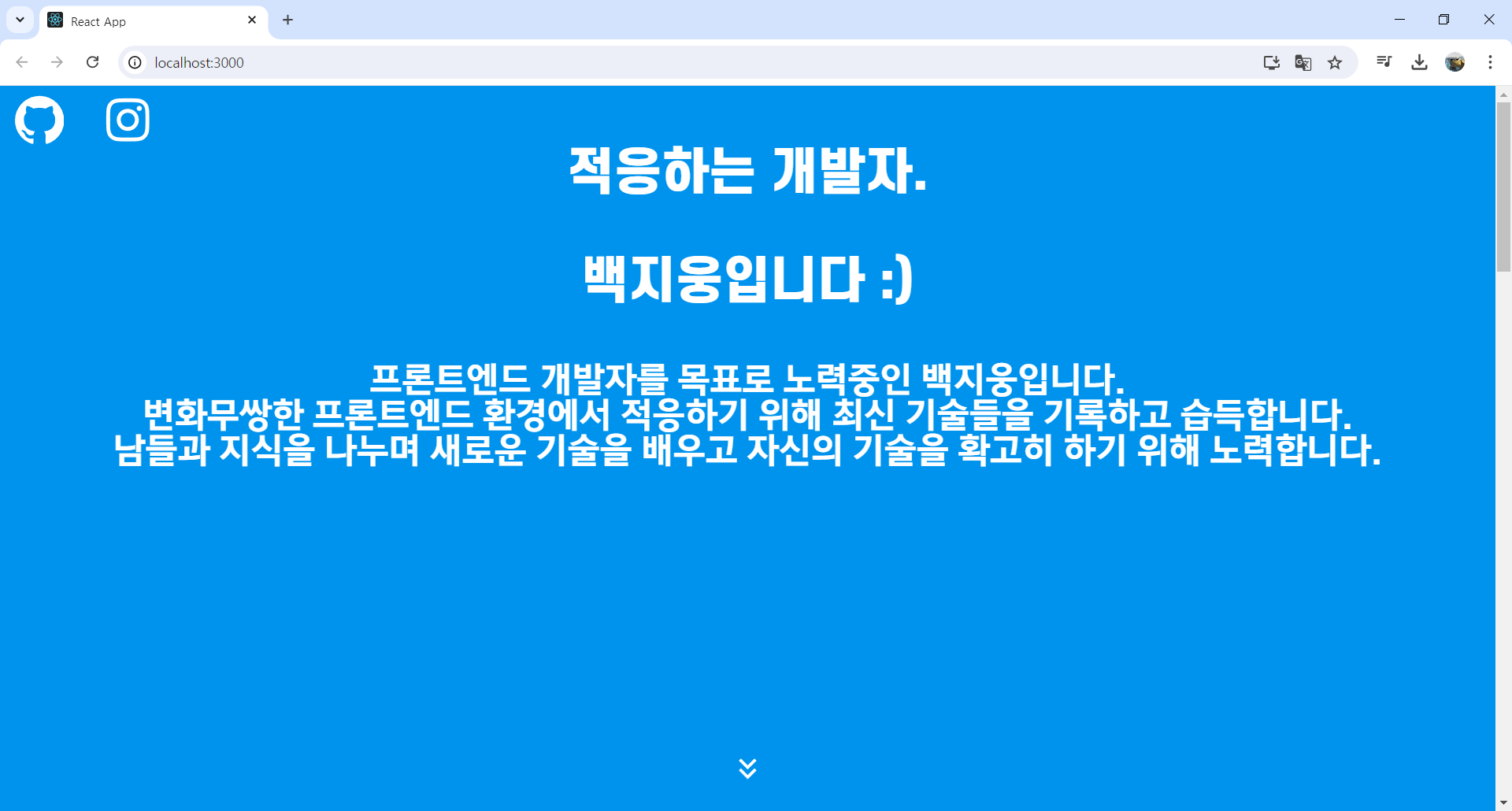
이거다.
넣을건 다 넣었고, 사진이나 레이아웃은 스타일 한번에 모아서 할 때 재정비하면 된다.
문제는 이게 스크롤이 될 때 그냥 순서대로 스크롤이 된다는 건데, 이게 상당히 맛없다.
다른 포트폴리오를 참고해봤을 때, 이 페이지는 가만히 있고 아랫 내용이 이걸 덮어내면 예뻤었다. 즉시 따라해본다.
일단 덮여야 되기 때문에, z-index를 최하위로 두기 위해 -999로 설정한다.
const FirstWrapper = styled.div`
  z-index: -999;
  background-color: #0093ED;
  width: 100%;
  height: 100vh;
  position: fixed;
  top: 0;
  color: white;
그랬더니 셀 부분 배경이 저 파란색이 되버렸다..
알고보니 컴포넌트의 배경이 없어서 투명한 상태였다.
export const Floater = styled.div`
    background-color:#e9ecef;
    z-index:5;
`
그래서 z-index를 적용한 배경있는 div로 감싸줬다.
다 좋은데, head가 z-index가 높아서 first 화면을 방해한다.
어쩔 수 없이 portfolio용 head를 별도로 만든다.
import React, { useState, useEffect } from 'react';
import { styled } from '@linaria/react';
import { useNavigate } from 'react-router-dom';
import Sidebar from '../sidebar_c/Sidebar';
import SidebarContent from '../sidebar_c/SidebarContent';

const PortfolioHead: React.FC = () => {
    const navigate = useNavigate();
    const [showHeader, setShowHeader] = useState(false);

    const goToPortfolio = () => {
        navigate('/');
    }

    useEffect(() => {
        const handleScroll = () => {
            if (window.scrollY > window.innerHeight*0.85) {
                setShowHeader(true);
            } else {
                setShowHeader(false);
            }
        };

        window.addEventListener('scroll', handleScroll);
        return () => {
            window.removeEventListener('scroll', handleScroll);
        };
    }, []);

    return (
        <HeadWrapper className={showHeader ? 'visible' : ''}>
            <span className="mainLogo" onClick={goToPortfolio}>Portfolio</span>
            <Sidebar width={480}>
                <SidebarContent />
            </Sidebar>
        </HeadWrapper>
    );
};

export default PortfolioHead;

const HeadWrapper = styled.div`
    position: fixed;
    top: 0;
    left: 0;
    height: 60px;
    background-color: gray;
    width: 100%;
    z-index: 9;
    transform: translateY(-100%);
    transition: transform 0.3s ease-in-out;

    &.visible {
        transform: translateY(0);
    }

    .mainLogo {
        height: 100%;
        font-size: 48px;
        line-height: 60px;
        font-weight: bold;
        cursor: pointer;

        &:hover {
            color: yellow;
        }
    }
`;
first화면은 100vh 고정이기 때문에, 처음에는 보이지 않게 설정했다가, first화면을 거의 다 가릴때 쯤 (85%) 보이게 설정했다.
기능은 그래도 유지.
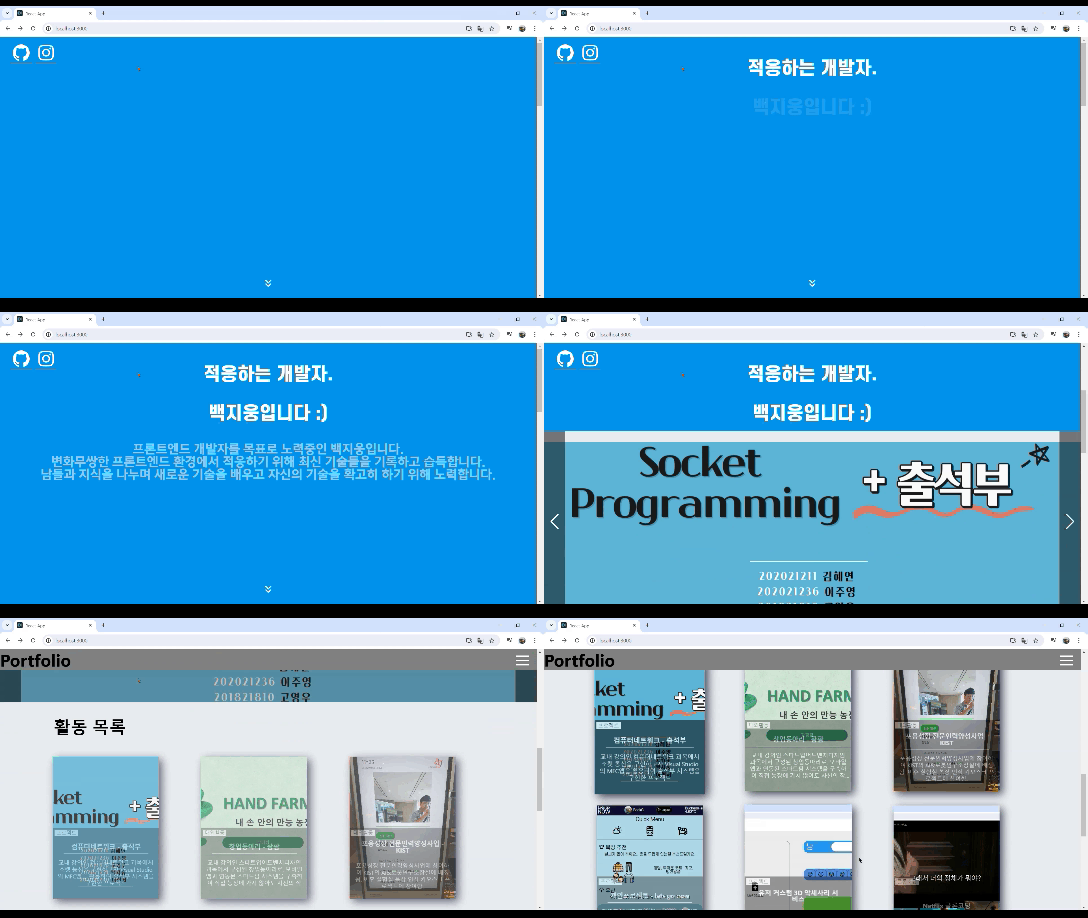
내가 원하는 대로 작동해준다. 아주 좋은!

포트폴리오 세부 페이지
원래 오늘 이걸 메인으로 하려고 했다. 데이터는 잘 불러와지는데 스타일이 다망가져 있어서 고쳐야 했다.
근데 이틀만에 보는거라 다시 보고있는데, 자세히 보니 firebase의 데이터 중 첫 번째 인덱스 값만 고정적으로 표시하고 있었다.
이러면 값이 여러개 저장해도 하나만 보인다.
이것부터 고쳐야 한다.
구조 설계
firebase의 데이터가 여러개
각 셀마다 각각 다르게 표시해야 한다.
그렇다면 각 셀마다 다른 페이지 = 다른 주소를 배정해줘야 한다.
그리고 그 주소마다 각각 다른 데이터를 가져와야 한다.
다른 페이지는 주소에 인덱스를 넣어 해결했다.
<Route path="/portfolio/:index" element={<Portfolio1 />} />
각 셀마다 다른 데이터는 애초에 데이터를 저장할 때
주소를 랜덤한 id가 아니라, 먼저 DB에 값이 몇개 있는지 확인하고,
만약 데이터가 있다면 일반적인 배열 인덱스를 따라 저장하게 했다.데이터가 2개 있는 경우 => 저장 위치 : portfolio/2 (0,1,2..) if (snapshot.exists()) { const data = snapshot.val(); index = Object.keys(data).length; } await set(databaseRef(database, `portfolio_data/${index}`), { title, tag, tag2, photo, text1, table, text2, text3, });보면 알겠지만, 포트폴리오의 내용/성과 부분도 나눠서 저장하기로 했다.
나중에 각각 div로 만들면 나누기 편할거 같아서.
이 과정에서 db 만든지 한달이 되는 날이 지나 권한이 만료된 걸 확인했다.
벌써 시간이 이렇게 되었다..
개인프로젝트 소요시간 2달을 넘기지 말라는 조언을 실천하기 위해 더 열심히 해야겠다는 생각을 했다.
여튼, 이것도 성공적으로 해결했다.
import React, { useEffect, useState } from 'react';
import { useParams } from 'react-router-dom';
import Head from '../../components/Head';
import { styled } from '@linaria/react';
import CellPeopleTable from '../../components/cell_detail_c/CellPeopleTable';
import { getPortfolioData } from '../../api/firebase';

interface FirebaseData {
    title: string;
    tag: string;
    tag2: string;
    text1: string;
    table: any;
    text2: string;
    text3: string;
}

const Portfolio1: React.FC = () => {
    const { index } = useParams<{ index: string }>();
    const [firebaseData, setFirebaseData] = useState<FirebaseData | null>(null);

    useEffect(() => {
        const fetchData = async () => {
            console.log("Calling getPortfolioData...");
            const data = await getPortfolioData();
            console.log("Fetched data: ", data);
            const dataIndex = index ? parseInt(index, 10) - 1 : 0; // Adjusted to start from 0
            if (dataIndex >= 0 && dataIndex < data.length) {
                setFirebaseData(data[dataIndex] as FirebaseData);
                console.log("Data Index: ", dataIndex);
            } else {
                console.error('Data index out of range:', dataIndex);
            }
        };

        fetchData();
    }, [index]);

    if (!firebaseData) {
        return (
            <LoadingWrapper>
                <img src='photo/loading.gif' alt="Loading..." />
            </LoadingWrapper>
        );
    }

    return (
        <>
            <Head />
            <Container>
                <span className='title'>{firebaseData.title}</span>
                <span className='tag'>{firebaseData.tag}</span>
                <span className='tag2'>{firebaseData.tag2}</span>
                <p className='text1'>{firebaseData.text1}</p>
                <CellPeopleTable data={firebaseData.table} />
                <p className='text2'>{firebaseData.text2}</p>
                <p className='text3'>{firebaseData.text3}</p>
            </Container>
        </>
    );
};

export default Portfolio1;

const Container = styled.div`
    position: relative;
    width: 100%;
    margin: 0 auto;
    margin-top: 5%;
    .title {
        position: relative;
        font-size: 48px;
        font-weight: bold;
        margin-bottom: 2%;
    }
    .tag {
        position: relative;
        font-size: 16px;
        margin-bottom: 2%;
    }
    .text1 {
        margin-bottom: 2%;
    }
    .text2 {
        margin-bottom: 2%;
    }
`;

const LoadingWrapper = styled.div`
    width: 50%;
    height: 50%;
    margin: 0 auto;
    margin-top: 5%;
`;
const dataIndex를 보면, 주소는 1번째라 portfolio/1이지만, 가져오는 데이터 인덱스는 인덱스-1 로 호출해 첫번째인, 즉, 0번째 인덱스 데이터를 가져오도록 했다.
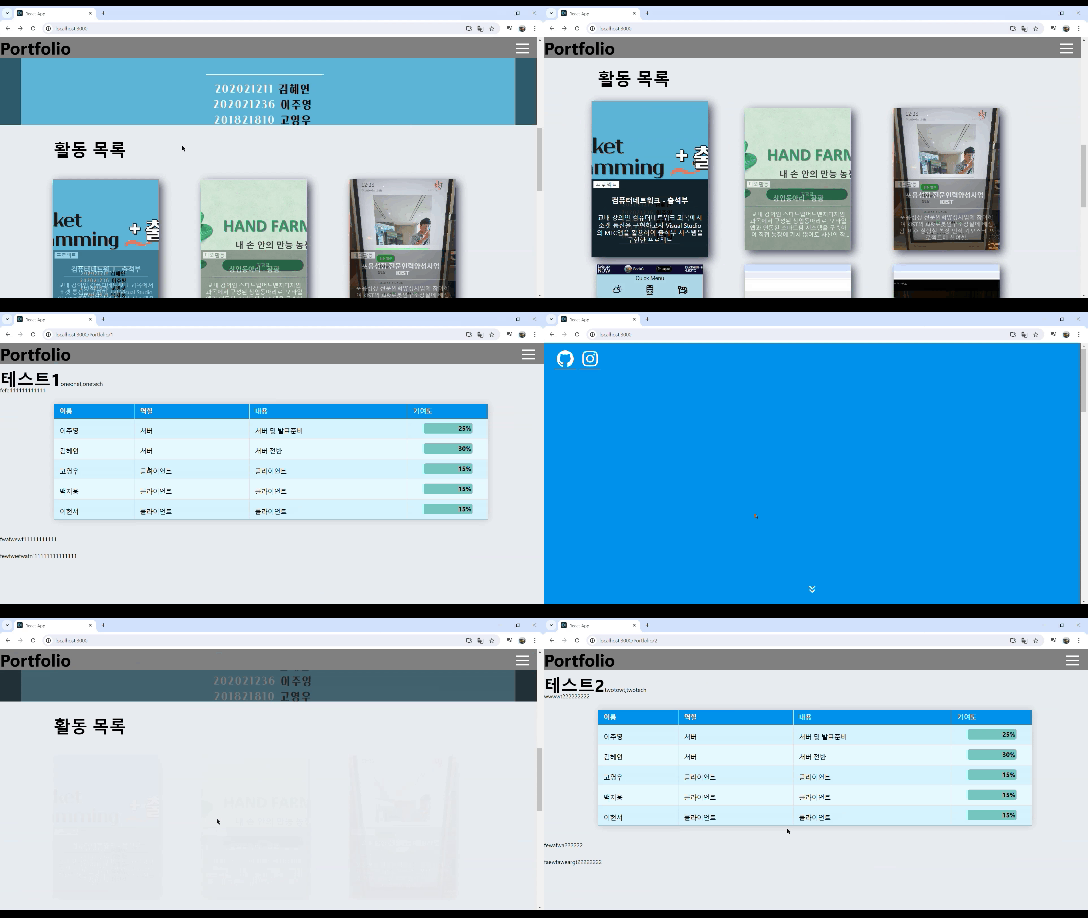
아주 성공적이다!

어..근데 아마 first페이지 작업하다 생긴 문제같은데,
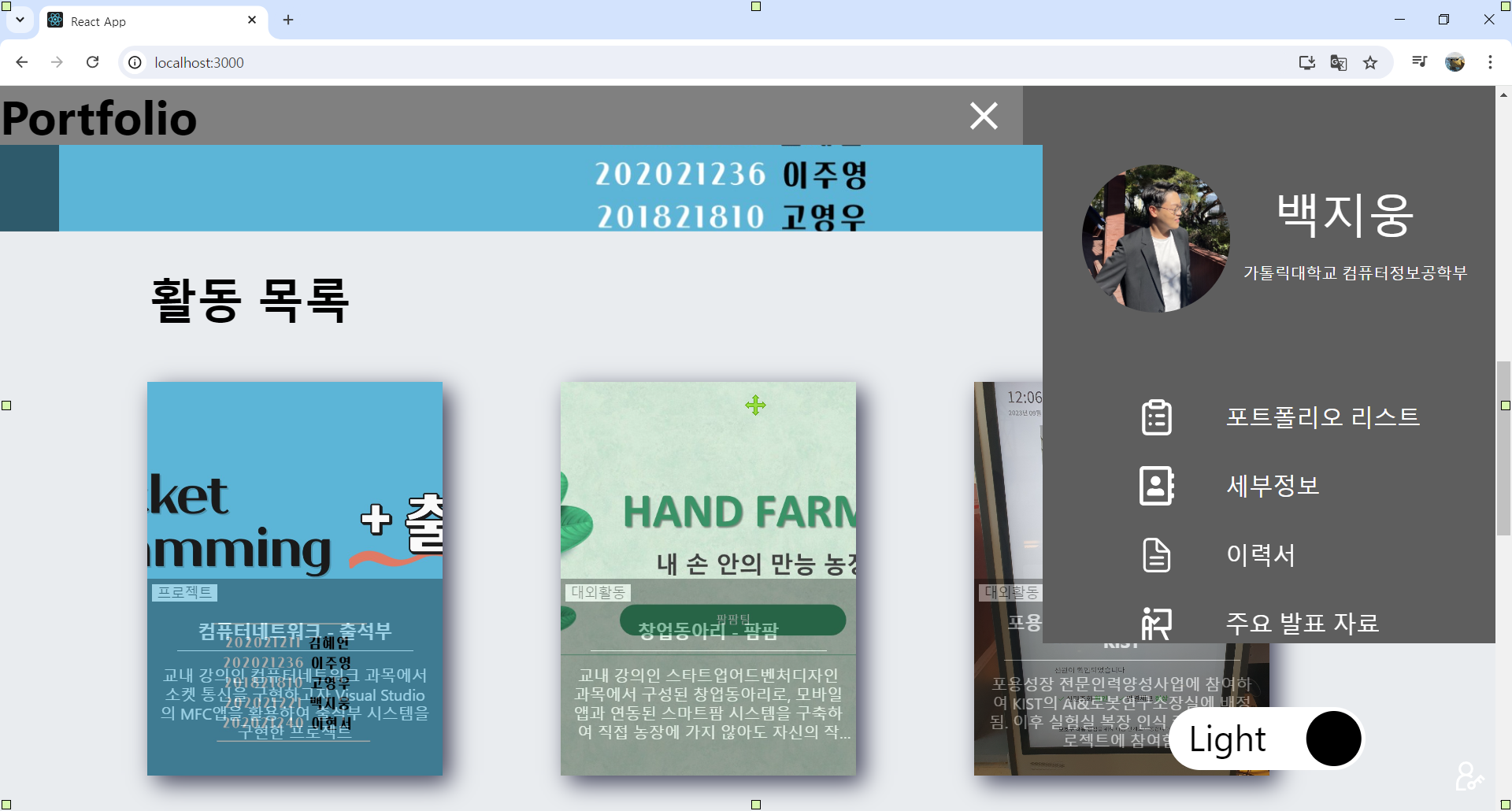
사이드바가 잘린다.
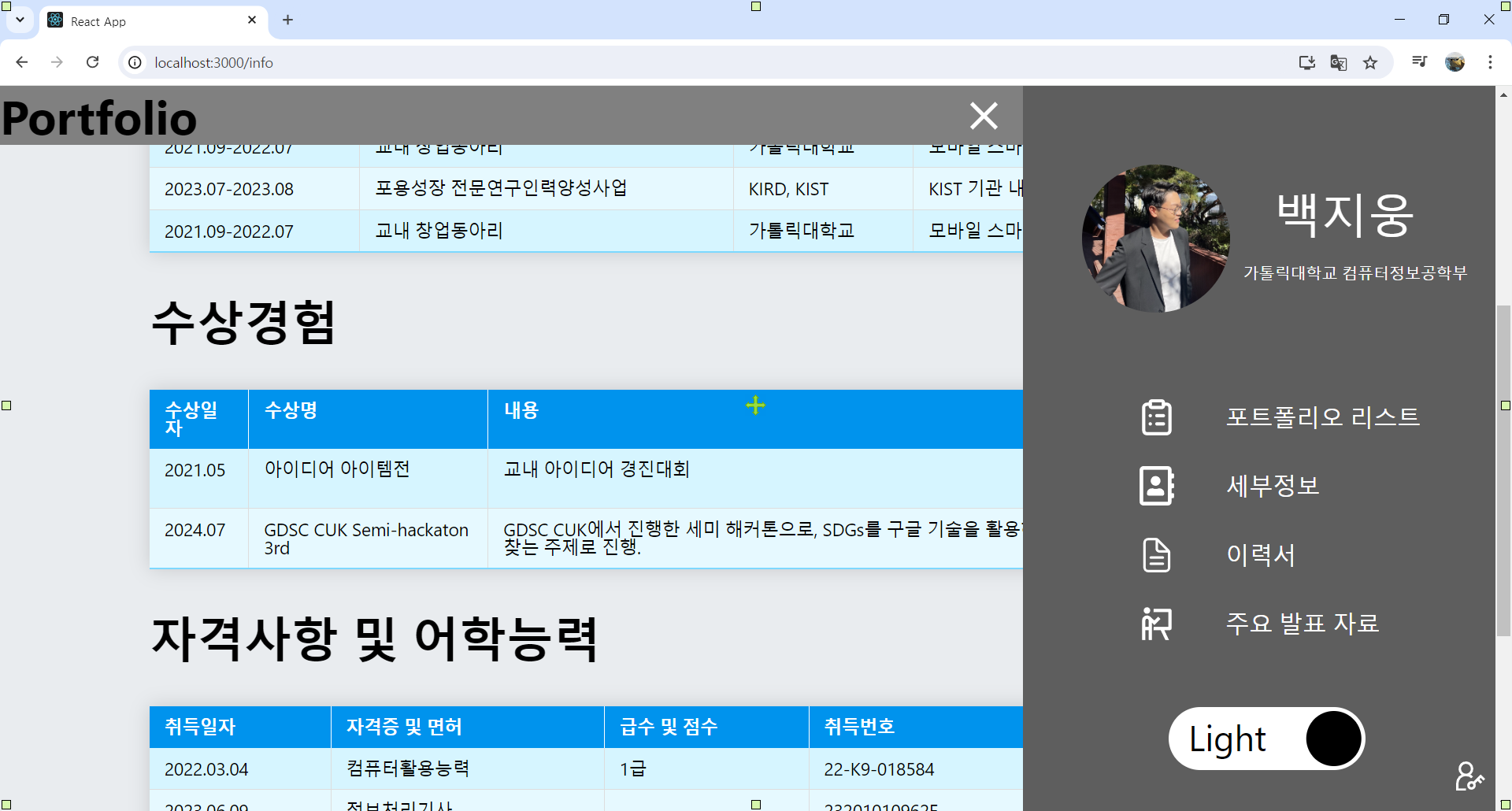
다른 페이지에선 괜찮아 보이니, first 과정중에 잘못된 것 같다.
이건 내일 고치도록 하고, 오늘의 기록 끝!