React file-pond
file-pond.css
.filepond--item[data-filepond-item-state='idle'] .filepond--item-panel {
  background-color: #369763;
}
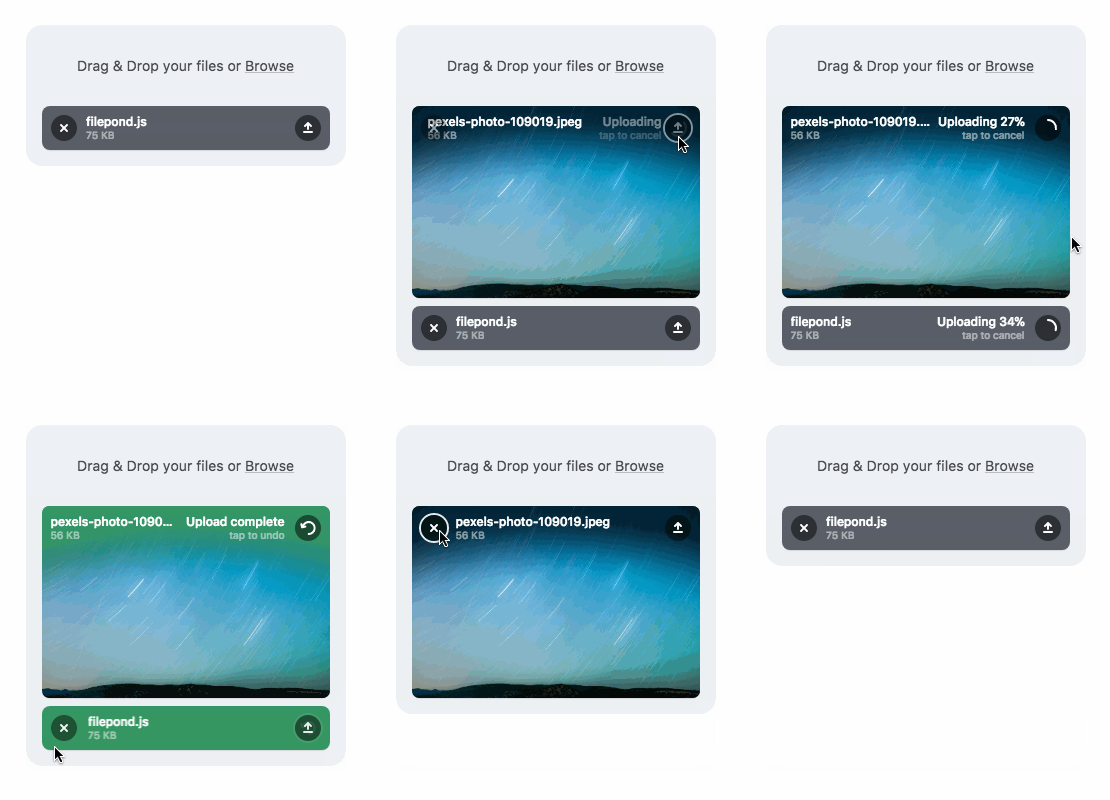
filepond--item 는 data-filepond-item-state의 상태에 따라 css가 변경된다
1. init:
파일이 처음 입력될 때의 초기 상태입니다.
2. idle:
파일 처리가 시작되기 전의 대기 상태입니다.
3. process:
파일이 서버로 업로드되고 처리 중인 상태입니다.
4. processing-complete:
파일 업로드 및 처리가 성공적으로 완료된 상태입니다.
5. load:
파일이 서버나 로컬 소스에서 성공적으로 로드된 상태입니다.
6. error:
파일 처리 중 에러가 발생한 상태입니다.
7. revert:
업로드된 파일이 서버에서 삭제되거나 원래 상태로 되돌려진 상태입니다
현재 필요한 건 idle 의 상태css다
file-pond.js
import { FilePond, registerPlugin } from 'react-filepond';
import { message } from 'antd';
import './file-pond.css';

export const FormFilePond = ({ initFiles, onUploadComplete, value, maxFiles }) => {
  const [files, setFiles] = useState([]);
  const pondFiles = useRef();
  .
  .


   const handleWarning = (error, file, status) => {
    const { body } = error || {};
    if (body === 'Max files') {
      message.warning('파일을 1개만 선택해주세요.');
    }
  };


  return  (
    <FilePond
      name="files"
      ref={pondFiles}
      onwarning={handleWarning}
      {...(maxFiles !== undefined && { maxFiles })}
maxFiles 이 있을때 props로 maxFiles을 내려주도록 한다
undefind여도 있는 값으로 간주해서 message.warning('파일을 1개만 선택해주세요.'); 이 발생한다
잘 적용되는 모습

Be {Nice} Be {Kind}