Buy Apple Developer Account: Checklist
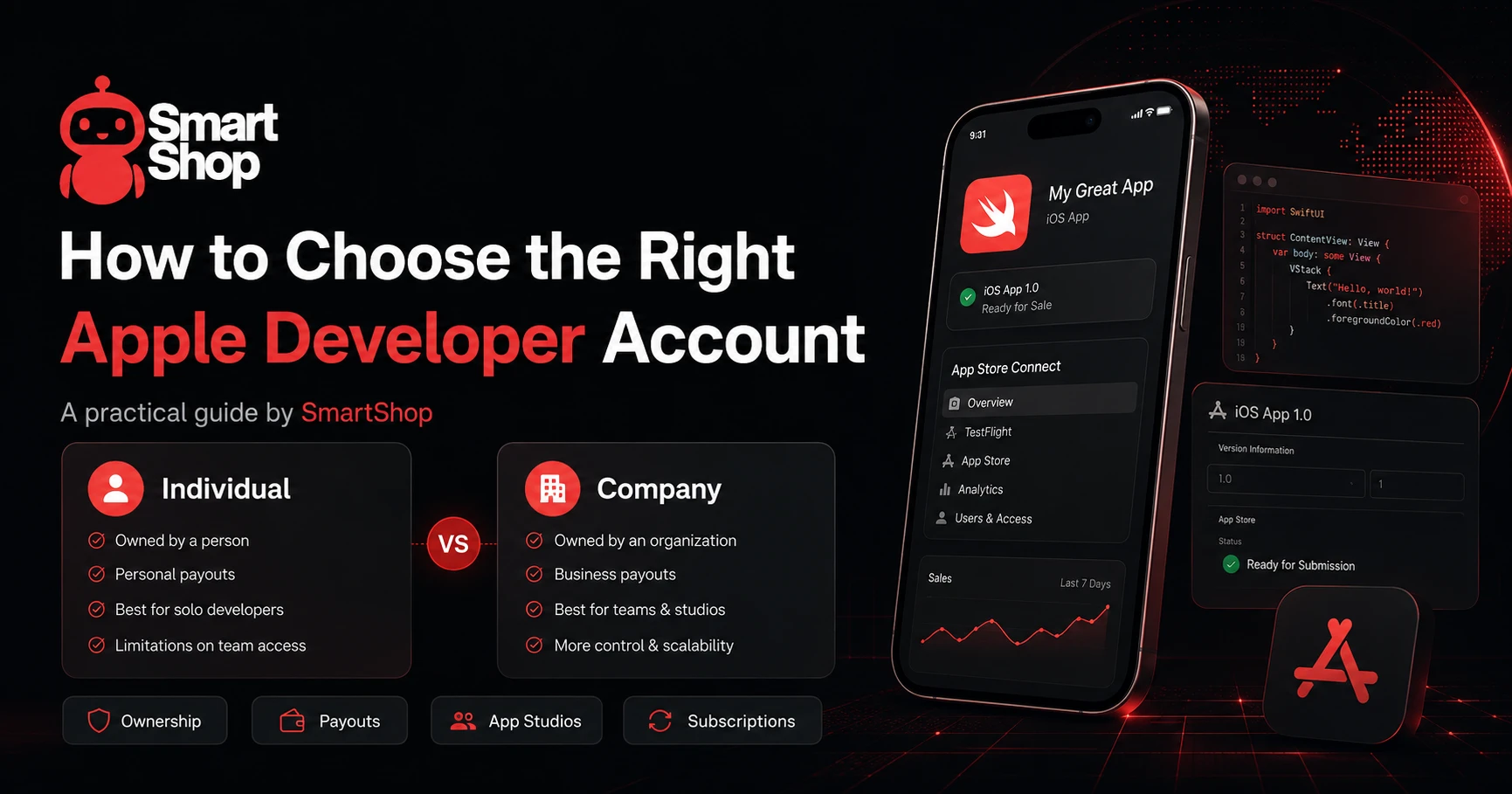
Publishing an iOS app is not only about writing code and uploading a build to App Store Connect. Before a developer, startup, or app studio buys or registers an Apple Developer Account, it is important to understand what type of account is needed, how the app will be monetized, who will control access, and whether the project is ready for App Store operations.
Many teams start with a simple question: "Which Apple Developer Account should we use?" But the better question is broader: "What kind of publishing infrastructure does our app business need?"
An Apple Developer Account is a core part of the iOS app launch process. It gives access to App Store Connect, app submissions, TestFlight, certificates, identifiers, profiles, in-app purchases, subscriptions, analytics, agreements, tax forms, and payout settings. However, the account alone does not guarantee a smooth launch. The team still needs a prepared product, a clear business model, valid payment details, App Store materials, privacy documents, and a stable internal workflow.
This checklist explains what to review before buying or setting up an Apple Developer Account.
Understand Why You Need the Account
The first step is to understand the purpose of the account. Some teams need it for one app. Others plan to launch several products, test different niches, work with subscriptions, or manage multiple clients. These are different use cases, and they may require different account structures.
A solo developer building a small MVP may need a simple setup. An app studio managing several products may need a more structured approach. A company launching a subscription app may need stronger preparation around payouts, legal ownership, team access, and long-term App Store management.
Before choosing an account, write down the real goal. Are you launching a personal app, a studio product, a SaaS mobile client, a utility app, a subscription product, or a portfolio of apps? The answer will shape the account decision.
Choose Between Individual and Organization
Apple Developer Program enrollment can be done as an individual or as an organization. The difference matters because it affects how the developer name appears, how ownership is structured, and how the team manages the account.
An individual account may fit solo developers, early-stage MVPs, testing projects, and small products where one person owns the app. It can be simpler from an operational point of view and may be enough for a first launch.
An organization account is usually more suitable for companies, agencies, SaaS teams, app studios, and businesses that want to publish apps under a company name. It can be better for team access, brand trust, role management, and long-term scaling.
The account type should match the real structure of the project. Choosing a company account only because it looks more serious is not always necessary. Choosing an individual account only because it is easier can also be risky if the app is actually owned by a business or several partners.
Review Ownership Before Publishing
Ownership is one of the most underestimated parts of iOS publishing. Before submitting an app, the team should clearly understand who owns the product, who controls the Apple Developer Account, who receives payouts, and who has authority to make decisions.
This is especially important for app studios and teams with several founders. If the product is built by multiple people but published under one person's account, future problems may appear when the app starts generating revenue, attracting partners, or preparing for sale.
A clean structure from the beginning helps avoid conflicts. The account, banking details, legal ownership, app assets, and internal agreements should be aligned.
Prepare Payouts and Banking Details
If the app will sell subscriptions, in-app purchases, or paid digital features, payout preparation is essential. The team needs bank details that can receive international payments. In many cases, a USD account is convenient, especially if the app targets global markets or uses paid acquisition in USD.
The bank should be able to receive international transfers without unnecessary restrictions. The account holder should match the legal or individual structure of the Apple Developer Account. If banking information is inconsistent, payouts may be delayed or require additional verification.
Do not wait until the first sales arrive to check payout readiness. It is better to verify banking details before monetization goes live.
Define the Monetization Model
Before buying or setting up an account, the team should know how the app will make money. This affects App Store setup, tax information, app review preparation, and business planning.
The most common models are subscriptions, in-app purchases, paid download, advertising, or an external business model connected to offline services or physical products.
Subscription apps require special preparation. The team should configure products correctly in App Store Connect, prepare a clear paywall, support restore purchases, explain pricing, and track trial-to-paid conversion. Subscription apps also need strong retention because recurring revenue depends on users staying over time.
In-app purchases are useful for premium features, digital credits, content, or upgrades. Paid download can work for some tools, but it requires strong positioning. Advertising depends on active users, session length, geography, and traffic quality.
The monetization model should be clear before account setup because it affects the full launch workflow.
Calculate App Store Economics
Many new app owners calculate revenue incorrectly. If a user pays for a subscription, the team does not keep the full public price. Platform commission, taxes, refunds, marketing costs, support, analytics, servers, design, and development all affect the final margin.
Before scaling an iOS product, build a simple financial model. Include subscription price, expected conversion rate, trial-to-paid conversion, churn, refund risk, App Store fees, user acquisition cost, and lifetime value.
This does not need to be complex at the beginning. Even a simple spreadsheet can show whether the app has a realistic chance to become profitable.
Prepare App Store Materials
An Apple Developer Account is useful only if the app is ready for publishing. Before submission, the team should prepare the app icon, screenshots, app description, keywords, category, support URL, privacy policy, and app review notes.
Screenshots should show real product value. The first screenshot should explain the main benefit quickly. The description should be clear and honest. If the app uses subscriptions, users should understand what is free, what is paid, and what they receive after subscribing.
The privacy policy should explain what data is collected and why. The support page should give users a clear way to contact the developer. These materials are not only formal requirements. They also help build trust and reduce review friction.
Check Team Access and Roles
If several people work on the app, account access should be planned carefully. Developers, marketers, product managers, and finance team members may need different permissions. Not everyone should have full control.
The Account Holder role is especially important because it controls key membership, legal, and financial actions. Teams should avoid sharing one Apple ID across several people. A safer approach is to invite users with appropriate roles and keep ownership clear.
For app studios, this is critical. A studio may manage multiple apps, contractors, designers, developers, marketers, and clients. Without clear access management, the account can become operationally risky.
For this kind of workflow, teams can review Apple Developer Account for app studios as part of their launch planning. A studio needs not only publishing access, but also a reliable structure for roles, apps, payments, and long-term operations.
Avoid Grey Shortcuts
When teams are under pressure to launch quickly, they may look for shortcuts. This is usually a mistake. A developer account is connected to apps, revenue, users, payments, and App Store reputation. Risky or unclear account practices can create problems later.
The best approach is to use a clean account setup, keep data consistent, avoid unnecessary access sharing, document ownership, and follow App Store rules. A fast launch is useful only if the account remains stable after the app starts growing.
Plan for Long-Term Use
Do not choose an Apple Developer Account only for the first upload. Think about how the account will be used in six months or one year.
Will the team launch more apps? Will the app add subscriptions? Will there be paid traffic? Will a company need to control the product? Will investors, partners, or clients be involved? Will the app target international markets?
If the project may grow, it is better to think about scalability early. Changing structure later can be harder than preparing correctly from the beginning.
When SmartShop Can Help
If a team does not want to handle every detail alone, it can Buy Apple Developer Account through SmartShop and choose an account option that fits the project's needs. This can be useful for developers, app studios, and teams that want to focus on product, marketing, and monetization instead of spending time on account sourcing and setup questions.
The key point is still preparation. Before choosing an account, the team should understand its business model, target markets, payout needs, ownership structure, and App Store workflow. Smart account selection works best when the project has a clear launch plan.
Practical Checklist Before Buying
Before buying or setting up an Apple Developer Account, review these points:
-
Define the app's business model.
-
Decide whether the app is owned by an individual, studio, or company.
-
Choose whether individual or organization enrollment makes sense.
-
Prepare banking details for international payouts.
-
Check whether the app will use subscriptions or in-app purchases.
-
Prepare App Store screenshots, description, icon, and keywords.
-
Create a privacy policy and support page.
-
Plan App Store Connect roles and access.
-
Calculate App Store fees, refunds, marketing costs, and expected revenue.
-
Decide which countries the app will target first.
-
Avoid risky shortcuts and unclear ownership structures.
Common Mistakes
The first mistake is buying an account before understanding the business model. If the team does not know how the app will earn money, the account is not the main problem.
The second mistake is ignoring payouts. If banking details are not ready, monetization can become stressful after the first sales.
The third mistake is choosing the wrong account type. An individual account can be enough for a solo project, but a company-owned product may need a different structure.
The fourth mistake is weak access control. Sharing logins or giving too many permissions can create security and operational risks.
The fifth mistake is submitting an app without proper App Store materials. Poor screenshots, unclear descriptions, missing support pages, or weak privacy policies can slow down launch and reduce conversion.
The sixth mistake is focusing only on publishing and ignoring long-term growth. A developer account should support the app's future, not just the first release.
Conclusion
Buying or setting up an Apple Developer Account is an important step, but it should not be treated as a quick technical formality. The right account should match the app's ownership, monetization model, payout setup, team structure, and growth plans.
Before choosing an account, developers and app studios should prepare the business model, banking details, App Store materials, privacy documents, team roles, and financial assumptions. This preparation reduces risk and makes the launch more predictable.
A strong iOS launch is not just about getting into the App Store. It is about building a stable publishing infrastructure that can support product updates, monetization, traffic, analytics, and long-term growth. When the account setup matches the project's real needs, the team can focus on building a better app and scaling it with fewer operational problems.
