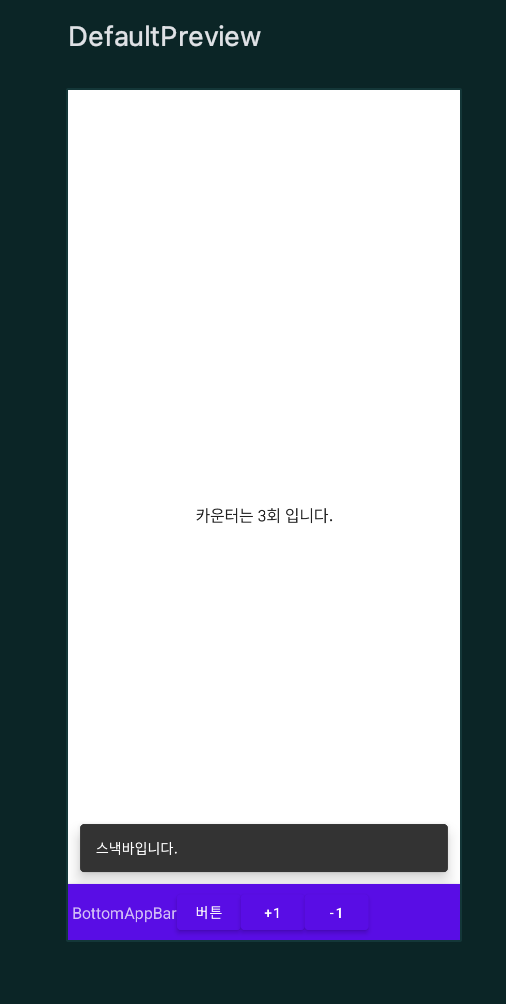
package kr.co.fastcampus.part1.chapter4_12

import android.os.Bundle
import androidx.activity.ComponentActivity
import androidx.activity.compose.setContent
import androidx.compose.foundation.layout.Box
import androidx.compose.foundation.layout.fillMaxSize
import androidx.compose.material.*
import androidx.compose.runtime.*
import androidx.compose.ui.Alignment
import androidx.compose.ui.Modifier
import androidx.compose.ui.tooling.preview.Preview
import kotlinx.coroutines.launch
import kr.co.fastcampus.part1.chapter4_12.ui.theme.BottomAppBarTheme

class MainActivity : ComponentActivity() {
    override fun onCreate(savedInstanceState: Bundle?) {
        super.onCreate(savedInstanceState)
        setContent {
            BottomAppBarTheme {
                Surface(
                    modifier = Modifier.fillMaxSize(),
                    color = MaterialTheme.colors.background
                ) {
                    BottomAppBarEx()
                }
            }
        }
    }
}

@Composable
fun BottomAppBarEx() {
    val scaffoldState = rememberScaffoldState()
    val coroutineScope = rememberCoroutineScope()
    var counter by remember {
        mutableStateOf(0)
    }
    // 단계 1: `Scaffold`에 `scaffoldState`를 설정합니다.
    Scaffold(
        scaffoldState = scaffoldState,
        bottomBar = {
            BottomAppBar() {
                Text(text = "BottomAppBar")
                Button(onClick = {
                    coroutineScope.launch {
                        scaffoldState.snackbarHostState.showSnackbar("스낵바입니다.")

                    }
                }
                ) {
                    Text("버튼")
                }
                Button(onClick = {
                    counter++
                }
                ) {
                    Text("+1")
                }
                Button(onClick = {
                    counter--
                }
                ) {
                    Text("-1")
                }
            }
        }
    ) {
        Box (modifier = Modifier.fillMaxSize()){
            Text(text = "카운터는 ${counter}회 입니다.", modifier = Modifier.align(Alignment.Center))
        }
    }

    // 단계 2: `bottomBar` 파라미터에 `BottomAppBar`를 넣읍시다.
    // 내용은 텍스트와 버튼을 넣어 봅시다. 버튼에는 `snackBar`를
    // 연동해 메시지를 출력합니다.

    // 단계 3: 더하기와 빼기 버튼을 추가로 만들고 `MutableState`
    // 만듭시다. `Scaffold`의 `content`에 `Text`를 넣어 카운터를 출력하게
    // 합시다.
}

@Preview(showBackground = true)
@Composable
fun DefaultPreview() {
    BottomAppBarTheme {
        BottomAppBarEx()
    }
}
모두 이루어져라