2021년 8월에 활동한 내용입니다.
1일차 문제 : VS Code를 설치하고 3가지 이상의 태그를 포함한 HTML 파일 만들기
챗봇을 개발할 예정이라고 하길래 챗봇 사이트의 기본적인 틀을 만들었다.
catbot.html
<!DOCTYPE html>
<html>
    <head>
        <title>catbot</title>
        <link rel = "stylesheet" href ="./style.css">
    </head>

    <body>
        <div class = "chatbox">
            냥?
        </div>
        <img class = "img" src="./cat.png" alt="catimage">
        <input id = "textbox" type="text">
        <input id = "submit" type="submit" value = "시키기">
    </body>

</html>
style.css
.chatbox{
    border: 2px solid rgb(183, 0, 255);
    border-radius: 0.5em;
    font-family: inherit;
    width: 400px;
    height: 100px;
    margin: auto;
    display: block;
    font-size: 15px;
    text-align: center;
    line-height: 100px;
  }

.img{
    width: 200px;
    height: 200px;
    margin: auto;
    display: block;
  }

#textbox{
    border: 2px solid rgb(183, 0, 255);
    border-radius: 0.5em;
    font-family: inherit;
    width: 200px;
    height: 25px;
    font-size: 15px;
    margin: auto;
    margin-bottom: 15px;
    display: block;
  }

#submit{
    border: 2px solid rgb(183, 0, 255);
    border-radius: 2em;
    background-color: rgb(183, 0, 255);
    color: white;
    margin: auto;
    display: block;
    width: 100px;
    height: 25px;
}
완성본 사진
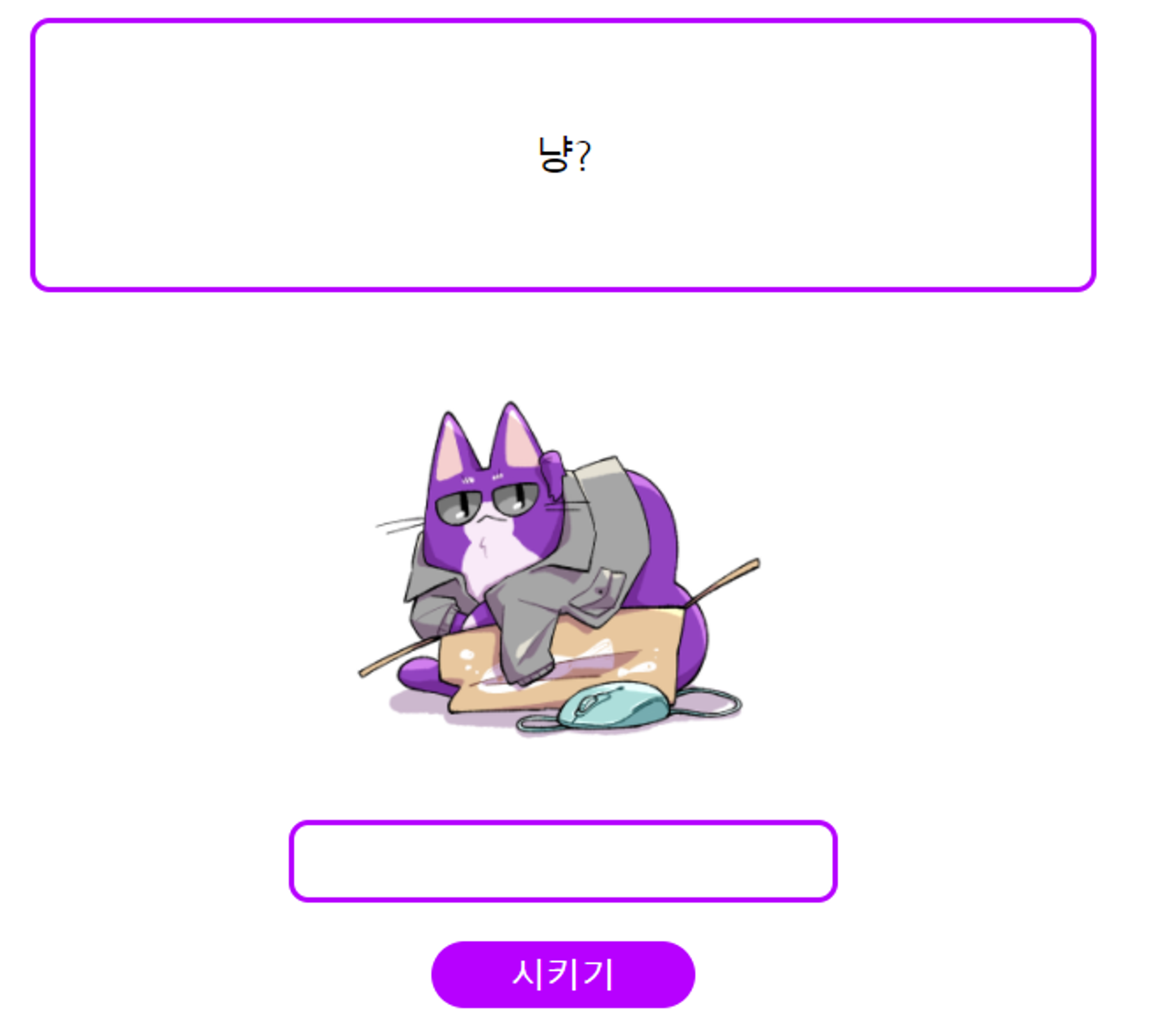
illust : 바움쿠헨콜라 (twitter : @Baumkuchencola)
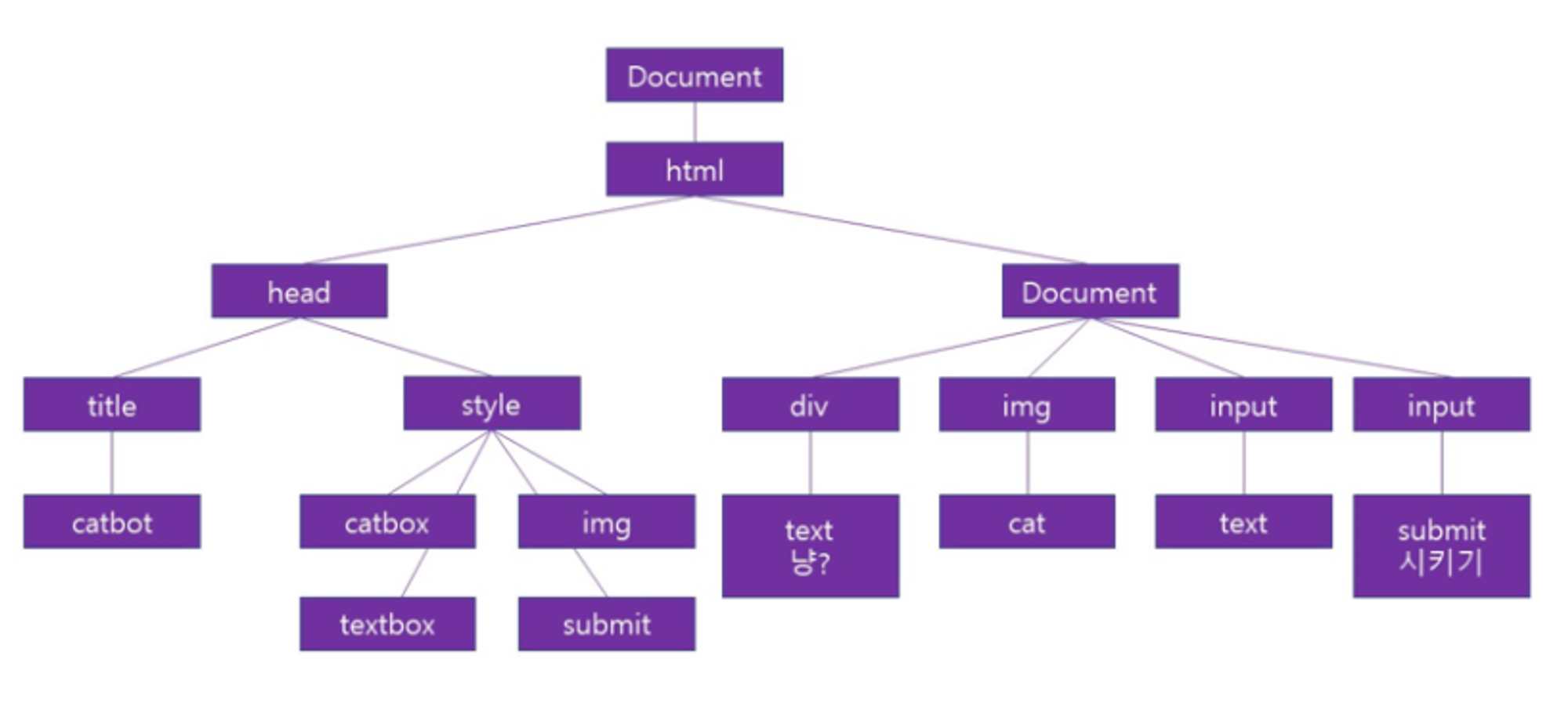
2일차 문제 : 1일차에서 숙제로 진행한 코드의 DOM 구조 그려보기
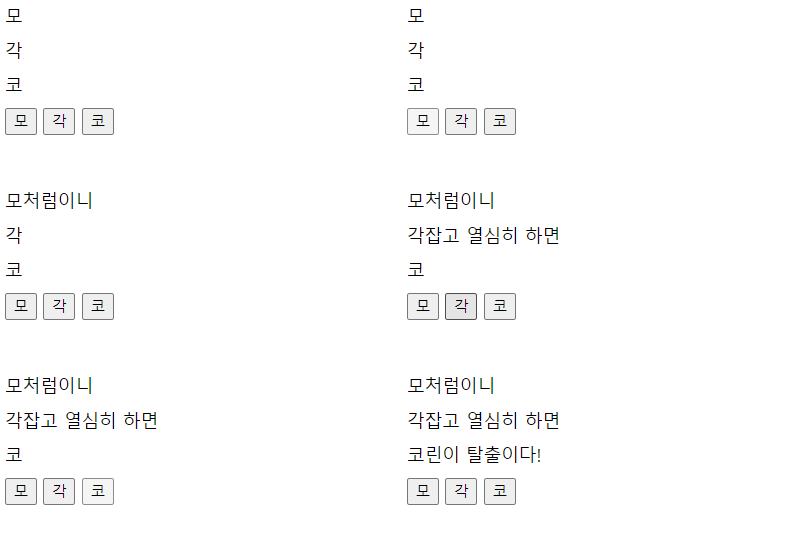
3일차 문제 : 모각코 삼행시 버튼 만들기
'모' 버튼, '각' 버튼, '코' 버튼을 누르면 각 운에 맞는 텍스트로 변경되도록!
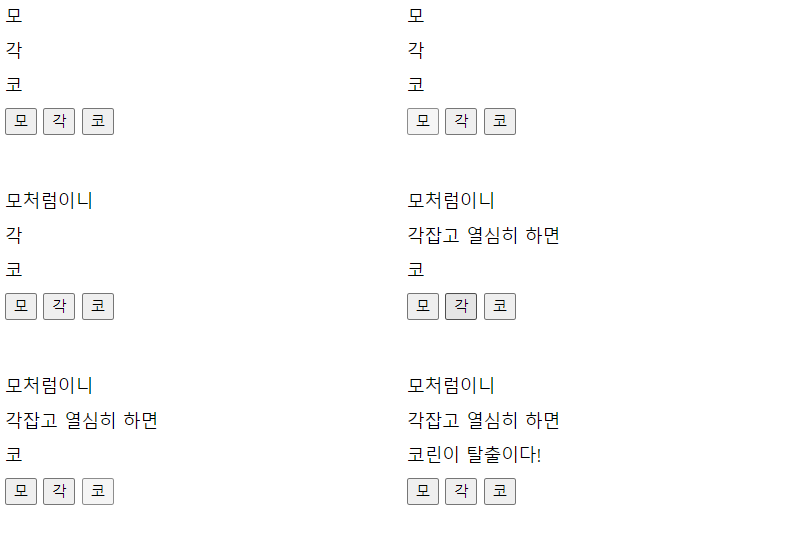
mogakco.html
<!DOCTYPE html>
<html lang="ko">
<head>
	<meta charset="UTF-8">
    <title>mogakco</title>
    <style> h1 {
        font-size: medium;
        font-weight: normal; }
    </style>
</head>
<body>
	<h1>모</h1>
    <h1>각</h1>
    <h1>코</h1>
    <button onclick="btn_mo()">모</button>
    <button onclick="btn_gak()">각</button>
    <button onclick="btn_co()">코</button>
    <script src="./index.js"></script>
</body>
</html>
index.js
function btn_mo(){
    var h1 = document.getElementsByTagName('h1');
    h1[0].innerHTML = "모처럼이니"
}

function btn_gak(){
    var h1 = document.getElementsByTagName('h1');
    h1[1].innerHTML = "각잡고 열심히 하면"
}

function btn_co(){
    var h1 = document.getElementsByTagName('h1');
    h1[2].innerHTML = "코린이 탈출이다!"
}
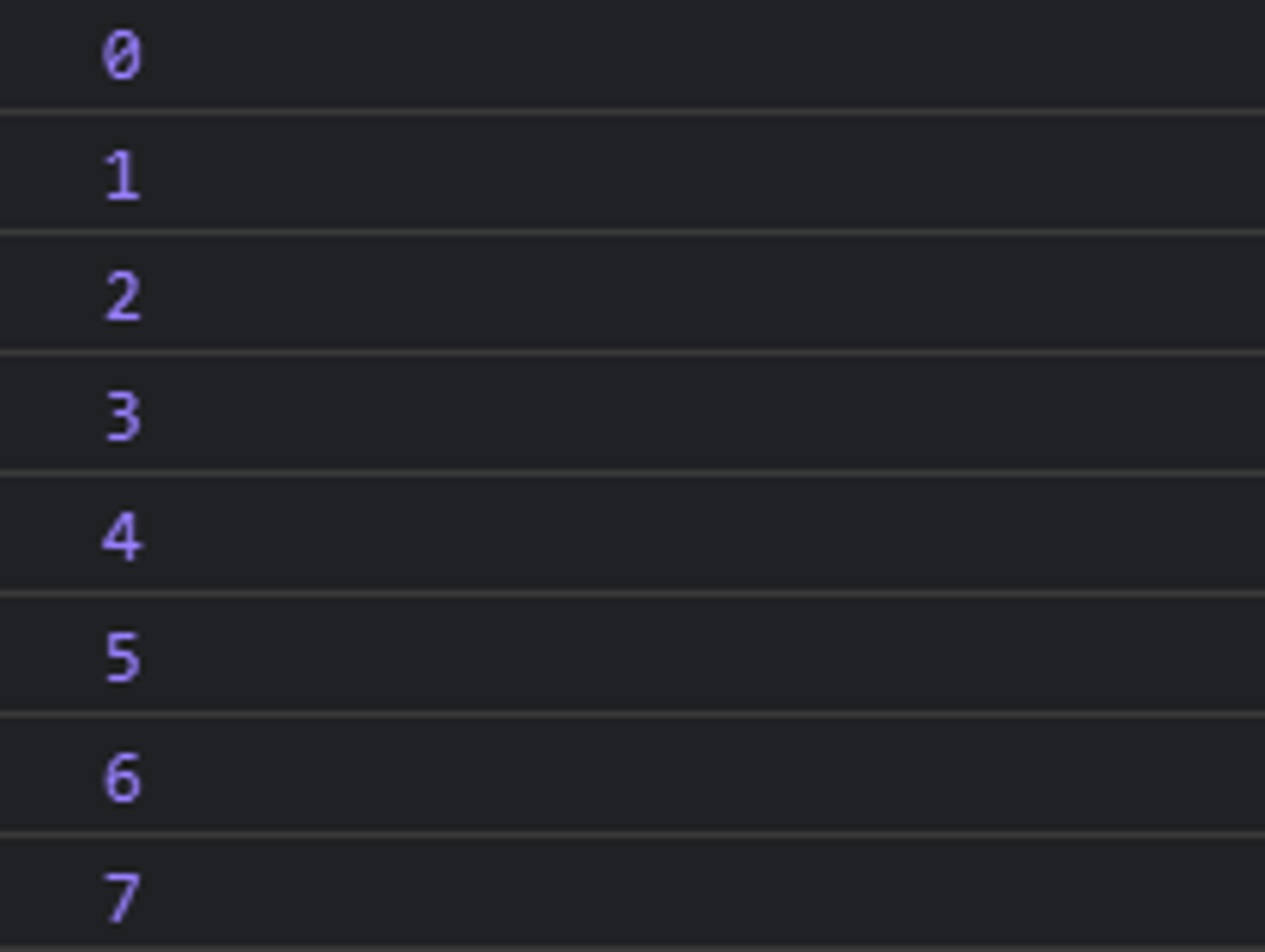
4일차 문제 : 버튼을 누르면 console.log()를 통해 0부터 값이 올라가는 버튼 만들기
console.html
<!DOCTYPE html>
<html lang="ko">
<head>
	<meta charset="UTF-8">
    <title>consoletest</title>
</head>
<body>
    <button onclick="btnclicked()">숫자 늘리기</button>
    <script src="./day4.js"></script>
</body>
</html>
day4.js
var n = 0;

function btnclicked(){
    console.log(n)
    n++;
}
실행화면