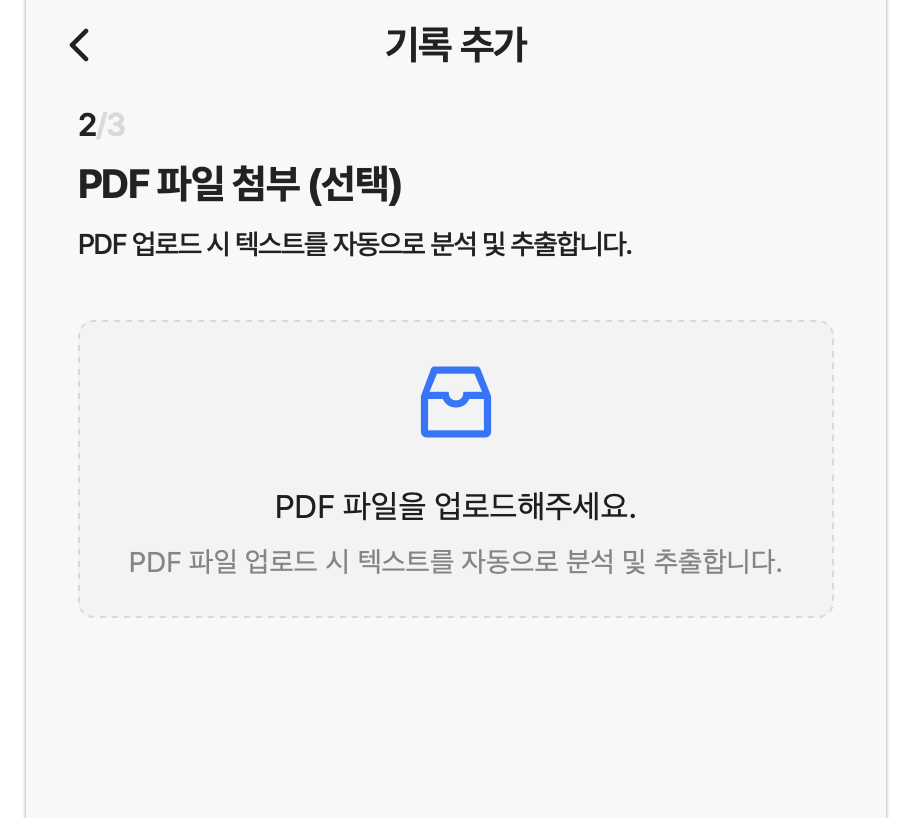
사용자가 업로드한 PDF 문서에서 핵심 내용을 자동으로 추출하는 기능을 프론트엔드에서 구현해야 했습니다.
이번 포스팅에서는 react-pdftotext 와 OpenAI 라이브러리를 활용해 PDF 파일을 업로드하면 자동으로 제목과 요약문을 생성하는 기능을 구현한 과정을 공유하려고 합니다.
구현 개요
-
PDF 파일에서 텍스트 추출: react-pdftotext 라이브러리를 사용
-
AI 요약 처리: OpenAI API(gpt-4o-mini) 모델을 활용
-
UI 흐름: 파일 업로드 → 텍스트 추출 → AI 요약 요청 → 결과 표시
이 과정을 통해 사용자는 PDF를 업로드하기만 하면, 자동으로 문서의 핵심 요약과 제목을 받아볼 수 있습니다.
PDF 텍스트 추출
먼저, 사용자가 업로드한 PDF에서 텍스트를 읽어오기 위해 react-pdftotext를 사용합니다.
File 객체를 그대로 전달하면 내부적으로 PDF.js를 통해 텍스트를 분석해 문자열로 반환해줍니다.
import pdfToText from "react-pdftotext";
import { message } from "antd";
import { useState } from "react";
import { summarizeText } from "../../../utils/summarizeText";

const [isProcessing, setIsProcessing] = useState(false);

const handleFileUpload = (info: any) => {
  const file = info.fileList[0].originFileObj;
  if (file) {
    setIsProcessing(true);
    pdfToText(file).then((text) => {
      summarizeText(text)
        .then((result) => {
          setTitle(result.title);
          setContent(result.summary);
        })
        .catch(() => {
          message.error("PDF 추출에 실패했습니다.");
        })
        .finally(() => {
          setIsProcessing(false);
        });
    });
  }
};
이 코드는 파일 업로드 이벤트를 감지한 뒤
pdfToText()로 텍스트를 추출하고,- 추출된 텍스트를
summarizeText()함수로 전달하여 AI 요약을 요청합니다.
업로드 과정에서 로딩 상태(isProcessing)를 관리해 UX도 개선했습니다.
OpenAI를 이용한 텍스트 요약
PDF에서 추출한 텍스트는 그대로 모델에 전달하기엔 길기 때문에,
substring(0, 10000)으로 잘라 적정 길이만큼 전달합니다.
OpenAI의 chat.completions.create() 메서드를 이용해 JSON 형태의 응답을 받도록 구성했습니다.
발급받은 OpenAI 키는 .env 파일에 작성했습니다.
import OpenAI from "openai";

const openai = new OpenAI({
  apiKey: import.meta.env.VITE_OPENAI_API_KEY,
  dangerouslyAllowBrowser: true,
});

export const summarizeText = async (
  text: string
): Promise<{ title: string; summary: string }> => {
  const completion = await openai.chat.completions.create({
    model: "gpt-4o-mini",
    messages: [
      {
        role: "system",
        content:
          "학습 자료를 분석하여 제목과 400자 이내 요약을 JSON으로 제공하세요.",
      },
      {
        role: "user",
        content: `다음을 요약하세요:\n\n${text.substring(0, 10000)}`,
      },
    ],
    response_format: { type: "json_object" },
  });

  return JSON.parse(completion.choices[0].message.content || "{}");
};
응답은 아래와 같은 형태로 반환됩니다.
{
  "title": "AI 학습 자료 요약 자동화 기술",
  "summary": "이 문서는 PDF에서 텍스트를 추출하고 OpenAI 모델을 활용해 요약하는 과정을 다룬다. 핵심 기능은 PDF 텍스트 파싱, 요약 자동화, 사용자 편의성 개선이다."
}
행복하게 살래여