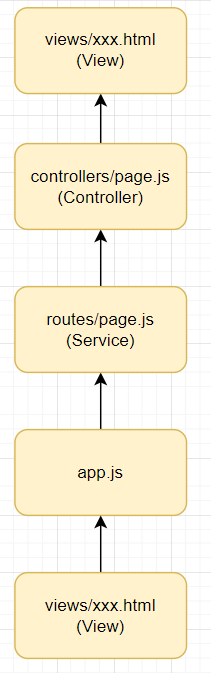
📖프로젝트 구조 갖추기
NodeSNS폴더 생성 후 열기

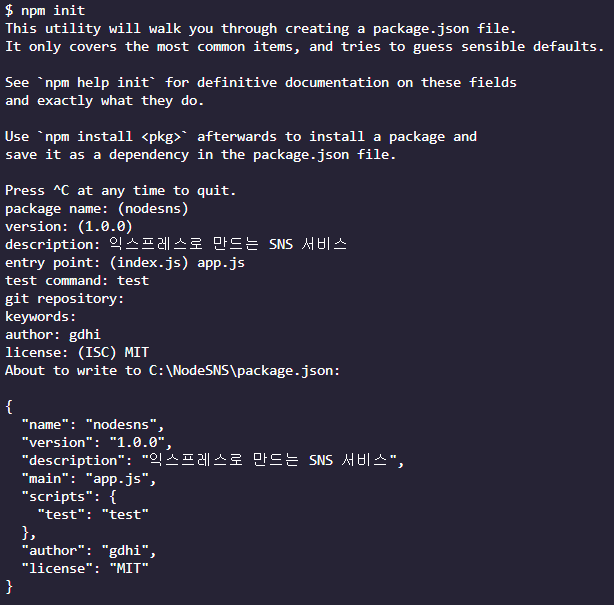
📌npm init
npm i sequelize mysql2 sequelize-cli
👉 시퀄라이즈, 데이터베이스 설치
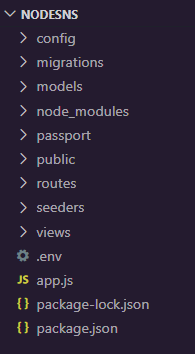
npx sequelize init
👉 시퀄라이즈 초기화
👉 그 외 나머지 폴더 직접 생성{ "name": "nodesns", "version": "1.0.0", "description": "익스프레스로 만드는 SNS 서비스", "main": "app.js", "scripts": { "test": "test", "start": "nodemon app" }, "author": "gdhi", "license": "MIT", "dependencies": { "mysql2": "^3.7.1", "sequelize": "^6.35.2", "sequelize-cli": "^6.6.2" } }
📌여러 패키지 설치하기
npm i express cookie-parser express-session morgan multer dotenv nunjucks
👉 필요한 패지키들, 템플릿 엔진은 넌적스
npm i -D nodemon
👉 개발 모드

{
  "name": "nodesns",
  "version": "1.0.0",
  "description": "익스프레스로 만드는 SNS 서비스",
  "main": "app.js",
  "scripts": {
    "test": "test",
    "start": "nodemon app"
  },
  "author": "gdhi",
  "license": "MIT",
  "dependencies": {
    "cookie-parser": "^1.4.6",
    "dotenv": "^16.3.2",
    "express": "^4.18.2",
    "express-session": "^1.17.3",
    "morgan": "^1.10.0",
    "multer": "^1.4.5-lts.1",
    "mysql2": "^3.7.1",
    "nunjucks": "^3.2.4",
    "sequelize": "^6.35.2",
    "sequelize-cli": "^6.6.2"
  },
  "devDependencies": {
    "nodemon": "^3.0.3"
  }
}
📌app.js
const express = require("express"); // 웹 서버
const cookieParser = require("cookie-parser"); // 쿠키
const morgan = require("morgan"); // 미들웨어 사용
const path = require("path"); // 경로 사용
const session = require("express-session"); // 세션
const nunjucks = require("nunjucks"); // 화면 템플릿 앤진
const dotenv = require("dotenv"); // 세션과 쿠키에서 사용하기 위한 .env 파일

dotenv.config(); // .env 설정

const pageRouter = require("./routes/page"); // 라우터 설정

const app = express(); // express 사용 변수 app
app.set("view engine", "html");  // 화면 엔진을 html로 설정
app.set("port", process.env.PORT || 8001); // 포트 번호 설정
nunjucks.configure("views", { // 넌적스 설정, html 파일은 "views" 폴더 안에 있다.
  express: app,
  watch: true,
});

app.use(morgan("dev")); // 미들웨어 설정
app.use(express.static(path.join(__dirname, "public"))); // 정적 폴더 생성, css 파일
app.use(express.json()); // 웹 json 설정
app.use(express.urlencoded({ extended: false })); // 웹 url 인코더 설정
app.use(cookieParser(process.env.COOKIE_SECRET)); // 쿠키 설정
app.use( // 세션 설정
  session({
    resave: false,
    saveUninitialized: false,
    secret: process.env.COOKIE_SECRET,
    cookie: {
      httpOnly: true,
      secure: false,
    },
  })
);

app.use("/", pageRouter); // "/" 👉 ./routes/page

// 404 에러 설정
app.use((req, res, next) => {
  const err = new Error(`${req.method} ${req.url} 라우터가 없습니다.`);
  err.status = 404;
  next(err);
});

// 500 에러 설정
app.use((err, req, res) => {
  res.locals.message = err.message;
  res.locals.error = process.env.NODE_ENV !== 'production' ? err : {};
  res.status(err.status || 500);
  res.render("error");
});

// 클라이언트 요청 리스너
app.listen(app.get("port"), () => {
  console.log(app.get("port"), "번 포트에서 대기 중");
});
📌.env
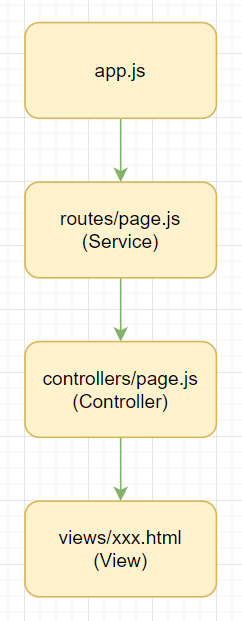
COOKIE_SECRET=cookiesecret📌routes/page.js (서비스)
const express = require("express");
const {
  renderProfile,
  renderJoin,
  renderMain,
} = require("../controllers/page");

// 라우터 설정
router.use((req, res, next) => {
  res.locals.user = null;
  res.locals.followerCount = 0;
  res.locals.followingCount = 0;
  res.locals.followerIdList = [];
  next();
});

router.get('/profile', renderProfile);

router.get('/join', renderJoin);

router.get('/', renderMain);

module.exports = router;
📌controllers/page.js (컨트롤러)
exports.renderProfile = (req, res) => {
  res.render("profile", { title: "내 정보 - gdhi" }); // profile.html
};

exports.renderJoin = (req, res) => {
  res.render("join", { title: "회원 가입 - gdhi" }); // join.html
};

exports.renderMain = (req, res, next) => {
  const twits = [];
  res.render("main", { // main.html
    title: "gdhi",
    twits,
  });
};
❓컨트롤러와 서비스
컨트롤러(Controller)에서 비즈니스 로직을서비스(Service)라는 개념으로 한 번 더 따로 분리하는 경우가 많다. 서비스는 해당 컨트롤러의 핵심 비즈니스 로직을 담당하면서요청(req)이나응답(res)에 대해 모른다고 보면 된다. 요청이나 응답을 몰라야 하는 이유는 서버가 항상 HTTP 요청만 받는 것은 아니기 때문이다. 서버는 웹 소켓 요청을 받을 수도 있고, RPC라는 HTTP와는 다른 프로토콜의 요청을 받을 수도 있다. 어떠한 요청이 오든 동일한 비즈니스 로직을 수행해야 하는 것이 서비스의 역할이다. 컨트롤러에서 서비스를 분리하는 벙법이나 서비스의 필요성은 나중에 배운다.
📌views/layout.html
<!DOCTYPE html>
<html>
<head>
<meta charset="UTF-8">
<title>{{title}}</title>
<meta name="viewport" content="width=device-width, user-scalable=no">
<meta http-equiv="X-UA-Compatible" content="IE=edge">
<link rel="stylesheet" href="/main.css">
</head>
<body>
<div class="container">
<div class="profile-wrap">
<div class="profile">
{% if user and user.id %}
<div class="user-name">{{'안녕하세요! ' + user.nick + '님'}}</div>
<div class="half">
<div>팔로잉</div>
<div class="count following-count">{{followingCount}}</div>
</div>
<div class="half">
<div>팔로워</div>
<div class="count follower-count">{{followerCount}}</div>
</div>
<input id="my-id" type="hidden" value="{{user.id}}">
<a id="my-profile" href="/profile" class="btn">내 프로필</a>
<a id="logout" href="/auth/logout" class="btn">로그아웃</a>
{% else %}
<form id="login-form" action="/auth/login" method="post">
<div class="input-group">
<label for="email">이메일</label>
<input id="email" type="email" name="email" required autofocus>
</div>
<div class="input-group">
<label for="password">비밀번호</label>
<input id="password" type="password" name="password" required>
</div>
<a id="join" href="/join" class="btn">회원가입</a>
<button id="login" type="submit" class="btn">로그인</button>
<a id="kakao" href="/auth/kakao" class="btn">카카오톡</a>
</form>
{% endif %}
</div>
<footer>
Made by
<a href="https://www.zerocho.com" target="_blank">ZeroCho</a>
</footer>
</div>
{% block content %}
{% endblock %}
</div>
<script src="https://unpkg.com/axios/dist/axios.min.js"></script>
<script>
window.onload = () => {
if (new URL(location.href).searchParams.get('loginError')) {
alert(new URL(location.href).searchParams.get('loginError'));
}
};
</script>
{% block script %}
{% endblock %}
</body>
</html>📌views/main.html
{% extends 'layout.html' %}

{% block content %}
    <div class="timeline">
      {% if user %}
        <div>
          <form id="twit-form" action="/post" method="post" enctype="multipart/form-data">
            <div class="input-group">
              <textarea id="twit" name="content" maxlength="140"></textarea>
            </div>
            <div class="img-preview">
              <img id="img-preview" src="" style="display: none;" width="250" alt="미리보기">
              <input id="img-url" type="hidden" name="url">
            </div>
            <div>
              <label id="img-label" for="img">사진 업로드</label>
              <input id="img" type="file" accept="image/*">
              <button id="twit-btn" type="submit" class="btn">짹짹</button>
            </div>
          </form>
        </div>
      {% endif %}
      <div class="twits">
        <form id="hashtag-form" action="/hashtag">
          <input type="text" name="hashtag" placeholder="태그 검색">
          <button class="btn">검색</button>
        </form>
        {% for twit in twits %}
          <div class="twit">
            <input type="hidden" value="{{twit.User.id}}" class="twit-user-id">
            <input type="hidden" value="{{twit.id}}" class="twit-id">
            <div class="twit-author">{{twit.User.nick}}</div>
            {% if not followerIdList.includes(twit.User.id) and twit.User.id !== user.id %}
              <button class="twit-follow">팔로우하기</button>
            {% endif %}
            <div class="twit-content">{{twit.content}}</div>
            {% if twit.img %}
              <div class="twit-img"><img src="{{twit.img}}" alt="섬네일"></div>
            {% endif %}
          </div>
        {% endfor %}
      </div>
    </div>
{% endblock %}

{% block script %}
  <script>
    if (document.getElementById('img')) {
      document.getElementById('img').addEventListener('change', function(e) {
        const formData = new FormData();
        console.log(this, this.files);
        formData.append('img', this.files[0]);
        axios.post('/post/img', formData)
          .then((res) => {
            document.getElementById('img-url').value = res.data.url;
            document.getElementById('img-preview').src = res.data.url;
            document.getElementById('img-preview').style.display = 'inline';
          })
          .catch((err) => {
            console.error(err);
          });
      });
    }
    document.querySelectorAll('.twit-follow').forEach(function(tag) {
      tag.addEventListener('click', function() {
        const myId = document.querySelector('#my-id');
        if (myId) {
          const userId = tag.parentNode.querySelector('.twit-user-id').value;
          if (userId !== myId.value) {
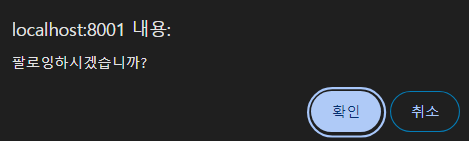
            if (confirm('팔로잉하시겠습니까?')) {
              axios.post(`/user/${userId}/follow`)
                .then(() => {
                  location.reload();
                })
                .catch((err) => {
                  console.error(err);
                });
            }
          }
        }
      });
    });
  </script>
{% endblock %}
📌views/profile.html
{% extends 'layout.html' %}

{% block content %}
  <div class="timeline">
    <div class="followings half">
      <h2>팔로잉 목록</h2>
      {% if user.Followings %}
        {% for following in user.Followings %}
          <div>{{following.nick}}</div>
        {% endfor %}
      {% endif %}
    </div>
    <div class="followers half">
      <h2>팔로워 목록</h2>
      {% if user.Followers %}
        {% for follower in user.Followers %}
          <div>{{follower.nick}}</div>
        {% endfor %}
      {% endif %}
    </div>
  </div>
{% endblock %}
📌views/join.html
{% extends 'layout.html' %}

{% block content %}
  <div class="timeline">
    <form id="join-form" action="/auth/join" method="post">
      <div class="input-group">
        <label for="join-email">이메일</label>
        <input id="join-email" type="email" name="email"></div>
      <div class="input-group">
        <label for="join-nick">닉네임</label>
        <input id="join-nick" type="text" name="nick"></div>
      <div class="input-group">
        <label for="join-password">비밀번호</label>
        <input id="join-password" type="password" name="password">
      </div>
      <button id="join-btn" type="submit" class="btn">회원가입</button>
    </form>
  </div>
{% endblock %}

{% block script %}
  <script>
    window.onload = () => {
      if (new URL(location.href).searchParams.get('error')) {
        alert('이미 존재하는 이메일입니다.');
      }
    };
  </script>
{% endblock %}
📌views/error.html
{% extends 'layout.html' %}

{% block content %}
  <h1>{{message}}</h1>
  <h2>{{error.status}}</h2>
  <pre>{{error.stack}}</pre>
{% endblock %}
📌public/main.css
* { box-sizing: border-box; }
html, body { margin: 0; padding: 0; height: 100%; }
.btn {
  display: inline-block;
  padding: 0 5px;
  text-decoration: none;
  cursor: pointer;
  border-radius: 4px;
  background: white;
  border: 1px solid silver;
  color: crimson;
  height: 37px;
  line-height: 37px;
  vertical-align: top;
  font-size: 12px;
}
input[type='text'], input[type='email'], input[type='password'], textarea {
  border-radius: 4px;
  height: 37px;
  padding: 10px;
  border: 1px solid silver;
}
.container { width: 100%; height: 100%; }
@media screen and (min-width: 800px) {
  .container { width: 800px; margin: 0 auto; }
}
.input-group { margin-bottom: 15px; }
.input-group label { width: 25%; display: inline-block; }
.input-group input { width: 70%; }
.half { float: left; width: 50%; margin: 10px 0; }
#join { float: right; }
.profile-wrap {
  width: 100%;
  display: inline-block;
  vertical-align: top;
  margin: 10px 0;
}
@media screen and (min-width: 800px) {
  .profile-wrap { width: 290px; margin-bottom: 0; }
}
.profile {
  text-align: left;
  padding: 10px;
  margin-right: 10px;
  border-radius: 4px;
  border: 1px solid silver;
  background: lightcoral;
}
.user-name { font-weight: bold; font-size: 18px; }
.count { font-weight: bold; color: crimson; font-size: 18px; <}
.timeline {
  margin-top: 10px;
  width: 100%;
  display: inline-block;
  border-radius: 4px;
  vertical-align: top;
}
@media screen and (min-width: 800px) { .timeline { width: 500px; } }
#twit-form {
  border-bottom: 1px solid silver;
  padding: 10px;
  background: lightcoral;
  overflow: hidden;
}
#img-preview { max-width: 100%; }
#img-label {
  float: left;
  cursor: pointer;
  border-radius: 4px;
  border: 1px solid crimson;
  padding: 0 10px;
  color: white;
  font-size: 12px;
  height: 37px;
  line-height: 37px;
}
#img { display: none; }
#twit { width: 100%; min-height: 72px; }
#twit-btn {
  float: right;
  color: white;
  background: crimson;
  border: none;
}
.twit {
  border: 1px solid silver;
  border-radius: 4px;
  padding: 10px;
  position: relative;
  margin-bottom: 10px;
}
.twit-author { display: inline-block; font-weight: bold; margin-right: 10px; }
.twit-follow {
  padding: 1px 5px;
  background: #fff;
  border: 1px solid silver;
  border-radius: 5px;
  color: crimson;
  font-size: 12px;
  cursor: pointer;
}
.twit-img { text-align: center; }
.twit-img img { max-width: 75%; }
.error-message { color: red; font-weight: bold; }
#search-form { text-align: right; }
#join-form { padding: 10px; text-align: center; }
#hashtag-form { text-align: right; }
footer { text-align: center; }
📌결과
📍메인
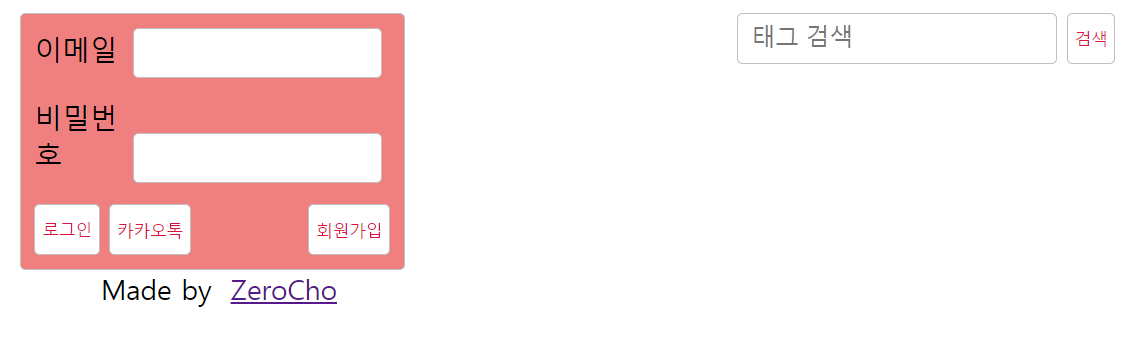
📍로그인
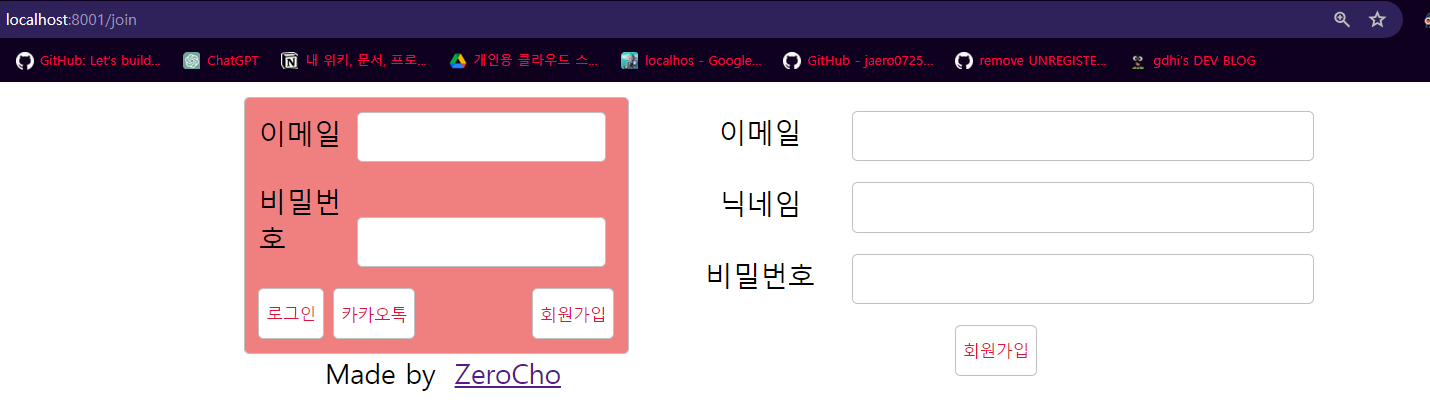
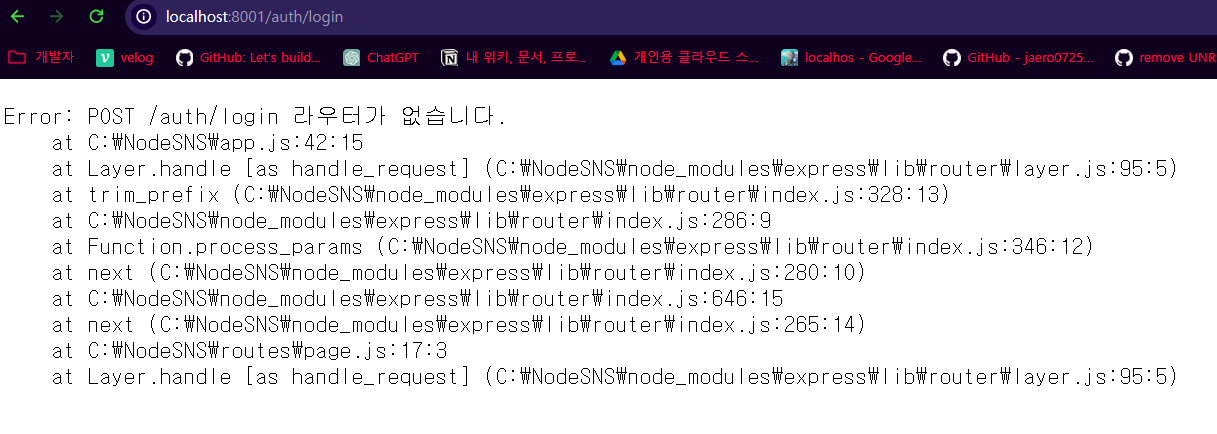
👉 그 외엔 아직 만든게 없어서 작동 안한다
📖데이터베이스 세팅하기
MySQL과시퀄라이즈로 데이터 베이스 설정하기
📌models/user.js
const Sequelize = require("sequelize");

class User extends Sequelize.Model {
  static initiate(sequelize) {
    User.init(
      {
        email: {
          type: Sequelize.STRING(40),
          allowNull: true,
          unique: true,
        },
        nick: {
          type: Sequelize.STRING(15),
          allowNull: false,
        },
        password: {
          type: Sequelize.STRING(100),
          allowNull: true,
        },
        provider: {
          type: Sequelize.ENUM('local', 'kakao'),
          allowNull: false,
          defaultValue: "local",
        },
        snsId: {
          type: Sequelize.STRING(30),
          allowNull: true,
        },
      }, {
        sequelize,
        timestamps: true,
        underscored: false,
        modelName: "User",
        tableName: "users",
        paranoid: true,
        charset: "utf8",
        collate: "utf8_general_ci",
      });
  }

  static associate(db) {
    // Mapping 관계
    db.User.hasMany(db.Post); // 1 : N, 유저 : 포스트
    db.User.belongsToMany(db.User, { // 1 : N, 유저 : 팔로잉
      foreignKey: 'followingId',
      as: 'Followers',
      through: 'Follow',
    });
    db.User.belongsToMany(db.User, { // 1 : N, 유저 : 팔로워
      foreignKey: 'followerId',
      as: 'Followings',
      through: 'Follow',
    });

    // 팔로잉 : 팔로워는 N : M
  }
};

module.exports = User;
📌models/post.js
const Sequelize = require('sequelize');

class Post extends Sequelize.Model {
    static initiate(sequelize){
        Post.init({
            content: {
                type: Sequelize.STRING(140),
                allowNull: false,
            },
            img: {
                type: Sequelize.STRING(200),
                allowNull: true,
            },
        },{
            sequelize,
            timestamps: true,
            underscored: false,
            modelName: 'Post',
            tableName: 'posts',
            paranoid: false,
            charset: 'utf8mb4',
            collate: 'utf8mb4_general_ci',
        });
    }

    static associate(db){
        db.Post.belongsTo(db.User);
        db.Post.belongsToMany(db.Hashtag, {through: 'PostHashtag'}); // 1 : N, 유저 : 해시태그
    }
};

module.exports = Post;
📌models/hashtag.js
const Sequelize = require('sequelize');

class Hashtag extends Sequelize.Model{
    static initiate(sequelize){
        Hashtag.init({
            title: {
                type: Sequelize.STRING(15),
                allowNull: false,
                unique: true,
            }
        }, {
            sequelize,
            timestamps: true,
            underscored: false,
            modelName: 'Hashtag',
            tableName: 'hashtags',
            paranoid: false,
            charset: 'utf8mb4',
            collate: 'utf8mb4_general_ci',
        });
    }

    static associate(db) {
        db.Hashtag.belongsToMany(db.Post, {through: 'PostHashtag'}); // N : M, 해시태그 : 포스트
    }
};

module.exports = Hashtag;
📌models/index.js
const Sequelize = require('sequelize');
const fs = require('fs');
const path = require('path');
const env = process.env.NODE_ENV || 'development';
const config = require('../config/config.json')[env];

const db = {};
const sequelize = new Sequelize(
  config.database, config.username, config.password, config,
);

db.sequelize = sequelize;
/*
  db{
    sequelize: sequelize
  }
*/

const basename = path.basename(__filename);

fs.readdirSync(__dirname) // 현재 폴더의 모든 파일을 조회
  .filter(file => { // 숨김 파일, index.js, js 확장자가 아닌 파일 필터링
    return (file.indexOf('.') !== 0) && (file !== basename) && (file.slice(-3) === '.js'); // .(-3), j(-2), s(-1) 👉 확장자가 .js여야 한다
  })
  .forEach(file => { // 해당 파일의 모델을 불러와서 init
    const model = require(path.join(__dirname, file));
    console.log(file, model.name);
    db[model.name] = model;
    model.initiate(sequelize);
  });

Object.keys(db).forEach(modelName => { // associate 호출
  if(db[modelName].associate){
    db[modelName].associate(db);
  }
});

module.exports = db;
📌config/config.json
{
  "development": {
    "username": "root",
    "password": "1234",
    "database": "nodebird",
    "host": "127.0.0.1",
    "dialect": "mysql"
  }
}
📌MySQL 연결하기
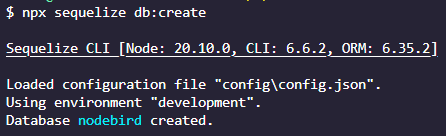
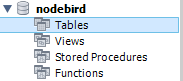
npx sequelize db:create
👉 스키마가 생성 됐다
📌모델과 서버 연결하기
app.js 수정
...

nunjucks.configure("views", { // 넌적스 설정, html 파일은 "views" 폴더 안에 있다.
  express: app,
  watch: true,
});

sequelize.sync({ force: false })
  .then(() => {
    console.log('데이터베이스 연결 성공');
  })
  .catch((err) => {
    console.error(err);
  });

app.use(morgan("dev")); // 미들웨어 설정

...
📌결과
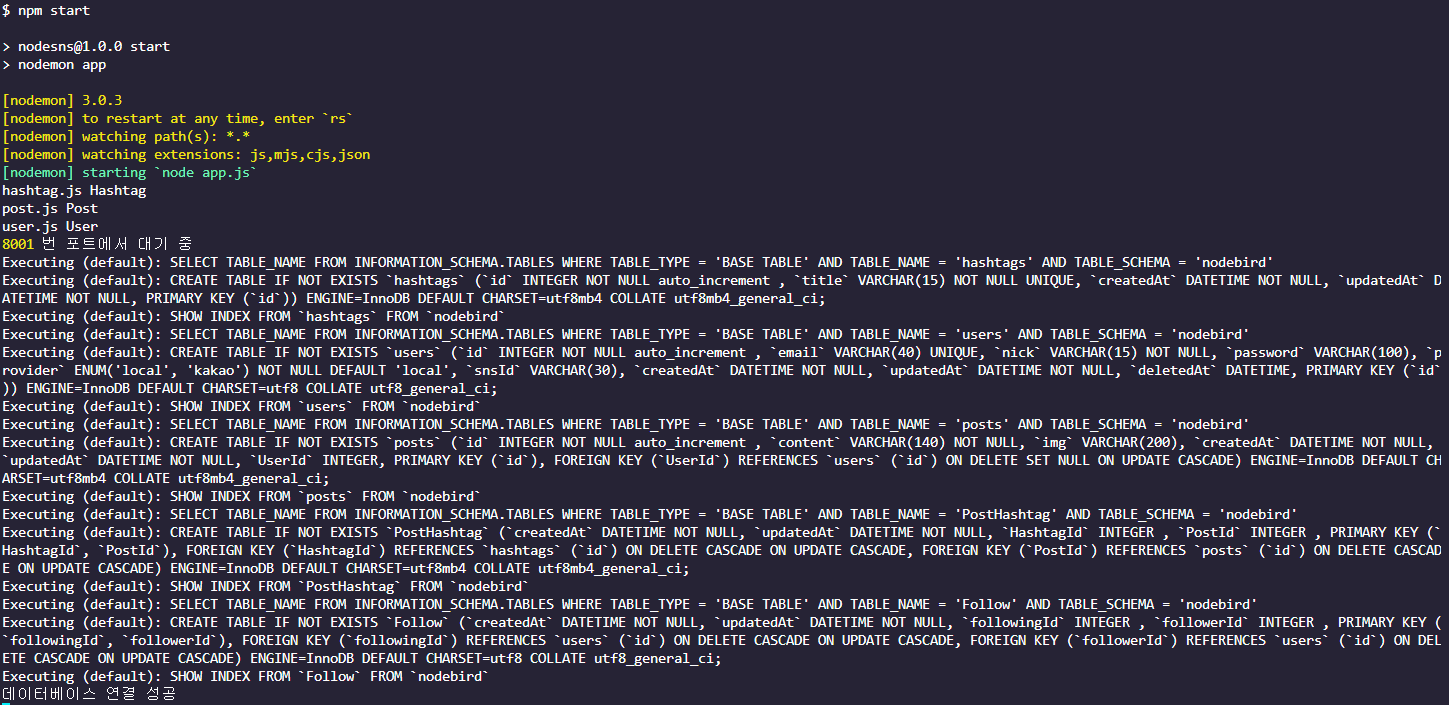
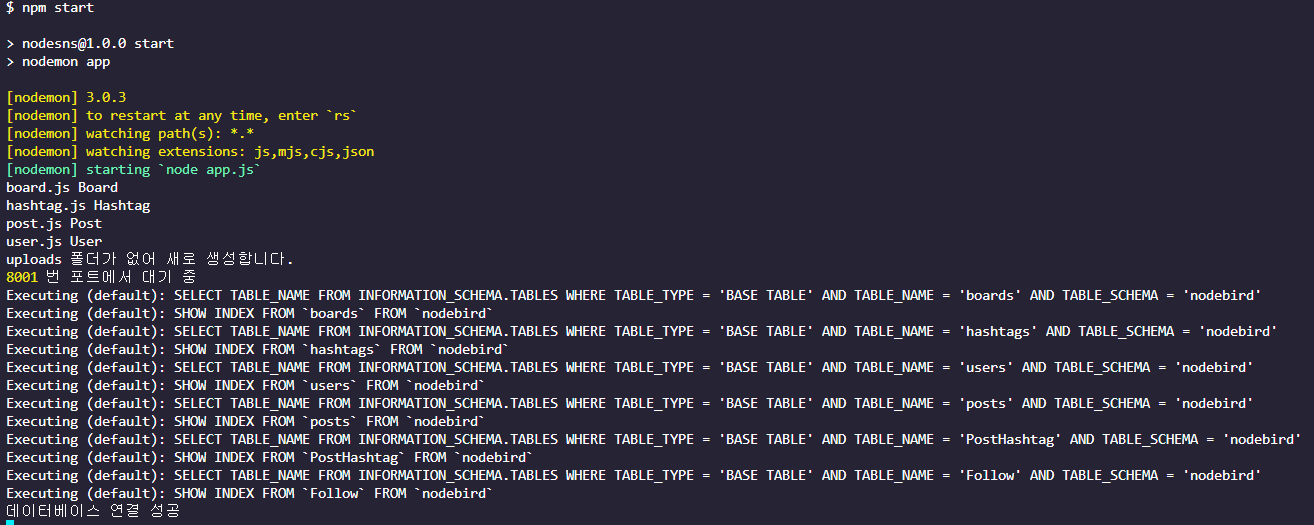
👉 연결 성공
📖Passport 모듈로 로그인 구현하기
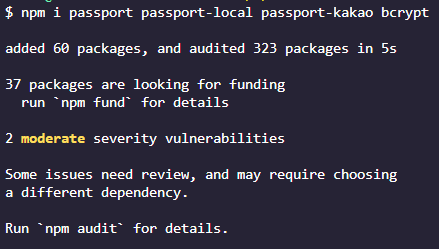
Passport모듈을 사용하는 이유는 회원가입과 로그인할 때 세션, 쿠키 등 복잡한 작업이 많기 때문에 검증된 모듈을 사용하는 것이다.npm i passport passport-local passport-kakao bcrypt
📌app.js 수정
const express = require("express"); // 웹 서버
const cookieParser = require("cookie-parser"); // 쿠키
const morgan = require("morgan"); // 미들웨어 사용
const path = require("path"); // 경로 사용
const session = require("express-session"); // 세션
const nunjucks = require("nunjucks"); // 화면 템플릿 앤진
const dotenv = require("dotenv"); // 세션과 쿠키에서 사용하기 위한 .env 파일
const passport = require('passport');

dotenv.config(); // .env 설정

const pageRouter = require("./routes/page"); // 라우터 설정
const authRouter = require('./routes/auth');
const { sequelize } = require("./models"); // 폴더만 지정했을 경우 index.js 실행
const passportConfig = require('./passport'); // 폴더만 지정했을 경우 index.js 실행
const boardRouter = require("./routes/board");

const app = express(); // express 사용 변수 app
passportConfig(); // 패스 포트 설정 👉 index.js
app.set("view engine", "html");  // 화면 엔진을 html로 설정
app.set("port", process.env.PORT || 8001); // 포트 번호 설정
nunjucks.configure("views", { // 넌적스 설정, html 파일은 "views" 폴더 안에 있다.
  express: app,
  watch: true,
});

sequelize.sync({ force: false })
  .then(() => {
    console.log('데이터베이스 연결 성공');
  })
  .catch((err) => {
    console.error(err);
  });

app.use(morgan("dev")); // 미들웨어 설정
app.use(express.static(path.join(__dirname, "public"))); // 정적 폴더 생성, css 파일
app.use(express.json()); // 웹 json 설정
app.use(express.urlencoded({ extended: false })); // 웹 url 인코더 설정
app.use(cookieParser(process.env.COOKIE_SECRET)); // 쿠키 설정
app.use( // 세션 설정
  session({
    resave: false,
    saveUninitialized: false,
    secret: process.env.COOKIE_SECRET,
    cookie: {
      httpOnly: true,
      secure: false,
    },
  })
);

// 경로보다 위에 있어야 한다
app.use(passport.initialize());
app.use(passport.session());

// passport보다 아래에 있어야 한다
app.use("/", pageRouter); // "/" 👉 ./routes/page
app.use('/auth', authRouter);
app.use('/board', boardRouter);

// 404 에러 설정
app.use((req, res, next) => {
  const err = new Error(`${req.method} ${req.url} 라우터가 없습니다.`);
  err.status = 404;
  next(err);
});

// 500 에러 설정
app.use((err, req, res) => {
  res.locals.message = err.message;
  res.locals.error = process.env.NODE_ENV !== 'production' ? err : {};
  res.status(err.status || 500);
  res.render("error");
});

// 클라이언트 요청 리스너
app.listen(app.get("port"), () => {
  console.log(app.get("port"), "번 포트에서 대기 중");
});
📌passport/index.js
const passport = require("passport");
const local = require("./localStrategy");
const kakao = require("./kakaoStrategy");
const User = require("../models/user");

module.exports = () => {
  // 로그인 할때만 실행
  // 로그인 시 실행되면 세션 객체에 어떤 데이터를 저장할지 정하는 메소드
  passport.serializeUser((user, done) => {
    // 실패시 null, 성공시 user.id
    done(null, user.id);
  })
  // 요청 마다 실행, 위 done(null, user.id); 에서
  // 성공시 user.id를 가지고 req.user에 저장
  // 1. /auth/login 라우터를 통해 로그인 요청이 들어옴
  // 2. 라우터에서 passport.authenticate 메서드 호출
  // 3. 로그인 전략 수행
  // 4. 로그인 성공 시 사용자 정보 객체와 함께 req.login 호출
  // 5. req.login 메서드가 passport.serializeUser 호출
  // 6. req.session에 사용자 아이디만 저장해서 세션 생성
  // 7. express-session에 설정한 대로 브라우저에 connect.sid 세션 쿠키 전송
  // 8. 로그인 완료

  passport.deserializeUser((id, done) => {
    User.findOne({ where: { id } })
      .then((user) => done(null, user))
      .catch((err) => done(err));
  });

  local();
  kakao();
};
📌middlewares/index.js
exports.isLoggedIn = (req, res, next) => {
    if(req.isAuthenticated()){
        next();
    }else{
        res.status(403).send('로그인 필요');
    }
};

exports.isNotLoggedIn = (req, res, next) => {
    if(!req.isAuthenticated()){
        next();
    }else{
        const message = encodeURIComponent('로그인 상태입니다.');
        res.redirect(`/?error=${message}`);
    }
}
📌routes/page.js 수정
const express = require("express");

const {
  isLoggedIn,
  isNotLoggedIn
} = require('../middlewares');

const {
  renderProfile,
  renderJoin,
  renderMain,
} = require("../controllers/page");

const router = express.Router();

// 라우터 설정
router.use((req, res, next) => {
  res.locals.user = req.user;
  res.locals.followerCount = 0;
  res.locals.followingCount = 0;
  res.locals.followerIdList = [];
  next();
});

router.get('/profile', isLoggedIn, renderProfile);

router.get('/join', isNotLoggedIn, renderJoin);

router.get('/', renderMain);

module.exports = router;
📌routes/auth.js 생성
const express = require('express');
const passport = require('passport');
const { isLoggedIn, isNotLoggedIn } = require('../middlewares');
const { join, login, logout} = require('../controllers/auth');
const { route } = require('./page');

const router = express.Router();

// POST /auth/join
router.post('/join', isNotLoggedIn, join);

// POST /auth/login
router.post('/login', isNotLoggedIn, login);

// GET /auth/logout
router.get('/logout', isLoggedIn, logout);

// GET /auth/kakao
router.get('/kakao', passport.authenticate('kakao'));

// GET /auth/kakao/callback
router.get('/kakao/callback', passport.authenticate('kakao', {
    failureRedirect: '/?loginError=카카오로그인 실패',
}), (req, res) => {
    res.redirect('/');
});

module.exports = router;
📌controllers/auth.js 생성
const bcrypt = require('bcrypt');
const passport = require('passport');
const User = require('../models/user');

exports.join = async (req, res, next ) => {
    const {email, nick, password } = req.body;

    try {
        const exUser = await User.findOne( { where: {email } } );
        if(exUser){
            return res.redirect('/join?error=exist');
        }
        const hash = await bcrypt.hash(password, 12);
        await User.create({
            email,
            nick,
            password: hash,
        });
        return res.redirect('/');
    } catch (error) {
        console.error(error);
        return next(error);
    }
}

exports.login = (req, res, next) => {
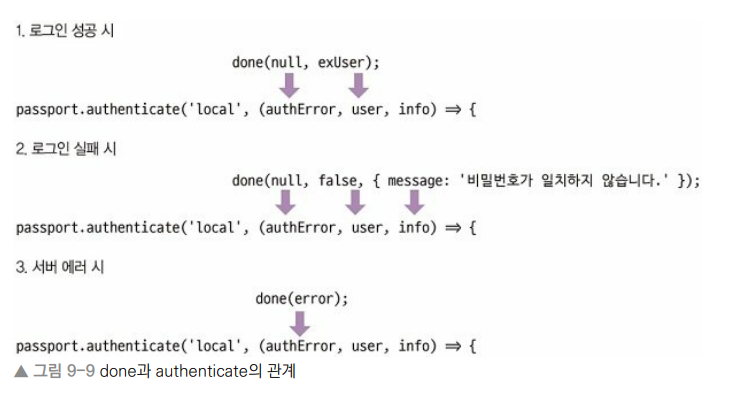
    passport.authenticate('local', (authError, user, info ) => {
        if (authError){
            console.error(authError);
            return next(authError);
        }
        if (!user) {
            return res.redirect(`/?loginError=${info.message}`);
        }
        return req.login(user, (loginError) => {
            if(loginError) {
                console.error(loginError);
                return next(loginError);
            }
            return res.redirect('/');
        });
    })(req, res, next); // 미들웨어 내의 미들웨어에는 (req, res, next)를 붙인다
};

exports.logout = (req, res) => {
    req.logout(() => {
        req.redirect('/');
    });
};
📌passport/localStrategy.js 생성
const passport = require("passport");
const LocalStrategy = require("passport-local").Strategy;
const bcrypt = require("bcrypt");

const User = require("../models/user");

module.exports = () => {
  passport.use(
    new LocalStrategy(
      {
        usernameField: "email",
        passwordField: "password",
      },
      async (email, password, done) => {
        try {
          const exUser = await User.findOne({ where: { email } });
          if (exUser) {
            const result = await bcrypt.compare(password, exUser.password);
            if (result) {
              done(null, exUser);
            } else {
              done(null, false, { message: "비밀번호가 일치하지 않습니다." });
            }
          } else {
            done(null, false, { message: "가입되지 않은 회원입니다." });
          }
        } catch (error) {
          console.error(error);
          done(error);
        }
      }
    )
  );
};
📌passport/kakaoStrategy.js 생성
const passport = require('passport');
const KakaoStrategy = require('passport-kakao').Strategy;

const User = require('../models/user');

module.exports = () => {
  passport.use(new KakaoStrategy({
    clientID: process.env.KAKAO_ID,
    callbackURL: '/auth/kakao/callback',
  }, async (accessToken, refreshToken, profile, done) => {
    console.log('kakao profile', profile);
    try {
      const exUser = await User.findOne({
        where: { snsId: profile.id, provider: 'kakao' },
      });
      if (exUser) {
        done(null, exUser);
      } else {
        const newUser = await User.create({
          email: profile._json && profile._json.kakao_account_email,
          nick: profile.displayName,
          snsId: profile.id,
          provider: 'kakao',
        });
        done(null, newUser);
      }
    } catch (error) {
      console.error(error);
      done(error);
    }
  }));
};
📌결과
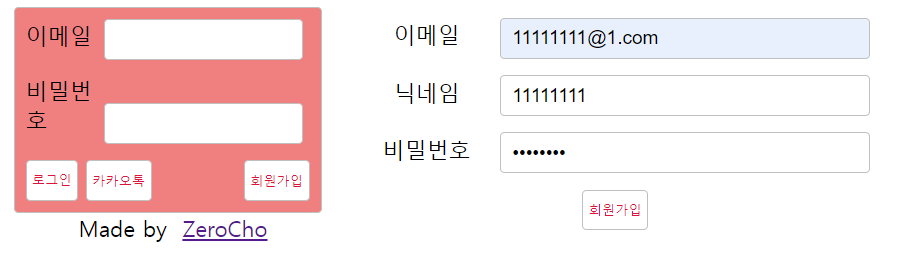
👉 회원가입

👉 DB 등록 성공
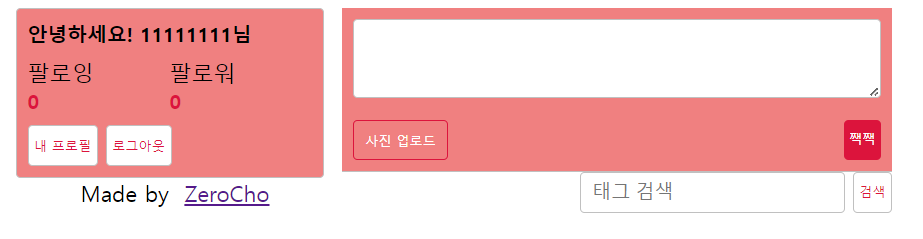
👉 로그인 성공화면
카카오 developers
에서 로그인 후 애플리케이션 추가
추가 후 생성 된REST API키를 복사 후.env파일에 등록COOKIE_SECRET=cookiesecret KAKAO_ID=REST API 키
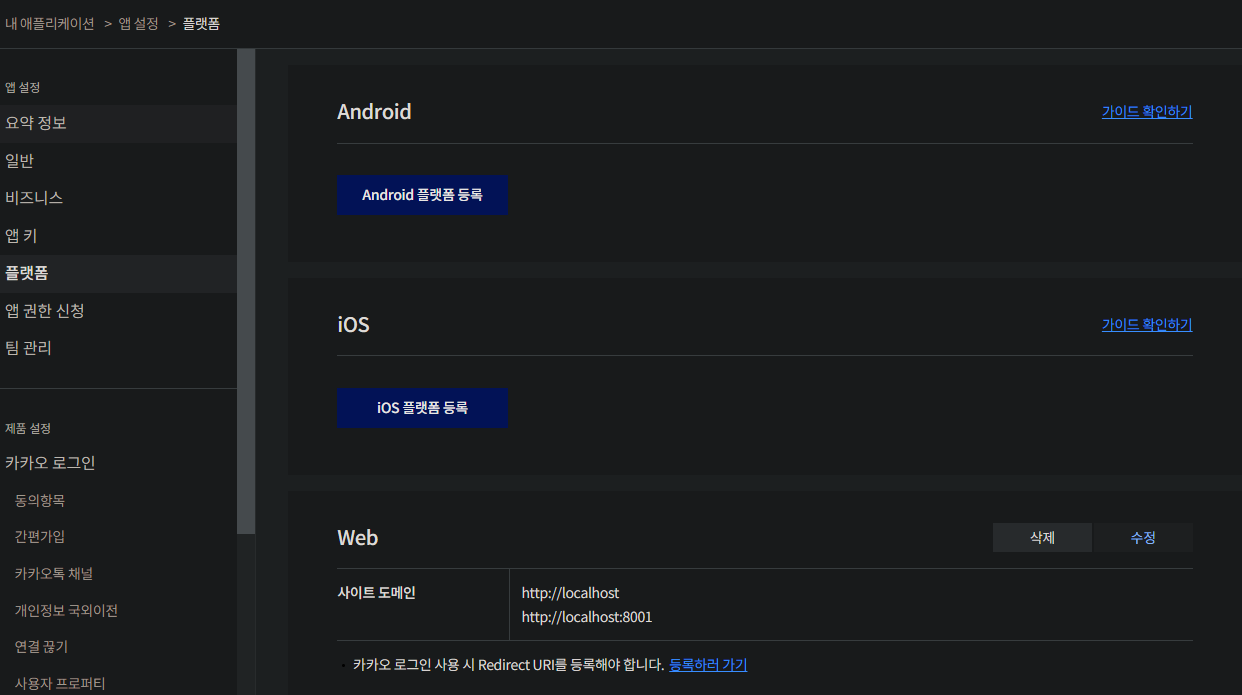
👉 내 애플리케이션 ➡ 앱 설정 ➡ 플랫폼의 Web에 http://localhost:8001 추가

👉 등록하러 가기
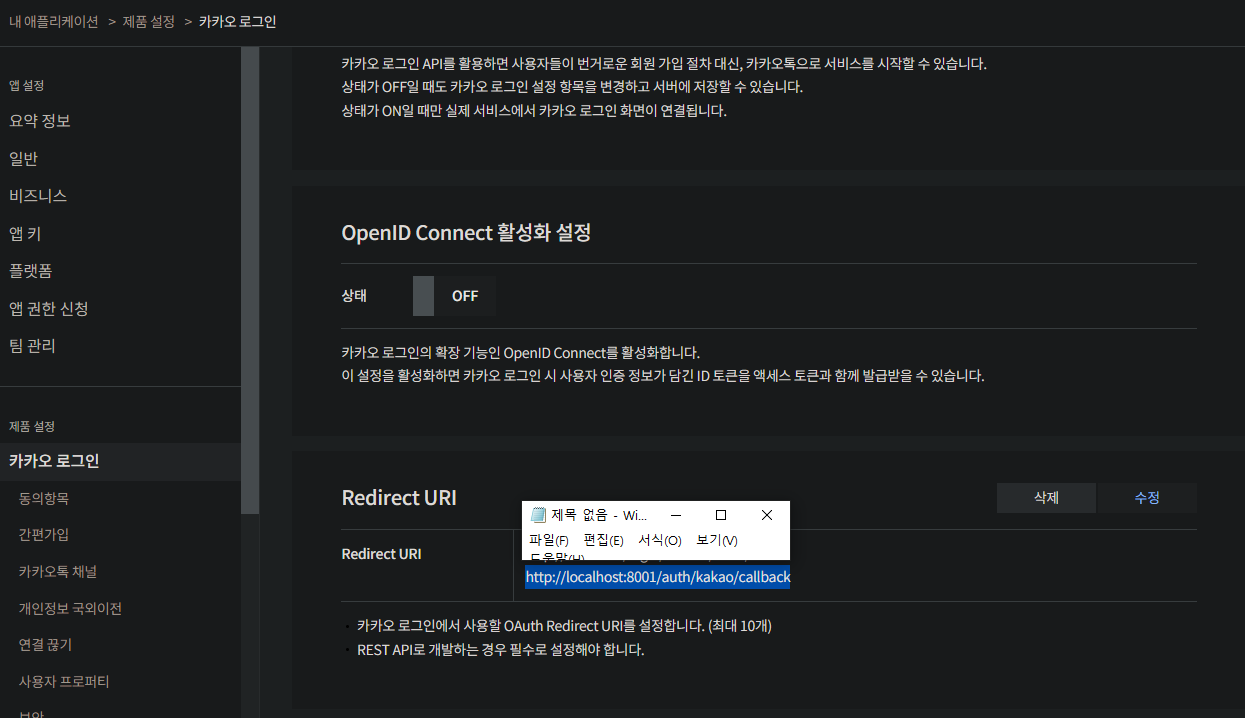
👉 내 애플리케이션 ➡ 제품 설정 ➡ 카카오 로그인으로 이동 됨, Redirect URI에 http://localhost:8001/auth/kakao/callback 추가
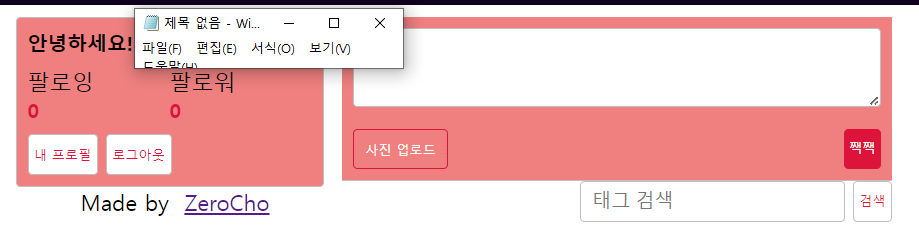
👉 카카오톡 로그인 성공

📖multer 패키지로 이미지 업로드 구현하기
전에 배운
multer모듈을 사용해 멀티파트 형식의 이미지를 업로드.
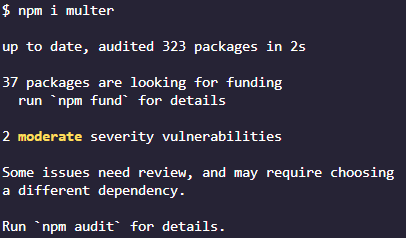
패키지 설치 :npm i multer
📌routes/post.js 생성
const express = require('express');
const multer = require('multer');
const path = require('path');
const fs = require('fs');

const { afterUploadImage, uploadPost } = require('../controllers/post');
const { isLoggedIn } = require('../middlewares');

const router = express.Router();

try{
    fs.readdirSync('uploads');
}catch (error){
    console.error('uploads 폴더가 없어 새로 생성합니다.')
    fs.mkdirSync('uploads');
}

const upload = multer({
    storage: multer.diskStorage({
        destination(req, file, cb) {
            cb(null, 'uploads/');
        },
        filename(req, file, cb){
            const ext = path.extname(file.originalname);
            cb(null, path.basename(file.originalname, ext) + Date.now() + ext);
        },
    }),
    limits: { fileSize: 5 * 1024 * 1024 },
});

// POST /post/img
router.post('/img', isLoggedIn, upload.single('img'), afterUploadImage);

// POST /post
const upload2 = multer();
router.post('/', isLoggedIn, upload2.none(), uploadPost);

module.exports = router;
📌controllers/post.js 생성
const { Post, Hashtag } = require('../models');

exports.afterUploadImage = (req, res) => {
    console.log(req.file);
    res.json({ url: `/img/${req.file.filename}`});
};

exports.uploadPost = async (req, res, next) => {
    try {
        const post = await Post.create({
            constent: req.body.content,
            img: req.body.url,
            UserId: req.user.id,
        });

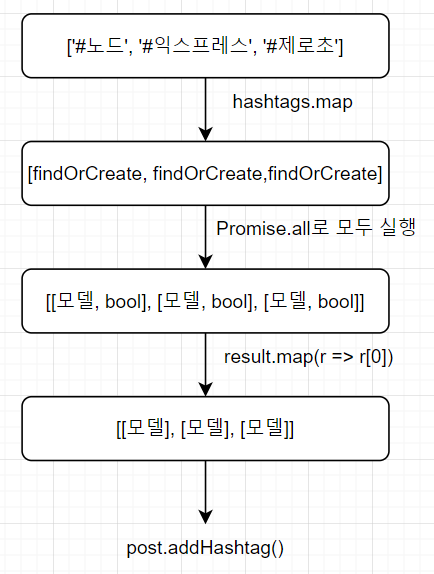
    const hashtags = req.body.content.match(/#[^\s#]*/g); // #붙은 녀석들 다 빼옴
    if(hashtags){
        const result = await Promise.all(
            hashtags.map(tag => {
                return Hashtag.findOrCreate({
                    where: { title: tag.slice(1).toLowerCase() },
                })
            }),
        );
        await post.addHashtags(result.map(r => r[0])); // 게시글에 해시태그 연결
    }
    res.redirect('/');
    } catch (error) {
        console.error(error);
        next(error);
    }
};
📌contollers/page.js 수정
const { User, Post } = require('../models');

exports.renderProfile = (req, res) => {
  res.render("profile", { title: "내 정보 - gdhi" }); // profile.html
};

exports.renderJoin = (req, res) => {
  res.render("join", { title: "회원 가입 - gdhi" }); // join.html
};

exports.renderMain = async (req, res, next) => {
  try {
    const posts = await Post.findAll({
      include: {
        model: User,
        attributes: ['id', 'nick'],
      },
      order: [['createdAt', 'DESC']],
    });
    res.render('main', {
      title: 'gdhi',
      twits: posts,
    });
  } catch (error) {
    console.error(error);
    next(error);
  }
};

exports.renderBoard = (req, res, next) => {
  res.render("board", { title: "게시판 글쓰기" }); // board.html
}
📌routes/user.js 생성
const express = require('express');

const { isLoggedIn } = require('../middlewares');
const { follow } = require('../controllers/user');

const router = express.Router();

// POST /user/:id/follow
router.post('/:id/follow', isLoggedIn, follow);

module.exports = router;
📌controllers/user.js 생성
const User = require('../models/user');

exports.follow = async (req, res, next) => {
    try {
        const user = await User.findOne({ where: {id: req.user.id } });
        if (user){ // req.user.id가 followerId, req.params.id가 followingId
            await user.addFollowing(parseInt(req.params.id, 10));
            res.send('success');
        }else{
            res.status(404).send('no user');
        }
    } catch (error) {
        console.error(error);
        next(error);
    }
}
📌passport/index.js
const passport = require("passport");
const local = require("./localStrategy");
const kakao = require("./kakaoStrategy");
const User = require("../models/user");

//  passportConfig(); 패스 포트 설정 👉 index.js
module.exports = () => {
  passport.serializeUser((user, done) => {
    done(null, user.id);
  });

  passport.deserializeUser((id, done) => {
    User.findOne({
      where: { id },
      include: [{
        model: User,
        attributes: ['id', 'nick'],
        as: 'Followers',
      }, {
        model: User,
        attributes: ['id', 'nick'],
        as: 'Followings',
      }],
    })
      .then((user) => done(null, user))
      .catch((err) => done(err));
  });

  local();
  kakao();

};
📌routes/page.js 수정
const express = require("express");

const {
  isLoggedIn,
  isNotLoggedIn
} = require('../middlewares');

const {
  renderProfile,
  renderJoin,
  renderMain,
  renderBoard,
  renderHashtag,
} = require("../controllers/page");

const router = express.Router();

// 라우터 설정
router.use((req, res, next) => {
  res.locals.user = req.user;
  res.locals.followerCount = req.user?.Followers?.length || 0;
  res.locals.followingCount = req.user?.Followings?.length || 0;
  res.locals.followingIdList = req.user?.Followings?.map(f => f.id) || [];
  next();
});

router.get('/profile', isLoggedIn, renderProfile);

router.get('/join', isNotLoggedIn, renderJoin);

router.get('/', renderMain);

router.get('/board', renderBoard);

router.get('/hashtag', renderHashtag);

module.exports = router;
📌controllers/page.js 수정
const { User, Post, Hashtag } = require('../models');

exports.renderProfile = (req, res) => {
  res.render("profile", { title: "내 정보 - gdhi" }); // profile.html
};

exports.renderJoin = (req, res) => {
  res.render("join", { title: "회원 가입 - gdhi" }); // join.html
};

exports.renderMain = async (req, res, next) => {
  try {
    const posts = await Post.findAll({
      include: {
        model: User,
        attributes: ['id', 'nick'],
      },
      order: [['createdAt', 'DESC']],
    });
    res.render('main', {
      title: 'gdhi',
      twits: posts,
    });
  } catch (error) {
    console.error(error);
    next(error);
  }
};

exports.renderBoard = (req, res, next) => {
  res.render("board", { title: "게시판 글쓰기" }); // board.html
}

exports.renderHashtag = async (req, res, next) => {
  const query = req.query.hashtag;
  if(!query){
    return res.redirect('/');
  }
  try {
    const hashtag = await Hashtag.findOne({ where: { title: query } });
    let posts = [];
    if (hashtag){
      posts = await hashtag.getPosts({ include: [{ model: User }] });
    }
    return res.render('main', {
      title: `${query} | gdhi`,
      twits: posts,
    });
  } catch (error) {
    console.error(error);
    next(error);
  }
};
📌app.js 수정
...
const postRouter = require('./routes/post');
const userRouter = require('./routes/user');
...
app.use(morgan("dev")); // 미들웨어 설정
app.use(express.static(path.join(__dirname, "public"))); // 정적 폴더 생성, css 파일
app.use('/img', express.static(path.join(__dirname, 'uploads')));
app.use(express.json()); // 웹 json 설정
...
// passport보다 아래에 있어야 한다
app.use("/", pageRouter); // "/" 👉 ./routes/page
app.use('/auth', authRouter);
app.use('/board', boardRouter);
app.use('/post', postRouter);
app.use('/user', userRouter);
📌결과
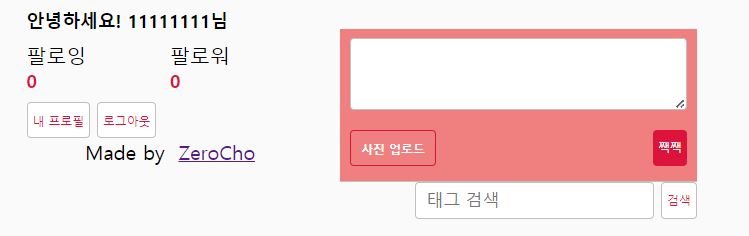
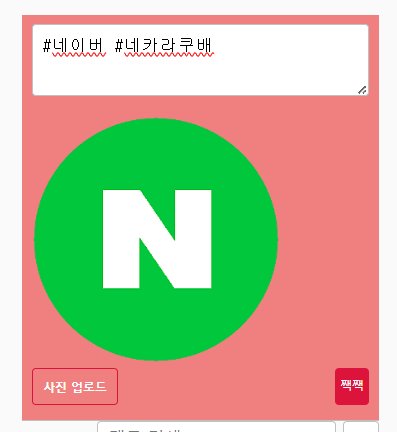
👉 로그인 후 태그 입력 후 사진 업로드
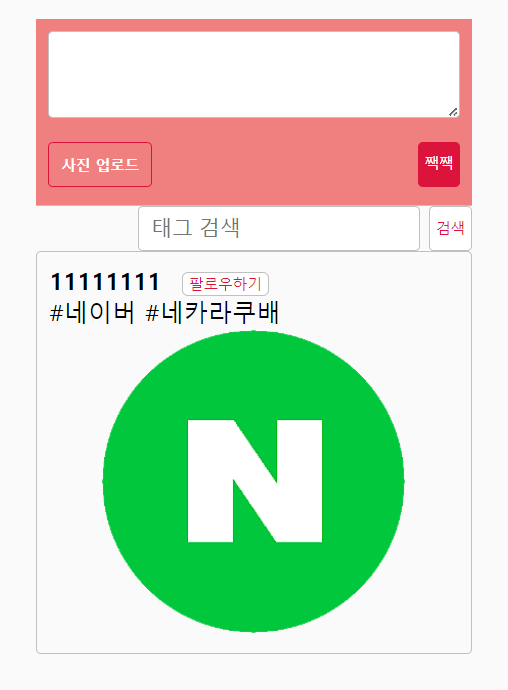

👉 posts

👉 posthashtag
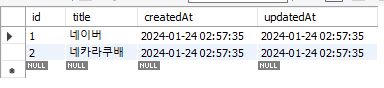
👉 hashtags
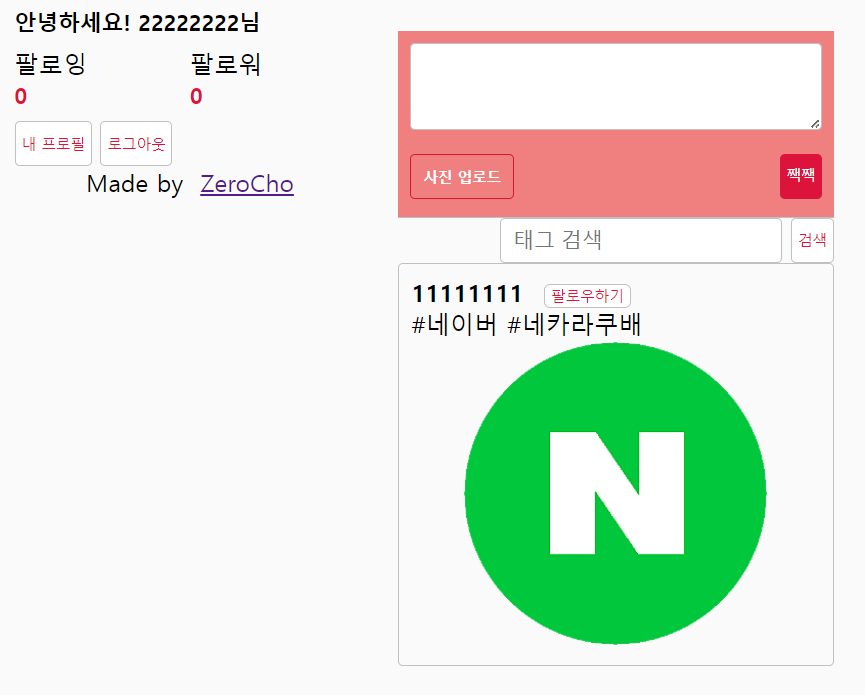
👉 다른 아이디로 로그인 후 팔로우
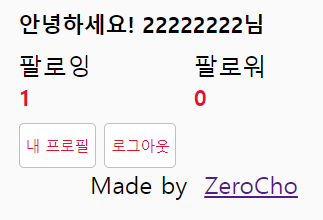
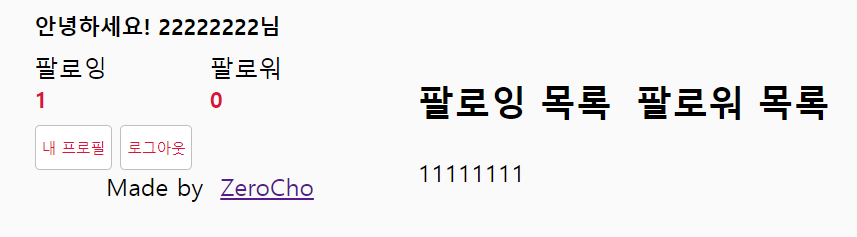
👉 내 프로필
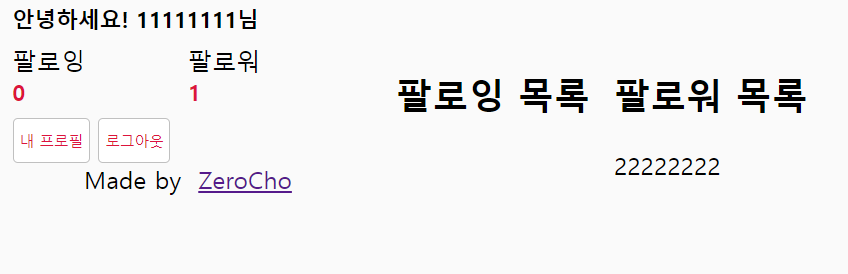
👉 팔로워 확인
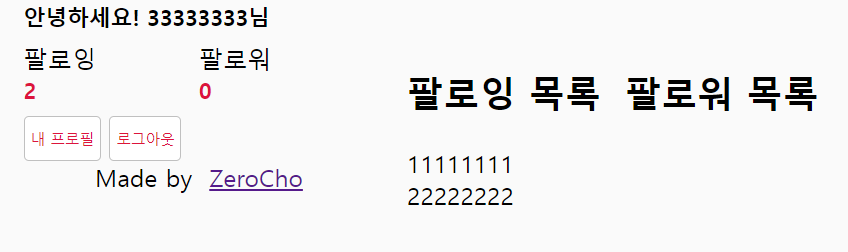
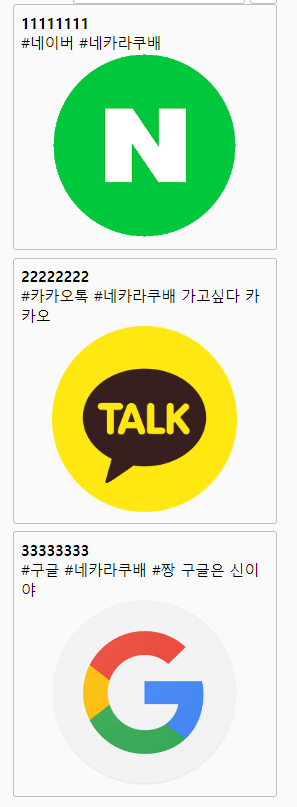
👉 네카라쿠배 검색
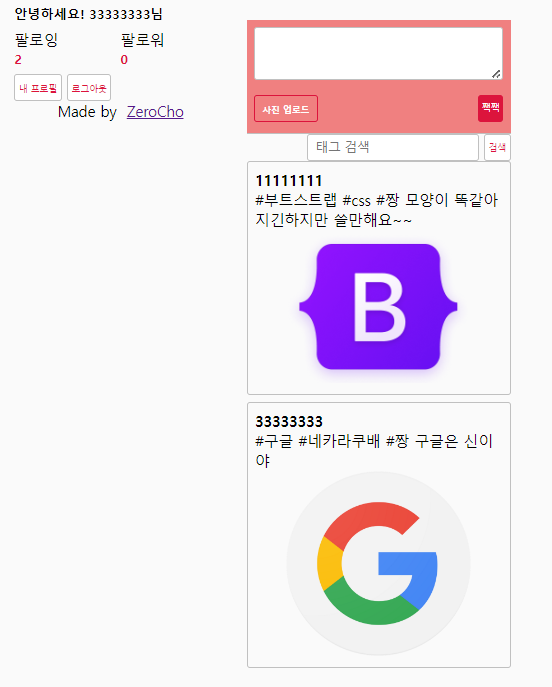
👉 짱 검색