zephyr with CLion on MacOS
install zephyr
$ pip install west
$ west init /opt/zephyrproject
$ cd /opt/zephyrproject
$ west update
$ west zephyr-export
$ pip install -r ~/zephyrproject/zephyr/scripts/requirements.txt
install zephyr SDK
$ wget https://github.com/zephyrproject-rtos/sdk-ng/releases/download/v0.16.1/zephyr-sdk-0.16.1_macos-x86_64.tar.xz
$ tar xvf zephyr-sdk-0.16.1_macos-x86_64.tar.xz
$ cd zephyr-sdk-0.16.1
$ ./setup.sh
when wget error occured
$ brew uninstall wget
$ brew install wget
copy sample to app directory
$ cd /opt/zephyrproject
$ cp -R samples/basic/blinky ~/CLionProjects/
setup Clion
open blinky folder with Clion
-
setup toolchains
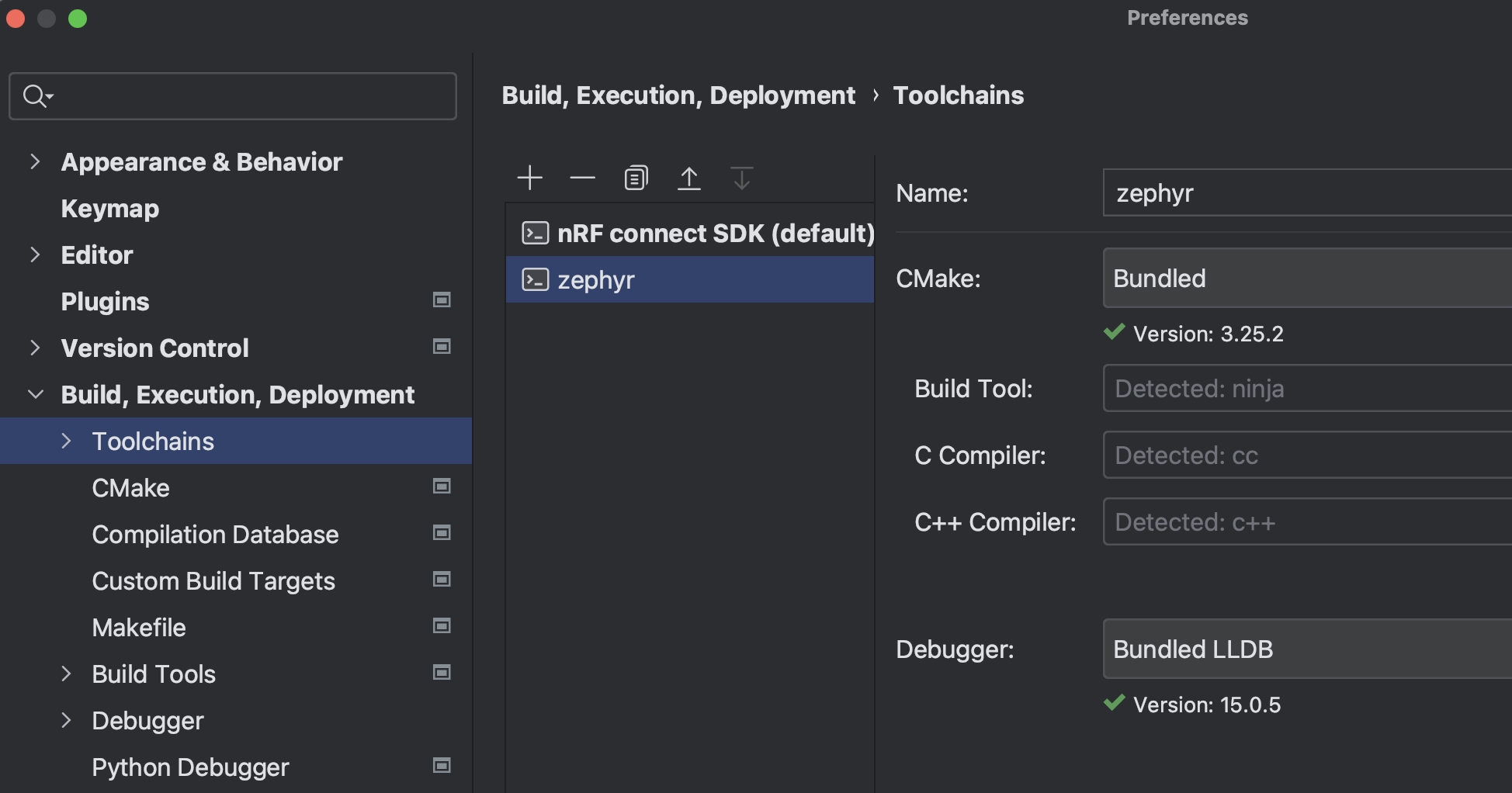
-
setup CMake
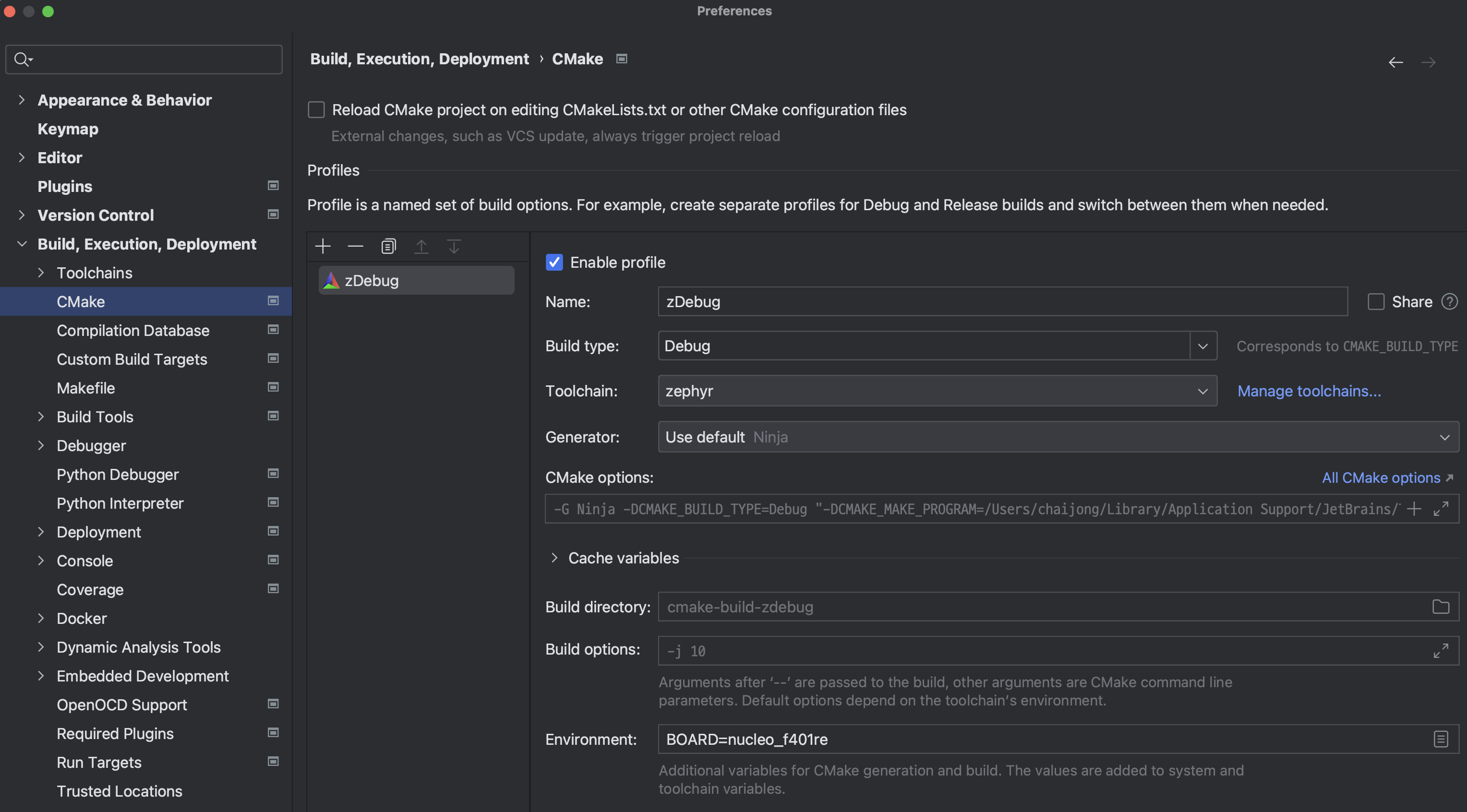
-
reload project with cmake
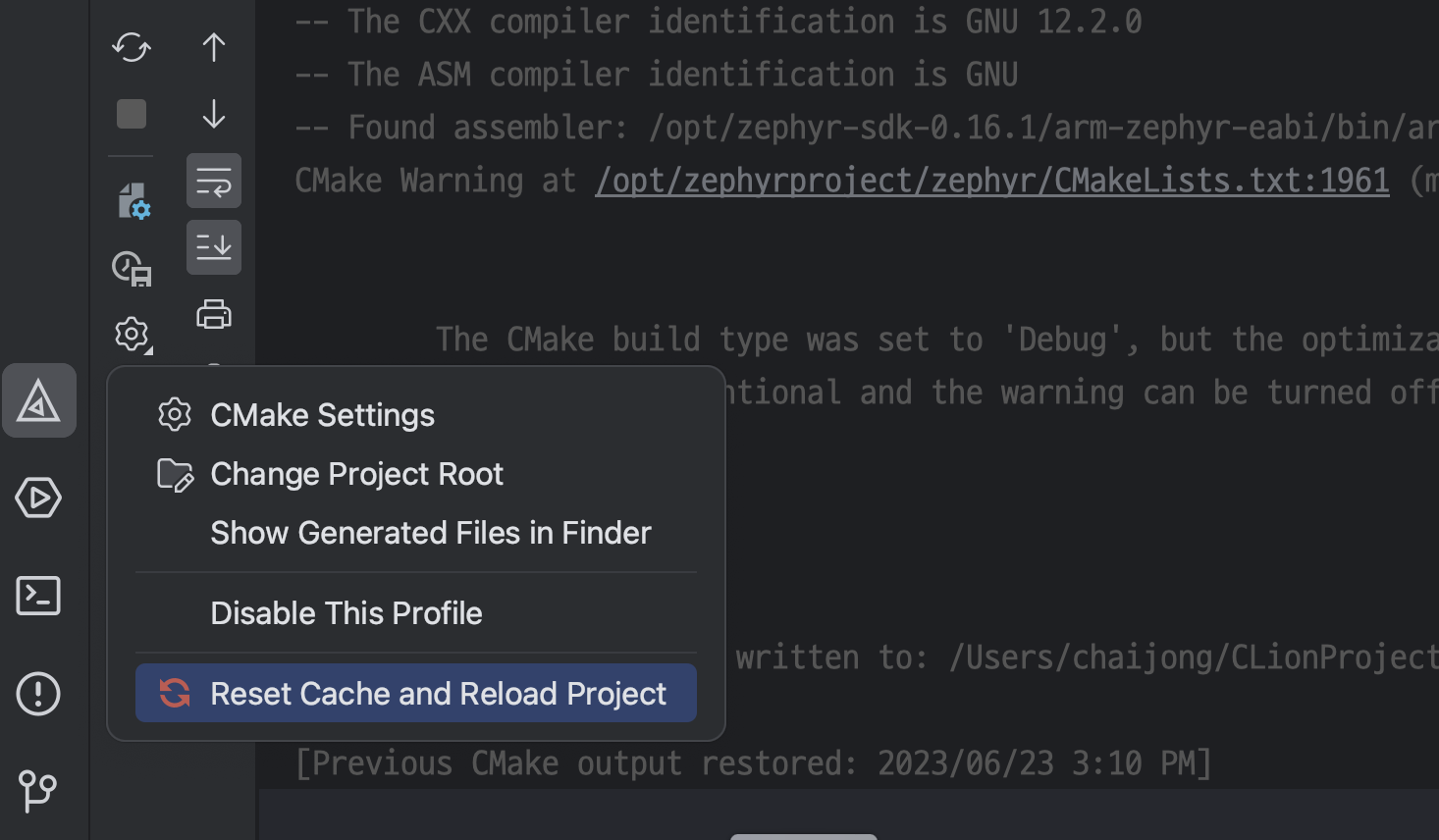
-
setup debugger configuration
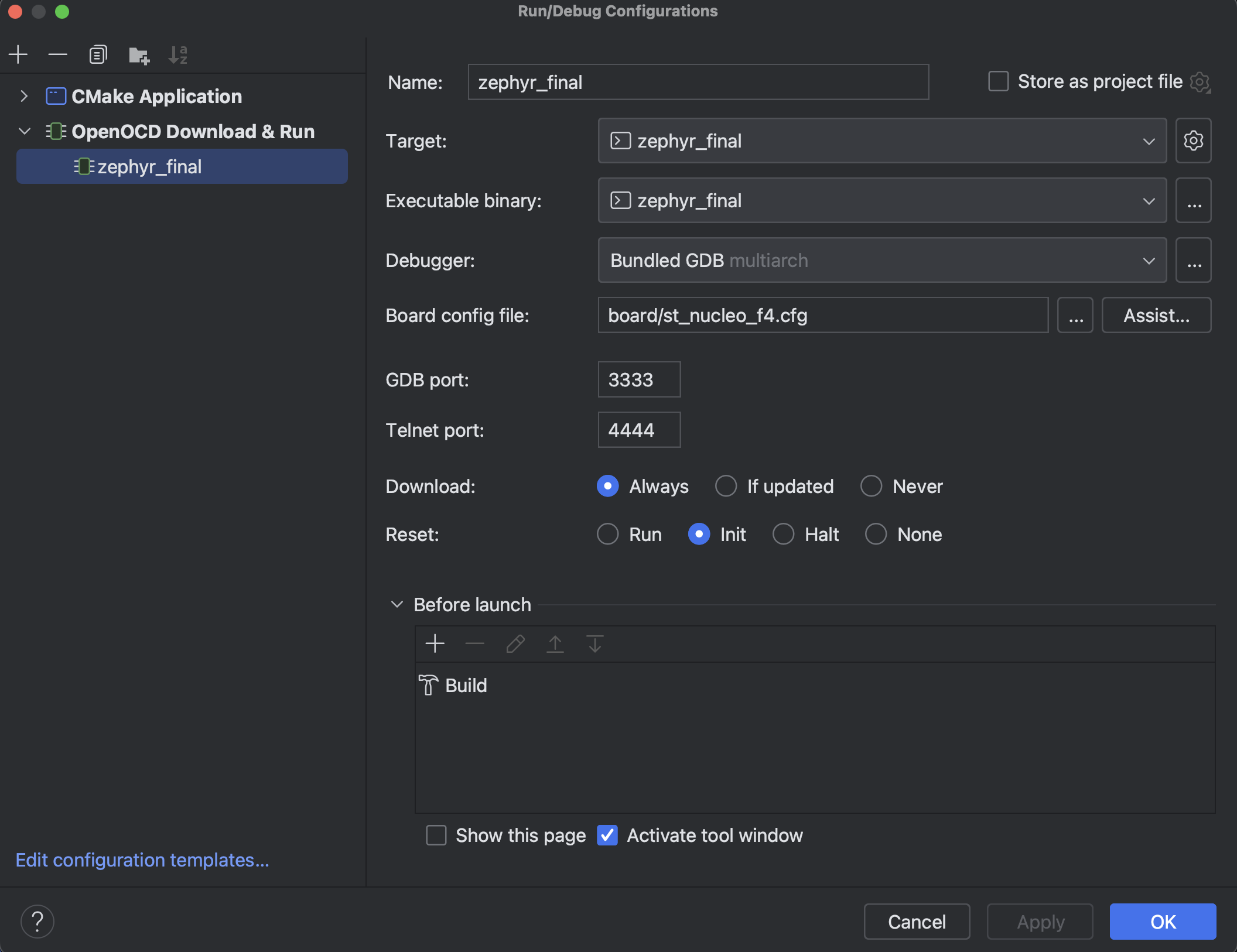
then run and debug program...
reference

2개의 댓글

So your files just stopped opening on your Mac? That’s weird. I had something similar happen once—it showed an error like "Permission Denied" or something, though I don’t remember exactly. I couldn’t go to a service center at the time, so I had to search for a solution online. I can’t find that specific link now, but here’s an article https://setapp.com/how-to/zsh-permissions-denied-error I found that might help you. It has a few simple, step-by-step solutions, so try one of them.
Sometimes I feel so clueless and totally out of touch with technology. While others are out there creating programs, I can’t even open files on my Mac. If something breaks, I’m helpless, like I’ve lost my hands or something. All I can do is restart the laptop, and this time, even that didn’t help. Seems like it’s time to call a tech specialist.