
한글 처리
영어는 1byte 한글은 2byte를 가지고 있어서 한글이 깨져보이는 현상이 종종 발생
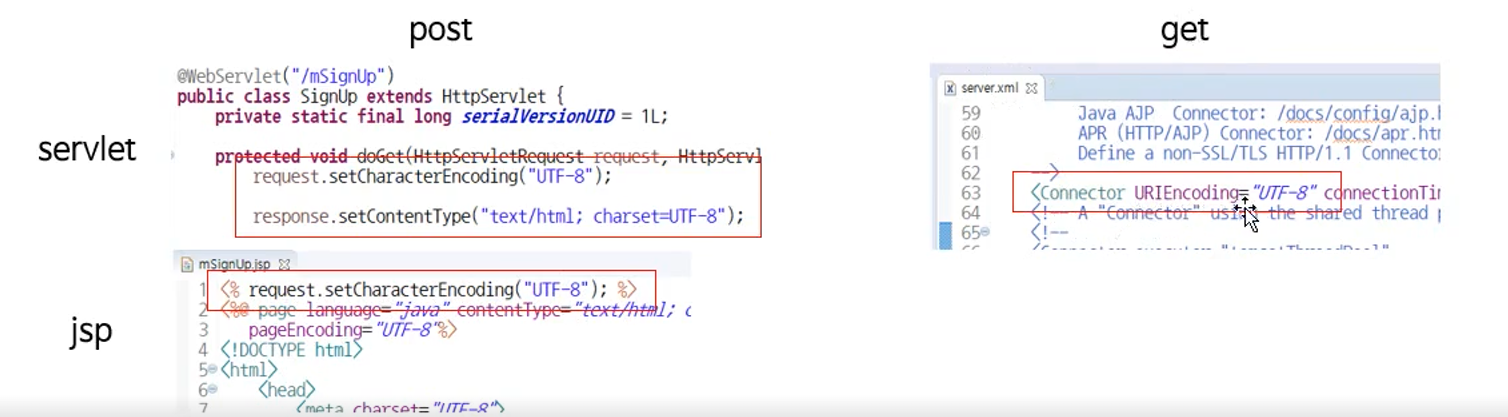
post 방식
: 서블릿에 request.setCharacterEncoding("UTF-8");
<!-- formEx.jsp -->
<!-- action = "msignUp" 일 때는 java와 연결,
"msignUp.jsp" 일 때는 jsp와 연결 -->
<form action = "msignUp" method="post">
이름: <input type = "text" name = "m_name"> <br>
별명: <input type = "text" name = "m_nickname"> <br>
<input type = "submit" value = "sign up">
</form>- MsignUp.java
//MsignUp.java
@WebServlet("/msignUp")
public class MsignUp extends HttpServlet {

	protected void doGet(HttpServletRequest request, HttpServletResponse response) throws ServletException, IOException {
		request.setCharacterEncoding("UTF-8");
		response.setContentType("text/html; charset=UTF-8");
		PrintWriter out = response.getWriter();
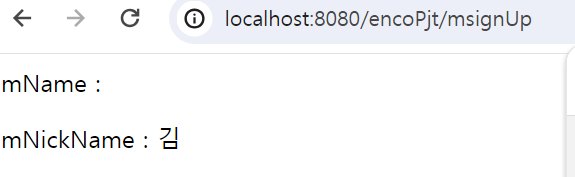
		String mName = request.getParameter("m_name");
		String mNickName = request.getParameter("m_nickname");

		out.print("<p>mName : " + mName + "</p>");
		out.print("<p>mNickName : " + mNickName + "</p>");

	}

	protected void doPost(HttpServletRequest request, HttpServletResponse response) throws ServletException, IOException {

		doGet(request, response);
}- msignUp.jsp
<body>
<%!
String mName;
String mNickname;
%>
<%
mName = request.getParameter("m_name");
mNickname = request.getParameter("m_nickname");
%>
이름: <%= mName %><br>
별명: <%= mNickname %>
</body>
get 방식
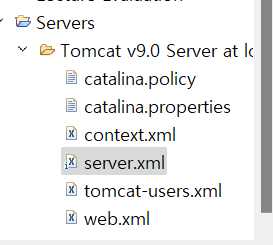
: 톰캣의 서버 설정파일(server.xml)에 <Connector URIEncoding="UTF-8"/> 추가
필터를 이용한 한글 처리
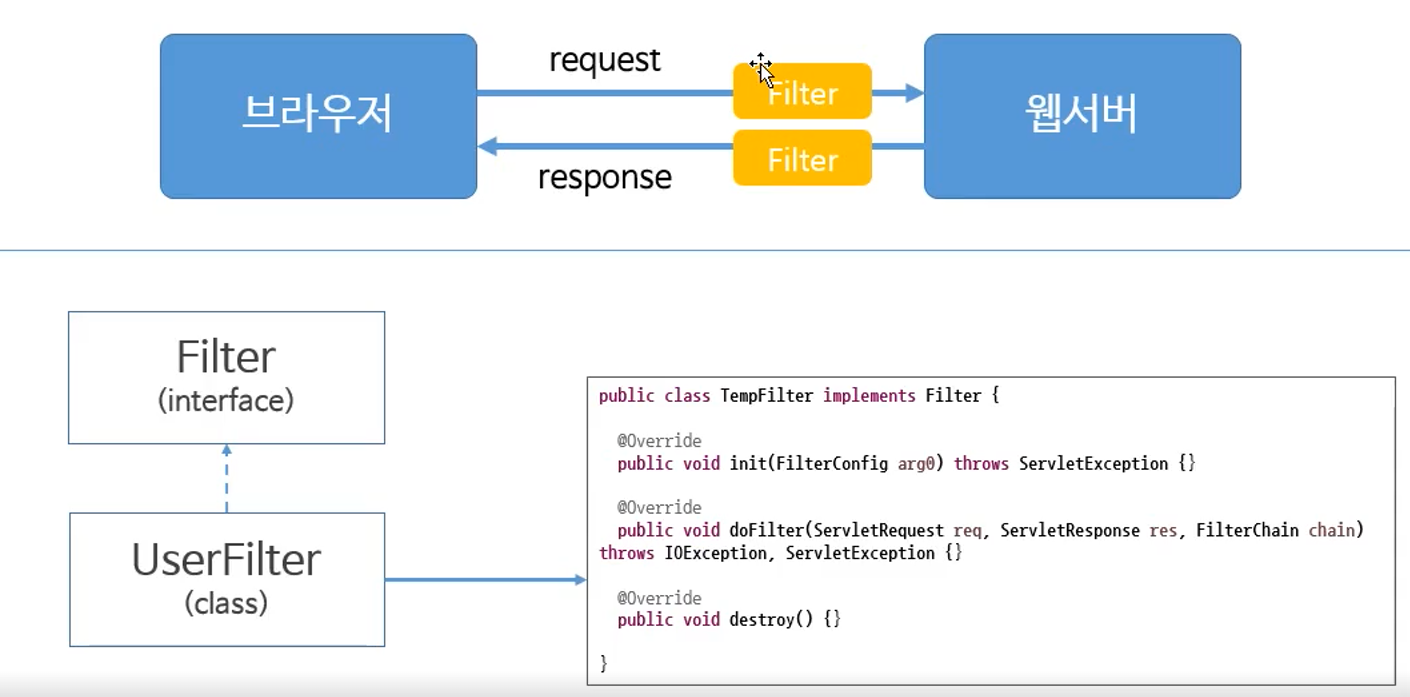
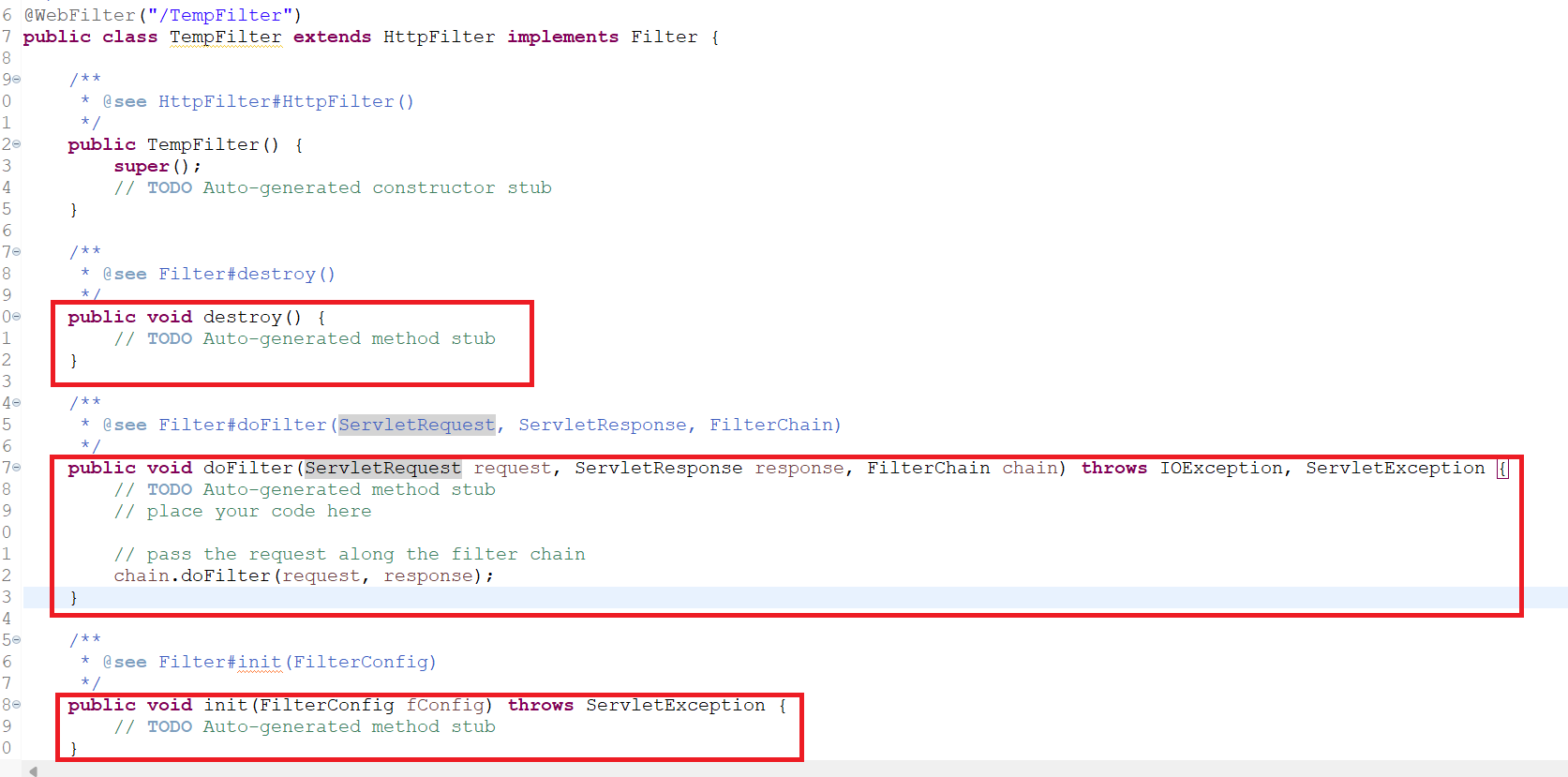
필터 인터페이스를 이용해 구현
:init- 필터가 처음 생성될 때
:doFilter- 필터의 기능
:destroy- 필터가 파괴될 때
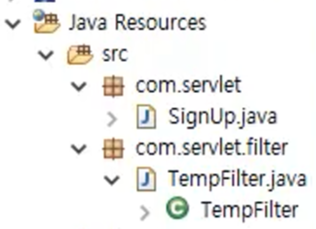
- filter interface를 상속 받아
init,doFilter,destroy구현
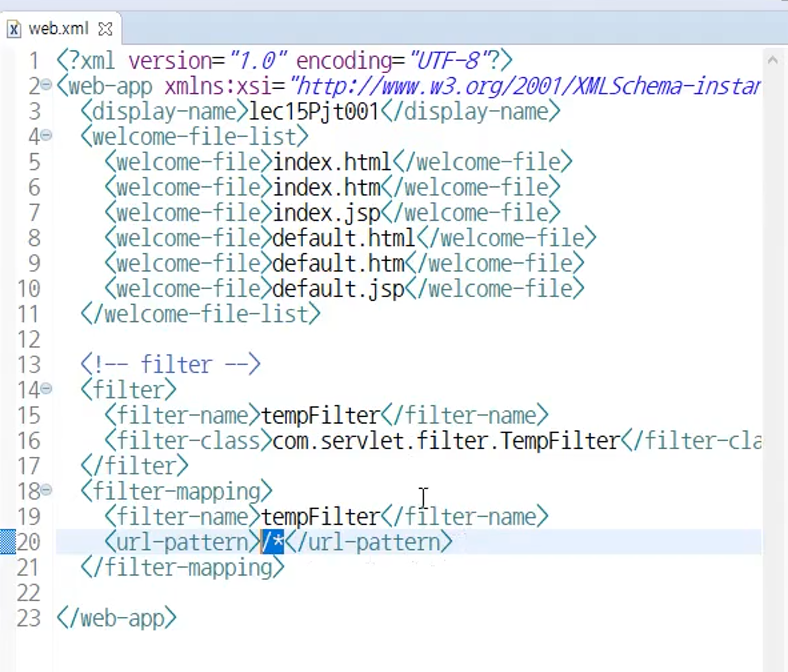
web.xml에서 url pattern(/*) 이용 모든 url이 필터를 거쳐갈 수 있도록 매핑.

행복한 하루 보내세요