2023.10.16 TIL
C++을 배워야 하는 이유
- Java: 순수 SW의 동작만 관리
- C++: 메모리까지 직접 관리
장점: 내 프로그램의 목적에 맞게 모든 것을 직접 선택할 수 있다, 빠르고 안정적인 성능
단점: 모든 것을 직접 선택해야 한다
사용되는 분야: 임베디드, IoT, 자율주행, 반도체
IDE
- 빌드(컴파일) 기능 : 소스코드 → EXE(Executable File)
- 디버깅 기능
VSC 설치 및 설정
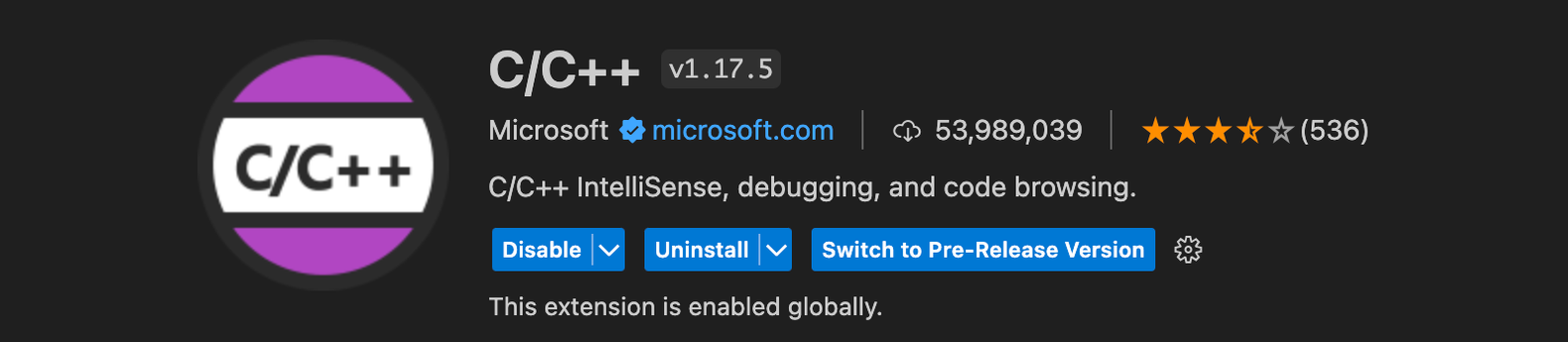
1. VSCode에서 Extension 설치
a. C/C++
 b. Code Runner
 Extension Settings


tasks.json
"args": [
				"-std=c++17",
				"-fcolor-diagnostics",
				"-fansi-escape-codes",
				"-g",
				//"${file}",
				"${fileDirname}/**.cpp",
				"-o",
				"${fileDirname}/${fileBasenameNoExtension}"
			]
main.cpp 파일 생성
#include <iostream>
using namespace std;

int main() {
    cout << "Hello World!" << endl;
    return 0;
}
코드 잘 돌아가는지 터미널에서 먼저 실행

⚠️ 에러 발생과 해결
디버깅할때 아래와 같은 에러가 발생했다.
ld: symbol(s) not found for architecture arm64
clang: error: linker command failed with exit code 1 (use -v to see invocation)
계속 해결이 안돼서 몇시간동안 고생했는데 역시 삭제+재설치가 답이었다…
아래의 글을 참고하였다.
맥 vscode c++ 빌드/디버깅 세팅하는데 고생하고 알아낸 최종 방법(초기화부터)
변수와 상수
변수명 규칙
- 영문자, 숫자, 언더바만 허용
- 숫자로 시작할 수 없음
- 모든 코드는 case-sensitive
자료형별 크기
char : 1Byte
string : string길이 Byte
short : 2Byte
int : 4Byte
long long : 8Byte
double : 8Byte
bool : 1Byte
Signed / Unsigned
signed short : (2Byte) -32,768 ~ 32,767
singed int : (4Byte) -2,147,483,648 ~ 2,147,483,647
singed long long : (8Byte) -9.223.372.036,854,775,808 ~ 9.223.372.036,854,775,807
unsinged short : (2Byte) 0 ~ 65,535
unsigned int : (4Byte) 0 ~ 4,294,967,295
unsined long long : (8Byte) 0 ~ 18,446,744,073,709,551,615
다른 자료형 처리
실수형 변수에 정수 저장 : O
정수형 변수에 실수 저장 : 소수점 아래 버림
지역변수 / 전역변수
지역변수 : 중괄호 내에 정의된 변수
- 변수의 범위 : 중괄호 {}
- 같은 이름의 변수 - 가장 가까운 범위 의 변수를 사용한다!
전역변수 : 중괄호 밖에 정의된 변수, 어디서나 접근이 가능한 변수
상수
: 변하지 않는 숫자
리터럴 상수 : 코드에 직접적으로 적히는 숫자, 문자 등의 값들
int num = 7;
double percentage = 0.75;
string name = "Charlie";
심볼릭 상수 : 변수처럼 이름을 정하고 사용하는 방식
const double pi = 3.141592;
pi = 3.14;  // 못바꿈!!

#define PI (3.141592)

enum COLOR{
	RED = 0,
	GREEN = 1,
	BLUE = 2,
};
배열
배열의 선언과 초기화
double price[5] = {1, 2, 3, 4, 5};
double price[] = {1, 2, 3, 4, 5};
int count[5] = {6, 7};  //  6 7 0 0 0
double percentage[5] = {0};  // 0 0 0 0 0

double percentage[];  // 빌드 안되고 에러 발생
배열의 대입(쓰기)
double price[5];
price[0] = 1;
price[1] = 2;
price[2] = 3;
price[3] = 4;
price[4] = 5;
다차원배열
double price[12][5] = { {1, 2, 3, 4, 5,
						{6, 7, 8, 9, 10} };

double price[][5] = { {1, 2, 3, 4, 5,
					  {6, 7, 8, 9, 10} };
int price[5] = {1, 2, 3, 4, 5};
// price[0]의 주소가 1000이라고 가정
cout << price << endl; // 1000
cout << &price[0] << endl; // 1000
cout << &price[1] << endl; // 1004벡터
벡터 vector
- 복합 데이터형
- 여러 변수들의 집합
- 하나의 변수형만 가질 수 있음
배열과의 차이점
- 벡터는 동적 메모리 → 코드 동작중에 개수 변경 가능, 사이즈가 가변적!
- index 검사 기능
- 자동 초기화 (0)
- vector Library 사용
#include <vector>

vector <int> price;
vector <int> price (5);  // {0, 0, 0, 0, 0}
vercor <int> price (5, 2);  // {2, 2, 2, 2, 2}
벡터의 읽기와 쓰기
price.at(9) = 7;  // price[9] = 7 과 동일한 기능

price.push_back(7);  // 벡터의 마지막 요소로 7 추가
cout << price.size() << endl;  // 벡터의 크기 출력
.at() 을 사용해야 index 범위 검사를 자체적으로 수행해준다!
(ex: price.at(10) 이라고 쓰면 문제 알려줌)
다차원 벡터
vector <vector<int>> price = {{1, 2, 3, 4, 5},
                              {6, 7, 8},
                              {9, 10, 11, 12}};

price.at(2).at(2) = 1;  // price[2][2] = 1 과 동일한 기능
price.at(2).push_back(13);  // price[2]의 마지막 요소로 13 추가