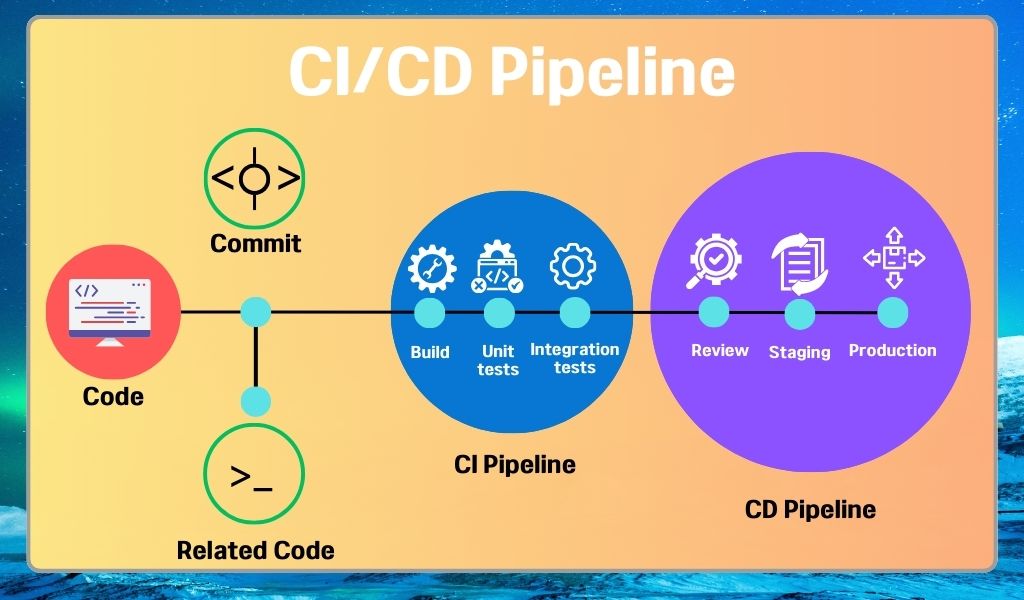
기존의 main.yml
name: Push to forked Repo

on:
  push:
    branches: [main]

jobs:
  push-to-personal-repo:
    runs-on: ubuntu-latest

    steps:
      - name: Checkout Frontend repo
        uses: actions/checkout@v2
        with:
          fetch-depth: 0

      - name: Clone main Repo
        run: |
          git clone https://github.com/staccato20/FitnessMate-FE-Deploy main

      - name: Remove all files in main Repo
        run: |
          rm -rf main/*  # 기존 파일 모두 삭제

      - name: Copy changes to main Repo
        run: |
          rsync -av --delete --exclude='.git' --exclude='node_modules/' --exclude='main/' . main/
          ls -al main/  # 복사된 파일 목록 확인

      - name: Commit and Push changes to main repo main branch
        run: |
          cd main
          git config user.name "${{ github.actor }}"
          git config user.email "${{ github.actor }}@users.noreply.github.com"
          git status  # 변경된 파일 목록 확인
          git add -A  # 모든 변경 사항 추가
          git commit -m "Update from Frontend repo by ${{ github.actor }}" || echo "No changes to commit"
          git push https://x-access-token:${{ secrets.FITMATE_STACCATO20 }}@github.com/staccato20/FitnessMate-FE-Deploy.git main
해당 액션은 organization의 main 브랜치에 push 가 되었을때 실행된다.
Vercel로 배포를 하고 있는데 팀 레포(organization)를 대상으로 배포하면 프로 계정을 사야하고 가격이 비싸서 팀 레포와 개인 레포를 연동해서 사용하고 있다.
즉, 배포 대상은 fork한 개인 레포로 두고, 팀 레포의 main에 push가 되면 해당 내용을 복사해서 개인 레포의 main에 옮기는 방식이다. 이렇게 하면, 자동으로 배포가 된다.
과정을 순서대로 설명하자면,
-
현재 레포지토리의 모든 커밋 히스토리 가져오기
-
현재 레포지토리의 기본 브랜치(main)를 복사(clone) (참고로 여기서 맨 뒤에 붙은 main은 임의로 설정한 디렉토리 이름으로 배포 레포지토리에 보낼 내용을 담은 디렉토리다.)
-
복사한 내용 전체 삭제
-
현재 최신 커밋이 반영된 레포지토리를 main 레포지토리에 복사(동기화)
- rsync: 디렉토리 동기화(복사)
- -av: 각각 디렉토리 구조, 권한, 타임스탬프 등을 유지하면서 동기화와 진행 과정을 자세히 출력한닫는 의미
- --delete: main 디렉토리에만 존재하는 파일 삭제해 main 디렉토리와 현재 디렉토리와 완전히 동기화(즉, 최근에 삭제된 파일 내용을 똑같이 삭제해 동기화 하겠다는 뜻)
- --exclude: 복사하지 않을 파일이나 디렉토리 명시(git 같은 경우 배포 레포지토리만의 git 이력이 존재하므로 제외, 패키지 관련 파일이 어차피 복사되므로 node_modules를 직접 복사하기보다는 npm install해서 패키지 설치하는게 훨씬 효율적, main안에 또 main이 생성되는 무한루프 방지)
- main/: 디렉토리명
-
커밋 과 푸시
- main 디렉토리로 이동
- 커밋 작성자 등록을 위해 사용자 이름과 이메일 주소 설정
- 현재 디렉토리의 변경 사향 출력
- 변경 사항 스테이징에 추가
- 변경 사항 커밋
- 배포 레포지토리에 푸시
문제점/개선사항
checkout과git clone이 혼재- CI/CD 환경에서는 checkout을 통해 특정 또는 모든 커밋 내역을 가져오므로
git clone이 불필요함.
- CI/CD 환경에서는 checkout을 통해 특정 또는 모든 커밋 내역을 가져오므로
- 클론 후 파일 삭제
- 복사하고 바로 파일 삭제하는 것은 무의미하므로 파일 삭제 액션 제거
checkout모든 커밋 이력을 가져옴- 어차피 pull request로 여러 커밋이 하나의 커밋으로 합쳐져 최신 변경 커밋만 동기화시켜야 하므로 fetch-depth의 값을 0에서 1로 변경(모든 커밋 이력 받아오기 -> 최신 커밋 이력 하나만 받아오기)
- 명확하지 않은 name
- 레포지토리 이름이 Frontend라서 그대로 Frontend를 쓰기보다는 개발 레포지토리(develop or organization)와 배포 브랜치(deploy or main)로 구분하는것이 좋을듯
- exclude 옵션에서 main제거
- 기본적으로 자기 자신은 제외하고 복사함
- push시 url 노출 방지
- 보안을 위해 workflow 마다 고유하게 생성되는 github token으로 사용자 인증 후
git push origin main으로 push 처리
- 보안을 위해 workflow 마다 고유하게 생성되는 github token으로 사용자 인증 후
변경된 main.yml
name: Push to deploy Repo

on:
  push:
    branches: [main]

jobs:
  push-to-personal-repo:
    runs-on: ubuntu-latest

    steps:
      - name: Checkout develop repo
        uses: actions/checkout@v2
        with:
          fetch-depth: 1

      - name: Copy changes to deploy Repo
        run: |
          rsync -av --delete --exclude='.git' --exclude='node_modules/' --progress . clone/
          ls -al clone/

      - name: Commit and Push changes to deploy repo main branch
        run: |
          cd clone
          git config user.name "${{ github.actor }}"
          git config user.email "${{ github.actor }}@users.noreply.github.com"
          git status
          git add -A
          git commit -m "Update from Frontend repo by ${{ github.actor }}" || echo "No changes to commit"
          git push origin main
        env:
          GITHUB_TOKEN: ${{ secrets.GITHUB_TOKEN }}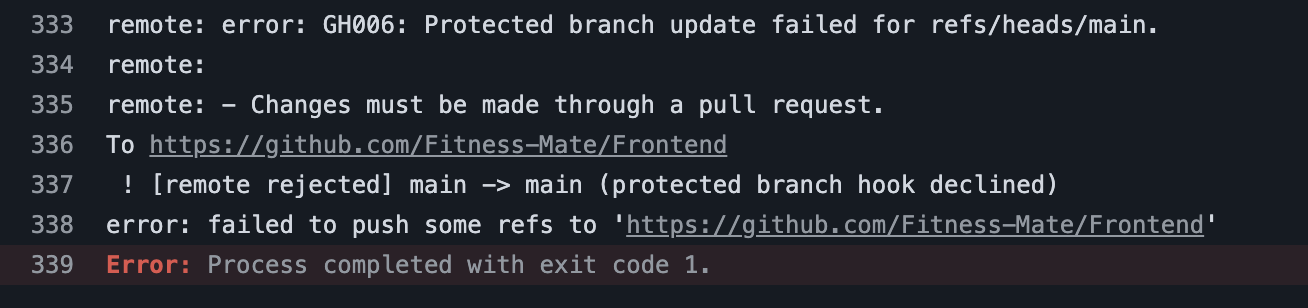
오류가 나서 보니까 배포 레포지토리의 main 브랜치가 현재 Protected Branch로 설정되어있어 직접 push가 안된다는 것이다.
protect를 해제해 해결하였다.
출처

FE