0. Why GraphQL?
다른 프론트엔드-백엔드 팀원들이 협업하는 과정을 옆에서 많이 지켜본다. 이슈가 생길때 마다 대화의 흐름이 비슷하다.
"~ 님 API 하나가 이슈가 있는데..."
"주소가 어떻게 돼요?"
"/api/user/ticket/blahblah 요"
"메서드는요?"
...
...
이렇게 조금은 낭비가 있는 대화가 자주 오간다.
심지어 만들고 있는 API들은 그렇게 REST 하지 않고 대부분 improvised 하기 때문에 재활용이 거의 불가능한 단발성 API들을 찍어내고 있다. 개발을 하면 할 수록 기술 부채가 급격이 늘어가는 것이 보인다.
거기에 overfetching, underfetching은 밥먹듯 생기는 일이므로, 리소스의 낭비가 심했다.
GraphQL은 하나의 HTTP 통신 엔드포인트에서, query depth에 맞춰 많은 데이터를 가져올 수 있는 쿼리 언어이다. GraphQL을 이용하면 위의 문제점들을 많이 해소시킬 것 같아서 관심을 갖게 되었다.
1. 모듈 설치
npm i --save express-graphql graphql
2. 예제
- 코드 작성
import { graphqlHTTP } from "express-graphql";
import { buildSchema } from "graphql";

const schema = buildSchema(`
  type Query {
    hello: String
  }
`);

const root = { hello: () => "Hello World!" };

const app = express();

app.set(express.urlencoded({ extended: true }));
app.use(express.json());

app.use("/graphql", graphqlHTTP({ schema, rootValue: root, graphiql: true }));
app.use("/", globalRouter);- 쿼리 확인
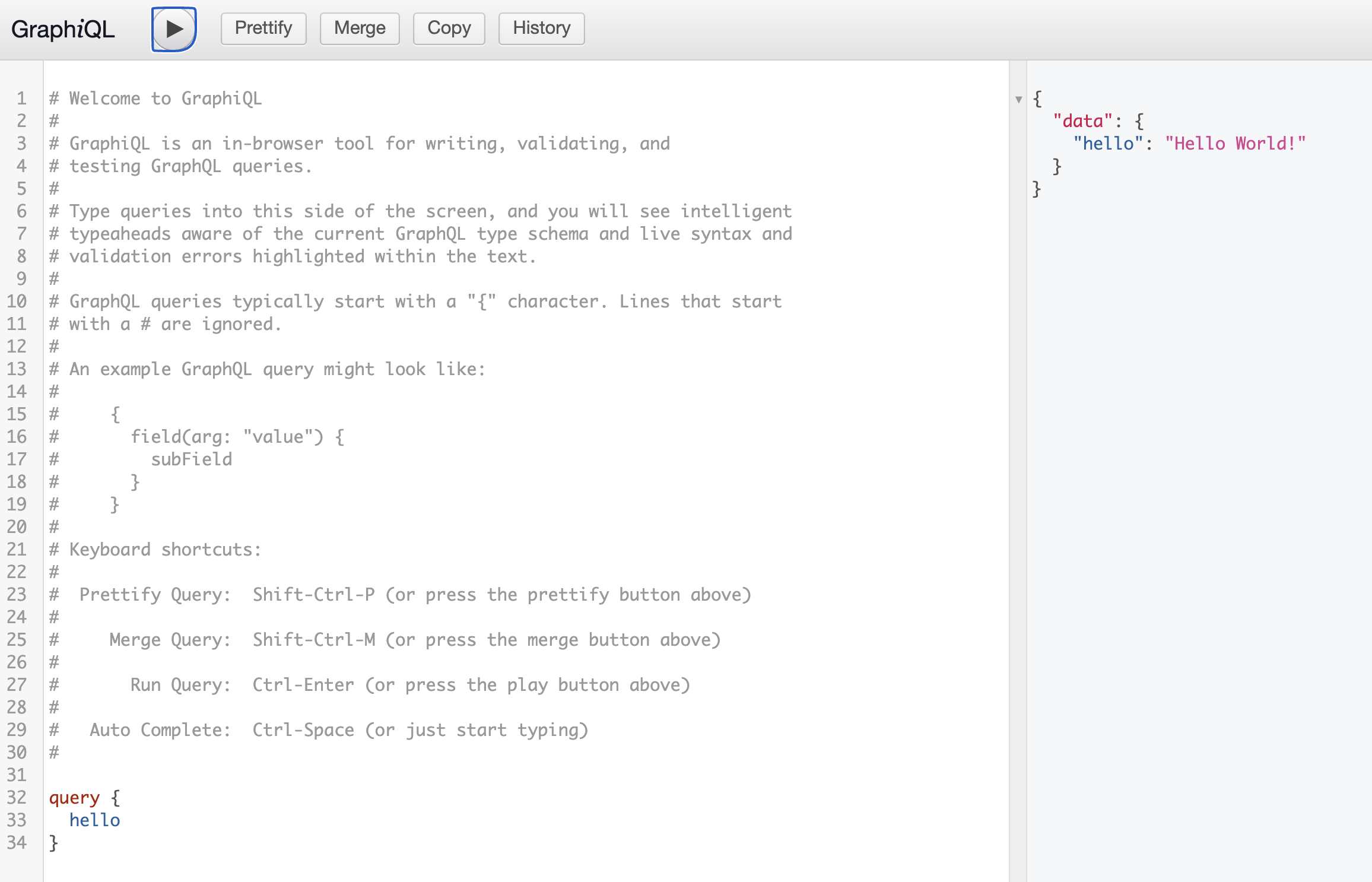
3. 스키마 만들기
GraphQL의 스키마를 만드는 방법은
-
buildSchema()를 사용하여 String 형태로 명시
-
GraphQLSchema()를 사용하여 객체 형태로 명시
두 가지 방법이 있다.
3-1 buildSchema 활용: 코드를 아래와 같이 수정
const schema = buildSchema(`
  type Query {
    hello: String
    persons : [Person]
  }

  type Person {
    name: String,
    age: Int
  }
`);

const root = {
  hello: () => "Hello World!",
  persons: () => [
    { name: "kim", age: 29 },
    { name: "seo", age: 31 },
    { name: "park", age: 32 },
  ],
};
아래와 같이 graphql 질의를 해보면 데이터가 persons 배열이 응답으로 오는 것을 확인할 수 있다.
query {
  persons {
    name
    age
  }
}
여기서 root를 resolver라 부르며, graphql은 schema와 resolver로 동작한다는 것을 알 수 있다. buildSchema로 정의한 패턴에서는, graphqlHTTP의 rootValue가 resolver 객체를 가지고, 객체 내부에서 query와 매칭되는 메서드를 실행한다. 실제 CRUD도 이 곳에서 이뤄진다.
3-2 GraphQLSchema 활용
const TypePerson = new Graphql.GraphQLObjectType({
  name: "Person",
  fields: {
    name: { type: Graphql.GraphQLString },
    age: { type: Graphql.GraphQLInt },
  },
});

const TypeQuery = new Graphql.GraphQLObjectType({
  name: "Query",
  fields: {
    hello: {
      type: Graphql.GraphQLString,
      resolve: () => "Hello world!",
    },
    persons: {
      type: Graphql.GraphQLList(TypePerson),
      resolve: () => {
        console.log("hahah");
        return [
          { name: "kim", age: 29 },
          { name: "seo", age: 31 },
          { name: "park", age: 32 },
        ];
      },
    },
  },
});

const schema = new Graphql.GraphQLSchema({ query: TypeQuery });
4. Context?
GraphQL의 resolver는 Context를 사용할 수 있다. Context로 사용할 수 있는 주요 객체는 session이 있다.
// Fake data
const session = {
  userId: 100,
  expiresIn: 30000,
};

const TypeQuery = new Graphql.GraphQLObjectType({
  name: "Query",
  fields: {
    hello: {
      type: Graphql.GraphQLString,
      resolve: () => "Hello world!",
    },
    persons: {
      type: Graphql.GraphQLList(TypePerson),
      resolve: (obj, args, context, info) => {
        console.log(args);
        console.log("*****");
        console.log(context);
        console.log("-----");
        console.log(info);
        // console.log("hahah");
        return [
          { name: "kim", age: 29 },
          { name: "seo", age: 31 },
          { name: "park", age: 32 },
        ];
      },
    },
  },
});

app.use("/graphql", graphqlHTTP({ schema, context: session, graphiql: true }));
session이라는 fake data를 만들고, graphql 서버 옵션에서 context: session을 주었다. 그 뒤 resolver 메서드 내에서 context를 확인했다.
resolver의 매개변수는 GraphQL 공식 문서를 참고했다. 참고로 buildSchema와 GraphQLSchema의 resolver 매개변수 순서가 다르다.
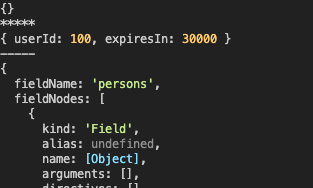
아직 정확한 용도는 파악이 안되지만, express 미들웨어처럼 활용이 가능할 것으로 보인다.
참고자료
express-graphql 시작하기(Hello World Guide)
2022.07.28 추가
- express 보안 관련 패키지인
helmet을 사용한다면, 주의해야 할 점이 있다. helmet을 설정 없이 그냥 사용하게 되면, graphiql를 사용하지 못하게 되는 문제가 발생했다.
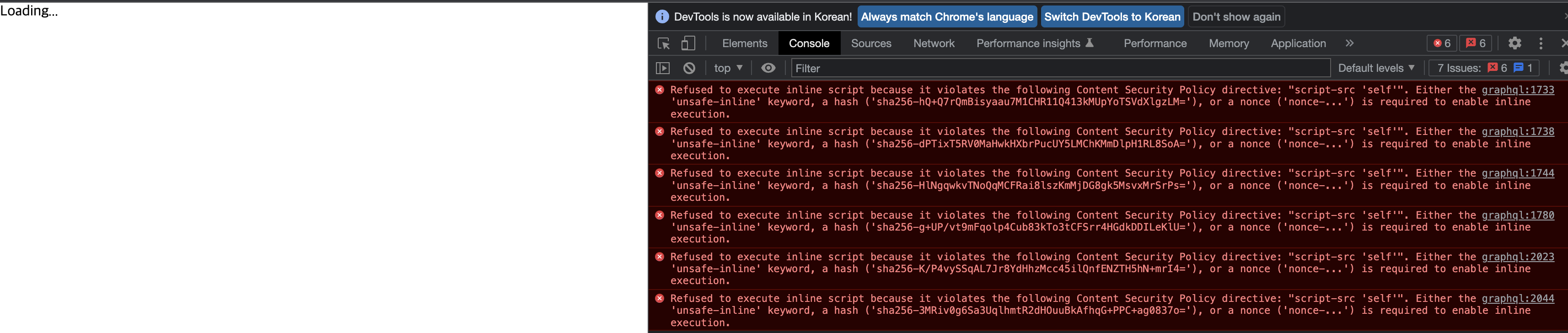
- 이럴 땐
helmet설정을 아래 코드와 같이 바꿔준다.
app.use(helmet({ contentSecurityPolicy: process.env.NODE_ENV === 'production' ? undefined : false }));