models.py
- 데이터베이스에 테이블을 생성
테이블 정의
- django 에서는 테이블을 하나의 클래스로 정의
- 테이블의 칼럼은 클래스의 변수 (속성) 으로 매핑
- 테이블 클래스는 django.db.models.Model 클래스를 상속받아 정의
- 각 클래스 변수의 타입도 장고에서 미리 정의해 둔 필드 클래스 사용
테이블 생성
### 위치 이동
cd /Users/user/test/django/project/web/bookmark

### models.py 수정

vi models.py

---

#from django.db import models

# Create your models here.

from __future__ import unicode_literals

from django.db import models

class Bookmark(models.Model):
    title = models.CharField(max_length=100, blank=True, null=True)
    url = models.URLField('url', unique=True)

    def __str__(self):
        return self.title
models.py
- title = models.CharField(max_length=100, blank=True, null=True) : title 컬럼은 공백을 가질 수 있고 null 또한 가능
- url = models.URLField('url', unique=True) : URLField() 필드 클래스의 첫 번째 파라미터인 url 문구는 url 컬럼에 대한 레이블 문구
- str() 함수는 객체를 문자열로 표현할 때 사용하는 것으로 정확하게 정의하지 않으면 테이블명이 제대로 보이지 않을 수 있음
admin 사이트에 테이블 반영
models.py 에서 정의한 테이블을 admin 사이트에서 확인할 수 있도록 admin.py 에 등록
### 위치 이동
cd /Users/user/test/django/project/web/bookmark

### adminn.py 수정

vi admin.py

---

# from django.contrib import admin

# Register your models here.

from django.contrib import admin
from bookmark.models import Bookmark

class BookmarkAdmin(admin.ModelAdmin):
    list_display = ('title', 'url')

admin.site.register(Bookmark, BookmarkAdmin)- admin.py
- class BookmarkAdmin(admin.ModelAdmin): BookmarkAdmin 클래스는 admin.ModelAdmin 클래스를 상속하여 만들어졌으며, Bookmark 모델이 어떻게 관리자 페이지에 출력될 것인지를 정의
- list_display = ('title', 'url') : list_display 속성은 관리자 페이지에서 Bookmark 객체 목록을 보여줄 때, 어떤 필드가 표시될 것인지를 정의하는 것으로, 해당 설정에서는 title, url 필드가 출력됨
- admin.site.register(Bookmark, BookmarkAdmin) 코드는 Bookmark 모델을 BookmarkAdmin 클래스로 관리자 페이지에 등록하는 역할을 수행하는 것으로 관리자 페이지에서 Bookmark 모델을 관리할 수 있도록 함
테이블의 신규 생성, 정의 변경 등의 수정이 필요한 경우, 실제로 반영해주는 작업
### 위치 이동
cd /Users/user/test/django/project/web

### makemigrations
python3 manage.py makemigrations- 확인
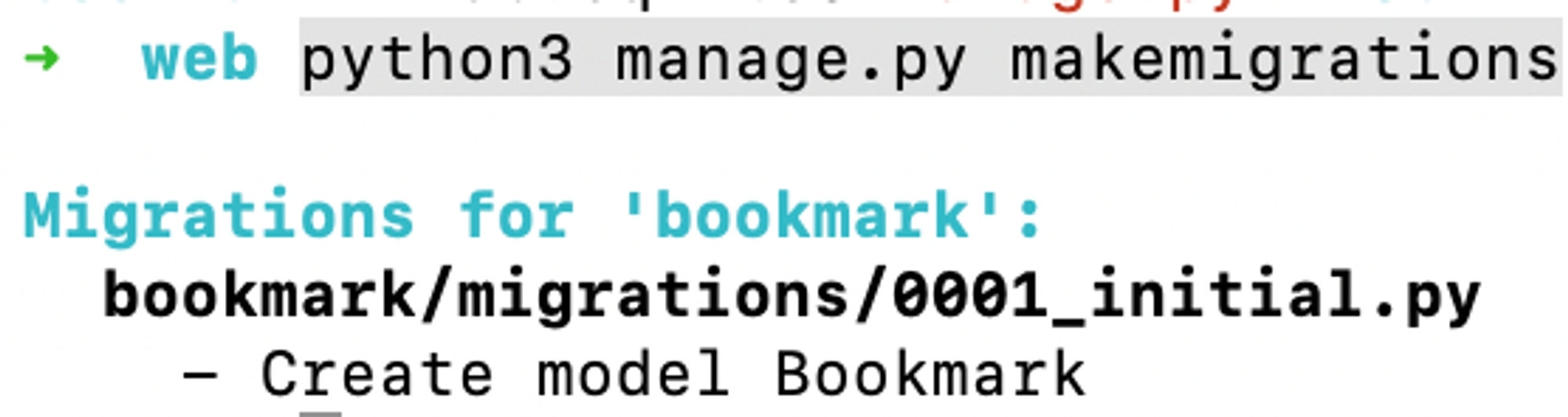
ls /bookmark/migrations- 확인

### migrate
python3 manage.py migrate- 확인

데이터베이스 변경 사항 반영
makemigration
해당 명령어는 django 모델에 대한 변경 사항을 감지하고, 이러한 변경 사항을 감지하고, 변경 사항을 설명하는 마이그레이션 파일을 생성하며, 마이그레이션 파일은 데이터베이스 스키마 변경 사항을 기록한 일종의 히스토리 파일
migrate
migrate 명령어는 makemigrations 명령어로 생성된 마이그레이션 파일을 실제 데이터베이스에 적용하며, 데이터베이스 스키마를 변경하여 모델 변경 사항을 반영
웹 페이지 접속 허용 (admin)
### 위치 이동
cd /Users/user/test/django/project/web/web

### settings.py 수정
vi settings.py

---

### 수정 전
ALLOWED_HOSTS = []

### 수정 후
ALLOWED_HOSTS = ['*']
admin 페이지 확인
### 위치 이동
cd /Users/user/test/django/project/web

### django 구동
python3 manage.py runserver 0.0.0.0:8000- 확인
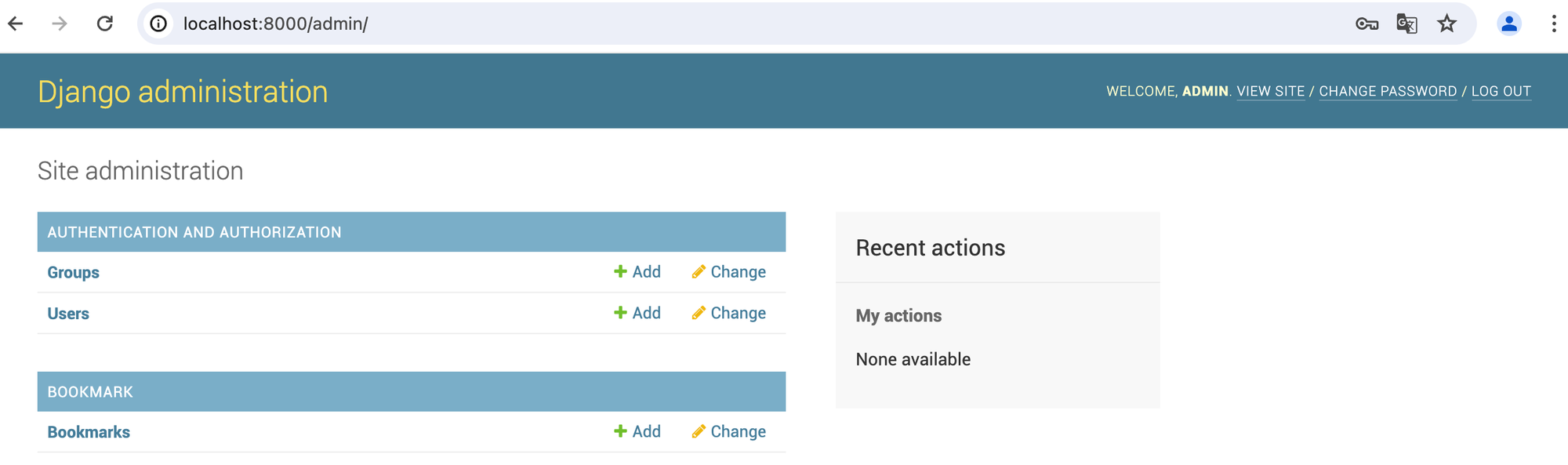
- AUTHENTICATION AND AUTHORIZATION : django 에서 기본으로 제공
- BOOKMARK : 따로 생성한 bookmark 가 추가된 것을 확인 가능
Bookmark 추가
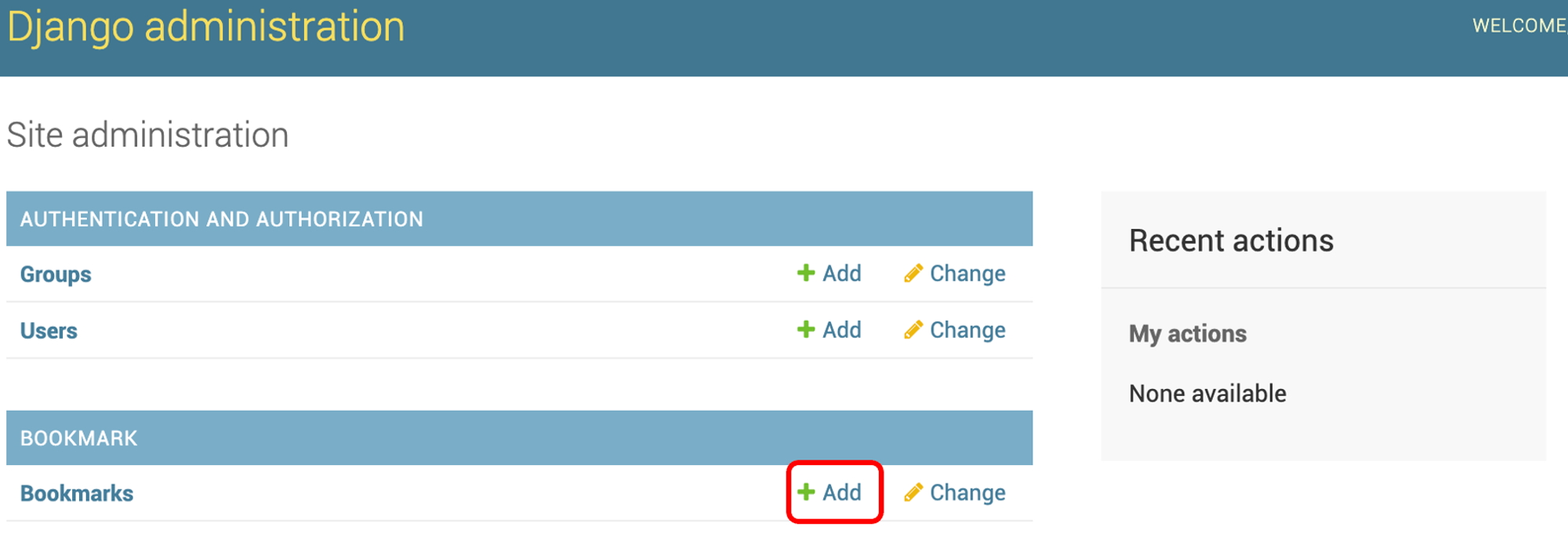
- 위의 사진에서 확인되는 +Add 클릭
애플리케이션 이름
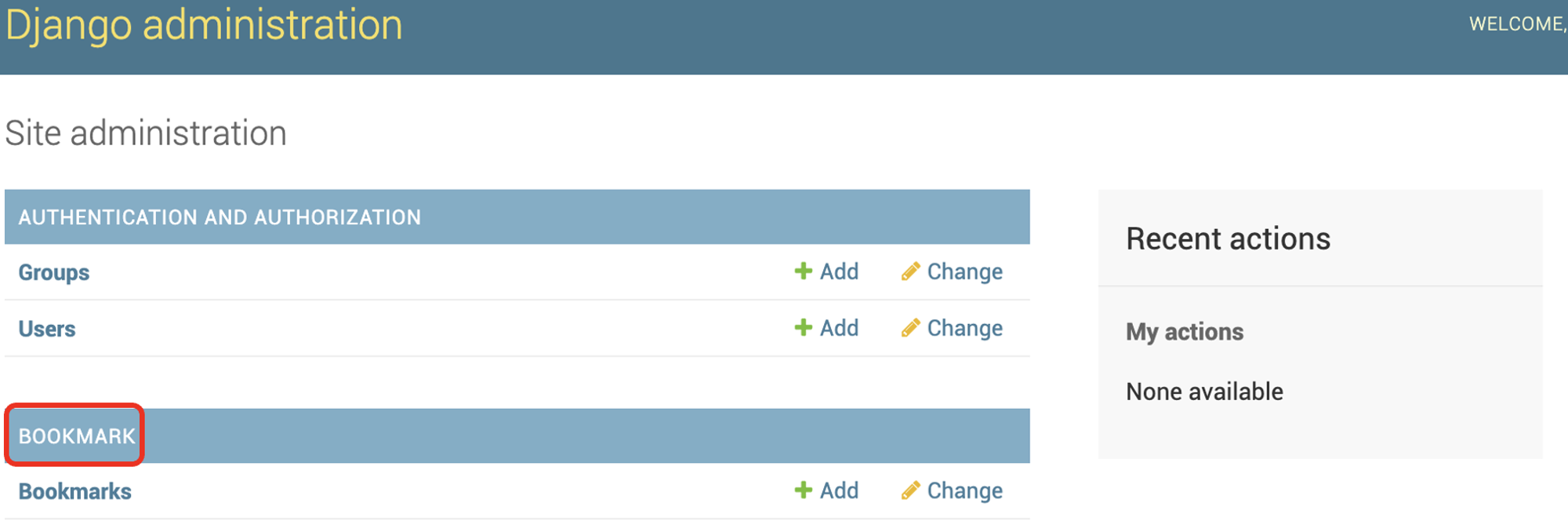
- BOOKMARK : startapp “appname” 명령어를 실행할 때, 입력한 appname 이 모두 대문자로 표시 됨
객체명
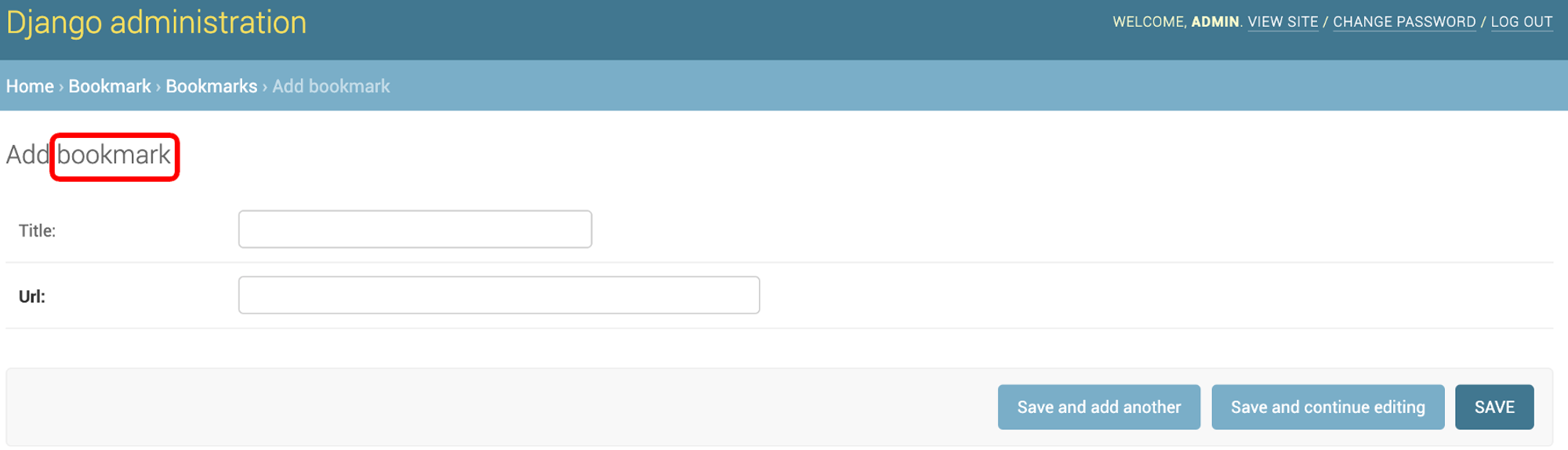
- boomarks : models.py 파일에 정의한 모델 클래스 이름을 소문자와 공백으로 변경 됨
- ex)
참고 자료

새로운 것을 시도하고 도전하는 것을 좋아하는 Engineer 입니다..