0121 [미니프로젝트] 바닐라JS 모멘텀
Making a JS Clock
// 태그 통째로 들고옴
const clockContainer = document.querySelector(".js-clock");
const clockTitle = clockContainer.querySelector("h1");

function getTime() {
    //현재 날짜,시간 가지고옴
    const date = new Date();
    const minutes = date.getMinutes();
    const hours = date.getHours();
    const seconds = date.getSeconds();
    clockTitle.innerText = `${hours}:${minutes}:${seconds}`;
}

function init() {
    getTime();
}

init();
setInterval()
setInterval(함수, 함수를 실행하고 싶은 시간/간격);

3000이 3초?
``와 삼항조건연산자 이용해서 00분 나타내기
// 태그 통째로 들고옴
const clockContainer = document.querySelector(".js-clock");
const clockTitle = clockContainer.querySelector("h1");

function getTime() {
    //현재 날짜,시간 가지고옴
    const date = new Date();
    const minutes = date.getMinutes();
    const hours = date.getHours();
    const seconds = date.getSeconds();
    clockTitle.innerText = `${hours < 10 ? `0${hours}` : hours}:${minutes < 10 ? `0${minutes}` : minutes}:${seconds < 10 ? `0${seconds}` : seconds}`;
}

function init() {
    getTime();
    //getTime 함수를 1초마다 불러옴
    setInterval(getTime, 1000);
}

init();
Saving the User Name
const form = document.querySelector(".js-form");
const input = document.querySelector("input");
const greeting = document.querySelector(".js-greetings");

const USER_LS = "currentUser";
const SHOWING_CN = "showing";

function saveName(text) {
    localStorage.setItem(USER_LS, text);
}

function handleSumbit(event) {
    //새로고침 막아
    event.preventDefault();
    const currentValue = input.value;
    paintGreeting(currentValue);
    saveName(currentValue);
}

function askForName() {
    //form => display: block;
    form.classList.add(SHOWING_CN);
    form.addEventListener("submit", handleSumbit);
}

function paintGreeting(text){
    form.classList.remove(SHOWING_CN);
    greeting.classList.add(SHOWING_CN);
    greeting.innerText = `Hello ${text}`;
}

function loadName() {
    //로컬저장소에 있는 데이터의 key값으로 value를 리턴
    const currentUser = localStorage.getItem(USER_LS);
    if(currentUser === null){
        askForName();
    }else{
        paintGreeting(currentUser);
    }
}

function init() {
    loadName();
}

init();
Making a To Do List
const toDoForm = document.querySelector(".js-toDoForm");
const toDoInput = toDoForm.querySelector("input");
const toDoList = document.querySelector(".js-toDoList");

const TODOS_LS = "toDos";


function paintToDo(text){
    const li = document.createElement("li");
    const delBtn = document.createElement("button");
    delBtn.innerText = "❌";
    const span = document.createElement("span");
    span.innerText = text;
    li.appendChild(span);
    li.appendChild(delBtn);
    toDoList.appendChild(li);
}

function handleSumbit(event){
    event.preventDefault();
    const currentValue = toDoInput.value;
    paintToDo(currentValue);
    toDoInput.value = "";
}

function loadToDos(){
    const toDos = localStorage.getItem(TODOS_LS);
    if(toDos !== null){

    }
}

function init() {
    loadToDos();
    toDoForm.addEventListener("submit", handleSumbit);
}

init();
const toDoForm = document.querySelector(".js-toDoForm");
const toDoInput = toDoForm.querySelector("input");
const toDoList = document.querySelector(".js-toDoList");
const TODOS_LS = "toDos";
const toDos = [];
function saveToDos() {
//JSON.stringify => 자바스크립트 object를 string으로 바꿔준다.
localStorage.setItem(TODOS_LS, JSON.stringify(toDos));
}
function paintToDo(text){
const li = document.createElement("li");
const delBtn = document.createElement("button");
const span = document.createElement("span");
const newId = toDos.length + 1;
delBtn.innerText = "❌";
span.innerText = text;
li.appendChild(span);
li.appendChild(delBtn);
li.id = newId;
toDoList.appendChild(li);
const toDoObj = {
text: text,
// 0 + 1
id : newId
};
toDos.push(toDoObj);
saveToDos();
}
function handleSumbit(event){
event.preventDefault();
const currentValue = toDoInput.value;
paintToDo(currentValue);
toDoInput.value = "";
}
function loadToDos(){
const loadedToDos = localStorage.getItem(TODOS_LS);
if(loadedToDos !== null){
//string을 다시 object로 변환
const parsedToDos = JSON.parse(loadedToDos);
//forEach => array 각각 요소 하나씩 함수를 돌림 => 그 각각을 toDo라고 부를거임
parsedToDos.forEach(function(toDo){
paintToDo(toDo.text);
})
}
}
function init() {
loadToDos();
toDoForm.addEventListener("submit", handleSumbit);
}
init();TODO 삭제
const toDoForm = document.querySelector(".js-toDoForm");
const toDoInput = toDoForm.querySelector("input");
const toDoList = document.querySelector(".js-toDoList");

const TODOS_LS = "toDos";
let toDos = [];

function deleteTodo(event){
    const btn = event.target;
    const li = btn.parentNode;
    toDoList.removeChild(li);
    const cleanToDos = toDos.filter(function(toDo){
        //parseInt => string을 숫자로
        return toDo.id !== parseInt(li.id);
    });
    toDos = cleanToDos
    saveToDos();
}

function saveToDos() {
    //JSON.stringify => 자바스크립트 object를 string으로 바꿔준다.
    localStorage.setItem(TODOS_LS, JSON.stringify(toDos));
}

function paintToDo(text){
    const li = document.createElement("li");
    const delBtn = document.createElement("button");
    const span = document.createElement("span");
    const newId = toDos.length + 1;

    delBtn.innerText = "❌";
    delBtn.addEventListener("click", deleteTodo);
    span.innerText = text;
    li.appendChild(span);
    li.appendChild(delBtn);
    li.id = newId;
    toDoList.appendChild(li);

    const toDoObj = {
        text: text,
        // 0 + 1
        id : newId
    };
    toDos.push(toDoObj);
    saveToDos();
}

function handleSumbit(event){
    event.preventDefault();
    const currentValue = toDoInput.value;
    paintToDo(currentValue);
    toDoInput.value = "";
}

function loadToDos(){
    const loadedToDos = localStorage.getItem(TODOS_LS);
    if(loadedToDos !== null){
        //string을 다시 object로 변환
        const parsedToDos = JSON.parse(loadedToDos);
        //forEach => array 각각 요소 하나씩 함수를 돌림 => 그 각각을 toDo라고 부를거임
        parsedToDos.forEach(function(toDo){
            paintToDo(toDo.text);
        })
    }
}

function init() {
    loadToDos();
    toDoForm.addEventListener("submit", handleSumbit);
}

init();
Image Background
const body = document.querySelector("body");

const IMG_NUMBER = 4;

function paintImage(imgNumber){
    const image = new Image();
    image.src = `images/${imgNumber + 1}.jpg`;
    image.classList.add("bgImage");
    body.appendChild(image);
}

function getRandom(){
    const number = Math.floor(Math.random() * IMG_NUMBER);
    return number;
}

function init(){
    const randomNumber = getRandom();
    paintImage(randomNumber);
}

init();
.form{
display: none;
}
.greetings{
display: none;
}
.showing{
display: block;
}
@keyframes fadeIn {
from {
opacity: 0;
}to {
opacity: 1;
}
}
.bgImage{
position: absolute;
top:0;
left:0;
width: 100%;
height: 100%;
z-index: -1;
animation: fadeIn 0.5s linear;
}
body{
background-color: #2c4050;
color: white;
}weather API
https://dev-csa.github.io/articles/2019-10/Javascript-post4
const API_KEY = "815669c3f59fc7ac28275f61662c3ba2";
const COORDS = 'coords';
const weather = document.querySelector(".js-weather");

function getWeather(lat, lon){
    fetch(
        `https://api.openweathermap.org/data/2.5/weather?lat=${lat}&lon=${lon}&appid=${API_KEY}&units=metric`
    )
        .then(function(response){
        return response.json();
    })
        .then(function(json){
        console.log(json);
        const temparature = json.main.temp;  //온도
        const place = json.name;   // 사용자 위치
        weather.innerText = `${temparature} @${place}`;

    });
}


function saveCoords(coordsObj){
    localStorage.setItem(COORDS, JSON.stringify(coordsObj));
}

function handleGeoSucces(position){
    const latitude = position.coords.latitude;
    const longitude = position.coords.longitude;
    const coordsObj = {
        latitude,
        longitude
    };
    saveCoords(coordsObj);
    getWeather(latitude, longitude);
}

function handleGeoError(){
    console.log("cant access geo location");
}

function askForCoords(){
    navigator.geolocation.getCurrentPosition(handleGeoSucces, handleGeoError);
}

function loadCoords(){
    const loadedCoords = localStorage.getItem(COORDS);
    if(loadedCoords === null){
        askForCoords();
    } else {
        const parseCoord = JSON.parse(loadedCoords);
        getWeather(parseCoord.latitude, parseCoord.longitude);
    }

}

function init() {
    loadCoords();
}

init();
CSS(Bootstrap)
.form{
    display: none;
}

.greetings{
    display: none;
}

.showing{
    display: block;
}

@keyframes fadeIn {
    from {
        opacity: 0;
    }to {
        opacity: 1;
    }
}

.bgImage{
    position: absolute;
    top:0;
    left:0;
    width: 100%;
    height: 100%;
    z-index: -1;
    animation: fadeIn 0.5s linear;
}

body{
    background-color: #2c4050;
}

@import url('https://fonts.googleapis.com/css2?family=Noto+Sans+KR:wght@400;700;900&display=swap');

.content{
    font-family: 'Noto Sans KR', sans-serif;
    display: flex;
    align-items: center;
    justify-content: center;
    height: 100vh;
    text-align: center;
    color: white;
}

#clock{
    font-weight: 900;
}

.weather{
    position: absolute;
    top:0;
    right:0;
    color: white;
    font-family: 'Noto Sans KR', sans-serif;
}

input:focus{
    outline: none;
}

#todo-form{
    border: none;
    background: none;
    border-bottom: 3px solid rgb(255, 255, 255);
    color: white;
}

#todo-form::placeholder {
    color: white;
    text-align: center;
}

.todo-content{
    position: absolute;
    bottom: 0;
}

.del-btn{
    border: none;
    background: none;
}

.todo-list{
    font-size: 25px;
    margin-top: 10px;
}

#name-form{
    border: none;
    background: none;
    border-bottom: 3px solid rgb(255, 255, 255);
    color: white;
}

#name-form::placeholder{
    color: white;
    text-align: center;
}
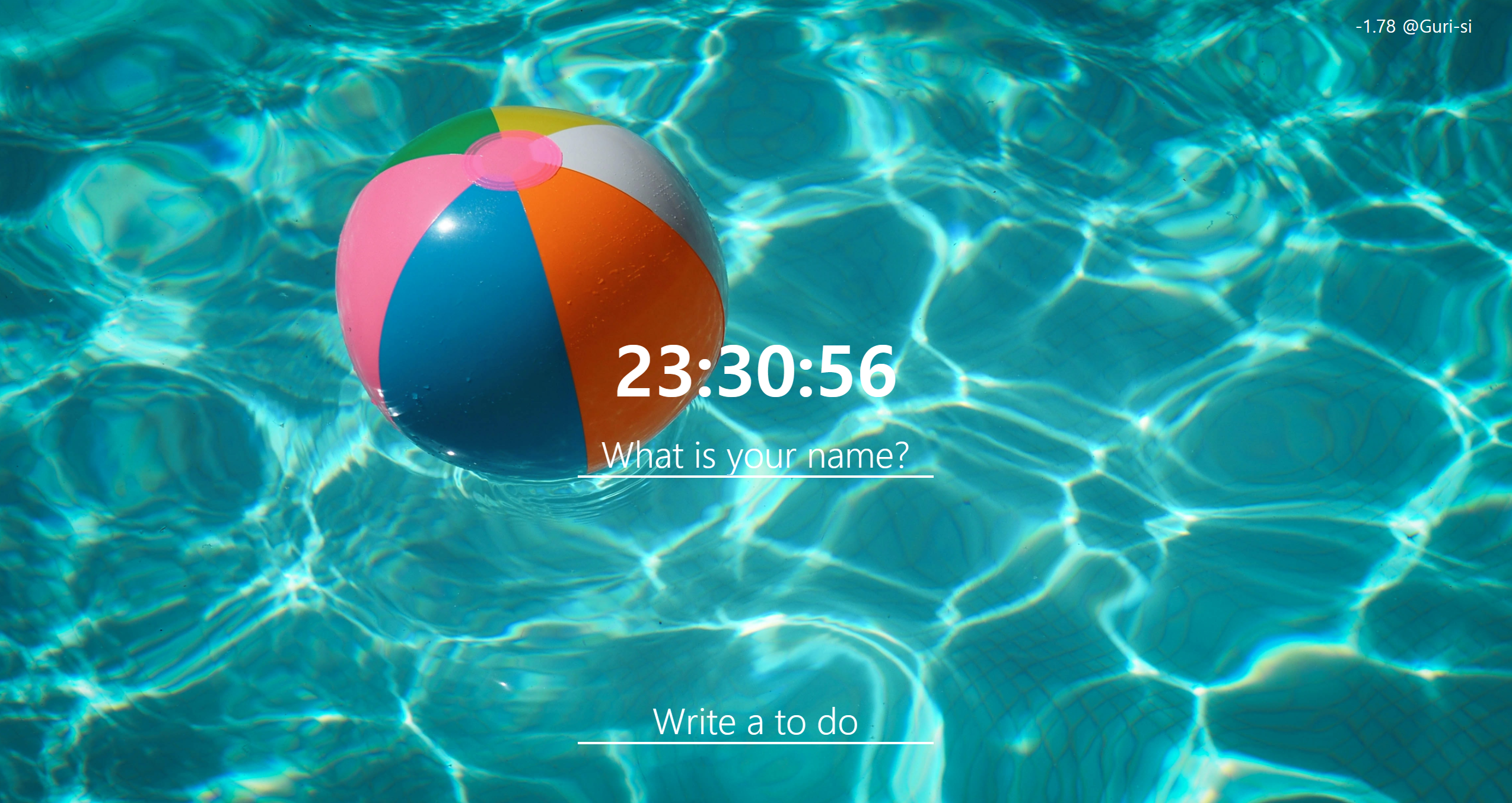
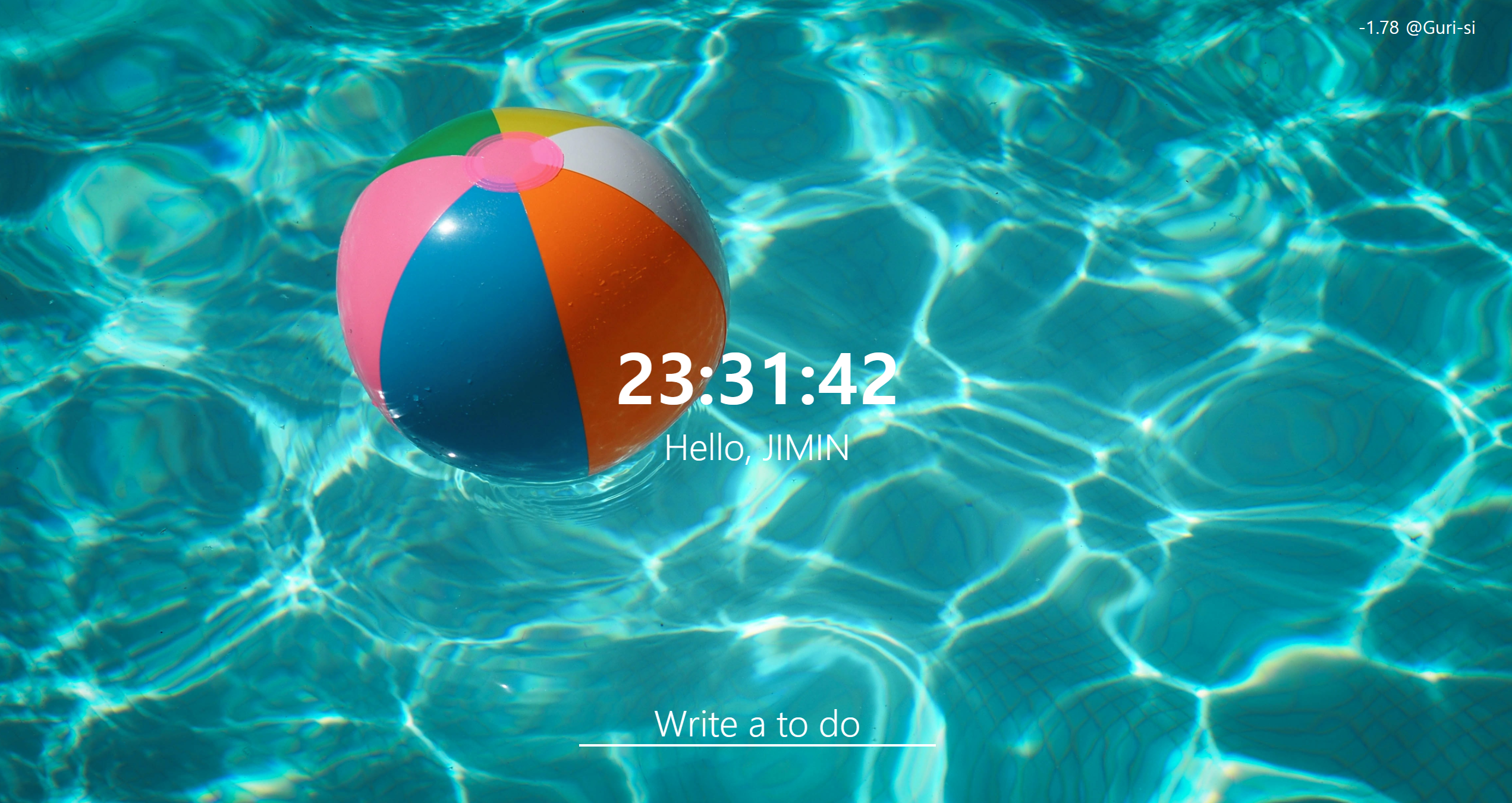
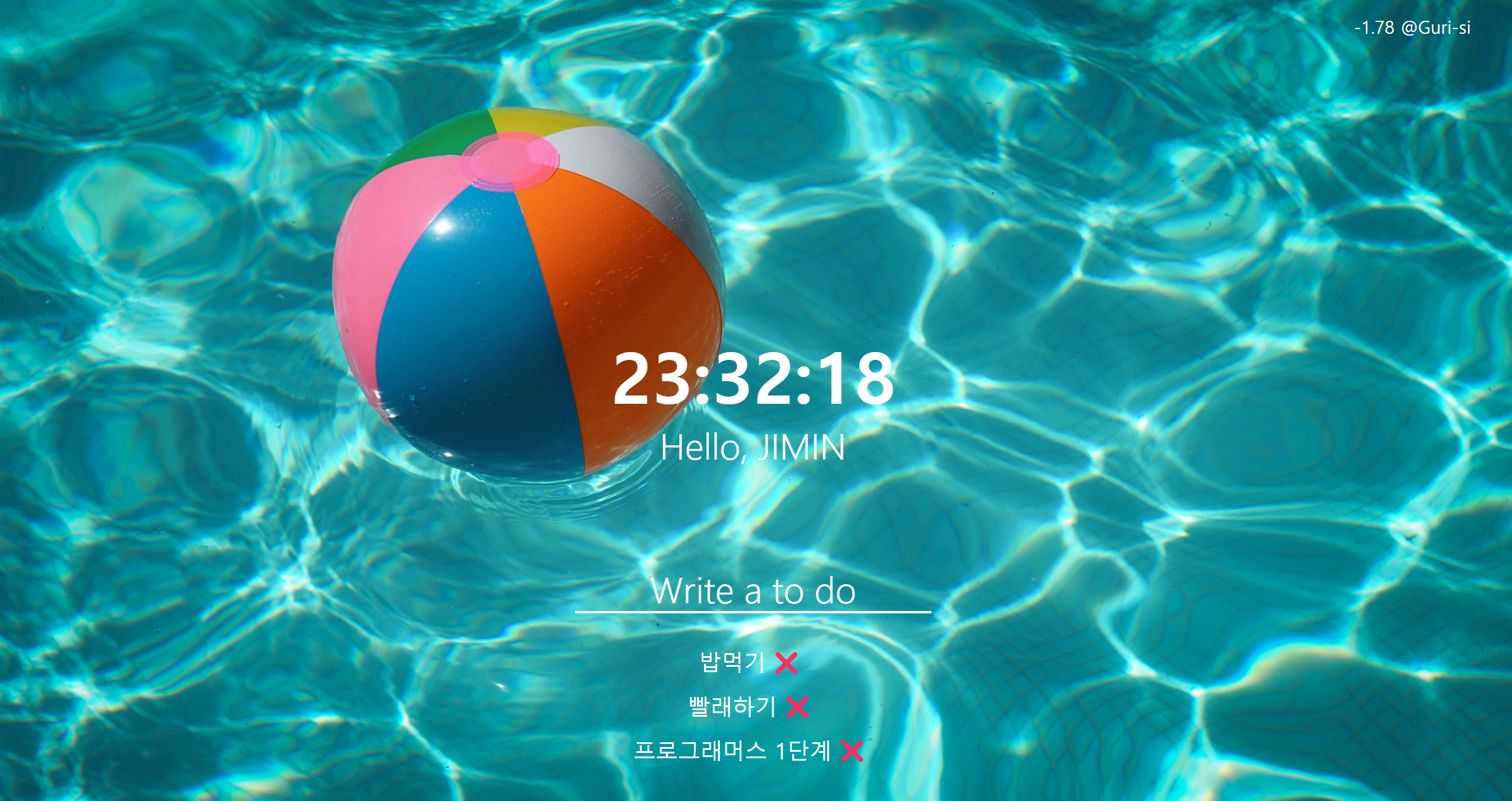
결과화면
Front-end Engineer, Web Developer & UX/UI Design