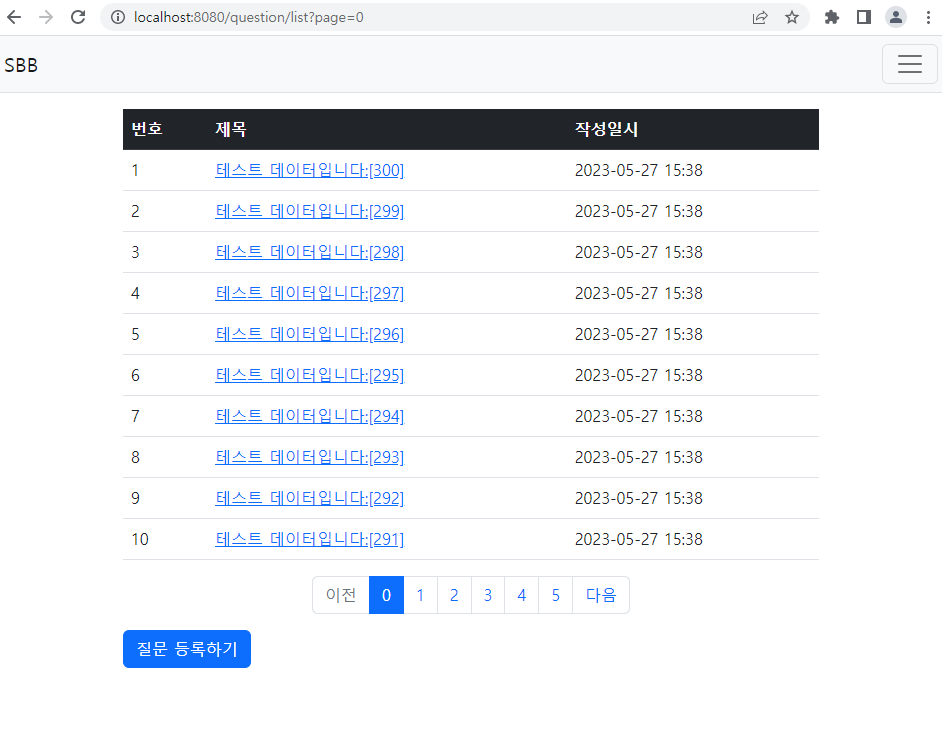
테스트 코드로 작성 후 돌린 다음, 다시 로컬서버로 가동
package com.mysite.sbb;

import com.mysite.sbb.answer.Answer;
import com.mysite.sbb.answer.AnswerRepository;
import com.mysite.sbb.question.Question;
import com.mysite.sbb.question.QuestionRepository;
import com.mysite.sbb.question.QuestionService;
import org.junit.jupiter.api.Test;
import org.springframework.beans.factory.annotation.Autowired;
import org.springframework.boot.test.context.SpringBootTest;
import org.springframework.transaction.annotation.Transactional;

import static org.junit.jupiter.api.Assertions.assertEquals;

import java.util.List;
import static org.junit.jupiter.api.Assertions.assertEquals;
import static org.junit.jupiter.api.Assertions.assertTrue;

import java.util.Optional;

@SpringBootTest
class SbbApplicationTests {

	@Autowired
	private QuestionRepository questionRepository;

	@Autowired
	private AnswerRepository answerRepository;

	@Autowired
	private QuestionService questionService;
	//@Transactional
	@Test
	void testJpa() {
		for (int i = 1; i <= 300; i++) {
			String subject = String.format("테스트 데이터입니다:[%03d]", i);
			String content = "내용무";
			this.questionService.create(subject, content);
		}
	}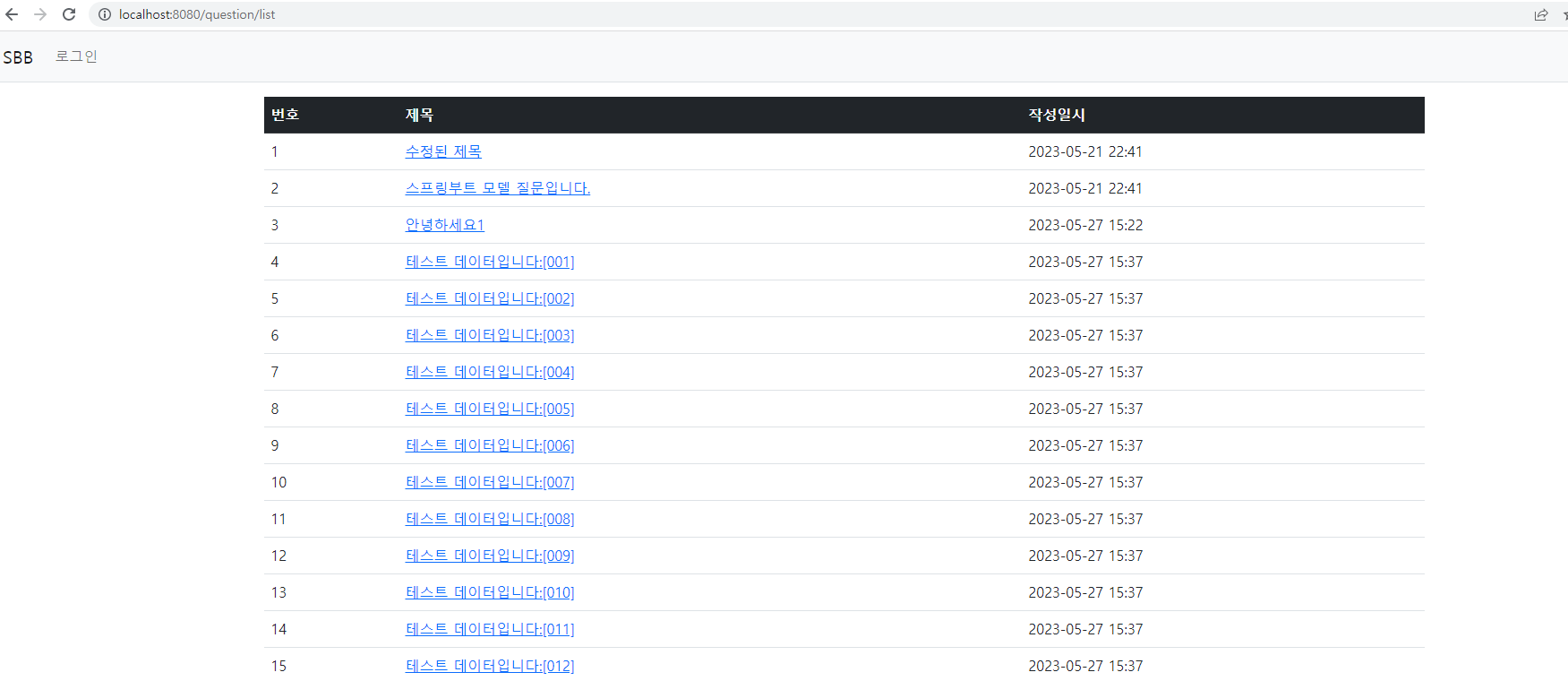
Page 클래스를 이용해 findAll 메서드 추가
//QuestionRepository.java
package com.mysite.sbb.question;

import java.util.List;

import org.springframework.data.domain.Page;
import org.springframework.data.domain.Pageable;
import org.springframework.data.jpa.repository.JpaRepository;

public interface QuestionRepository extends JpaRepository<Question, Integer> {
    Question findBySubject(String subject);
    Question findBySubjectAndContent(String subject, String content);
    List<Question> findBySubjectLike(String subject);
    ✅ Page<Question> findAll(Pageable pageable);
}
QuestionService.java
package com.mysite.sbb.question;
import java.time.LocalDateTime;
import java.util.Optional;
import lombok.RequiredArgsConstructor;
import org.springframework.data.domain.Page;
import org.springframework.data.domain.PageRequest;
import org.springframework.data.domain.Pageable;
import org.springframework.stereotype.Service;
import com.mysite.sbb.DataNotFoundException;


import java.util.List;

@RequiredArgsConstructor
@Service
public class QuestionService {
    private final QuestionRepository questionRepository;
    public List<Question> getList(){
        return this.questionRepository.findAll();
    }

    public Question getQuestion(Integer id){
        Optional<Question> question = this.questionRepository.findById(id);
            if(question.isPresent()){
                return question.get();
            }else{
                throw new DataNotFoundException("question not found");
            }

    }
    public void create(String subject, String content) {
        Question q = new Question();
        q.setSubject(subject);
        q.setContent(content);
        q.setCreateDate(LocalDateTime.now());
        this.questionRepository.save(q);
    }

   ✅ public Page<Question> getList(int page---①){
        Pageable pageable = PageRequest.of(page, 10);---②
        return this.questionRepository.findAll(pageable);
    }

}
① - 정수 타입의 페이지번호를 입력 받아 해당 페이지의 질문 목록을 리턴하는 메서드로 변경.
② - page는 조회할 페이지의 번호이고, 10은 한 페이지에 보여줄 게시물의 갯수를 의미한다.
해당 페이지의 데이터만 조회하도록 쿼리가 변경된다.
QuestionController.java
package com.mysite.sbb.question;

import java.util.List;

import com.mysite.sbb.answer.AnswerForm;
import jakarta.validation.Valid;
import org.springframework.data.domain.Page;
import org.springframework.stereotype.Controller;
import org.springframework.ui.Model;
import org.springframework.validation.BindingResult;
import org.springframework.web.bind.annotation.*;
import lombok.RequiredArgsConstructor;

@RequestMapping("question")
@RequiredArgsConstructor
@Controller
public class QuestionController {

    private final QuestionService questionService;

    @GetMapping("/list")
    public String list(Model model, 👉@RequestParam(value="page", defaultValue = "0") int page) {
        Page<Question> paging = this.questionService.getList(page);
        model.addAttribute("paging", paging);
        return "question_list";
    }

 (생략)
}
http://localhost:8080/question/list?page=0 처럼 요청된 URL에서 page값을 가져오기 위해 @RequestParam(value="page", defaultValue="0" int page)를 추가함.
스프링부트의 페이징은 첫 페이지 번호가 1이 아닌 0이다.
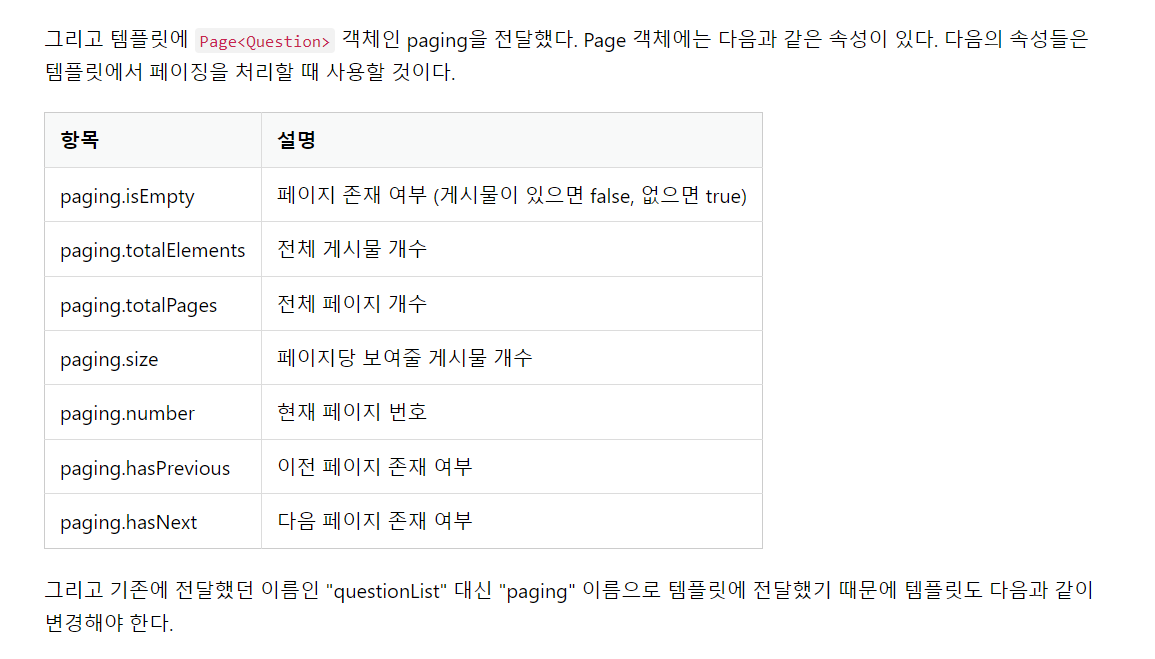
출처 : https://wikidocs.net/162028
question_list.html
<!DOCTYPE html>
<html layout:decorate="~{layout}" xmlns:layout="http://www.w3.org/1999/xhtml" xmlns:th="http://www.w3.org/1999/xhtml">
<head>
    <meta charset="UTF-8">
    <title>Title</title>
</head>
<body>
<div layout:fragment="content" class="container my-3">
<table class="table">
    <thead class="table-dark">
    <tr>
        <th>번호</th>
        <th>제목</th>
        <th>작성일시</th>
    </tr>
    </thead>
    <tbody>
    <tr th:each="question, loop : 👉${paging}">
        <td th:text="${loop.count}"></td>
        <td>
            <a th:href="@{|detail/${question.id}|}" th:text="${question.subject}"></a>
        </td>
        <td th:text="${#temporals.format(question.createDate, 'yyyy-MM-dd HH:mm')}"></td>
    </tr>
    </tbody>
</table>
    <a th:href="@{/question/create}" class="btn btn-primary">질문 등록하기</a>
</div>
</body>
</html>
저장 후 요청해보기로.
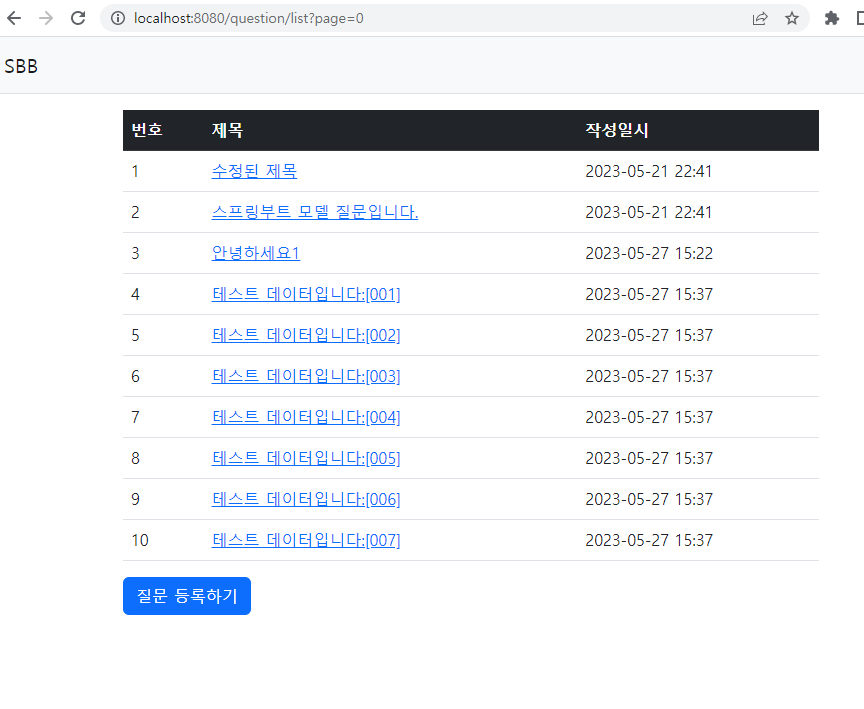
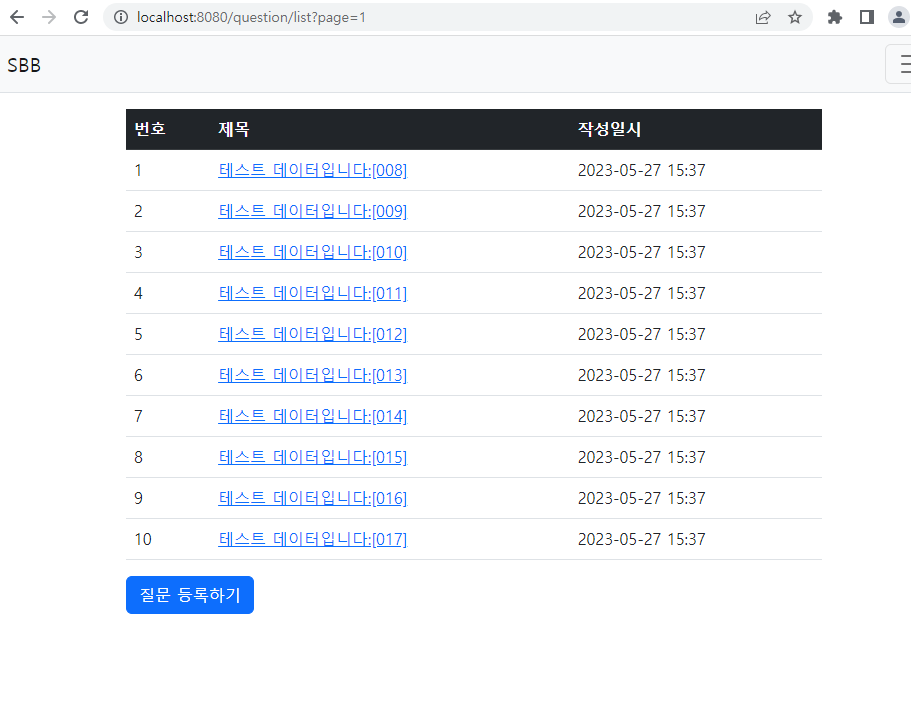
해당 페이지의 게시글만 나올 수 있게 페이징 처리가 되었다. 다음은
하단의 이전,다음과 같은 링크가 필요하다.
question_list.html
<!DOCTYPE html>
<html layout:decorate="~{layout}" xmlns:layout="http://www.w3.org/1999/xhtml" xmlns:th="http://www.w3.org/1999/xhtml">
<head>
    <meta charset="UTF-8">
    <title>Title</title>
</head>
<body>
<div layout:fragment="content" class="container my-3">
<table class="table">
    <thead class="table-dark">
    <tr>
        <th>번호</th>
        <th>제목</th>
        <th>작성일시</th>
    </tr>
    </thead>
    <tbody>
    <tr th:each="question, loop : ${paging}">
        <td th:text="${loop.count}"></td>
        <td>
            <a th:href="@{|detail/${question.id}|}" th:text="${question.subject}"></a>
        </td>
        <td th:text="${#temporals.format(question.createDate, 'yyyy-MM-dd HH:mm')}"></td>
    </tr>
    </tbody>
</table>
   👉 <!-- 페이징처리 시작 -->
    <div th:if="${!paging.isEmpty()}">
        <ul class="pagination justify-content-center">
            <li class="page-item" th:classappend="${!paging.hasPrevious} ? 'disabled'">
                <a class="page-link"
                   th:href="@{|?page=${paging.number-1}|}">
                    <span>이전</span>
                </a>
            </li>
            <li th:each="page: ⭐${#numbers.sequence(0, paging.totalPages-1)}"
                th:classappend="${page == paging.number} ? 'active'"
                class="page-item">
                <a th:text="${page}" class="page-link" th:href="@{|?page=${page}|}"></a>
            </li>
            <li class="page-item" th:classappend="${!paging.hasNext} ? 'disabled'">
                <a class="page-link" th:href="@{|?page=${paging.number+1}|}">
                    <span>다음</span>
                </a>
            </li>
        </ul>
    </div>
    <!-- 페이징처리 끝 -->👈
    <a th:href="@{/question/create}" class="btn btn-primary">질문 등록하기</a>
</div>
</body>
</html>
<li class="page-item" th:classappend="${!paging.hasPrevious} ? 'disabled'">에서는 이전 페이지가 없는 경우에 '이전'링크가 비활성화되도록 하였다. ('다음'도 마찬가지.)
리스트를 루프 돌면서 해당 페이지로 이동할 수 있는 링크를 생성.
페이지가 현재 페이지와 같은 경우에는 active 클래스를 사용하여 강조표시(선택표시)
주요 페이징 기능
-
이전 페이지가 없으면 비활성화
th:classappend="${!paging.hasPrevious} ? 'disabled'" -
다음 페이지가 없으면 비활성화
th:classappend="${!paging.hasNext} ? 'disabled'" -
이전 페이지 링크
th:href="@{|?page=${paging.number-1}}" -
다음 페이지 링크
th:href="@{|?page=${paging.number+1}}" -
페이지 리스트 루프
th:each="pageL${#numbers.sequence(0, paging.totalPages-1)}" -
현재 페이지와 같으면 active 적용
th:classappend="${page == paging.number} ? 'active'"
⭐#numbers.sequence(시작, 끝)은 시작 번호부터 끝 번호까지의 루프를 만들어내는 타임리프의 유틸리티이다.
페이지 리스트를 보기 좋게 표시하기 위해 부트스트랩의 pagination 컴포넌트를 이용.
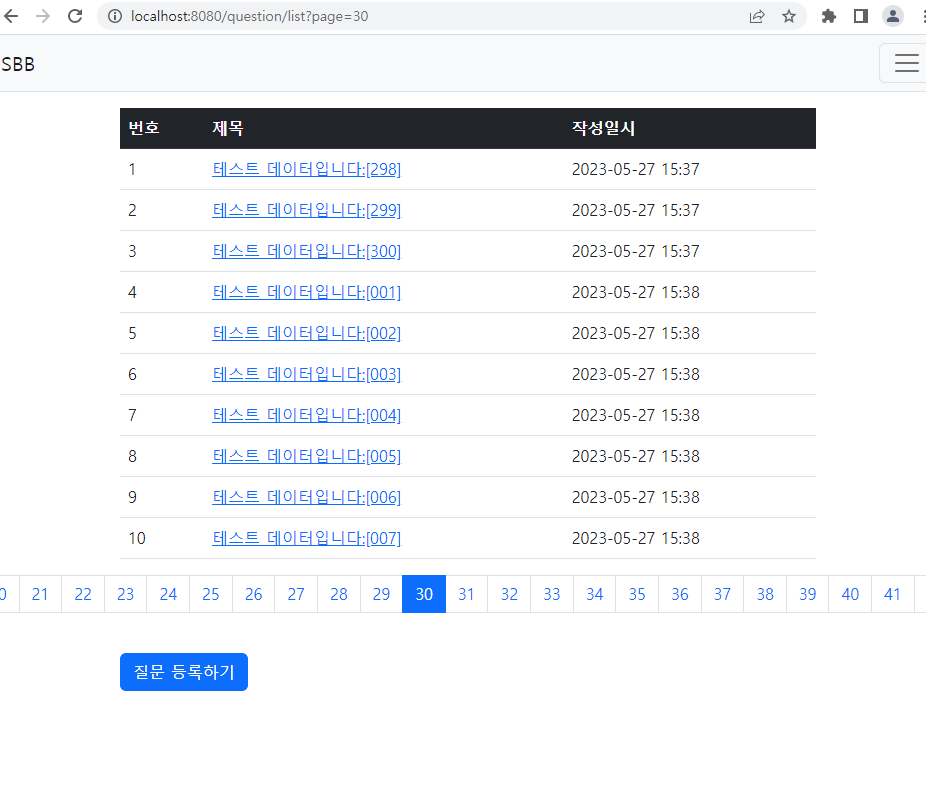
확인하면 전체 페이지가 모두 표시되는데, 이를 수정하기로.
//question_list.hmtl
(... 생략 ...)
    <!-- 페이징처리 시작 -->
    <div th:if="${!paging.isEmpty()}">
        <ul class="pagination justify-content-center">
            <li class="page-item" th:classappend="${!paging.hasPrevious} ? 'disabled'">
                <a class="page-link"
                    th:href="@{|?page=${paging.number-1}|}">
                    <span>이전</span>
                </a>
            </li>
            <li th:each="page: ${#numbers.sequence(0, paging.totalPages-1)}"
               👉 th:if="${page >= paging.number-5 and page <= paging.number+5}"
                th:classappend="${page == paging.number} ? 'active'"
                class="page-item">
                <a th:text="${page}" class="page-link" th:href="@{|?page=${page}|}"></a>
            </li>
            <li class="page-item" th:classappend="${!paging.hasNext} ? 'disabled'">
                <a class="page-link" th:href="@{|?page=${paging.number+1}|}">
                    <span>다음</span>
                </a>
            </li>
        </ul>
    </div>
    <!-- 페이징처리 끝 -->
    <a th:href="@{/question/create}" class="btn btn-primary">질문 등록하기</a>
</div>
</html>
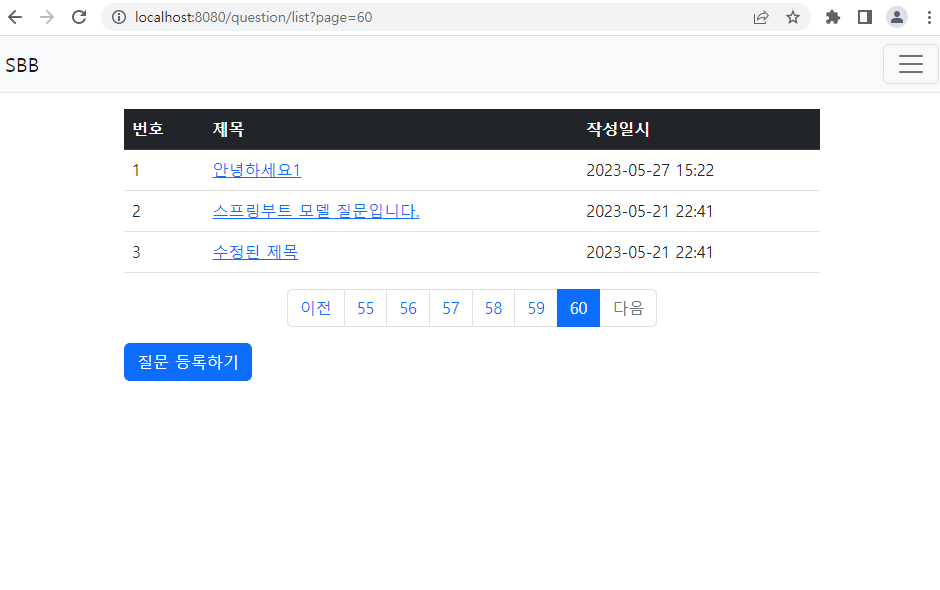
👉 페이지 리스트가 현재 페이지 기준으로 좌우 5개씩 보이도로 한다.
루프 내에 표시되는 페이지가 현재 페이지를 의미하는 paging.number 보다 5만큼 작거나 큰 경우에만 표시되도록 한다.
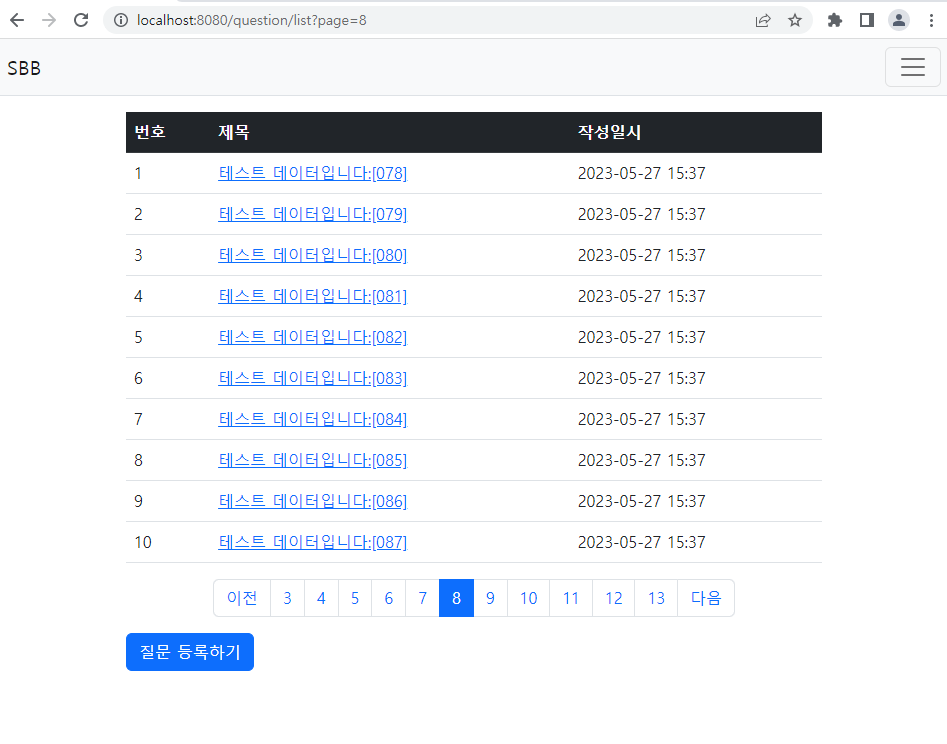
예쁘게 잘 나온다!
작성일시 역순으로 조회하기
//QuestionService.java
 public Page<Question> getList(int page){
       ✅ List<Sort.Order> sorts=new ArrayList<>();
       ✅ sorts.add(Sort.Order.desc("createDate"));
        Pageable pageable = PageRequest.of(page, 10, ✅ Sort.by(sorts));
        return this.questionRepository.findAll(pageable);
    }
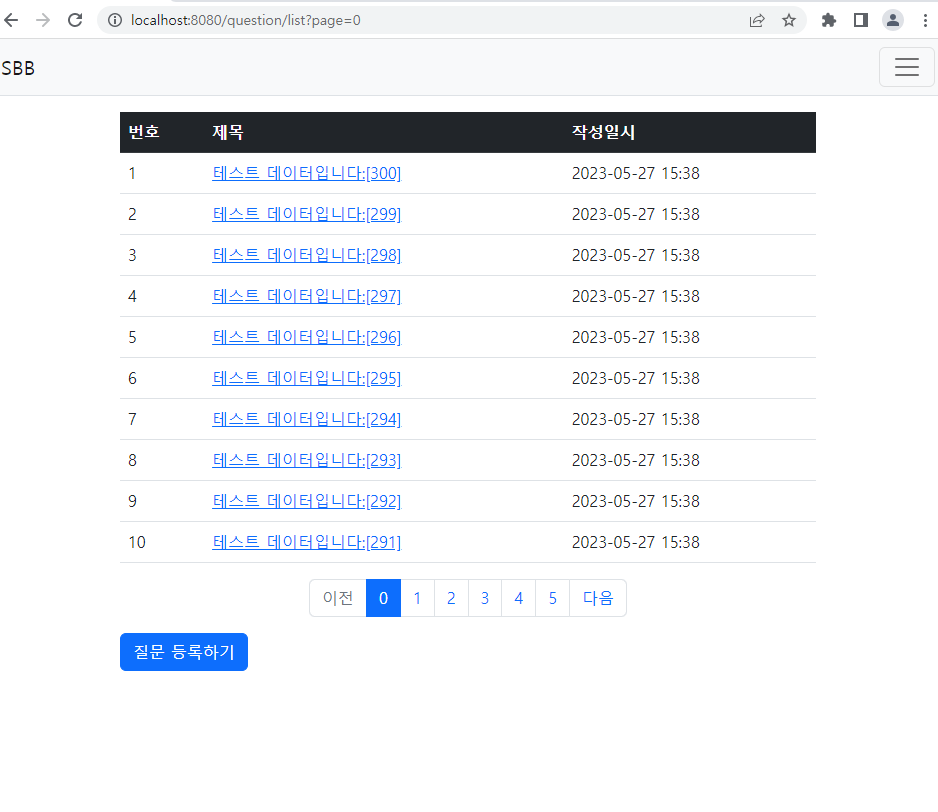
가장 최근에 올린 순서로 나오는 것을 확인할 수 있다.
PageRequest.of 메서드의 세번째 파라미터로 Sort 객체를 전달해야 한다.
Sort.Order 객체로 구성된 리스트에 Sort.Order 객체를 추가,
Sort.by(소트리스트)로 소트 객체를 생성할 수 있다.
작성일시(createDate)를 역순(Desc)으로 조회하려면 Sort.Order.desc("createDate")으로 작성한다.
작성일시 외 추가로 정렬조건이 필요할 경우, sorts리스트에 추가하면 된다.
이뻐서 다시 한 번 더 ㅎ