git
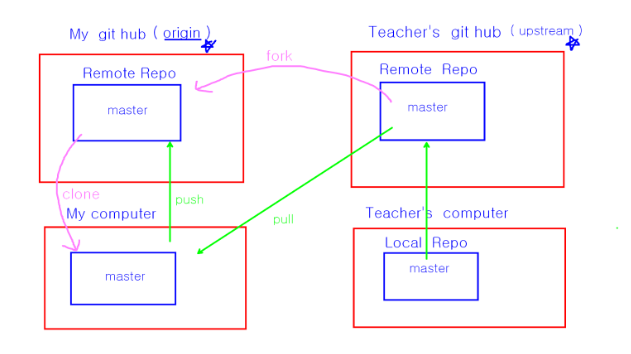
포크
-
fork
-
자신의 저장소에 clone 하기
git clone 나의 fork 저장소 주소 -
fork(강사님)의 저장소를 upstream 이라는 이름으로 clone 된 local 저장소에서 등록하기
git remote add upstream fork 본주소
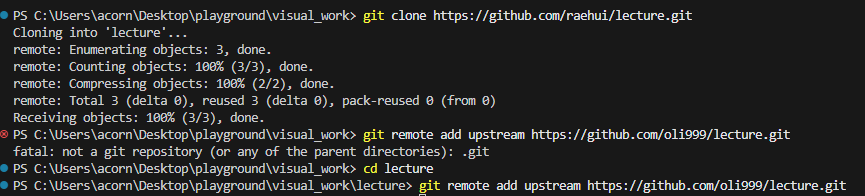
clone 저장소에서 remote 해야 함
-
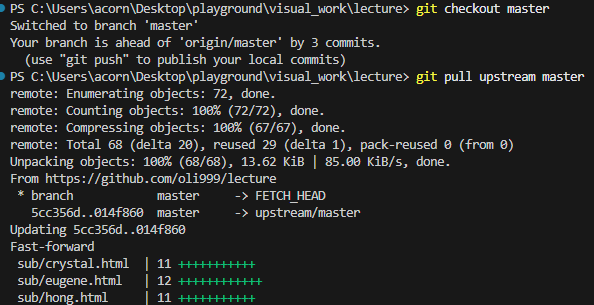
upstream master 에서 commit 내려 받기
- upstream 에서 master 브랜치 내려받기

- git 저장소 목록을 보고싶으면?

- git upstream 삭제하기

- git 이름 변경하기

-
feature/본인이름 브랜치를 만든다
git branch feature/raehui -
새로 만든 브랜치로 checkout 한다.
git checkout feature/raehui -
add, commit
git add .
git commit -m "commit 메세지" -
origin 에 해당 브랜치를 push 한다.
git push origin feature/raehui
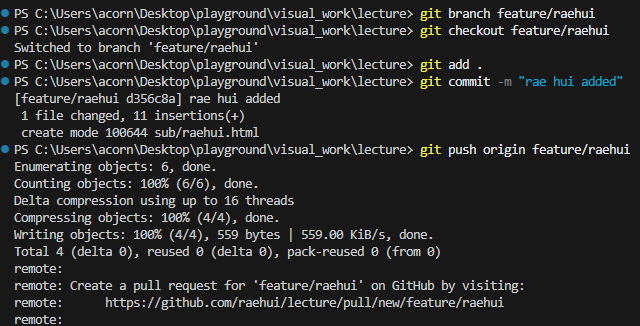
- git hub 에서 pull request 요청하기

- commit을 가리키는 포인트만을 삭제함(가지가 삭제되는 게 아님)
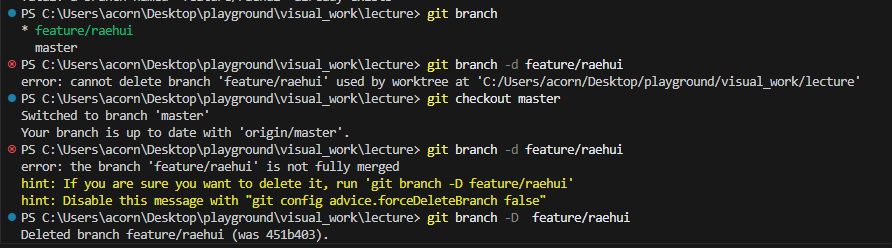
commit도 아니고 가지가 삭제되는 것이 아닌 feature/raehui를 가리키는 포인트만을 삭제함
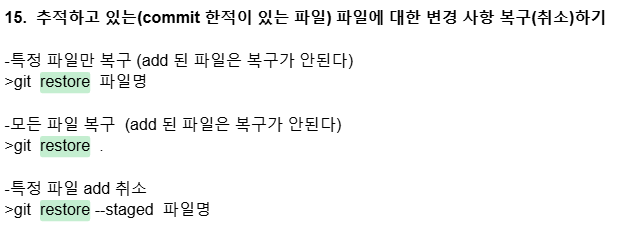
- git restore
-
merge 된 이후에 master 로 checkout하고
-
git hub에서 merge 된 브랜치 삭제(git hub에서 직접 삭제)
git push origin --delete 삭제할 브렌치명
- local 에서도 merge된 브랜치 삭제
git branch -d 삭제할 브렌치명
]
웹프로그래밍
주소창을 항상 관찰하기
주는 시간에는 최대한 많이 작성하기
TomCat
경로
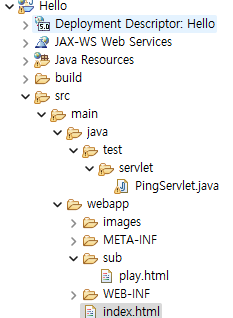
http://localhost:8888/Hello/ = webapp
=> webapp으로 잡힌다.

http://localhost:8888/Hello/index.html
http://localhost:8888/Hello/sub/study.html
==> 이런 요청의 문답은 문자열- /프로젝트명 : context path
- 마지막 / : 최상위 경로
<상대경로 연습>
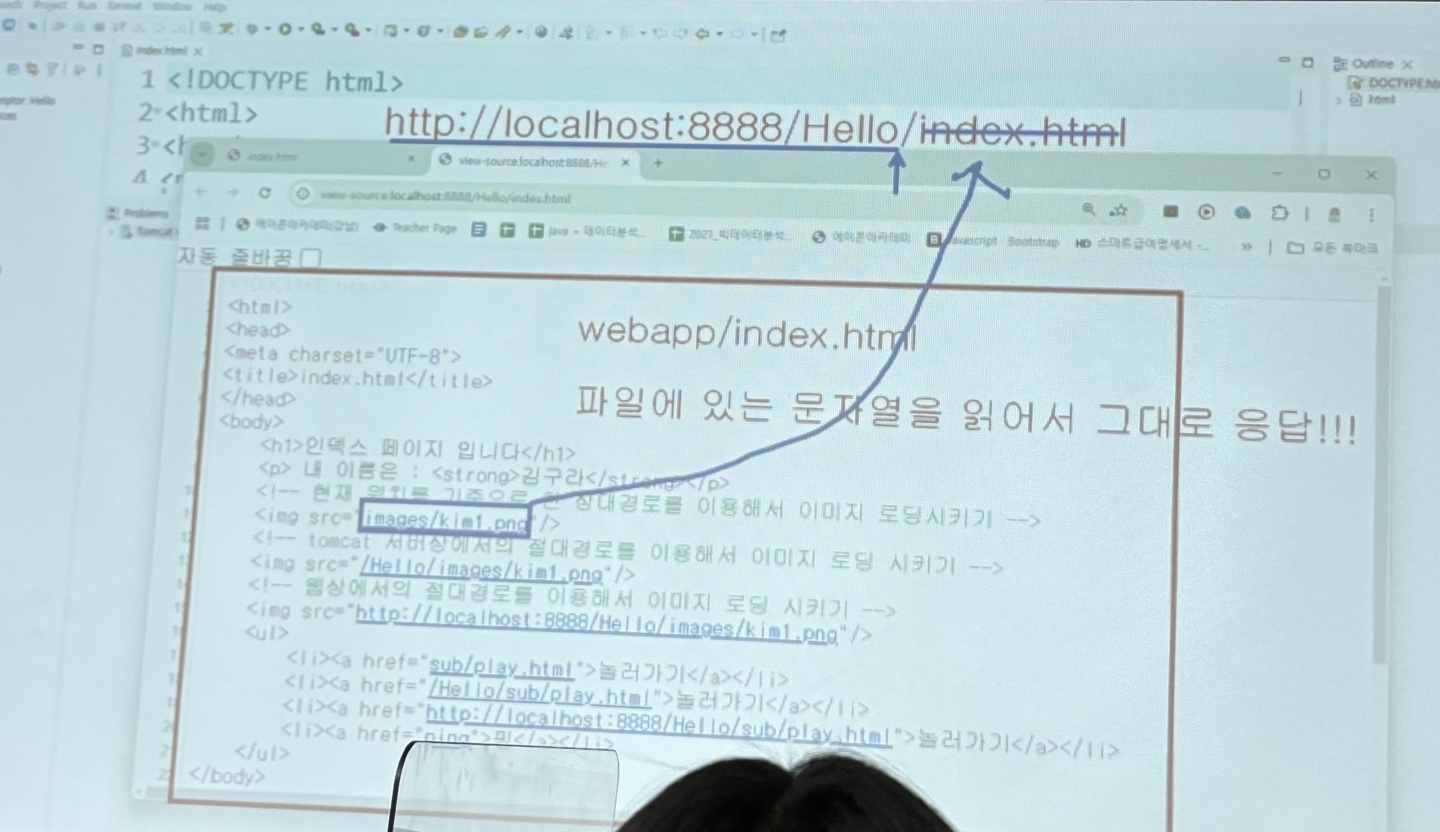
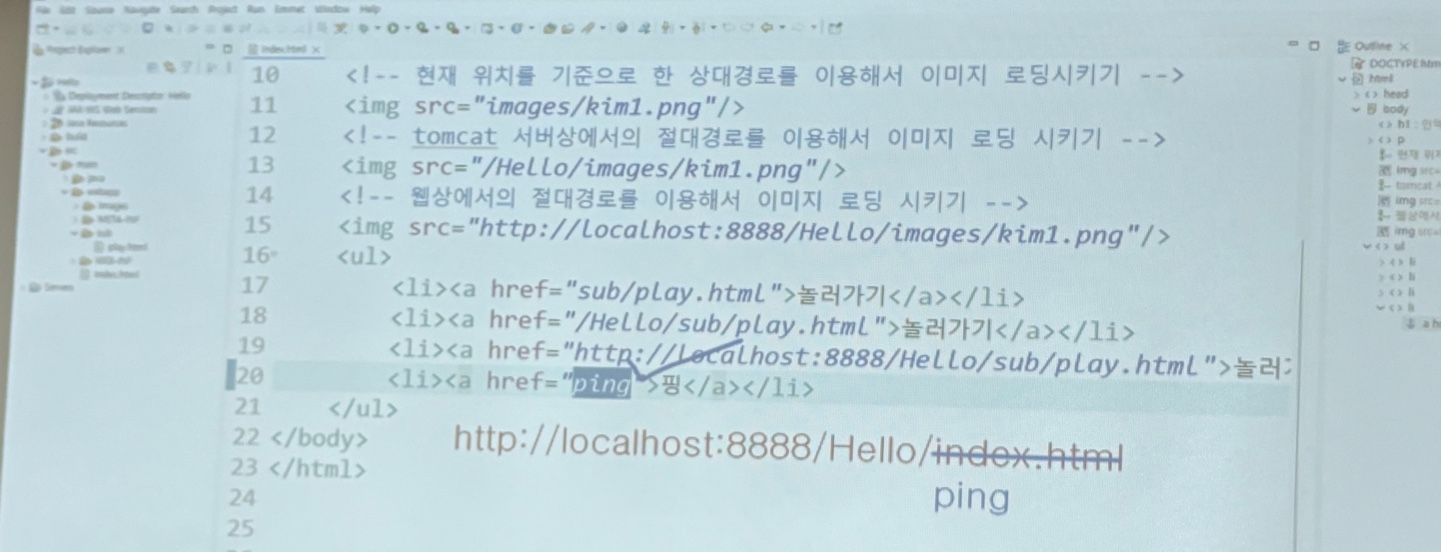
http://localhost:8888/Hello/ = webapp
현재 파일의 위치를 먼저 생각하기
서버 사용하기
http://localhost:8888/Step01Servlet/index.html
-
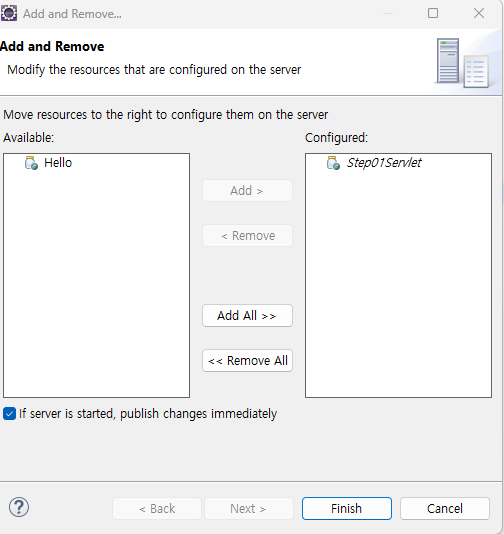
사용하기 전에 추가하기
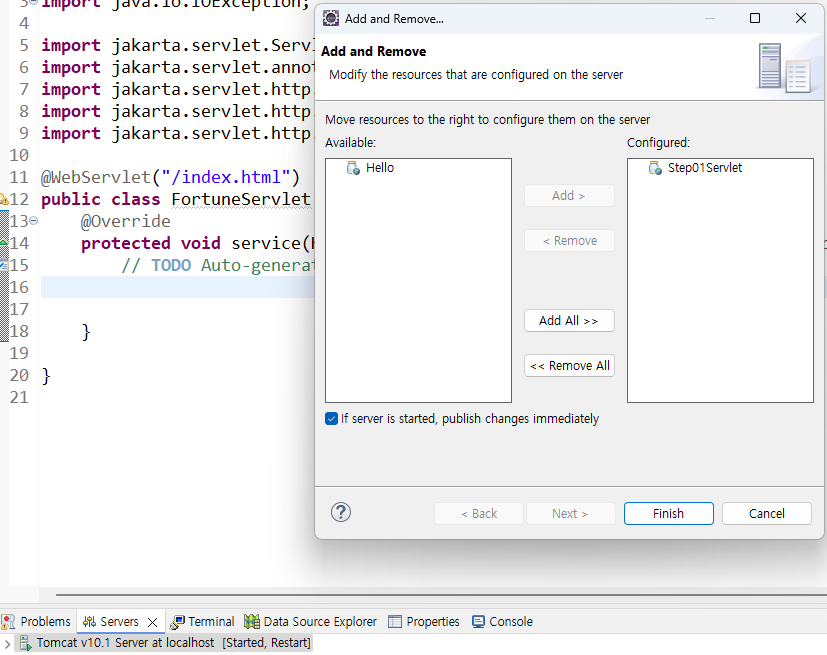
-
이클립스의 런 버튼 : 자동으로 서버 작동 + add + 경로 작성 + 크롬 접속
-
프로젝트 생성 프로세스
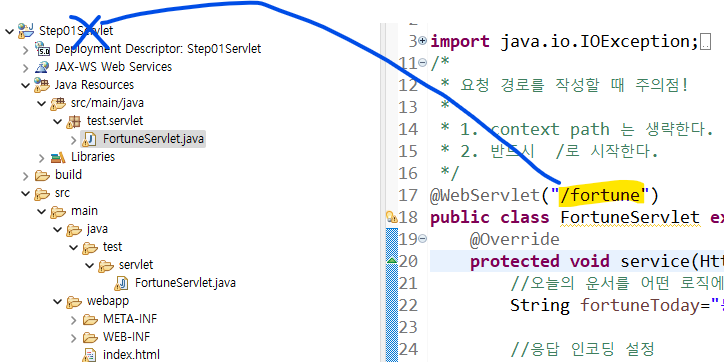
servlet
- 객체로 응답하기 위한 것
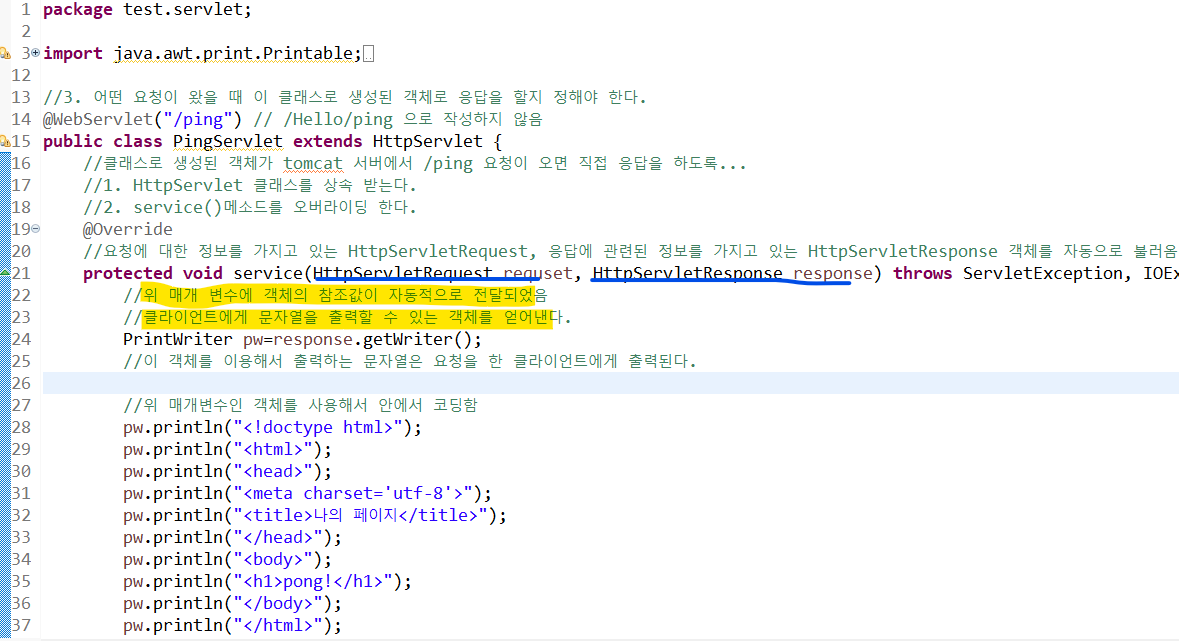
- 우리가 만든 클래스로 생성된 객체가 응답
- 일부 부품의 설계도만을 만들면 알아서 부품도 자동으로 만들어지고 자동차도 만들어져서 기능을 사용할 수 잇음
- servlet 만드는 위치는 Java Resources 에서 src/main/java에서 패키지 만든 이후에 클래스 생성하기
servlet 작성 방법
- 매개변수에 응답에 관련된 객체가 들어갔단 사실!
<servlet에서 요청 경로 작성 시 주의점>
1. context path 는 생략한다.
2. 반드시 /로 시작한다.
servlet 에서 활용하기
- for문 이용
- dto 이용
- table 생성
- form 형식
-
get vs post
: 요청의 헤더에 달고 가는냐? 요청의 바디에 달고 가는냐?
요청명은 모두 같음 -
jsp 페이지로 이동하기 : jsp,
- jsp 페이지란?
자동으로 Servlet 클래스로 변환되어서 사용된다.
요소가 연속적으로 연결되지 않아도 사용 가능함
<질문>
경로 부분 다시 확인하기
table 요소