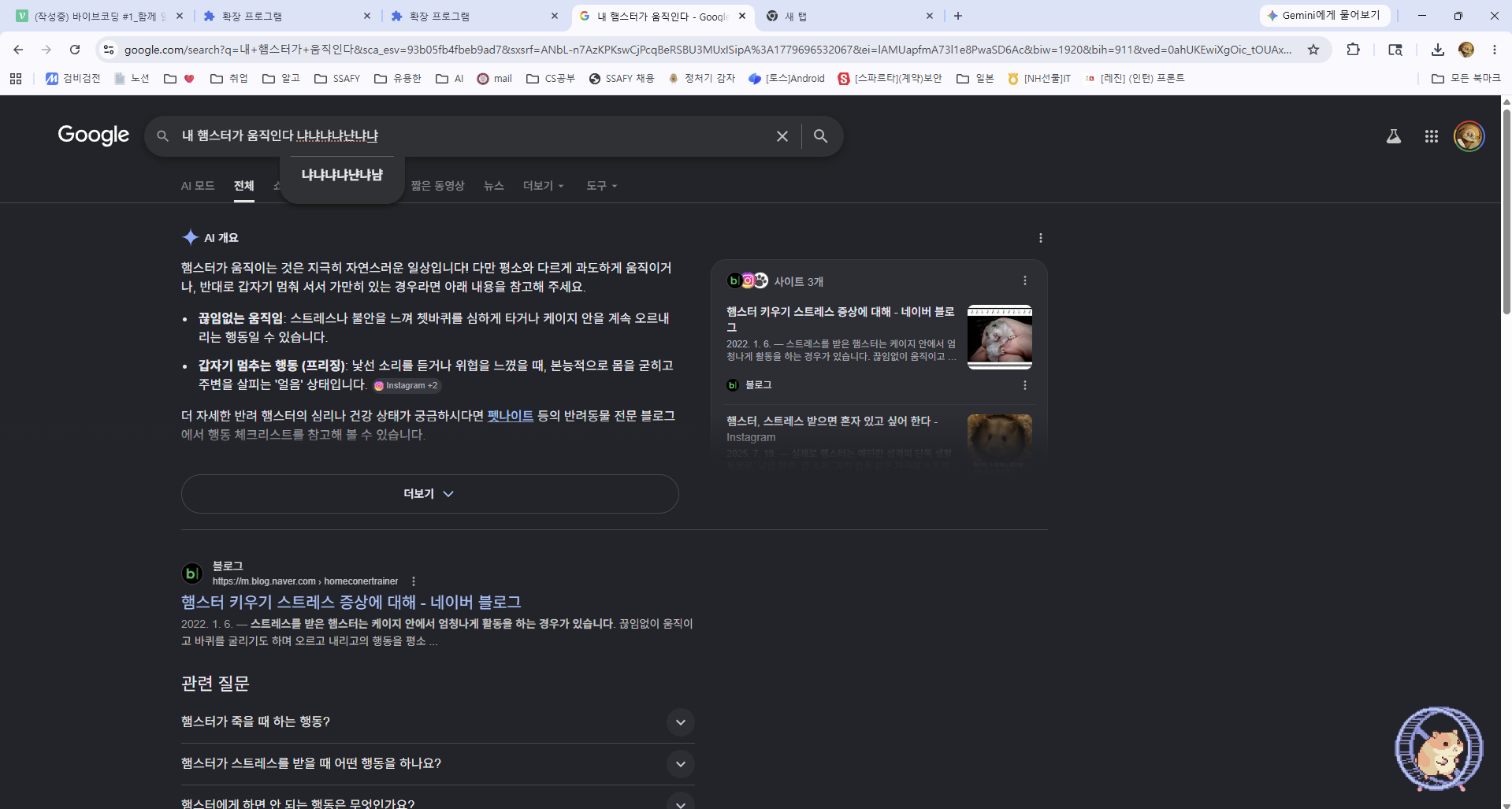
요새 재밌는 릴스를 봤다. 매일 하나씩 재미있는 프로그램을 만드는 개발자의 내용인데, 거북목이 되면 화면에 거북이가 나오는 프로그램이다. 신기하다! 나도 매주 하나씩 만들어 보고싶다!
일할 때 혼자 일하면 동기부여가 줄어들어 능률이 떨어지게 된다. 나와 함께 열심히 일하는 귀여운 동료를 컴퓨터에 심어보고 싶어졌다.
목적) 함께 일하는 컴퓨터 동료
핵심 기능)
- 타자를 치면 햄스터가 챗바퀴를 굴린다.
- 타자를 치다가 멈추면 햄스터가 쳇바퀴를 천천히 굴리다가 멈춘다.
- 타자를 치지 않은지 오래되면 햄스터가 바닥에 납작하게 누워있는다.
형태) 백그라운드에서 돌아가며 화면에 오버레이된 형태
실행환경) 윈도우
Python으로 구현 방향:
pynput → 글로벌 키보드 감지 (브라우저 밖에서도 인식)
tkinter → 항상 위에 떠있는 투명 오버레이 창
canvas + 직접 그린 햄스터 → 애니메이션
--
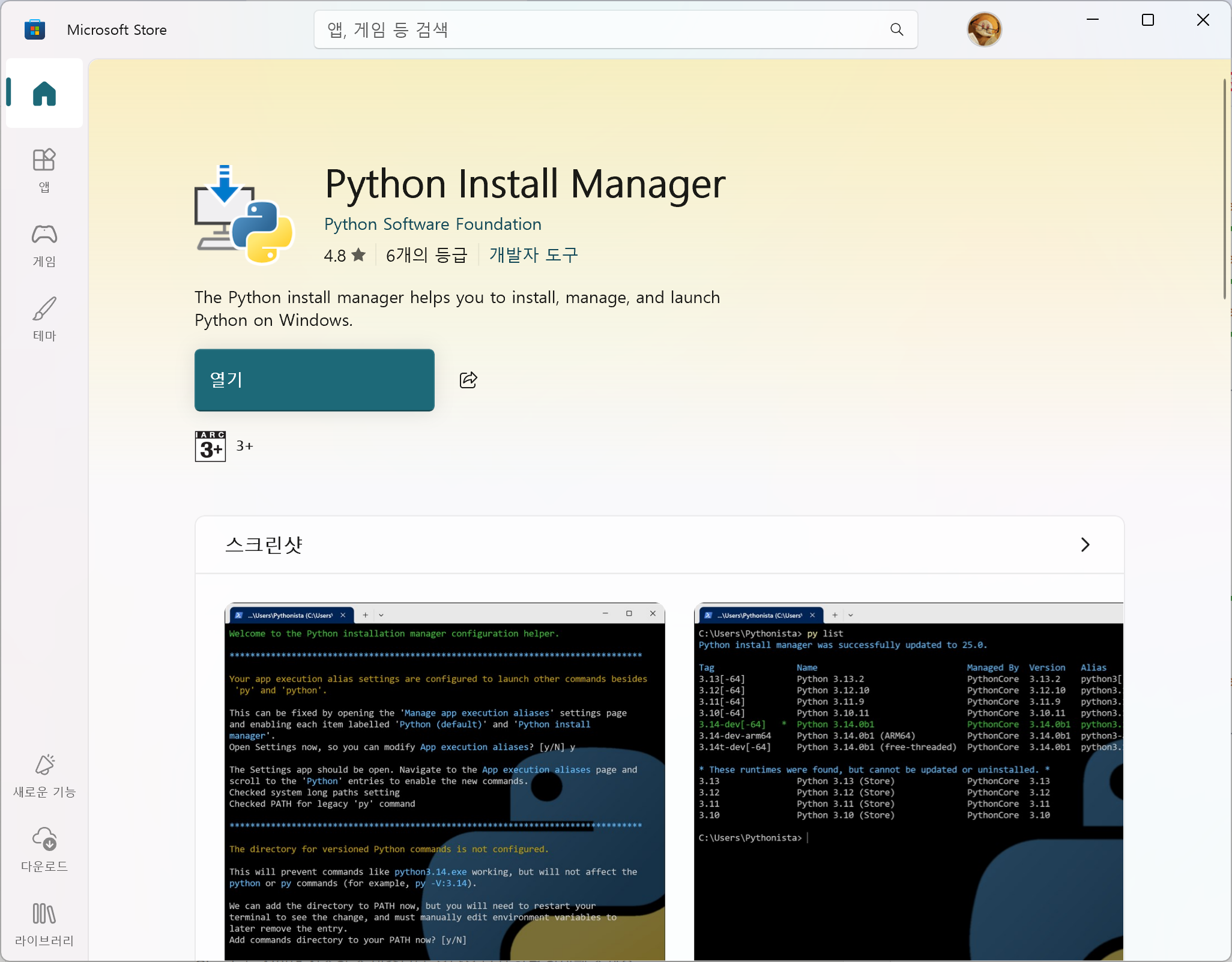
1. Python 설치
2. python 가상 환경
python -m venv 가상환경이름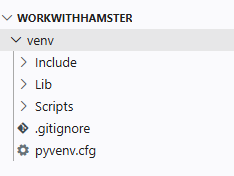
venv라는 폴더가 생기며 가상환경이 만들어졌다.
source 가상환경이름/Scripts/activate
venv라는 가상 환경이 실행되었다. 이제 필요한 것을 설치하자.
3. pynput 설치
pip install pynput4. 코드 작성(Claude)
"""
🐹 햄스터 동료 - 윈도우 오버레이 앱
필요한 패키지: pip install pynput
"""

import tkinter as tk
import math
import time
import threading
from pynput import keyboard

# ── 상태 정의 ──────────────────────────────────────────────
STATE_RUNNING  = "running"   # 타자 치는 중 → 전력질주
STATE_SLOWING  = "slowing"   # 멈춘 직후   → 감속
STATE_IDLE     = "idle"      # 오래 안 침  → 납작

SLOW_DELAY  = 2.0   # 타자 멈춘 후 감속 시작까지 (초)
IDLE_DELAY  = 6.0   # 납작하게 눕기까지 (초)

# ── 메인 앱 ────────────────────────────────────────────────
class HamsterApp:
    def __init__(self):
        self.root = tk.Tk()
        self.root.title("🐹 햄스터 동료")

        # 오버레이 설정
        self.root.overrideredirect(True)          # 타이틀바 제거
        self.root.attributes("-topmost", True)    # 항상 위
        self.root.attributes("-transparentcolor", "#010101")  # 배경 투명
        self.root.configure(bg="#010101")
        self.root.resizable(False, False)

        # 위치: 오른쪽 하단
        w, h = 260, 200
        sw = self.root.winfo_screenwidth()
        sh = self.root.winfo_screenheight()
        self.root.geometry(f"{w}x{h}+{sw - w - 10}+{sh - h - 60}")

        # 캔버스
        self.canvas = tk.Canvas(
            self.root, width=w, height=h,
            bg="#010101", highlightthickness=0
        )
        self.canvas.pack()

        # 드래그 이동
        self._drag_x = 0
        self._drag_y = 0
        self.canvas.bind("<Button-1>",   self._drag_start)
        self.canvas.bind("<B1-Motion>",  self._drag_move)
        # 우클릭 메뉴
        self.canvas.bind("<Button-3>",   self._show_menu)

        # 우클릭 메뉴
        self.menu = tk.Menu(self.root, tearoff=0)
        self.menu.add_command(label="종료", command=self.root.destroy)

        # 상태 변수
        self.state       = STATE_IDLE
        self.wheel_angle = 0.0
        self.speed       = 0.0          # 현재 휠 속도 (도/프레임)
        self.last_key_t  = 0.0         # 마지막 키 입력 시각
        self.running     = True

        # 글로벌 키보드 리스너
        self.listener = keyboard.Listener(on_press=self._on_key)
        self.listener.daemon = True
        self.listener.start()

        # 애니메이션 루프
        self._animate()

    # ── 키보드 콜백 ───────────────────────────────────────
    def _on_key(self, key):
        self.last_key_t = time.time()
        self.state = STATE_RUNNING

    # ── 상태 업데이트 ─────────────────────────────────────
    def _update_state(self):
        now    = time.time()
        delta  = now - self.last_key_t

        if delta < SLOW_DELAY:
            self.state = STATE_RUNNING
        elif delta < IDLE_DELAY:
            self.state = STATE_SLOWING
        else:
            self.state = STATE_IDLE

    # ── 속도 업데이트 ─────────────────────────────────────
    def _update_speed(self):
        target = {STATE_RUNNING: 14.0, STATE_SLOWING: 0.0, STATE_IDLE: 0.0}[self.state]
        accel  = 3.5 if self.state == STATE_RUNNING else 1.5
        if self.speed < target:
            self.speed = min(self.speed + accel, target)
        else:
            self.speed = max(self.speed - accel, target)
        self.wheel_angle = (self.wheel_angle + self.speed) % 360

    # ── 메인 애니메이션 루프 ──────────────────────────────
    def _animate(self):
        if not self.running:
            return
        self._update_state()
        self._update_speed()
        self._draw()
        self.root.after(40, self._animate)   # ~25 fps

    # ══════════════════════════════════════════════════════
    #  그리기
    # ══════════════════════════════════════════════════════
    def _draw(self):
        c = self.canvas
        c.delete("all")

        flat = (self.state == STATE_IDLE)

        if flat:
            self._draw_flat_hamster(c)
        else:
            self._draw_wheel(c, cx=130, cy=105, r=62)
            self._draw_running_hamster(c, cx=130, cy=105)

        # 작은 상태 표시 (디버그용 – 원하면 주석처리)
        # label = {"running":"🏃","slowing":"🚶","idle":"😴"}[self.state]
        # c.create_text(20, 15, text=label, font=("Segoe UI Emoji",14), fill="white", anchor="nw")

    # ── 쳇바퀴 ────────────────────────────────────────────
    def _draw_wheel(self, c, cx, cy, r):
        # 바깥 테두리
        c.create_oval(cx-r, cy-r, cx+r, cy+r,
                      outline="#c8a96e", width=5, fill="#7a5230")
        # 안쪽 링
        ir = r * 0.78
        c.create_oval(cx-ir, cy-ir, cx+ir, cy+ir,
                      outline="#c8a96e", width=2, fill="#5a3a18")
        # 살 (8개)
        for i in range(8):
            a = math.radians(self.wheel_angle + i * 45)
            x1 = cx + ir * 0.15 * math.cos(a)
            y1 = cy + ir * 0.15 * math.sin(a)
            x2 = cx + ir * 0.95 * math.cos(a)
            y2 = cy + ir * 0.95 * math.sin(a)
            c.create_line(x1, y1, x2, y2, fill="#c8a96e", width=2)
        # 중심 허브
        c.create_oval(cx-7, cy-7, cx+7, cy+7,
                      fill="#c8a96e", outline="#7a5230", width=2)
        # 지지대 (왼쪽/오른쪽)
        c.create_rectangle(cx-r-8, cy+r-4, cx-r+2, cy+r+18,
                            fill="#8b6340", outline="")
        c.create_rectangle(cx+r-2, cy+r-4, cx+r+8, cy+r+18,
                            fill="#8b6340", outline="")
        # 바닥판
        c.create_rectangle(cx-r-10, cy+r+14, cx+r+10, cy+r+22,
                            fill="#6b4c28", outline="")

    # ── 달리는 햄스터 ─────────────────────────────────────
    def _draw_running_hamster(self, c, cx, cy):
        # 달리는 속도에 따른 다리 위상
        t = self.wheel_angle
        bob = math.sin(math.radians(t * 2)) * (3 if self.speed > 4 else 1)

        bx, by = cx, cy + 18 + bob   # 몸통 중심

        # 꼬리
        c.create_arc(bx+14, by-8, bx+36, by+14,
                     start=160, extent=160,
                     outline="#e8c080", width=3, style="arc")

        # 몸통
        c.create_oval(bx-22, by-14, bx+22, by+16,
                      fill="#f0c878", outline="#c8a050", width=2)

        # 배 (밝은 부분)
        c.create_oval(bx-12, by-4, bx+12, by+14,
                      fill="#fde8b0", outline="")

        # 귀
        c.create_oval(bx-18, by-24, bx-6,  by-12,
                      fill="#f0c878", outline="#c8a050", width=1)
        c.create_oval(bx-16, by-22, bx-8,  by-14,
                      fill="#f0a0a0", outline="")
        c.create_oval(bx+2,  by-24, bx+14, by-12,
                      fill="#f0c878", outline="#c8a050", width=1)
        c.create_oval(bx+4,  by-22, bx+12, by-14,
                      fill="#f0a0a0", outline="")

        # 머리
        c.create_oval(bx-18, by-20, bx+16, by+4,
                      fill="#f0c878", outline="#c8a050", width=2)

        # 볼 주머니
        c.create_oval(bx-16, by-6, bx-4, by+4,
                      fill="#fde8b0", outline="")
        c.create_oval(bx+4,  by-6, bx+14, by+4,
                      fill="#fde8b0", outline="")

        # 눈
        c.create_oval(bx-10, by-14, bx-4, by-8,
                      fill="black", outline="")
        c.create_oval(bx+2,  by-14, bx+8,  by-8,
                      fill="black", outline="")
        # 눈 하이라이트
        c.create_oval(bx-9, by-13, bx-7, by-11,
                      fill="white", outline="")
        c.create_oval(bx+3, by-13, bx+5,  by-11,
                      fill="white", outline="")

        # 코
        c.create_oval(bx-2, by-8, bx+4, by-4,
                      fill="#e08080", outline="")

        # 앞다리
        leg1 = math.sin(math.radians(t))      * 8
        leg2 = math.sin(math.radians(t + 180)) * 8
        c.create_line(bx-14, by+12, bx-18, by+20+leg1,
                      fill="#c8a050", width=3, capstyle="round")
        c.create_line(bx-6,  by+14, bx-8,  by+22+leg2,
                      fill="#c8a050", width=3, capstyle="round")
        # 뒷다리
        c.create_line(bx+6,  by+14, bx+10, by+22+leg2,
                      fill="#c8a050", width=3, capstyle="round")
        c.create_line(bx+14, by+12, bx+18, by+20+leg1,
                      fill="#c8a050", width=3, capstyle="round")

    # ── 납작 햄스터 ───────────────────────────────────────
    def _draw_flat_hamster(self, c):
        cx, cy = 130, 148

        # 납작한 몸통
        c.create_oval(cx-55, cy-14, cx+55, cy+14,
                      fill="#f0c878", outline="#c8a050", width=2)

        # 납작한 배
        c.create_oval(cx-30, cy-6, cx+30, cy+10,
                      fill="#fde8b0", outline="")

        # 납작 귀
        c.create_oval(cx-52, cy-20, cx-30, cy-6,
                      fill="#f0c878", outline="#c8a050", width=1)
        c.create_oval(cx-49, cy-18, cx-33, cy-8,
                      fill="#f0a0a0", outline="")
        c.create_oval(cx+30, cy-20, cx+52, cy-6,
                      fill="#f0c878", outline="#c8a050", width=1)
        c.create_oval(cx+33, cy-18, cx+49, cy-8,
                      fill="#f0a0a0", outline="")

        # 볼 주머니 (납작하게)
        c.create_oval(cx-50, cy-8, cx-22, cy+8,
                      fill="#fde8b0", outline="")
        c.create_oval(cx+22, cy-8, cx+50, cy+8,
                      fill="#fde8b0", outline="")

        # 감긴 눈 (ㅡㅡ)
        c.create_line(cx-20, cy-3, cx-8, cy-3,
                      fill="#7a5230", width=2, capstyle="round")
        c.create_line(cx+8,  cy-3, cx+20, cy-3,
                      fill="#7a5230", width=2, capstyle="round")

        # 코
        c.create_oval(cx-3, cy-1, cx+3, cy+4,
                      fill="#e08080", outline="")

        # 납작 다리 (옆으로 퍼짐)
        c.create_line(cx-40, cy+10, cx-52, cy+22,
                      fill="#c8a050", width=4, capstyle="round")
        c.create_line(cx-20, cy+12, cx-24, cy+26,
                      fill="#c8a050", width=4, capstyle="round")
        c.create_line(cx+20, cy+12, cx+24, cy+26,
                      fill="#c8a050", width=4, capstyle="round")
        c.create_line(cx+40, cy+10, cx+52, cy+22,
                      fill="#c8a050", width=4, capstyle="round")

        # 꼬리
        c.create_arc(cx+45, cy-10, cx+75, cy+18,
                     start=200, extent=140,
                     outline="#e8c080", width=3, style="arc")

        # 💤 ZZZ
        zx, zy = cx + 30, cy - 30
        c.create_text(zx,    zy,    text="z",  fill="#aad4ff",
                      font=("Segoe UI", 10, "bold"))
        c.create_text(zx+10, zy-10, text="z",  fill="#aad4ff",
                      font=("Segoe UI", 13, "bold"))
        c.create_text(zx+22, zy-22, text="Z",  fill="#aad4ff",
                      font=("Segoe UI", 16, "bold"))

    # ── 드래그 ────────────────────────────────────────────
    def _drag_start(self, e):
        self._drag_x = e.x
        self._drag_y = e.y

    def _drag_move(self, e):
        x = self.root.winfo_x() + e.x - self._drag_x
        y = self.root.winfo_y() + e.y - self._drag_y
        self.root.geometry(f"+{x}+{y}")

    def _show_menu(self, e):
        self.menu.tk_popup(e.x_root, e.y_root)

    # ── 실행 ──────────────────────────────────────────────
    def run(self):
        self.root.mainloop()
        self.running = False


if __name__ == "__main__":
    app = HamsterApp()
    app.run()
5. 실행
python 파일이름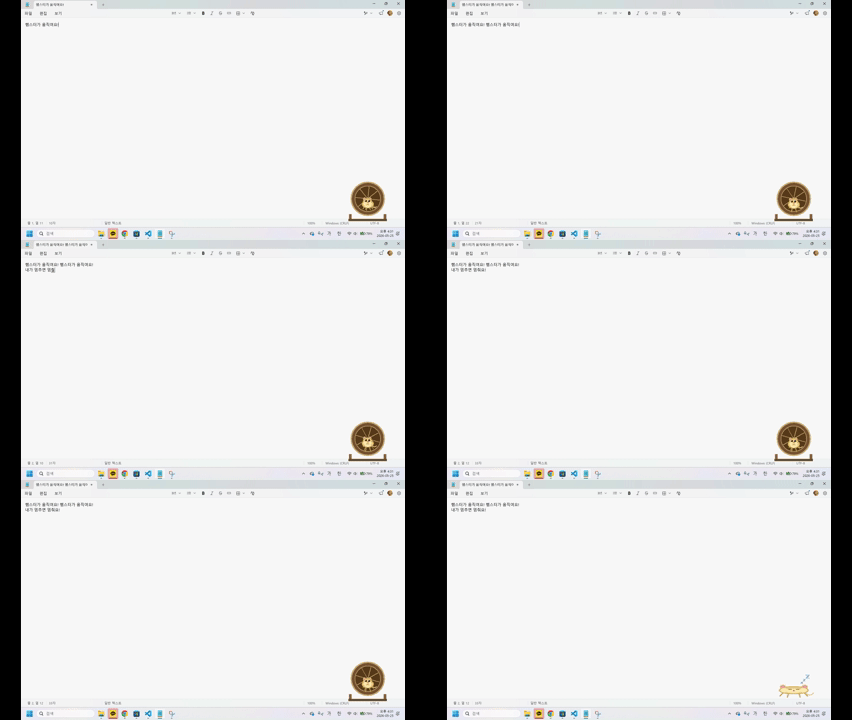
원하는 대로 작동하긴 하지만, 조금 더 귀여웠으면 좋겠다..
Gemini로 햄스터 이미지를 굉장히 귀엽게 뽑았다. 그럼 이미지를 활용해서 작동하도록 코드를 변경해보자.
"""
🐹 햄스터 동료 - 스프라이트 이미지 버전
필요한 패키지: pip install pynput pillow
이미지 폴더(images/)를 같은 디렉토리에 두세요.
"""

import tkinter as tk
from PIL import Image, ImageTk
import time
import os
import sys

try:
    from pynput import keyboard
except ImportError:
    print("pynput이 없습니다. pip install pynput 을 실행해주세요.")
    sys.exit(1)

# ── 상태 정의 ──────────────────────────────────────────────
STATE_RUNNING = "running"
STATE_SLOWING = "slowing"
STATE_IDLE    = "idle"

SLOW_DELAY = 2.0   # 타자 멈춘 후 감속까지 (초)
IDLE_DELAY = 6.0   # 납작하게 눕기까지 (초)

# ── 이미지 경로 설정 ───────────────────────────────────────
BASE_DIR = os.path.dirname(os.path.abspath(__file__))
IMG_DIR  = os.path.join(BASE_DIR, "images")

class HamsterApp:
    def __init__(self):
        self.root = tk.Tk()
        self.root.title("🐹 햄스터 동료")

        # 오버레이 설정
        self.root.overrideredirect(True)
        self.root.attributes("-topmost", True)
        self.root.attributes("-transparentcolor", "#010101")
        self.root.configure(bg="#010101")
        self.root.resizable(False, False)

        # 창 크기 & 위치 (오른쪽 하단)
        W, H = 140, 140
        sw = self.root.winfo_screenwidth()
        sh = self.root.winfo_screenheight()
        self.root.geometry(f"{W}x{H}+{sw - W - 10}+{sh - H - 60}")

        # 캔버스
        self.canvas = tk.Canvas(
            self.root, width=W, height=H,
            bg="#010101", highlightthickness=0
        )
        self.canvas.pack()

        # 드래그
        self._drag_x = 0
        self._drag_y = 0
        self.canvas.bind("<Button-1>",  self._drag_start)
        self.canvas.bind("<B1-Motion>", self._drag_move)
        self.canvas.bind("<Button-3>",  self._show_menu)

        # 우클릭 메뉴
        self.menu = tk.Menu(self.root, tearoff=0)
        self.menu.add_command(label="종료", command=self._quit)

        # 이미지 로드
        self._load_images()

        # 상태
        self.state       = STATE_IDLE
        self.frame_idx   = 0
        self.last_key_t  = 0.0
        self.running     = True

        # 키보드 리스너
        self.listener = keyboard.Listener(on_press=self._on_key)
        self.listener.daemon = True
        self.listener.start()

        self._animate()

    # ── 이미지 로드 ───────────────────────────────────────
    def _load_images(self):
        def load(name, size=(120, 120)):
            path = os.path.join(IMG_DIR, name)
            if not os.path.exists(path):
                print(f"⚠️  이미지 없음: {path}")
                return None
            img = Image.open(path).convert("RGBA").resize(size, Image.LANCZOS)
            return ImageTk.PhotoImage(img)

        self.frames = {
            STATE_RUNNING: [
                load("run1.png"), load("run2.png"),
                load("run3.png"), load("run4.png"),
            ],
            STATE_SLOWING: [load("slow.png")],
            STATE_IDLE:    [load("flat.png")],
        }

    # ── 키보드 콜백 ───────────────────────────────────────
    def _on_key(self, key):
        self.last_key_t = time.time()
        if self.state != STATE_RUNNING:
            self.state = STATE_RUNNING
            self.frame_idx = 0

    # ── 상태 업데이트 ─────────────────────────────────────
    def _update_state(self):
        delta = time.time() - self.last_key_t
        if delta < SLOW_DELAY:
            new = STATE_RUNNING
        elif delta < IDLE_DELAY:
            new = STATE_SLOWING
        else:
            new = STATE_IDLE

        if new != self.state:
            self.state = new
            self.frame_idx = 0

    # ── 프레임 속도 (상태별) ──────────────────────────────
    def _frame_interval(self):
        return {
            STATE_RUNNING: 120,   # ms, 빠르게
            STATE_SLOWING: 300,   # ms, 느리게
            STATE_IDLE:    1000,  # ms, 거의 안 바뀜
        }[self.state]

    # ── 애니메이션 루프 ───────────────────────────────────
    def _animate(self):
        if not self.running:
            return
        self._update_state()

        frames = self.frames[self.state]
        frames = [f for f in frames if f is not None]

        if frames:
            self.frame_idx = self.frame_idx % len(frames)
            self.canvas.delete("all")
            self.canvas.create_image(10, 10, anchor="nw",
                                     image=frames[self.frame_idx])
            self.frame_idx = (self.frame_idx + 1) % len(frames)

        self.root.after(self._frame_interval(), self._animate)

    # ── 드래그 ────────────────────────────────────────────
    def _drag_start(self, e):
        self._drag_x = e.x
        self._drag_y = e.y

    def _drag_move(self, e):
        x = self.root.winfo_x() + e.x - self._drag_x
        y = self.root.winfo_y() + e.y - self._drag_y
        self.root.geometry(f"+{x}+{y}")

    def _show_menu(self, e):
        self.menu.tk_popup(e.x_root, e.y_root)

    def _quit(self):
        self.running = False
        self.root.destroy()

    def run(self):
        self.root.mainloop()

if __name__ == "__main__":
    app = HamsterApp()
    app.run()
달리는 이미지를 루프를 돌면서 애니메이션처럼 보여주는 방식이다.
결과
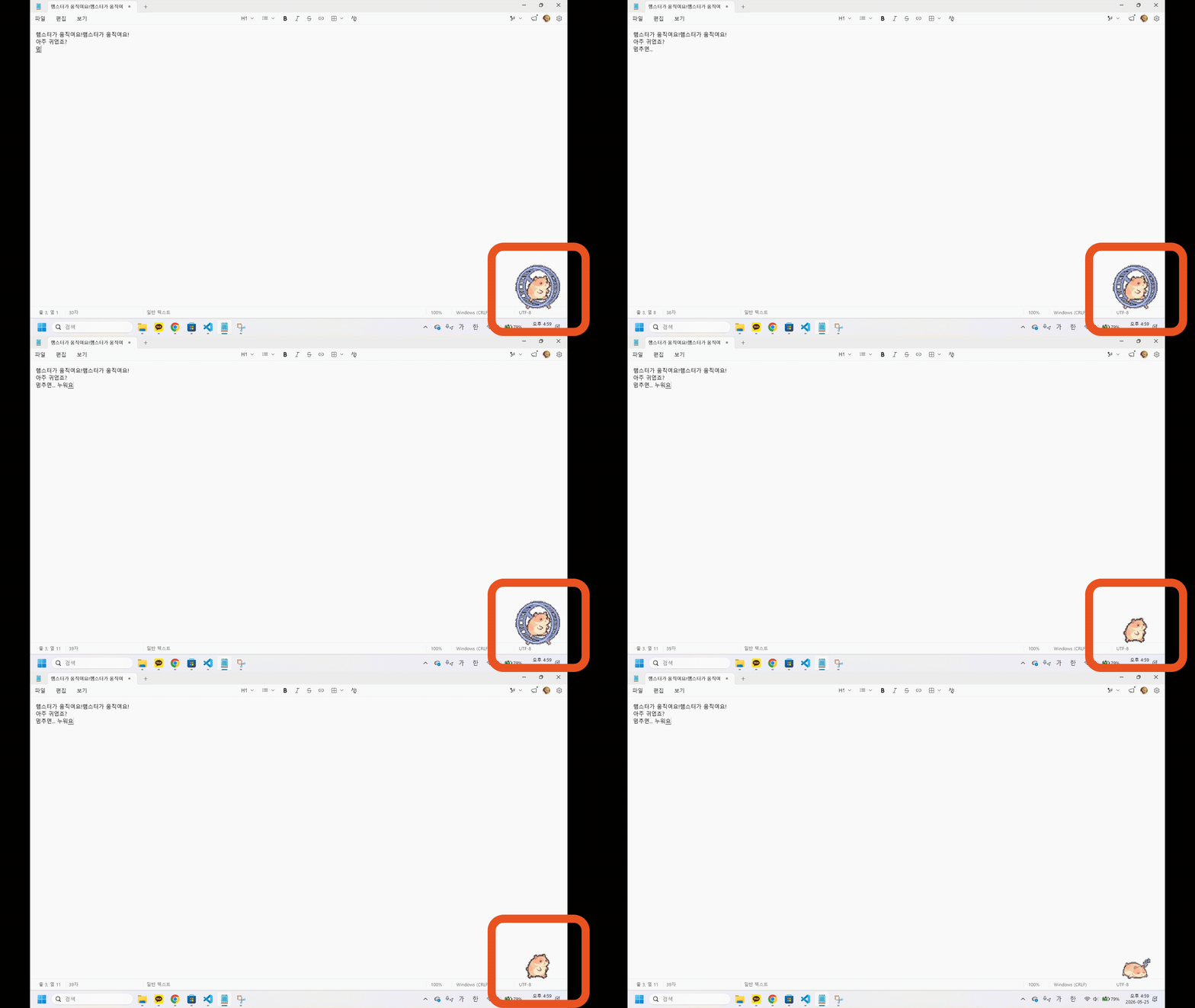
아주 귀여운 햄스터가 내 컴퓨터에 생겼다! 하지만, 매번 가상환경 켜서 실행하기 귀찮을 거 같다. 크롬 익스텐션으로 만들어볼까? 클로드야 도와줘~~
js로 만든 내용을 폴더로 묶어서 chrome://extensions/ 에서 개발자 모드 켜고 불러오니 잘 나온다.