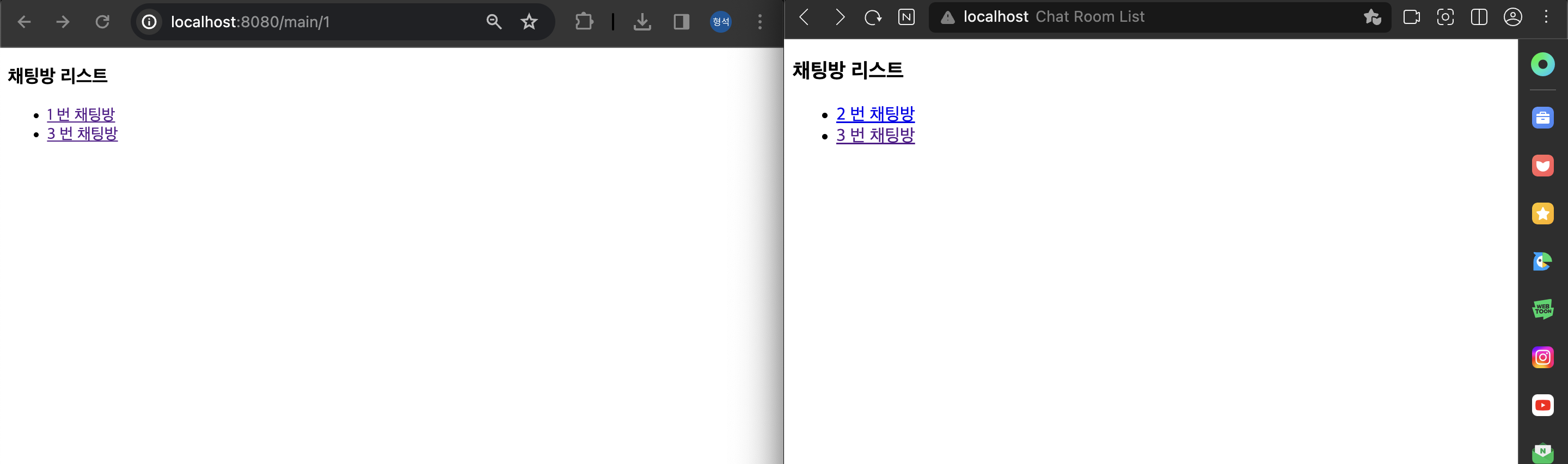
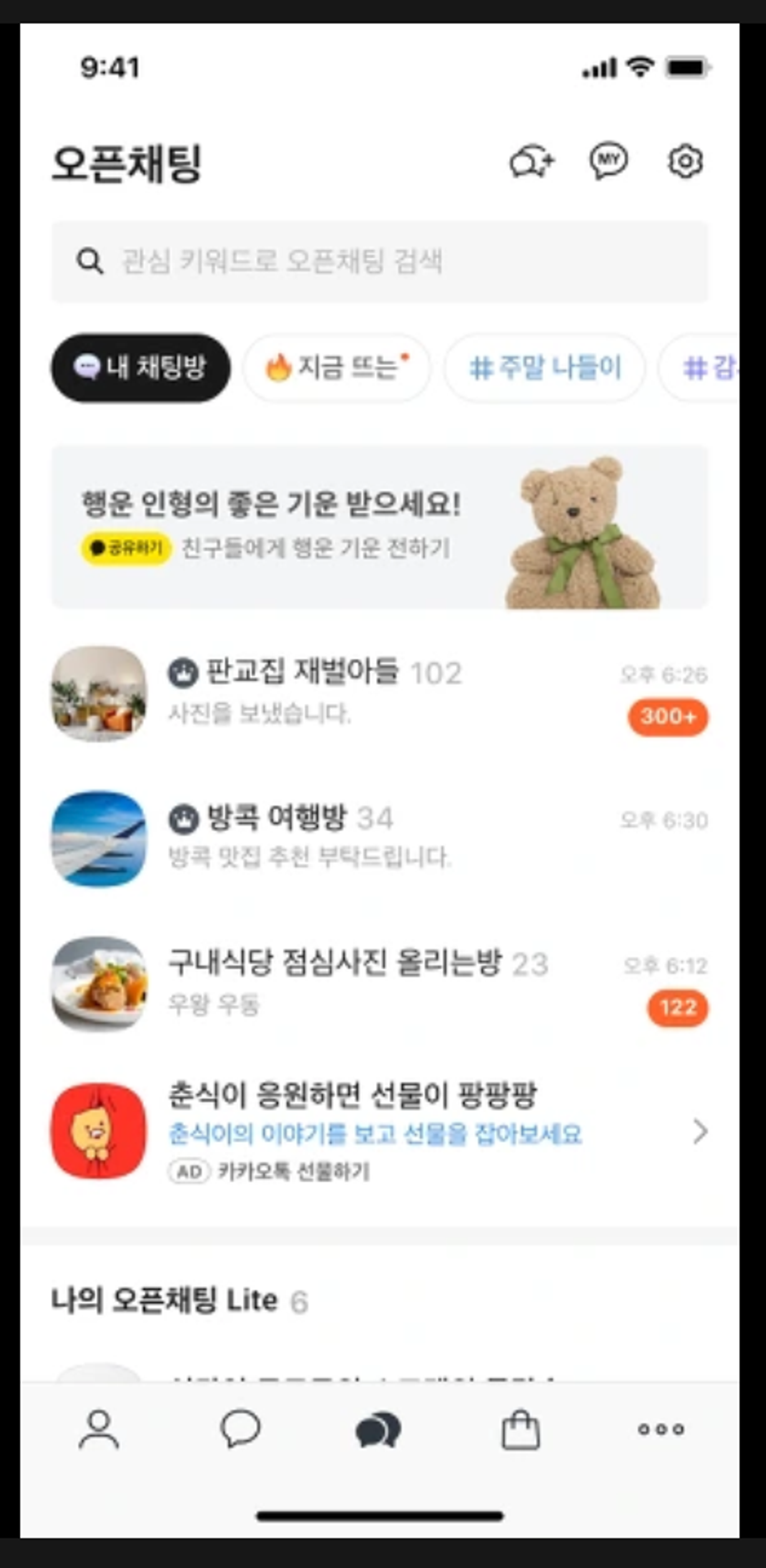
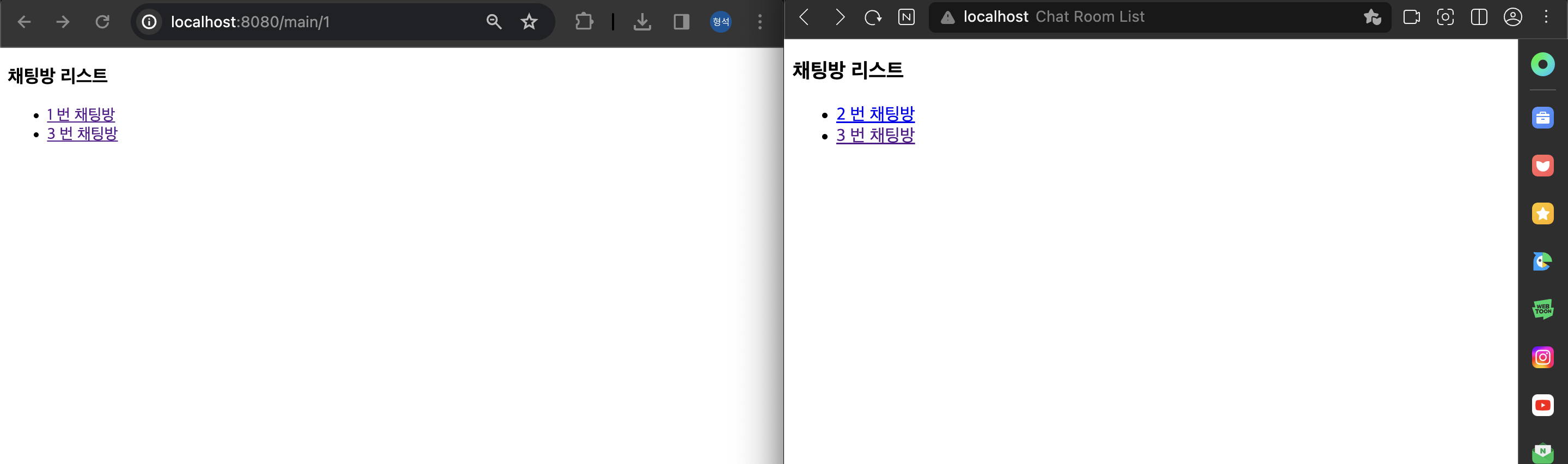
- 우리가 카톡 채팅방 목록을 보면 아래의 이미지처럼 여러개의 채팅방이 존재함
- 그럼 저 방들은 당연히 서로 다른 주제로 연결되어 있는 채팅방이겠지??
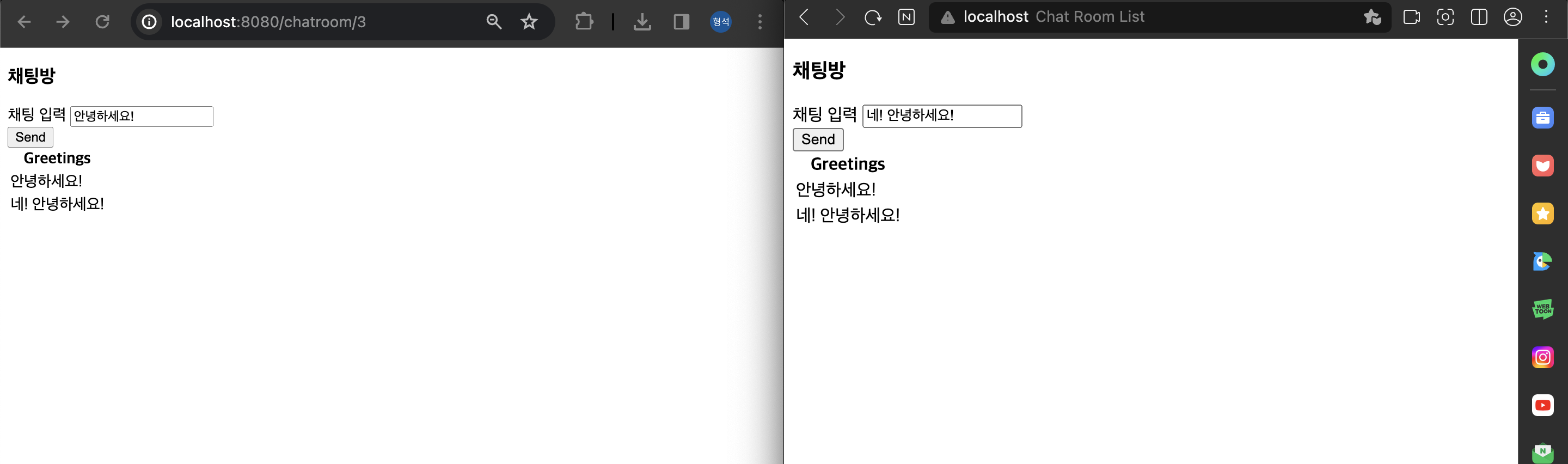
이번엔 저렇게 한 서비스에서 여러개의 웹 소켓을 구독해 (여러 개의 채팅방) 사용해보자
Spring Boot, JSP, STOMP 를 사용한 채팅방 구현
WebSocketConfig
@Configuration
@RequiredArgsConstructor
@EnableWebSocketMessageBroker
public class WebSocketConfig implements WebSocketMessageBrokerConfigurer {

    @Override
    public void configureMessageBroker(MessageBrokerRegistry config) {
        config.enableSimpleBroker("/topic");
        config.setApplicationDestinationPrefixes("/app");
    }

    @Override
    public void registerStompEndpoints(StompEndpointRegistry registry) {
        registry.addEndpoint("/gs-guide-websocket");
    }
}configureMessageBroker: 메시지 브로커를 설정enableSimpleBroker(”/topic”): 메시지 발행자가 topic 으로 메시지를 전송하면 topic 을 구독한 유저들에게 메시지들 전송setApplicationDestinationPrefixes(”/app”): 메시지 발행자가 /app 으로 메시지들 전송하면 전처리를 거치고 메시지를 전송
registerStompEndpoints: STOMP 연결을 맺는 경로를 설정
GreetingController
@Controller
@RequiredArgsConstructor
public class GreetingController {

    private final ChatService chatService;

    @MessageMapping("/hello/{chatroomId}")
    @SendTo("/topic/greetings/{chatroomId}")
    public Greeting greeting(@DestinationVariable String chatroomId, HelloMessage message) throws Exception {
        // 전처리를 거쳐도 됨. DB, Redis 저장 등등

        return new Greeting(" " + HtmlUtils.htmlEscape(message.getName()));
    }

    @GetMapping("/main/{memberId}")
    public ModelAndView showMain(@PathVariable Long memberId) {
        ModelAndView mv = new ModelAndView();
        mv.setViewName("/main");
        mv.addObject("chatRooms", chatService.getChatRoomList(memberId));
        return mv;
    }

    @GetMapping("/chatroom/{chatroomId}")
    public ModelAndView getChatRoomList(@PathVariable Long chatroomId) {
        ModelAndView mv = new ModelAndView();
        mv.setViewName("/chatroom");
        mv.addObject("chatroomId", chatroomId);
        return mv;
    }
}greeting: 웹 소켓으로부터/hello/{chatroomId}경로로 메시지를 받으면 실행- 새로운
Greeting객체를 생성하여 반환함 - 해당 객체는 WebSocket의
/topic/greetings/{chatroomId}주제로 전송
- 새로운
showMain: Main 화면을 보여주기 위해 memberId 를 통해 유저가 속해있는 채팅방을 main.jsp 에 출력getChatRoomList: chatroomId 를 통해 채팅방으로 이동
main.jsp
<%@ page language="java" contentType="text/html; charset=utf-8"
         pageEncoding="utf-8" import="com.hyeongseok.websocket.dto.ChatRoomList" %>
<%@ page import="java.util.List" %>
<!DOCTYPE html>
<html>
<head>
    <meta charset="UTF-8">
    <title>Chat Room List</title>
</head>
<body>
<div class="row">
    <h3>채팅방 리스트</h3>
</div>
<div class="row">
    <ul>
        <% for (ChatRoomList chatRoom : (List<ChatRoomList>) request.getAttribute("chatRooms")) { %>
        <%-- 각 리스트 아이템을 클릭 가능한 링크로 변경합니다. --%>
        <li><a href="/chatroom/<%= chatRoom.getChatroom_id() %>"><%= chatRoom.getChatroom_id() + " 번 채팅방"%></a></li>
        <% } %>
    </ul>
</div>
</body>
</html>
- URL 에 있는 memberId 를 통해 유저가 속해있는 채팅방 목록 출력
chatroom.js
<%@ page language="java" contentType="text/html; charset=utf-8"
         pageEncoding="utf-8" import="org.springframework.web.util.UriComponentsBuilder" %>
<!DOCTYPE html>
<html>
<head>
    <meta charset="UTF-8">
    <title>Chat Room List</title>
    <script src="https://cdnjs.cloudflare.com/ajax/libs/stomp.js/2.3.3/stomp.js"></script>
</head>
<body>
<div class="row">
    <h3>채팅방</h3>
</div>
<div class="row">
    <div class="row">
        <div class="col-md-6">
            <form class="form-inline">
                <div class="form-group">
                    <label for="name">채팅 입력</label>
                    <input type="text" id="name" class="form-control" placeholder="Your Message here...">
                </div>
                <button id="send" class="btn btn-default" onclick="sendMessage(event)">Send</button>
            </form>
        </div>
    </div>
    <div class="row">
        <div class="col-md-12">
            <table id="conversation" class="table table-striped">
                <thead>
                <tr>
                    <th>Greetings</th>
                </tr>
                </thead>
                <tbody id="greetings">
                </tbody>
            </table>
        </div>
    </div>
</div>

<script src="https://cdn.jsdelivr.net/npm/@stomp/stompjs@7.0.0/bundles/stomp.umd.min.js"></script>
<script src="https://code.jquery.com/jquery-3.1.1.min.js"></script>
<script type="text/javascript">
    // 페이지 로드 시 connect() 메서드 실행
    window.onload = function() {
        connect();
    }

    const stompClient = new StompJs.Client({
        brokerURL: 'ws://localhost:8080/gs-guide-websocket'
    });

    stompClient.onConnect = (frame) => {
        console.log('Connected: ' + frame);

        stompClient.subscribe('/topic/greetings/' + ${chatroomId}, (greeting) => {
            console.log("Send Message!!");
            showGreeting(JSON.parse(greeting.body).content);
        });
    };

    stompClient.onWebSocketError = (error) => {
        console.error('Error with websocket', error);
    };

    stompClient.onStompError = (frame) => {
        console.error('Broker reported error: ' + frame.headers['message']);
        console.error('Additional details: ' + frame.body);
    };

    function connect() {
        console.log("연결 시도");
        var chatroomId = ${chatroomId};

        console.log("채팅방 번호 " + chatroomId);
        stompClient.activate();
    }

    function sendMessage(event) {
        event.preventDefault(); // 기본 동작 중지

        stompClient.publish({
            destination: "/app/hello/" + ${chatroomId},
            body: JSON.stringify({'name': $("#name").val()})
        });
    }

    function showGreeting(message) {
        $("#greetings").append("<tr><td>" + message + "</td></tr>");
    }

</script>
</body>
</html>stompClient:ws://localhost:8080/gs-guide-websocket경로를 통해 STOMP 연결 설정 후 생성된 STOMP 객체stompClient.onConnect: 웹 소켓이 연결될 때 호출되는 콜백 함수/topic/greetings/{chatroomId}주제로 구독을 시작- 구독한 주제로 새로운 채팅 메시지를 받으면
showGreeting()함수를 호출하여 메시지를 표시
sendMessage: 메시지를 전송하는 함수/app/hello/{chatroomId}로 메시지를 전송
전체코드
https://github.com/gudtjr2949/springboot-websocket
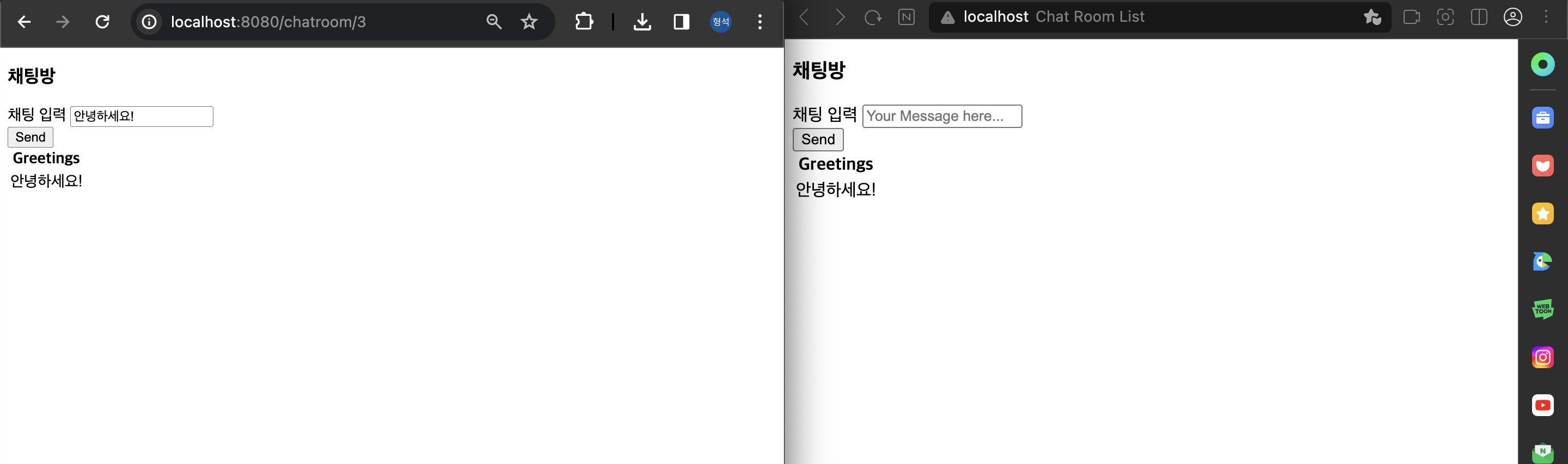

이사중 .. -> https://gudtjr2949.tistory.com/