딥러닝 가상 환경 구성 순서
(0. 그래픽 드라이버 설치 - 이 글에서는 다루지 않음)
1. CUDA 구성
2. cudnn 구성
1. CUDA 구성
- GPU에 맞는 CUDA 버전을 설치하기 위해서는 GPU의 Compute Compatibility (또는 Microarchitecture)를 알아야 한다.
1) Compute Capability 확인
- 아래 표에서 GPU의 Microarchitecture 확인
출처: https://ko.wikipedia.org/wiki/CUDA (24.05.24 기준)
2) CUDA SDK 호환성 확인
아래 표에서 CUDA 호환성 확인
Microarchitecture / CUDA SDK Version Kepler (3.0-3.7) Maxwell (5.0-5.2) Pascal (6.0-6.2) Volta (7.0) Turing (7.5) Ampere (8.0) Hopper (9.0) CUDA 8.0 ✅ ✅ CUDA 9.0 ✅ ✅ ✅ CUDA 9.2 ✅ ✅ ✅ ✅ CUDA 10.0 ✅ ✅ ✅ ✅ CUDA 10.1 ✅ ✅ ✅ ✅ CUDA 10.2 ✅ ✅ ✅ ✅ CUDA 11.0 ✅ ✅ ✅ ✅ CUDA 11.1 ✅ ✅ ✅ ✅ CUDA 11.2 ✅ ✅ ✅ ✅ CUDA 11.3 ✅ ✅ ✅ ✅ CUDA 11.4 ✅ ✅ ✅ ✅ CUDA 11.5 ✅ ✅ ✅ ✅ CUDA 11.6 ✅ ✅ ✅ ✅ CUDA 11.7 ✅ ✅ ✅ ✅ ✅ CUDA 11.8 ✅ ✅ ✅ ✅ ✅ CUDA 12.0 ✅ ✅ ✅ ✅ ✅ CUDA 12.1 ✅ ✅ ✅ ✅ ✅ CUDA 12.2 ✅ ✅ ✅ ✅ ✅ CUDA 12.5 ✅ ✅ ✅ ✅ ✅ 출처: ChatGPT 4.0
Make a table that looks like 1. row shows the "CUDA SDK version" 2. column shows the "micro architecture" (e.g., Pascal, Volta, Turing, etc.) and color the blocks where it's compatible.
3) CUDA 설치
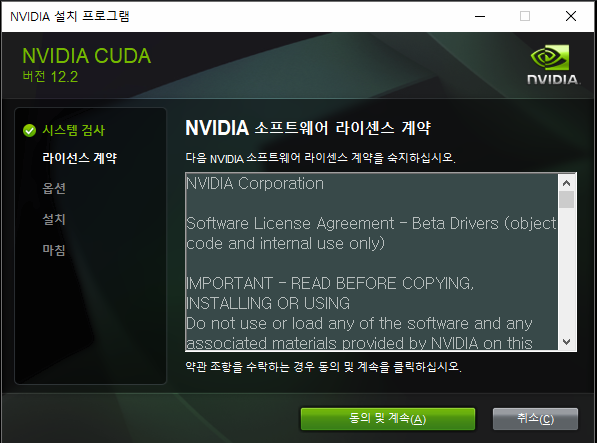
- https://developer.nvidia.com/cuda-toolkit-archive에서 맞는 버전 설치
- 설치 후 터미널에서
nvcc --version으로 CUDA 정상 설치 확인ex) nvcc: NVIDIA (R) Cuda compiler driver Copyright (c) 2005-2024 NVIDIA Corporation Built on Wed_Apr_17_19:36:51_Pacific_Daylight_Time_2024 Cuda compilation tools, release 12.5, V12.5.40 Build cuda_12.5.r12.5/compiler.34177558_0
2. cudnn 구성
- CUDA 버전에 맞는 cudnn을 설치해야 한다.
1) cudnn 호환성 확인
아래 표에서 cudnn 호환성 확인
cuDNN Package CUDA Toolkit Version Supports Static Linking? NVIDIA Driver Version for Windows CUDA Compute Capability Supported NVIDIA Hardware cuDNN 9.1.1 for CUDA 12.x 12.4, 12.3, 12.2, 12.1, 12.0 Yes >=527.41 9.0, 8.9, 8.6, 8.0, 7.5, 7.0, 6.1, 6.0, 5.0 NVIDIA Hopper, Ada Lovelace, Ampere, Turing, Volta, Pascal, Maxwell cuDNN 9.1.1 for CUDA 11.x 11.8 Yes >=452.39 9.0, 8.9, 8.6, 8.0, 7.5, 7.0, 6.1, 6.0, 5.0 NVIDIA Hopper, Ada Lovelace, Ampere, Turing, Volta, Pascal, Maxwell cuDNN 9.1.1 for CUDA 11.x 11.7, 11.6, 11.5, 11.4, 11.3, 11.2, 11.1, 11.0 No >=452.39 9.0, 8.9, 8.6, 8.0, 7.5, 7.0, 6.1, 6.0, 5.0 NVIDIA Hopper, Ada Lovelace, Ampere, Turing, Volta, Pascal, Maxwell 출처: NVIDIA cuDNN Support Matrix
ex)
RTX2070(Turing Architecture), CUDA Toolkit Version 12.4→cudnn 9.1.1 for CUDA 12.0
2) cudnn 설치
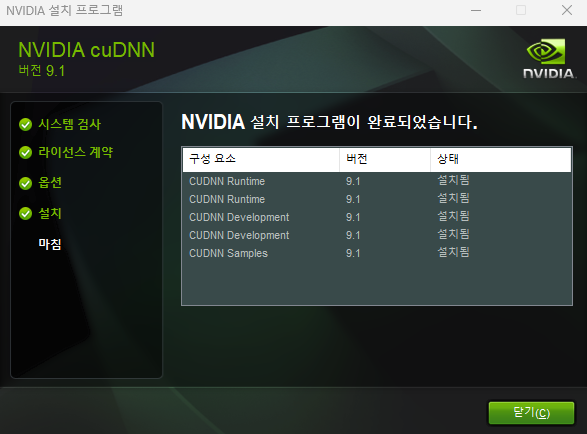
- https://developer.nvidia.com/cudnn-archive 에서 맞는 버전 설치
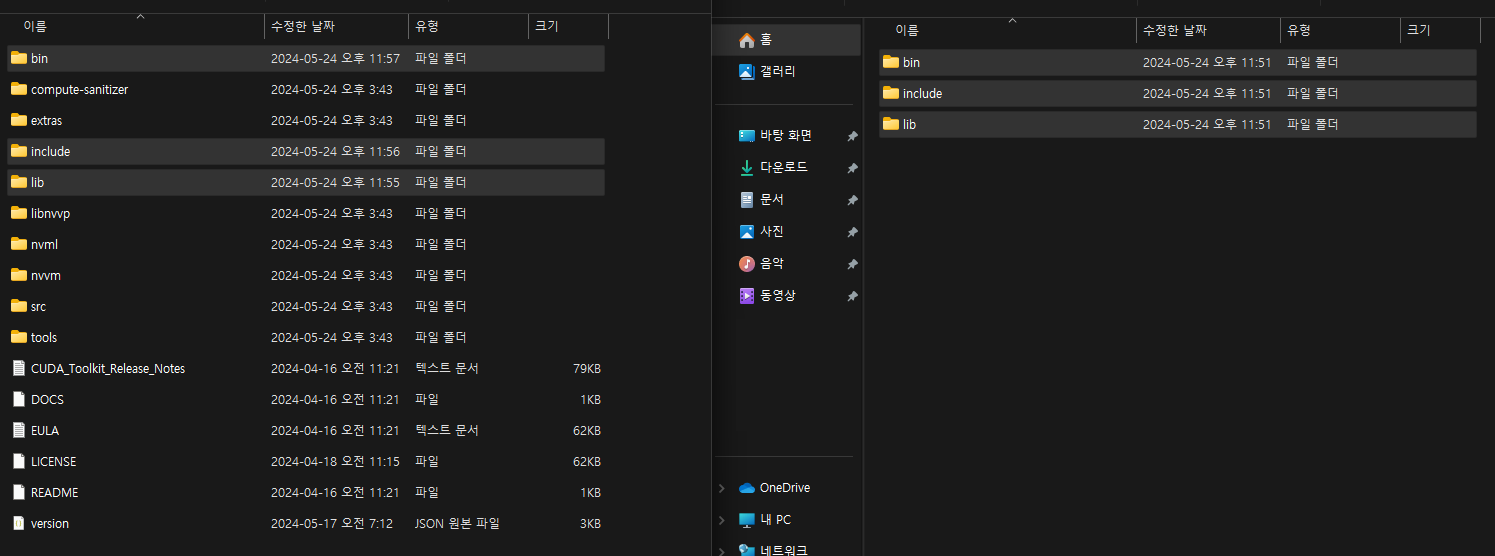
- cudnn 파일들(이미지 오른쪽)을 CUDA가 설치된 경로(이미지 왼쪽)로 이동
- cudnn 작동 확인 ex)
pytorch,tensorflow
- pytorch 테스트 코드
(pytorch는 CUDA버전에 맞춰 알아서 cudnn을 구성하기 때문에 설치된 버전과 다르게 보일 수도 있다)import torch cuda_available = torch.cuda.is_available() print(f"CUDA available: {cuda_available}") cuda_version = torch.version.cuda print(f"CUDA version: {cuda_version}") cudnn_version = torch.backends.cudnn.version() print(f"cuDNN version: {cudnn_version}")- tensorflow 테스트 코드
import tensorflow as tf
print("Is TensorFlow using GPU:", tf.test.is_built_with_cuda())
cuda_version = tf.sysconfig.get_build_info(["cuda_version"]
cudnn_version = tf.sysconfig.get_build_info(["cudnn_version"]
print("CUDA version:", cuda_version)
print("cuDNN version:", cudnn_version)

Computer Vision, Python