7월 5일 월
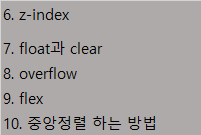
학습한 내용
z-index
float과 clear
overflow
flex
중앙정렬 하는 방법
z-index
3차원 특성인 레이아웃이 겹치는 문제해결에 대한 내용
z축을 조절하는 명령어이다.
기본값으로 z-index: 0; 으로 되어있다.
큰 공간을 설정할 때는 2차원으로 작성하는 것이 좋다.(레이아웃 겹침 방지)
float
레이아웃을 본격적으로 꾸미는데 활용되는 명령어이다.
띄운다는 의미로 받아들이면 좋을 것 같다고 한다.
공간 태그 명령어는 모두 block요소라고 함.(헤더 메인 섹션 등)
clear
플롯을 끄는 명령어이다.
마지막으로 플롯을 슨 태그 다음에 clear를 입력함으로 float 옵션을 끌 수가 있다.
관레로
플롯 기능을 분리할수가 있다.
플롯을 사용할 때 주의할 점으로 부모의 크기가 가변값이면 안된다.(레이어가 틀어지기 때문)
자식 값이 가변값일 때는 부모가 고정값이 아니어도 된다.
width 값이 크거나 같아야 레이아웃이 틀어지지 않는다.
플롯 사용 시 자식의 높이가 부모에 영향을 주지 않는다.
플롯 사용시 포지션 값은 relative 또는 static(기본값) 2가지만 사용한다.
왜냐하면 플롯도 3차원 특성이고 앱솔, 픽스 또한 순수한 3차원 성격이라 3차원이 서로 충돌하며
같이 사용할 수 없다고 이해하기.
실무팁
1. clearfix로 플롯 사용 체크포인트 만들기
2. overflow: hidden;와 float를 결합 사용하면 자식의 높이 값을 부모가 인식하도록 할 수 있다.
flex
플롯의 업그레이드 버전이라 생각하기.
배치 작업을 좀 더 수월하다(제약사항이 적어서)
자동으로 x축, 왼쪽 기준으로 정렬된다.
flex-direction: row;(기본값임)
flex-direction: coulmn;(y축 정렬)
flex-direction: row-reverse;(x축 역순(오른쪽 부터 정렬))
flex-direction: column-reverse;(y축 역순)
flex-wrap: nowrap;(기본값:자동으로 부모 영역에 맞춰 리사이징된다.)
flex-wrap: wrap; (자식의 크기(width)가 크면 자동으로 줄바꿈 시켜준다.)
flex-flow: row wrap;(direction과 wrap을 동시에 적용할 때 사용).
justify-content: flex-start; (왼쪽 정렬)
justify-content: flex-end; (오른쪽 정렬)
justify-content: center; (중앙 정렬)
justify-content: space-between; (공간 일정하게)
justify-content: space-around; (테두리 공간 일정하게)
align-items : flex-start;(젤 위 부터 정렬, y축 정렬 할 때)
align-items : flex-end; (맨 아래 부터)
align-items : center; (중앙)
align-items : baseline; (각 박스의 맨 아랫줄 맞춰 정렬)
https://flexbox.help/ (도움 받을 수 있는 사이트)
https://css-tricks.com/
중앙정렬하는 방법 2가지
- margin : 0 10px; ==(상하, 좌우px;)
margin : 0 auto;(주로 블록요소에서 사용) - position : relative;
(생략 가로, 세로, 배경)
left : 50% (왼쪽 기준으로 전체의 50% 오른쪽으로 정렬)
margin-left : -150px;(위에 left로 벌어진 만큼 계산해서 다시 왼쪽으로 당기기)2번 방법은 수정시 2번 수정해야하는 단점이 있다.
학습 소감
일단 수업을 따라가는데는 이해하면서 수업을 들었었는데 수업을 다 듣고나서 일지 정리를 하면서
다시 살펴보니 머리속에 들어와있는 것은 별로 없는 것 같다. 내일은 오늘 배운 내용을 바탕으로 실습을 진행하신다고 한다. 직접 실습으로 진행하면서 코드를 쓰다보면 조금 더 머리속에 잘 들어오지 않을까 싶다.
**실습 코드 **html
<!-- <div class="z-one"></div>
<div class="z-two"></div>
-->
<!-- <div class="container">
	<div class="item one"></div>
	<div class="item two"></div>
	<div class="item three"></div>
</div> -->


<div class="center-1"></div>
CSS
/ z-index /
.z-one {
width: 200px;
height: 200px;
background-color: yellow;

/*z-index:  10;*/
}
.z-two {
width: 200px;
height: 200px;
background-color: blue;

/*z-index:  20;*/
}
.left-1 {
float: left;
width: 100px;
height: 150px;
background-color: blue;
}
/right-1 {
float: right;
width: 100px;
height: 150px;
background-color: green;
}
/*header {
width: 100%;
height: 100px;
background-color: yellow;
}
.left {
float: left;
width: 300px;
height: 200px;
background-color: pink;
}
.center {
float: left;
width: 500px;
height: 200px;
background-color: blue;
}
.right {
float: right;
width: 300px;
height: 200px;
background-color: green;
}
footer {
clear: both;
width: 100%;
height: 100px;
background-color: black;
}
section {
width: 1400px;
height: 200px;
background-color: orange;
}
*/
/*.left-2{
float: left;
width: 100px;
height: 150px;
background-color: yellow;
}
.right-2 {
float: right;
width: 100px;
height: 150px;
background-color: blue;
}
footer {
width: 100%;
height: 100px;
background-color: black;
}
.clearfix {
clear: both;
}
section {
overflow: hidden;
width: 800px;
background-color: orange;
}*/
.over-box {
overflow: hidden;
/overflow-y: scroll;
overflow-x: scroll;/
width: 200px;
height: 200px;
background-color: yellow;
}
.container {
display: flex;
flex-wrap: nowrap;
flex-flow: row wrap;
justify-content: space-between;
align-items: baseline;
width: 1000px;
border: solid 10px red;
}
.item {
width: 200px;
height: 300px;
}
.one {
height: 100px;
background-color: yellow;
}
.two {
height: 200px;
background-color: blue;
}
.three {
height: 300px;
background-color: orange;
}
.center-1 {
width: 300px;
height: 300px;
background-color: yellow;
margin: 0 auto;}
.center-2 {
position: relative;
width: 300px;
height: 300px;
background-color: blue;

left: 50%;
}