1. Server & Client Component 개념
Next.js 에는 Server Component 와 Client Component 라는 개념이 존재한다. 정확히는 React가 버전업을 하면서 Server Component 라는 개념이 추가된 것.
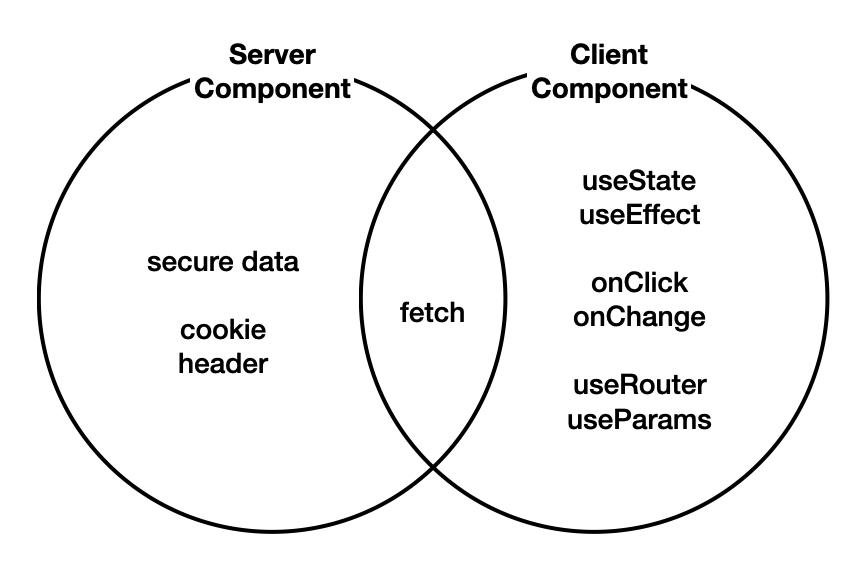
위의 두 컴포넌트는 서로 다른 api 를 사용하므로 에러가 날 수 있다. Next.js는 컴포넌트를 기본적으로 Server Component 로 간주하기 때문에 다른 컴포넌트로 전환할 시에는 컴포넌트 파일 맨 위에 "Use client"; 를 사용해야 한다.
그렇다면 언제 Server Component 를 사용하고,
언제 Client Component를 사용하게 될까?
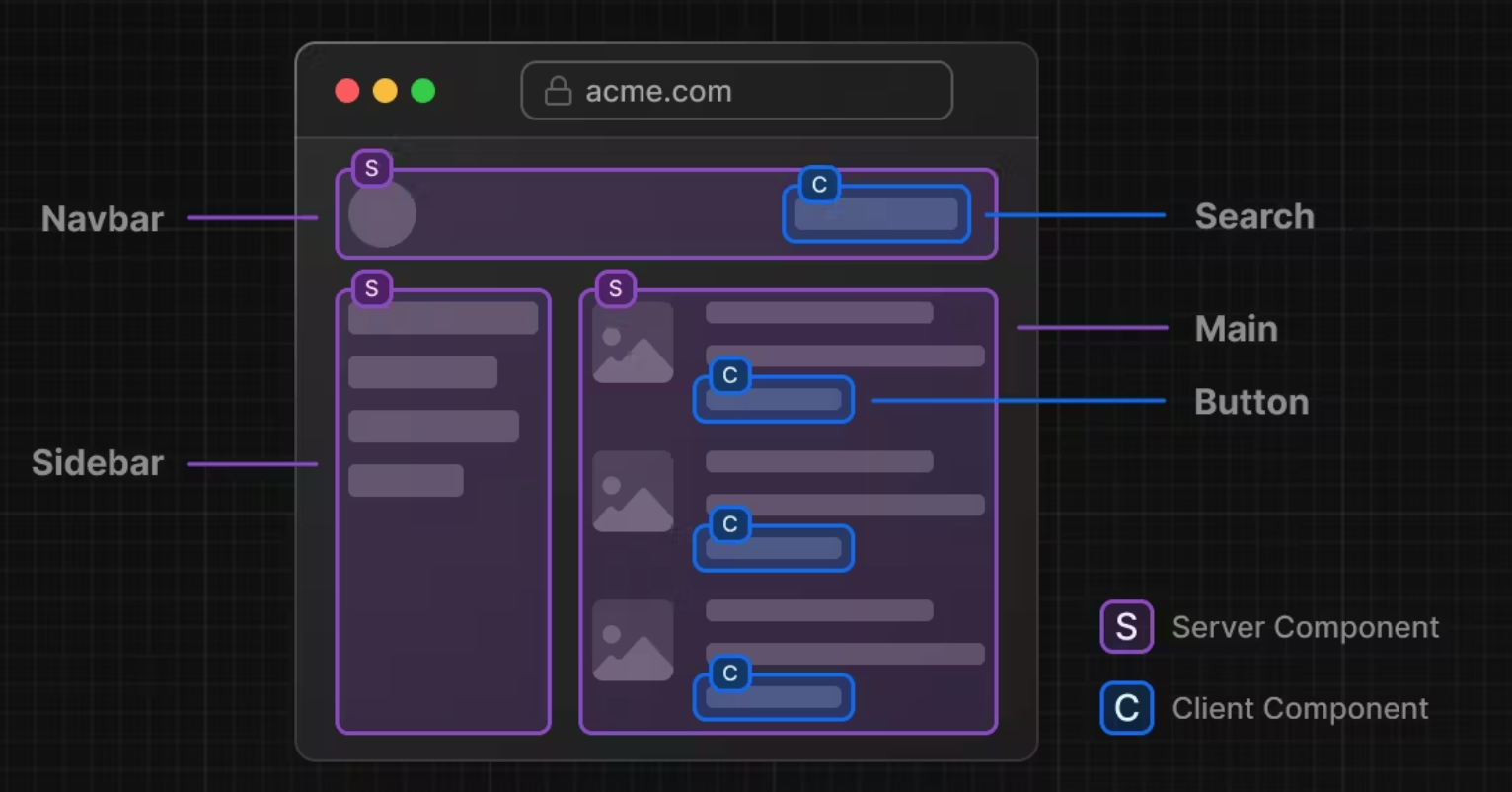
🟪 Server Component
- 정보를 표현
- 사용자와 상호작용 ❌
- 서버에 민감한 정보를 보관
- 클라이언트의 JS 최소화
- 서버에서 렌더링 된 결과물을 클라이언트로 전송할 시, 클라이언트는 초기 렌더링에 필요한 최소의 JS 코드만 다운로드 후 실행하면 된다
🟦 Client Component
- 특정 기능 전용의 컴포넌트 (user interaction) 를 만드는게 유리한 것
- 사용자와 상호작용 ⭕️
- React Hook 의 사용이 필요할 때
2. 목록 만들기
우선, Client Component 에서 작업 후 Server Component 로 전환할 예정이다.
간단하게 li 를 만든 후, 서버에서 데이터를 가져오기 위해 useEffect 를 사용해보자.
import Link from "next/link";
import { useEffect } from "react";

interface Topic {
  id: number;
  title: string;
}

export default function Projects1() {
   const [topics, setTopics] = useState<Topic[]>([]);

  useEffect(() => {
    fetch('http://localhost:3000/hyunmer/projects1')
      .then((resp) => resp.json())
      .then((result: Topic[]) => { setTopics(result); })
      .catch((error) => console.error("데이터 가져오기 실패:", error));
  }, []);

  return (
    <div>
      <ol>
        {topics.map((topic) => (
          <li key={topic.id}>
            <Link href={`/egg/${topic.id}`}>{topic.title}</Link>
          </li>
        ))}
      </ol>
      <ul>
        <li><Link href="/hyunmer/projects1/egg/1">Click Here!</Link></li>
        <li><Link href="/hyunmer/projects1/egg/2">Click Here!</Link></li>
        <li><Link href="/hyunmer/projects1/egg/3">Click Here!</Link></li>
        <li><input type="button" value="delete" /></li>
      </ul>
    </div>
  );
}
interface Topic: topic 객체의 구조를 정의const [topics, setTopics] = useState<Topic[]>([]):topics를 빈 배열로 초기화, 배열 안의 객체가Topic구조를 타입 지정useEffect: API 에서 데이터를 가져오고 상태를 업데이트,catch를 통해 API 요청 실패 시 에러를 처리topics.map: 각 topic 을ol을 통해 링크 형태로 렌더링
후기
컴포넌트 단위로 나누는건 언제나 세심한 고려를 하게 되어서, 만들기 전에 어떻게 컴포넌트를 나눌지와 같은 사전 설계가 중요한 거 같다.

댓글 달고 싶어서 새로 가입했어요 매우 유익한 포스팅입니다. 20개 같은 하트 1개 누르고 가요 총총,,^^🌷