IntelliJ - Github 연동 오류 해결: Access to this site has been restricted
에러 메세지
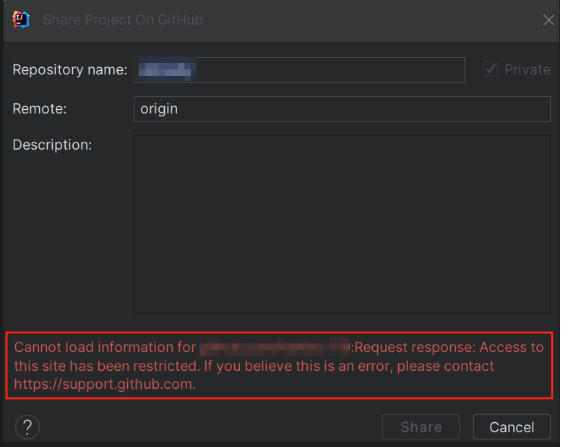
Error: Cannot load information for github.com/: Request response: Access to this site has been restricted. If you believe this is an error, please contact https://support.github.com.
IntelliJ 에서 새로운 프로젝트를 생성하고 Github 에 연동하려고 하니 아래와 같은 문구가 뜨며 Initial Commit 을 할수가 없었고
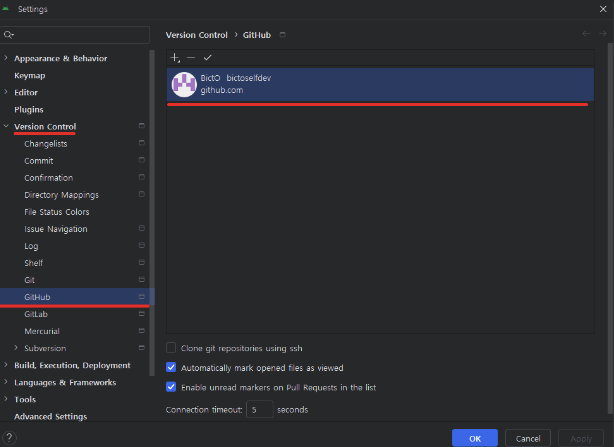
Settings > Version Control > Github
기존에 등록된 Github 계정을 삭제하고 다시 로그인하면 된다고 하던데 여러번 해도 되지 않았다.
Settings > Version Control > Github
기존에 등록된 Github 계정을 삭제하고 다시 로그인하면 된다고 하던데 여러번 해도 되지 않았다.
해결 방법
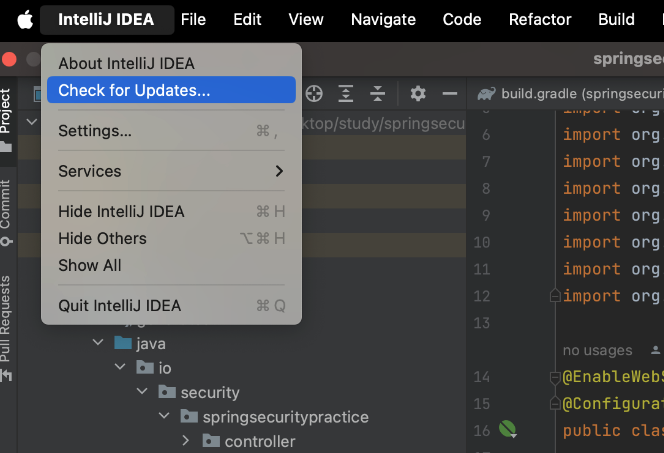
IntelliJ IDEA - Check for Updates 클릭 후

IDE 업데이트 하면 해결 된다.

반갑습니다