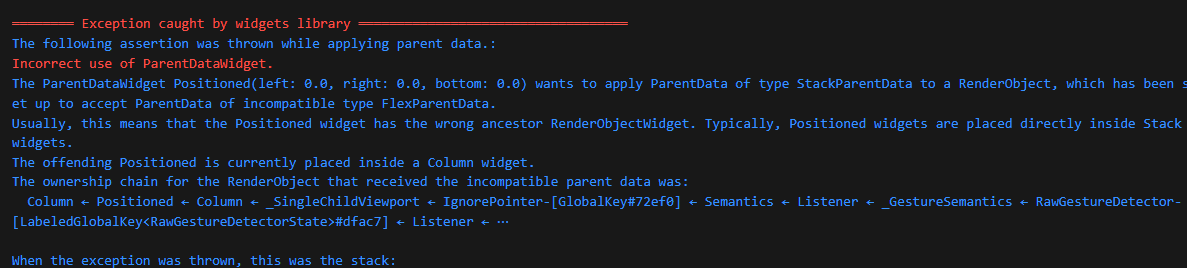
Exception caught by widgets library. Incorrect use of ParentDataWidget.
어쩌고 저쩌고 오류가 발생했다;;
해당 화면단 만드는 내내 발생하던 문제였다.
디버그 콘솔창에도 두 번만 나옴 + 화면에 랜더링될 때 별문제 없음
그래서 일단 그냥 뒀었다.
근데 다음 화면에서는 디버그 콘솔창에 무한으로 오류가 찍히는거임!!!!
검색해보니 화면에는 문제가 되지 않지만,
잡아주는게 좋다고 그래서 잡아보려고 이틀 정도 시간을 투자해보았다.
💣 Exception caught by widgets library. Incorrect use of ParentDataWidget.
오류가 발생하는 주된 원인이 무엇인지 확인해봤다.
👉 Expanded와 Flexible
반드시 Row, Column, Flex 위젯의 자식으로 만들어야 함.
👉 Positioned
Stack 위젯의 직접적인 자식으로 배치해야 함.
내 경우에는 Positioned가 문제가 되고 있었다....
Widget build(BuildContext context) {
return GestureDetector(
onTap: () {
FocusScope.of(context).unfocus();
},
child: Stack(
children: [
DefaultLayout(
child: Column(
crossAxisAlignment: CrossAxisAlignment.stretch,
children: [
Padding(
padding: EdgeInsets.only(top: 69.h, left: 24.w, bottom: 46.h),
child: Text(
'반갑습니다!',
),
),
Expanded(
child: SingleChildScrollView(
physics: const AlwaysScrollableScrollPhysics(),
child: Column(
crossAxisAlignment: CrossAxisAlignment.stretch,
children: [
Padding(
padding: EdgeInsets.symmetric(horizontal: 24.w),
child: SizedBox(
height: 60.h,
child: Stack(
clipBehavior: Clip.none,
children: [
AnimatedPositioned(
// 생략
),
Positioned(
bottom: 0,
left: 0,
right: 0,
child: TextField(
focusNode: emailFocusNode,
autofocus: true,
controller: emailController,
cursorWidth: 2,
cursorRadius: const Radius.circular(2),
cursorColor: AppColor.deepPurple500,
onChanged: (value) {
setState(() {
// 생략
),
// 생략
//Positioned(
//bottom: 0,
//left: 0,
//right: 0,
//child:
Column(
crossAxisAlignment: CrossAxisAlignment.stretch,
children: [
SizedBox(height: 20.h),
Padding(
padding: EdgeInsets.only(left: 24.w),
child: Text
// 생략
원인이 될 것 같은 Expanded와 Positioned 부분에 Column이나 Stack으로 감싸봤지만, 오히려 화면이 엉망이되는 등 더 큰 문제가 발생해버렸다.
조금 더 고민해보니....
쓸데 없이 Positioned가 2번이나 사용되고 있었다.
불필요해 보이는 쪽의 Positioned 코드를 삭제해주었더니 해결됐다!
 디버그 콘솔창이 깨끗해지니 편안하군ㅋㅋㅋ

호떡 신문지에서 개발자로 환생