📍 Sass(Syntactically Awesome Style Sheets)
- CSS 전처리기로 복잡한 작업을 쉽게 할 수 있게 해 줌.
- 스타일 코드의 재활용성을 높여줌.
- 코드의 가독성을 높여서 유지 보수를 더욱 쉽게 해 줌.
구버전에서는 추가 작업이 필요했는데, v2 버전부터 별도의 추가 설정 없이 바로 Sass 사용할 수 있게 됨. Sass에서는 두 가지 확장자 .scss와 .sass를 지원함.
❓🤔 Sass를 사용하려면?
👉 Sass를 CSS로 변환해주는 node-sass라는 라이브러리를 설치해야 한다.
$ yarn add node-sass-
.scss의 문법과 .sass의 문법 비교
.sass 확장자는 중괄호({})와 세미콜론(;)을 사용하지 않으나 .scss 확장자는 기존 CSS를 작성하는 방식과 비교해서 문법이 크게 다르지 않다.
-
.sass
/* 보통 .scss 문법이 더 자주 사용된다. */ $font-stack: Helvetica, sans-serif $primary-color: #333 body font: 100% $font-stack color: $primary-color -
.sass
$font-stack: Helvetica, sans-serif;
$primary-color: #333;

body {
 font: 100% $font-stack;
 color: $primary-color;
}
-
- 예제
SassComponent.scss 파일을 만든다.
// 변수 사용하기
$red: #fa5252;
$orange: #fd7e14;
$yellow: #fcc419;
$green: #40c057;
$blue: #339af0;
$indigo: #5c7cfa;
$violet: #7950f2;
// 믹스인 만들기(재사용되는 스타일 블록을 함수처럼 사용할 수 있음)
@mixin square($size) {
  $calculated: 32px * $size;
  width: $calculated;
  height: $calculated;
}

.SassComponent {
  display: flex;
  .box { // 일반 CSS에서는 .SassComponent .box와 마찬가지
    background: red;
    cursor: pointer;
    transition: all 0.3s ease-in;
    &.red {
      // .red 클래스가 .box와 함께 사용되었을 때
      background: $red;
      @include square(1);
    }
    &.orange {
      background: $orange;
      @include square(2);
    }
    &.yellow {
      background: $yellow;
      @include square(3);
    }
    &.green {
      background: $green;
      @include square(4);
    }
    &.blue {
      background: $blue;
      @include square(5);
    }
    &.indigo {
      background: $indigo;
      @include square(6);
    }
    &.violet {
      background: $violet;
      @include square(7);
    }
    &:hover {
      // .box에 마우스를 올렸을 때
      background: black;
    }
  }
}
Sass 스타일시트를 사용하는 SassComponent.jsx 컴포넌트 파일도 src에 만든다.
// SassComponent.jsx
import './SassComponent.scss';

const SassComponent = () => {
  return (
    <div className="SassComponent">
      <div className="box red" />
      <div className="box orange" />
      <div className="box yellow" />
      <div className="box green" />
      <div className="box blue" />
      <div className="box indigo" />
      <div className="box violet" />
    </div>
  );
};
export default SassComponent;
이제 이 컴포넌트를 App 컴포넌트에서 보여줘보자.
// App.jsx
import React, { Component } from 'react';
import SassComponent from './SassComponent';

class App extends Component {
  render() {
    return (
      <div>
        <SassComponent />
      </div>
    );
  }
}

export default App;
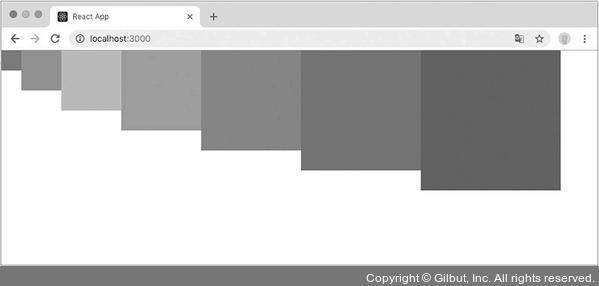
결과를 확인해보면...

호떡 신문지에서 개발자로 환생