리액트에서는 컴포넌트에도 ref를 달 수 있다. 이 방법은 주로 컴포넌트 내부에 있는 DOM을 컴포넌트 외부에서 사용할 때 사용한다.
컴포넌트에 ref를 다는 방법은 DOM에 ref를 다는 방법과 똑같다.
<MyComponent
  ref={(ref) => {this.myComponent=ref}}
/>
이렇게 하면 MyComponent 내부의 메서드 및 멤버 변수에도 접근할 수 있다.
즉, 내부의 ref에도 접근할 수 있다는 것! (예: myComponent.handleClick, myComponent.input 등).
① 컴포넌트 초기 설정
ScrollBox라는 컴포넌트 파일을 만들고, JSX의 인라인 스타일링 문법으로 스크롤 박스를 만든 다음에 최상위 DOM에 ref를 달아주자. (컴포넌트 파일 생성)
- ScrollBox.jsx
import React, { Component } from 'react';

export default class ScrollBox extends Component {
  render() {
    const style = {
      border: '1px solid black',
      height: '300px',
      width: '300px',
      overflow: 'auto',
      position: 'relative',
    };

    const innerStyle = {
      width: '100%',
      height: '650px',
      background: 'linear-gradient(white, black)',
    };
    return (
      <div
        style={style}
        ref={(ref) => {
          this.box = ref;
        }}
      >
        <div style={innerStyle} />
      </div>
    );
  }
}
기존 ValidationSample을 지우고, 방금 만든 ScrollBox 컴포넌트를 렌더링한다. (App 컴포넌트에서 스크롤 박스 컴포넌트 렌더링)
- App.js
import React from 'react';
import ScrollBox from './features/5_ref_DOM/ScrollBox';

const App = () => {
  return <ScrollBox />;
};

export default App;
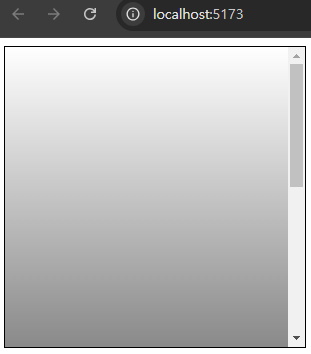
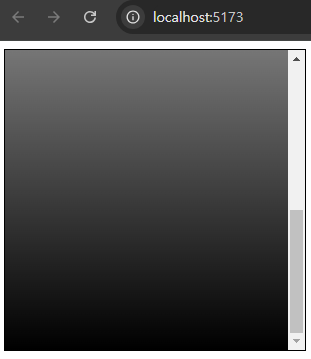
② 컴포넌트에 메서드 생성
컴포넌트에 스크롤바를 맨 아래쪽으로 내리는 메서드를 만들어보자.
자바스크립트로 스크롤바를 내릴 때는 DOM 노드가 가진 다음 값들을 사용한다.
• scrollTop: 세로 스크롤바 위치(0~350)
• scrollHeight: 스크롤이 있는 박스 안의 div 높이(650)
• clientHeight: 스크롤이 있는 박스의 높이(300)
- ScrollBox.js
import React, { Component } from 'react';

class ScrollBox extends Component {

  scrollToBottom = () => {
    const { scrollHeight, clientHeight } = this.box;
    /* 앞 코드에는 ES6의 비구조화 할당 문법 사용.
       다음 코드와 같은 의미입니다.
       const scrollHeight = this.box.scrollHeight;
       const clientHeight = this.box.cliengHeight;
    */
    this.box.scrollTop = scrollHeight - clientHeight;
  }

  render() {
    (...)
}

export default ScrollBox;
scrollToBottom 메서드의 첫 번째 줄에서는 ES6의 비구조화 할당 문법을 사용했는데, 이렇게 만든 메서드는 부모 컴포넌트인 App 컴포넌트에서 ScrollBox에 ref를 달면 사용할 수 있게 된다.
③ 컴포넌트에 ref 달고 내부 메서드 사용
App 컴포넌트에서 ScrollBox에 ref를 달고, 만들어진 버튼을 누르면 ScrollBox 컴포넌트의 scrollToBottom 메서드를 실행하도록 코드를 작성해보자.
- App.js
import React, { Component } from 'react';
import ScrollBox from './ScrollBox';

class App extends Component {
  render() {
    return (
      <div>
        <ScrollBox ref={(ref) => this.scrollBox=ref}/>
        <button onClick={() => this.scrollBox.scrollToBottom()}>
          맨 밑으로
        </button>
      </div>
    );
  }
}

export default App;
✔ 여기서 주의할 점이 하나!
👉 문법상으로는 onClick = {this.scrollBox.scrollBottom} 같은 형식으로 작성해도 틀린 것은 아님.
하지만 컴포넌트가 처음 렌더링될 때는 this.scrollBox 값이 undefined이므로 this.scrollBox.scrollToBottom 값을 읽어 오는 과정에서 오류가 발생한다.
화살표 함수 문법을 사용해 아예 새로운 함수를 만들고 그 내부에서 this.scrollBox.scrollToBottom 메서드를 실행하면, 버튼을 누를 때(이미 한 번 렌더링을 해서 this.scrollBox를 설정한 시점) this.scrollBox.scrollToBottom 값을 읽어 와서 실행하므로 오류가 발생하지 않게 된다.
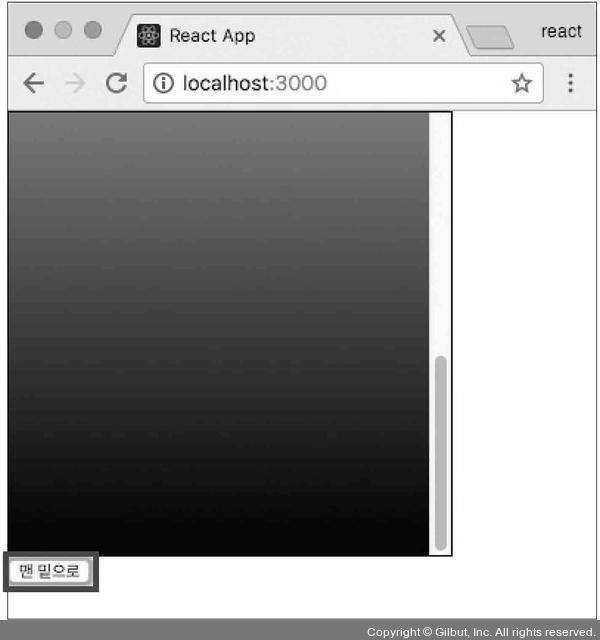
이제 코드를 저장하고 웹 브라우저에서 맨 밑으로 버튼을 눌러 보면...
스크롤바가 잘 움직이는 걸 볼 수 있다.
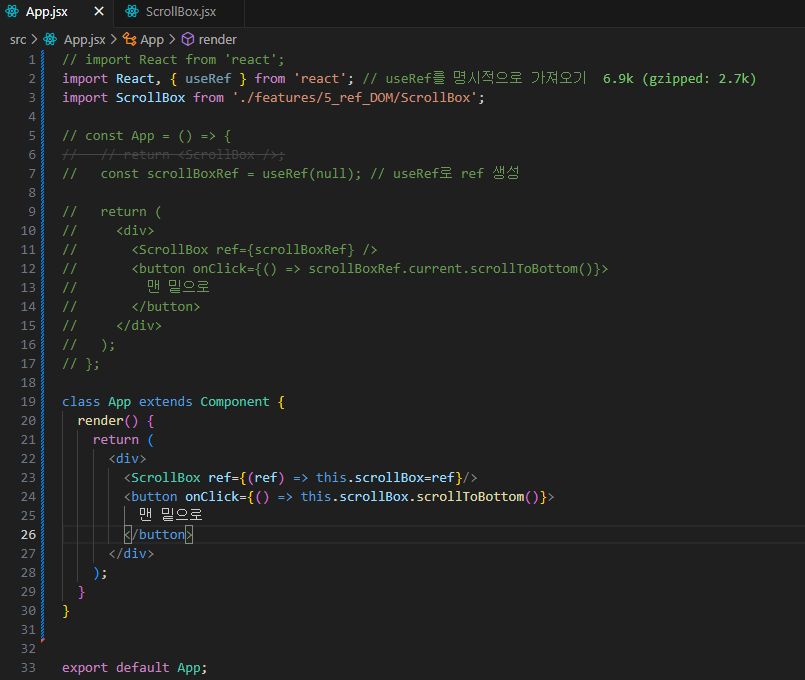
(+) 💣 트러블이슈 발생!!!
Uncaught ReferenceError: useRef is not defined 오류
계속 사용해오던 App.jsx 코드에 그대로 작성했는데, 웹뷰에 랜더링 안 되는 문제가 발생했다.
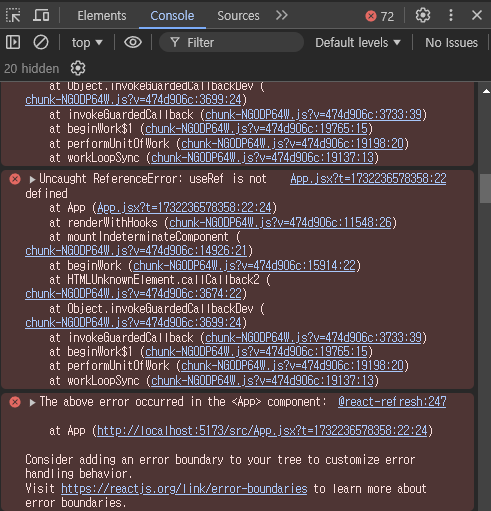
Uncaught ReferenceError: useRef is not defined 오류는 React의 useRef 훅을 사용하기 위해 useRef를 가져오지 않았을 때 발생한다.
👉 이 문제를 해결하려면 useRef를 React로부터 명시적으로 가져와야 한다.
useRef를 사용하려면 import React와 함께 useRef를 추가해야 함!
// import React from 'react';
import React, { useRef } from 'react'; // useRef를 명시적으로 가져오기
import ScrollBox from './features/5_ref_DOM/ScrollBox';

const App = () => {
  // return <ScrollBox />;
  const scrollBoxRef = useRef(null); // useRef로 ref 생성

  return (
    <div>
      <ScrollBox ref={scrollBoxRef} />
      <button onClick={() => scrollBoxRef.current.scrollToBottom()}>
        맨 밑으로
      </button>
    </div>
  );
};

export default App;
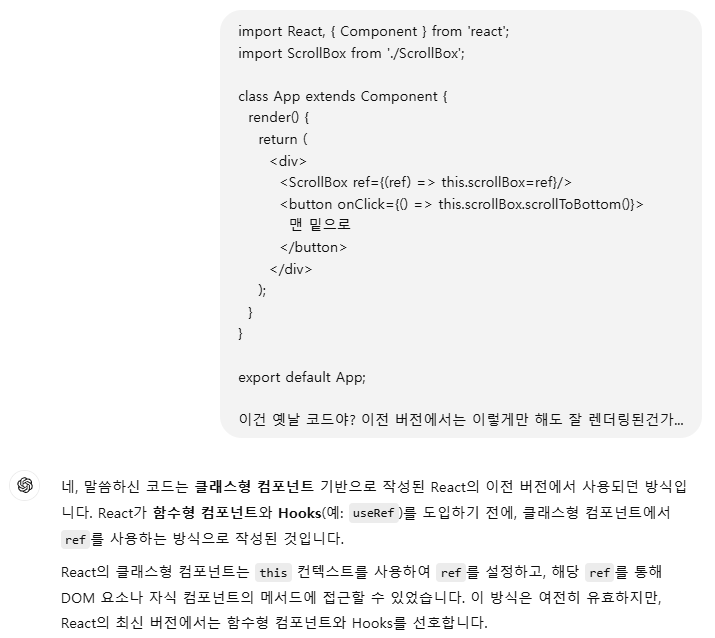

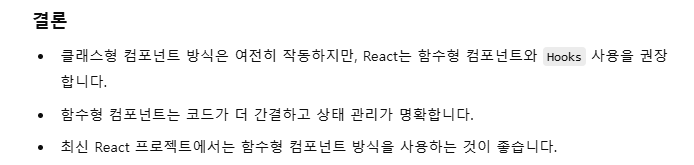
👉 저런 문제를 방지하려면 함수형인지, 클래스형인지 잘 확인해야 할 듯?!
기존 함수형 주석처리하고, 책에 나온대로 클래스형으로 작성했더니 잘 구현된다.
애초에 내가 App.jsx 코드에서 함수형, 클래스형을 놓친 게 원인이었다...