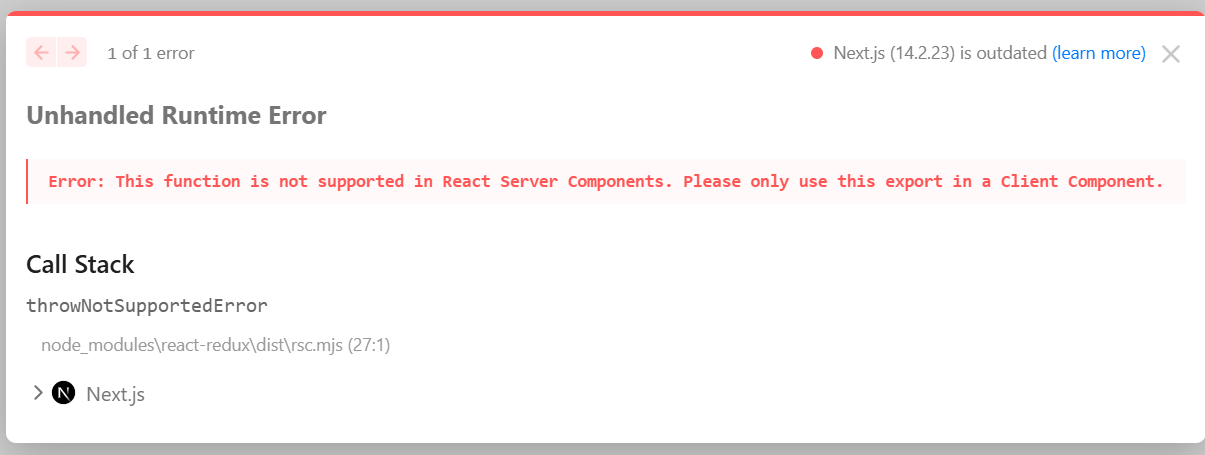
Next.js와 같은 프레임워크에서 Redux를 사용할 때, 서버 사이드 렌더링(SSR) 환경에서 스토어를 다루는 방식이 클라이언트 사이드 렌더링(CSR)과 다릅니다. 특히, SSR에서 Redux 스토어를 직접 생성하고 데이터를 설정하려고 하면 오류가 발생할 수 있습니다. 이번 글에서는 이러한 문제를 해결하는 방법을 알아보겠습니다.
🥭 SSR에서 Redux 스토어 사용 시 발생하는 오류
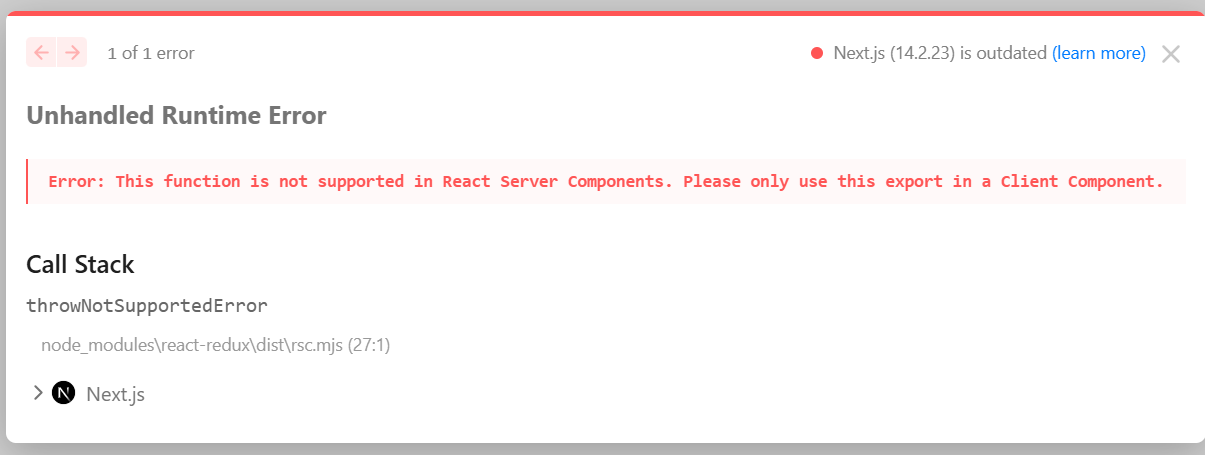
아래는 Redux 스토어를 SSR에서 직접 생성하여 데이터를 설정하는 코드와 오류입니다.
Unhandled Runtime Error
Error: This function is not supported in React Server Components. Please only use this export in a Client Component.
import Navigation from "@/components/Navigation";
import StockTable from "./StockTable";
import { createStore } from "@/redux/store";
import { setStock } from "@/redux/stock";
import { Provider } from "react-redux";

async function getStockData(storeId: string) {
  const API_URL = `${process.env.NEXT_PUBLIC_API_URL}/api/stock/${storeId}/select`;

  try {
    const response = await fetch(API_URL, { cache: "no-store" });
    if (!response.ok) throw new Error("데이터를 불러오는데 실패했습니다.");
    const data = await response.json();
    return data?.data?.inventory || [];
  } catch (error) {
    console.error(error);
    return [];
  }
}


export default async function StockPage({ params }: { params: { storeId: string } }) {
  const stockData = await getStockData(params.storeId);
  const store = createStore();
  store.dispatch(setStock(stockData));

  return (
    <Provider store={store}>
      <div className="min-h-screen">
        <Navigation />
        <div className="bg-white p-4 rounded-lg shadow-md">
          {/* <StockTable /> */}
        </div>
      </div>
    </Provider>
  );
}
🥭 해결 방법: Redux StoreProvider 분리
SSR에서 데이터를 가져와 Redux 스토어에 저장하려면, Redux Provider를 별도의 클라이언트 컴포넌트로 분리하는 것이 필요합니다. 즉, 데이터를 SSR에서 미리 가져온 후, 클라이언트 사이드에서 Redux 스토어에 데이터를 주입하는 방식으로 해결할 수 있습니다.
'use client';

import { useRef } from 'react';
import { Provider } from 'react-redux';
import { createStore, AppStore } from './store';
import { setStockData } from './stockSlice';

// StoreProvider를 named export에서 default export로 변경
export function StoreProvider({
  children,
  preloadedState
}: {
  children: React.ReactNode;
  preloadedState?: unknown;
}) {
  const storeRef = useRef<AppStore>();
  if (!storeRef.current) {
    storeRef.current = createStore();
    if (preloadedState) {
      storeRef.current.dispatch(setStockData(preloadedState));
    }
  }

  return <Provider store={storeRef.current}>{children}</Provider>;
}
이제 StockPage에서는 SSR에서 가져온 데이터를 StoreProvider에 전달하여 클라이언트에서 Redux 상태를 초기화할 수 있습니다.
export default async function StockPage({ params }: { params: { storeId: string } }) {
  const stockData = await getStockData(params.storeId);

  return (
    <StoreProvider preloadedState={stockData}>
      <div className="min-h-screen">
        <Navigation />
        <div className="bg-white p-4 rounded-lg shadow-md">
          <StockTable />
        </div>
      </div>
    </StoreProvider>
  );
}
🥭 결론
SSR 환경에서 Redux를 사용할 때, Redux 스토어를 서버에서 직접 생성하고 데이터를 저장하는 방식은 오류를 발생시킬 수 있습니다. 이를 해결하기 위해 StoreProvider를 별도로 분리하고, 데이터를 SSR에서 가져온 후 클라이언트 사이드에서 Redux 상태를 초기화하는 방식을 사용해야 합니다. 이를 통해 안정적인 SSR 및 CSR 통합이 가능하며, Redux를 효과적으로 활용할 수 있습니다.