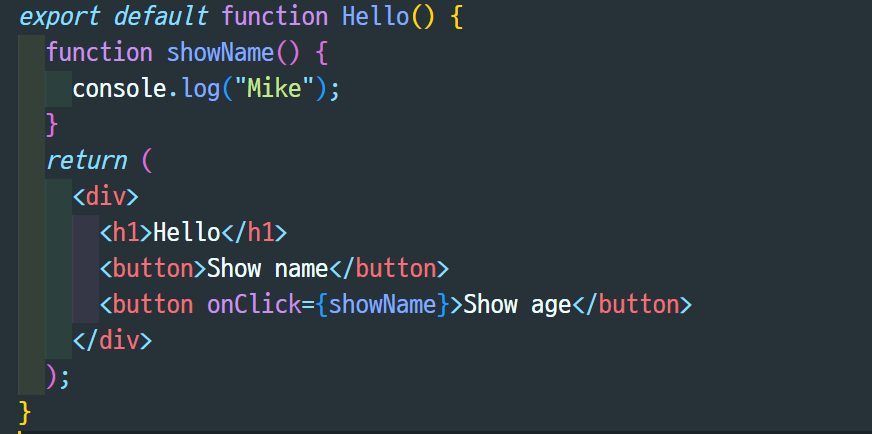
✔️ 함수를 만든 뒤 전달
✔️ onClick내부에 특정 함수 작성
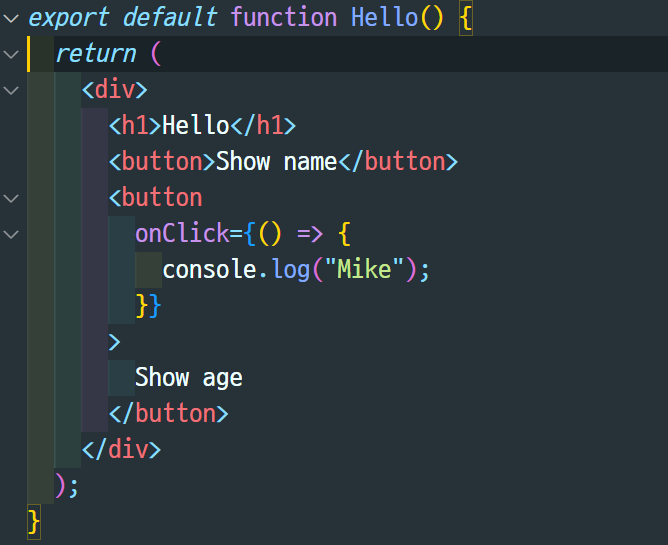
매개 변수를 전달하기 편함!
export default function Hello() {
  function showAge(age){
    console.log(age);
  }
  return (
    <div>
      <h1>Hello</h1>
      <button>Show name</button>
      <button
        onClick={() => {
          showAge(30);
        }}

        Show age
      </button>
    </div>
  );
}
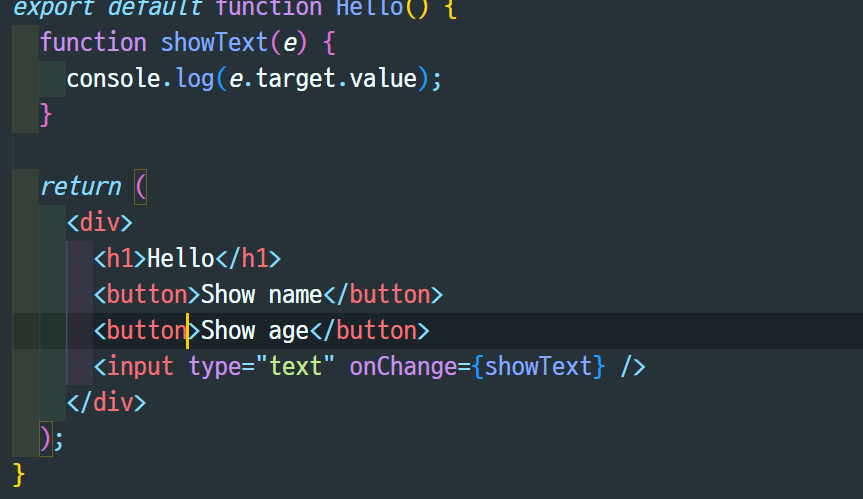
input에서 변화가 생기면 함수를 실행하므로onChange를 씀
showText()함수는 event(e)를 받고(입력이므로), console에 이를 찍어줌
이때, target(input)의 value(input의 value이므로 작성한 값)
이는, onChange자체에 써주어도 내용은 동일export default function Hello() { return ( <div> <h1>Hello</h1> <input type="text" onChange={(e)=>{ console.log(e.target.value)} /> </div> ); }또는,
export default function Hello() {
function showText(txt){
	console.log(txt);
    }
  return (
    <div>
      <h1>Hello</h1>
      <input type="text" onChange={(e)=>{
  		const txt=e.target.value
  		showText(txt)
    </div>
  );
}

new blog: https://hae0-02ni.tistory.com/