const bottom = document.querySelector('.bottom');

const callback = (entries) => {
  // console.log(entries);
  entries.forEach((entry) => {
    // console.log(entry);
    if (entry.isIntersecting) {
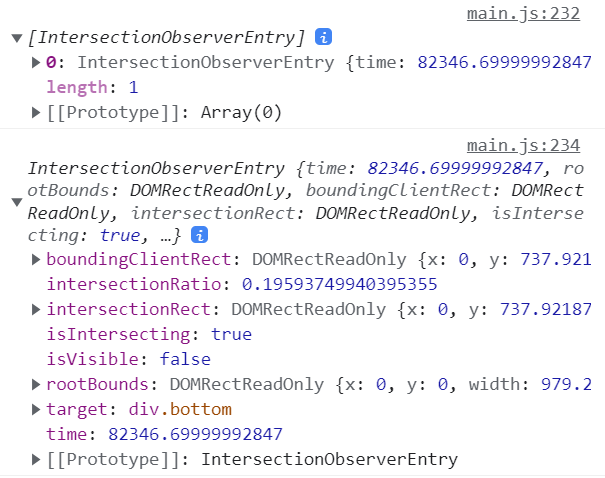
      console.log(entry);
      (async () => {
        page++;
        console.log(page);
        console.log(title);
        const year = document.querySelector('.year').value;
        console.log(year);
        const movies = await getMovies(title, page, year);
        if (!movies && title) {
          // 타이틀은 입력되었는데 더 이상 불러올 목록이 없을 때
          console.log(title, page, year, movies);
          alert('더 이상 불러올 목록이 없습니다.');
        } else {
          console.log(movies);
          renderMovies(movies);
        }
      })();
    }
  });
};

const io = new IntersectionObserver(callback, { threshold: 0.3 });
io.observe(bottom);
mbdi API를 이용해 영화정보를 찾을 수 있는 페이지를 구현하는 중 무한스크롤 기능을 구현하기 위해 IntersectionObserver API를 이용했다. 검색화면 하단에 bottom 클래스 명을 가진 빈 요소를 만들어 viewport가 그 요소를 감지하면 페이지값을 늘려 영화목록을 가져오는 함수를 실행하도록 했다.
공식문서를 확인해 보면 각 속성값이 변할 때?를 활용해 다양한 기능을 구현하는거 같은데,, 나는 타겟을 지정하고 콜백함수를 불러오는 것만 해도 원하는 기능이 작동했다. 그 이상의 구체적인 설정과 기능이 언제 어떻게 쓰이는지는 잘 와닿지 않아 다음에 스크롤 관련 기능을 구현할 때 다시 사용해봐야겠다.
https://developer.mozilla.org/ko/docs/Web/API/Intersection_Observer_API