2024-08-20 TUE
ch10_Authentication
🌈 사용자 인증 Authentication 방식
1. http 헤더 인증정보를 전달(Basic Authentication)
- 기초, 실제사용 x, 보안취약
- 구현이 간단함.
2. JWT (JSON Web Token) 방식
- 사용자 상태정보를 유지 X(statless)
- client에서 정보를 저장
- 서버에 부담이 없다
- 확장 시 복잡성이 없다.
3. 세션(Session) 방식
- 사용자 상태정보를 유지 O(stateful)
- client에서 사용자 정보 저장
- 서버에 부담이 있다
- 확장 시 복잡하다.
🌈 JWT(JSON Web Token)의 생성 과정
1. 클라이언트 정보 (ip, id, pw) + secret key
- 클라이언트의 IP 주소, 사용자 ID, 비밀번호 등의 정보를 수집
- 서버의 secret key(비밀 키) 준비. 이 키는 서버에서만 알고 있는 비밀 값.
2. 암호화
- 클라이언트 정보와 secret key를 사용하여 암호화 과정.
- JWT의 경우 '암호화'가 아니라 '서명'
- JWT는 일반적으로 헤더, 페이로드, 서명의 세 부분으로 구성.
3. secret id (토큰) 생성
- 암호화 또는 서명 과정을 거쳐 생성된 결과물이 secret id (=토큰)
- JWT의 경우, 이 토큰은 Base64Url로 인코딩된 문자열 형태.
4. 클라이언트에게 전달
- 생성된 토큰을 클라이언트에게 전달.
- 클라이언트는 이후 요청 시 이 토큰을 함께 전송하여 인증을 수행.
👉 우리는 session 방식 배울 거임. 왜? 많이 사용하니까~!
🌈 세션
1. 세션의 역할
- 웹에서 상태를 유지하는 방법
- http 프로토콜의 상태정보를 저장하지 못하는 문제를 해결
2. 작동원리
- 첫 요청 시 서버는 클라이언트에 고유한 세션 ID를 발급
sha256(id + pw + ip + secret_key)=> 암호화 - 암호화 하면 256byte 암호 문자열 생성 => 이게 세션 ID
- client는 위에서 생성된 session ID를 cookie에 저장
- client가 server에 요청 시 cookie에 secret id를 포함해서 요청
- server에서 secret id를 검증 & 사용자 확인
authentication.py
from fastapi import FastAPI, Request
from starlette.middleware.sessions import SessionMiddleware

app = FastAPI()
app.add_middleware(SessionMiddleware, secret_key="fastapi_secret_key")
    # add_middleware를 통해 middleware 추가
    # secret_key : 최소 200이상, 환경변수에서 저장, key를 관리하는 서비스, 반복적 수정

@app.post("/set")
async def set_session(request: Request):
# 그냥 관습적인 비동기처리 async 안써도 지원은 됨.
    request.session['username'] = 'ham'
    return {"message" : "Session value(id) set"}

@app.get("/get")
async def get_session(request: Request):
    username = request.session.get("username", "Guest")
    return {"username":username}
app.add_middleware(SessionMiddleware, secret_key="fastapi_secret_key"): add_middleware를 통해 middleware 추가
-m uvicorn authentication:app --reload실행 하면??
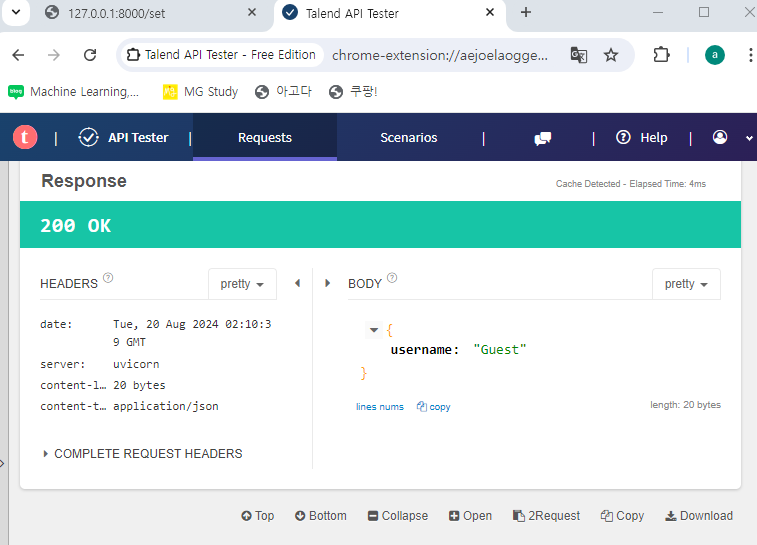
- /get
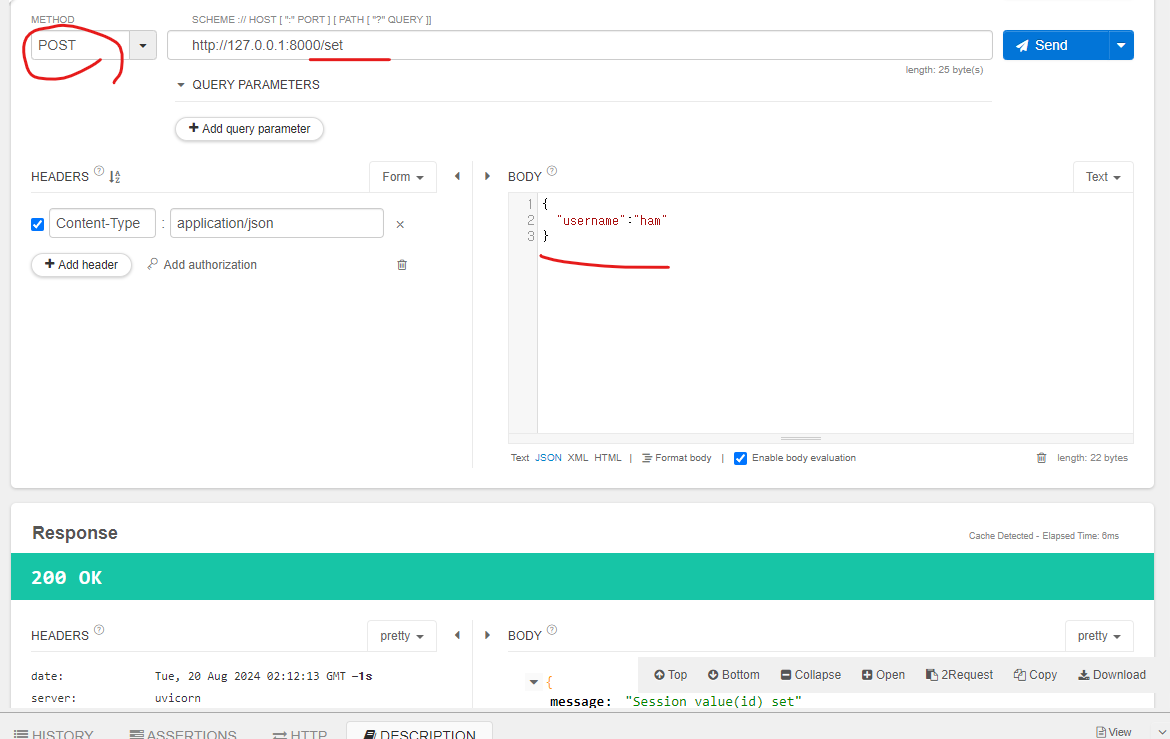
- /set
- talend tester로 보내면??
- 아래 사진처럼 세션에 username이 저장된다
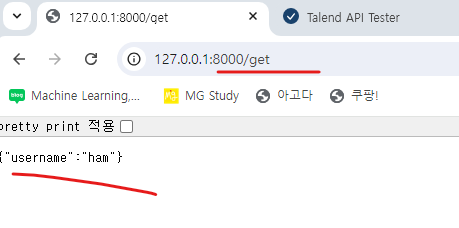
login.py, request.py
#login.py
from fastapi import FastAPI, Request, HTTPException, Form
from starlette.middleware.sessions import SessionMiddleware
from pydantic import BaseModel

app = FastAPI()
app.add_middleware(SessionMiddleware, secret_key="fastapi_secret_key")

class Item(BaseModel):
    username: str
    password: str

@app.post("/login")
async def login(request: Request, user: Item):
    if user.username == 'ham' and user.password == '1234':
        request.session['username'] = user.username
        return {"message" : "Login success"}
    else:
        raise HTTPException(status_code=401, detail="Login failed")


@app.get("/dashboard/")
async def dashboard(request: Request):
    username = request.session.get("username")
    if not username: # if username is None
        raise HTTPException(status_code=401, detail="Unauthenticated")
return {"message":f"welcome to the dashboard, {username}"}- 이렇게 해 놓고 request.py 생성
#request.py
import requests

url = "http://localhost:8000/login"

data = {
    "username": "ham",
    "password": "1234"
}


res = requests.post(url, json=data)

print(res)
print(res.text)-
터미널에서 실행하면
python request.py
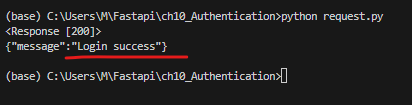
-
나는 되는데 강사님 cmd 안쳐서 그런거 같은뎅...
-
하지만 말 할 용기가 없다
✏ 참고
- post 형식은
curl -X POST http://localhost:8000/set이런식으로 터미널에 입력해야 볼 수 있음. - 왜? 원래 그럼
ch11_middleware
🌈Middleware
- 요즘은 api를 많이 사용해서 api에 특화된 미들웨어가 많이 나타난다.
- client와 server 간의 traffic사이에서 작동하는 코드
🌈 CORSMiddleware
- 보안을 강화해주는 middleware
- api 호출을 특정 ip에게만 허용함.
🌈 api 종류
1. rest api
- 가장 多사용하는 스타일
- HTTP 메소드(GET, POST, PUT, DELETE..)를 사용
2. open api
- 모든 사람에게 개방
- EX) 구글 지도 API
3. closed api(Private API)
- 특정 client에게만 개방
- 내부 시스템에서 데이터를 transaction할 때 사용
# main.py
from fastapi import FastAPI
from fastapi.middleware.cors import CORSMiddleware

app = FastAPI()

app.add_middleware(
    CORSMiddleware,
    allow_origins=["http://localhost:5000"],
    allow_credentials=True,
    allow_methods=["*"],
    allow_headers=["*"],
)

@app.get("/")
def read_root():
    return {"message" : "Hello, root ham!"}

@app.get("/hello")
def hello():
return {"message" : "Hello, hello ham!"}- main부분은 fastapi로 구현
<!DOCTYPE html>
<html lang="ko">
<head>
    <meta charset="UTF-8">
    <meta name="viewport" content="width=device-width, initial-scale=1.0">
    <title>CORS 테스트</title>

    <!-- 아래에서 호출 할 함수 makeRequest()를 비동기 식으로 정의 해줌-->
    <script type = 'text/javascript'>
        async function makeRequest(){
            try{
                const response = await fetch('http://localhost:8000/hello',
                    {
                        method : "GET",
                        credentials : 'include'
                    });
                    // fetch: 자바의 request와 비슷한 역할

           if(!response.ok){
               throw new Error('서버 상태 오류!!');
           }
           const data = await response.json()
      	   <!-- api 요청에 대한 응답 받아서 json형식으로 변환후 data에 저장 -->
           console.log(data);
           document.getElementById('result').innerHTML = JSON.stringify(data);}
			<!-- data 변수에 저장된 json 데이터를 html 요소의 innerhtml 속성에 출력-->
           catch(error){
               console.error('error: ', error);
               document.getElementById('result').innerHTML = '!!에러 발생!!';
           }
        }
    </script>

</head>
<body>
    <h1> cors 테스트 페이지</h1>
    <button onclick="makeRequest()">서버에 요청하기</button> <!--- 자바스크립트로 서버에 요청을 보내는 버튼-->
    <div id = "result"></div>

</body>
</html>

<!-- cmd : python -m http.server 5000 -->
🌈 코드 간단 설명
1. 서버 측 코드 (main.py) - FastAPI(python)
- FastAPI를 사용해서 서버구현
- get 엔드포인트 2개
- 첫번째 엔드포인트는 "/"
- 두번째 엔드포인트는 "/hello"
- 엔드포인트?
네트워크 상에서 서버의 특정 위치.
클라이언트가 서버에 요청을 보낼 때 사용하는 주소.
2. 클라이언트 측 코드 (index.html) - html + javascript
- html파일에 포함된 javascript코드가 fetch API를 사용해서 서버에 GET 요청을 보내고 처리함.
- Fetch API??
자바스크립트에서 HTTP 요청을 보내고 응답을 받는 API
3. 위의 두 파일이 통신하는 방법??
- 클라이언트(HTML)가 서버(PYTHON)에 GET 요청 보냄
- 서버는 요청 처리 후 다시 응답을 클라이언트에게 보냄
- 응답을 받아온 클라이언트는 받은 응답을 화면에 출력
- CORS는 위 통신과정에서 보안을 위해 사용됨.
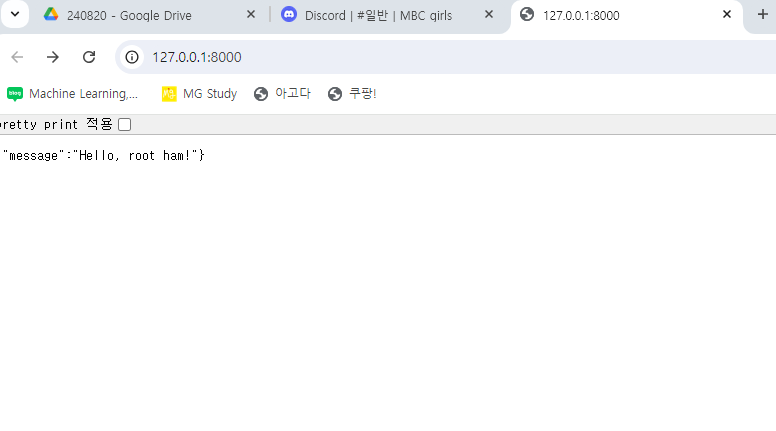
- 이거는 됨
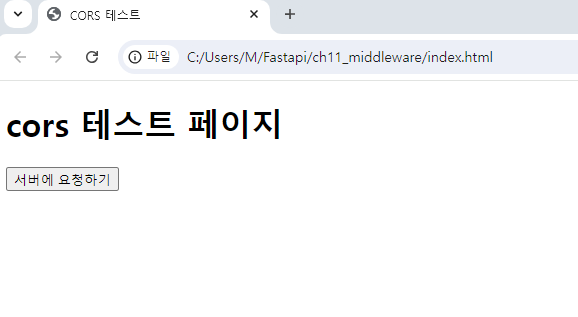
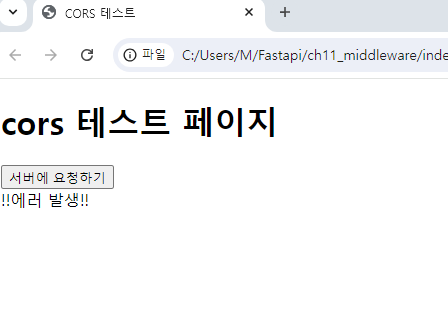
-
python -m http.server 5000으로 실행 -
안되는데염.....
ch12_fileupload
-
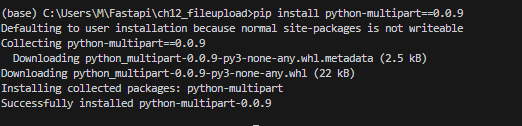
pip install python-multipart==0.0.9 -
파일 전송 시, 잘게 잘라서 나누어서 전송하게 하는 패키지
-
설치 완
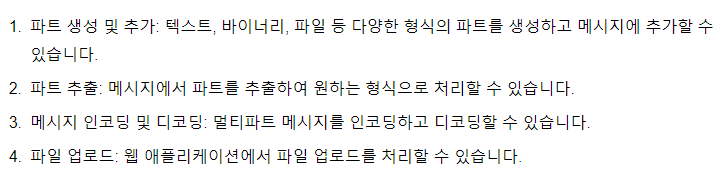
-
이런 기능을 제공한다고 합니다.
-
코드
from fastapi import FastAPI, File, UploadFile
import shutil # 파일 관리하는 모듈
from pathlib import Path

app = FastAPI()

@app.post("/uploadfile/") # 파일을 올려야 하니까 post 방식으로
async def create_upload_file(file: UploadFile = File(...)): #(...) : 필수 매개변수 라는 뜻. 파일 반드시 올려야 에러 안남.
    folder_name = "file_uploaded"
    Path(folder_name).mkdir(exist_ok=True)
    file_location = f"{folder_name}/{file.filename}"

    file.file.seek(0) #파일의 첫부분을 시작 위치로 설정. (0)에 시작 위치 넣어주면 됨.(= 파일 초기화)

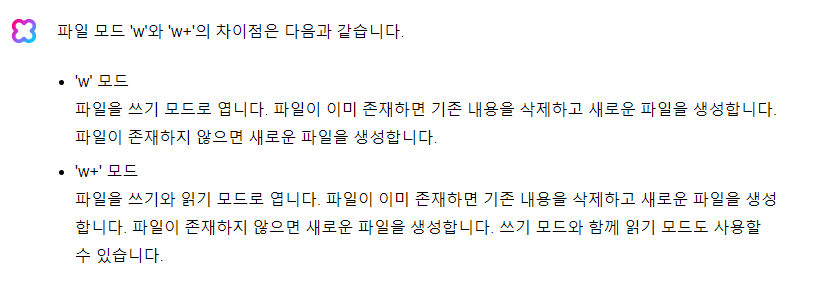
    with open(file_location, "wb+") as file_object: # wb+(write binary +) : 파일이 없으면 생성(쓰기모드)
        shutil.copyfileobj(file.file, file_object)

    return {'uploaded filename' : file.filename}
-
🍀Clova says🍀
-
요약하면 w는 쓰기만 w+는 쓰기 읽기 둘다
-
b는 바이너리 모드
-
텍스트 모드와 다르게 줄바꿈문자를 따로 처리 하지 않음
-
텍스트 파일인 경우는 'b' 빼고 text 모드로 설정해도 됨.
-
python -m uvicorn main:app --reload실행
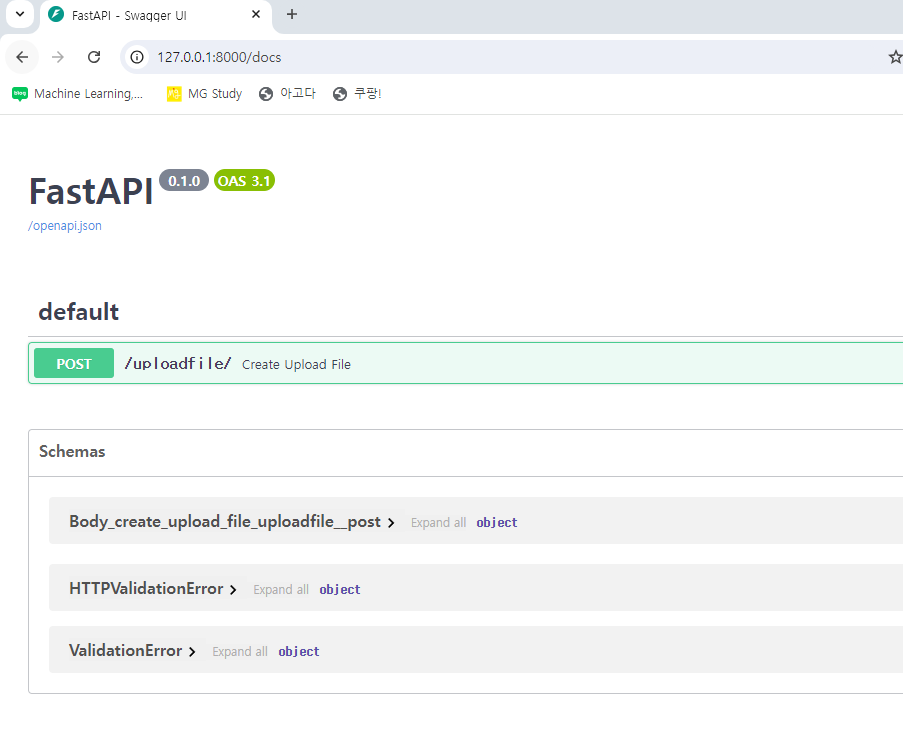
-
docs 페이지에서 바로 테스트도 가능
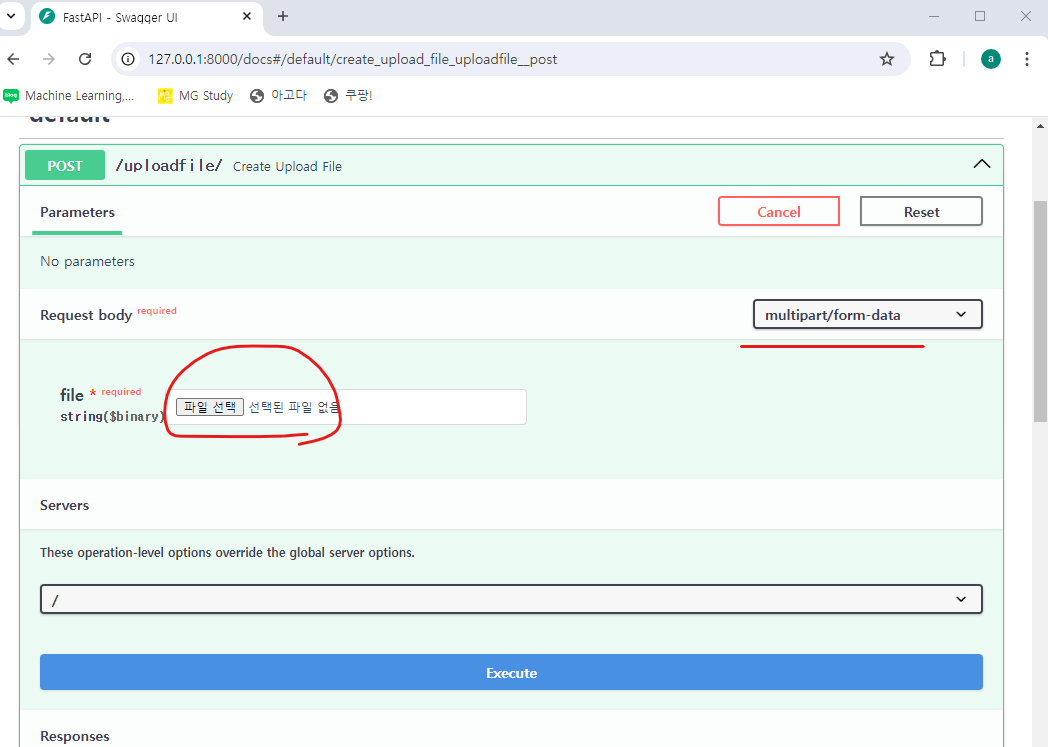
-
파일 선택 후 execute!
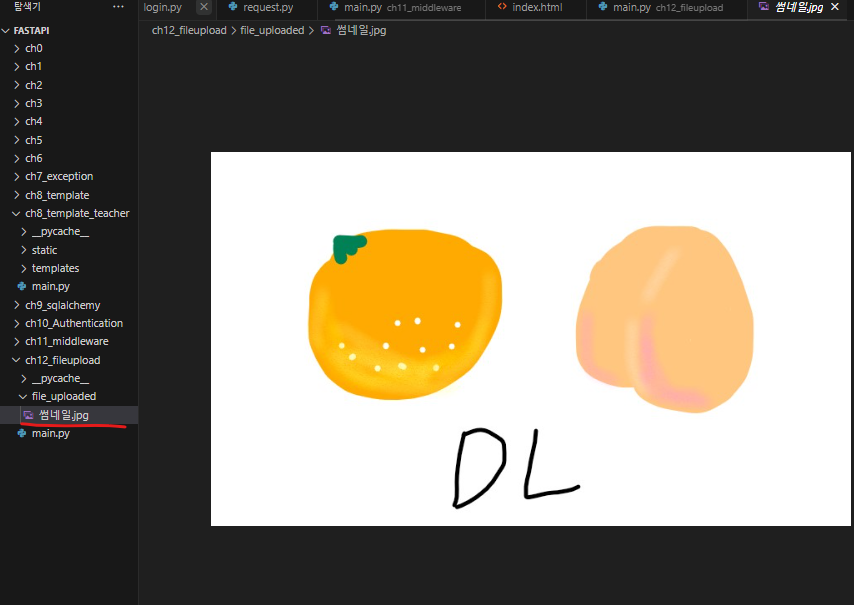
-
이렇게 내가 그린그림이 올라갑니다~!
ASGI(Asynchronous Server Gateway Interface)서버?
- 비동기 방식으로 HTTP 요청을 처리하는 서버
- ex) uvicorn, daphne, hypercorn
- ASGI 서버 오류 나면 보통 실행 경로 오류인 경우가 많은 듯함
- 폴더 위치 잘보거나 실행 프롬프트 앞에 python -m 붙여서 실행해 볼 것.
ch13_Async
🌈 동기처리
- 프로세스 단위로 하나씩 프로그램 작업을 처리하는 방식
- ex) A -> B -> C -> D
🌈 비동기처리
- 여러 프로세스의 작업을 나누어서 번갈아가며 처리
- 네트워크, database, I/O 작업에 적합
- ex) A -> B -> C -> D -> A -> B -> C -> D 나눠가면서 처리함.
# main.py
from fastapi import FastAPI
import asyncio

app = FastAPI()

async def fetch_data():
    await asyncio.sleep(2)
    return {"data": "some_data"}
# async와 await를 사용하여 비동기 처리

@app.get("/")
async def read_root():
    data = await fetch_data()
    return {"message": "Hello Ham", "fetch_data": data}
- 함수를 비동기 처리하기 위해 async 써줌
- 함수 내에서 비동기 처리할 부분에 await 써줌
- 위 두가지를 모두 만족해야 비동기 처리 가능
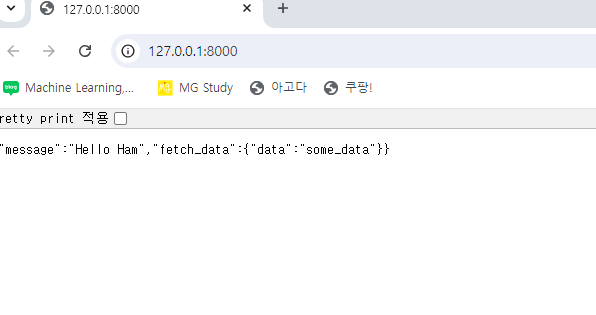
- sleep(2)가 있어서 2초간 쉬었다가 return이 출력됨
# main1.py
import asyncio

async def func1():
    print("func1 : Start")
    await asyncio.sleep(3) #asyncio는 비동기 처리 class
    print("func1 end")
    return {"data": "some_data"}

async def func2():
    print("func2 : Start")
    await asyncio.sleep(1) #asyncio는 비동기 처리 class
    print("func2 end")
    return {"data": "some_data"}

#비동기 처리 class를 한번에 실행시키는 함수 gather
async def main():
    await asyncio.gather(func1(), func2())

if __name__ == "__main__":
asyncio.run(main())-
asyncio.gather(): 여러 비동기함수를 한번에 실행 -
asyncio.run(main()): 비동기 함수 실행시키는 명령 -
실행은
python main1.py왜? fastapi 아니니까~!~!
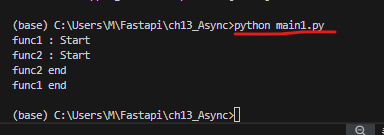
-
실행시켜 보면 func1은 시작하고 3초 걸리고 func2는 1초 이기 때문에 순서는 아래처럼!
func1 시작 -> func2시작 -> func2 1초 걸림 -> func2 끝 -> func1도 3초 후에 끝
-
이것이 비동기처리다!
# main2.py
import asyncio
from fastapi import FastAPI
from time import sleep, time
import requests
import asyncio
import aiohttp

app = FastAPI()
default_url = "https://nate.com"

# 동기방식
@app.get("/sync/{times}")
def sync_call(times: int, url: str=default_url):
    start_time = time()
    sleep(1)
    for _ in range(times):
        requests.get(url)
    elapsed_time_sync = time()
    return {"elasped_time_sync": round(elapsed_time_sync, 3)}

# 비동기식
@app.get("/async/{times}")
async def async_call(times: int, url: str= default_url):
    start_time = time()
    async with aiohttp.ClientSession() as session: #비동기 세션 생성
        tasks = []
        for _ in range(times):
            task = session.get(url)
            tasks.append(task)
        await asyncio.gather(*tasks)

    elapsed_time_async = time() - start_time
return ['elapsed_time_async', round(elapsed_time_async, 3)]-
aiohttp.ClientSession(): 비동기 세션 생성 -
실행결과
- 엔드포인트 "/sync"
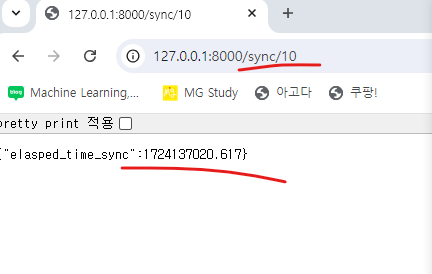
- 단위는 초!
- 엔드포인트 "/async"
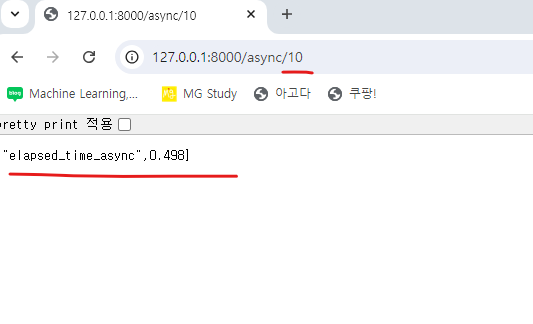
- 단위는 초!
메모장 만들기는 다음 포스팅~!