2024-08-08 THU
- html 시작
HTML
실습 1. 001.html
- 기본태그
<!DOCTYPE html>
<html lang="ko">
<head>
    <meta charset="UTF-8">
    <meta name="viewport" content="width=device-width, initial-scale=1.0">
    <title>Document</title>
</head>
<body>
    <!-- body 시작 -->

    <div>
        <div>
            hello html
        </div>
        <div>hello</div>
        <div>hello</div>
    </div>
    <!-- 헤드를 표시 -->
    <h1> hello world</h1>
    <h2> hello world</h2>
    <h3> hello world</h3>
    <h4> hello world</h4>
    <h5> hello world</h5>
    <h6> hello world</h6>

    <!-- 헤드를 표시 -->
    <a href = 'https://www.naver.com'>네이버</a>
    <a href = 'https://www.daum.net'>다음</a>
    <a href = '002.html'>002.html</a>
    <a href = 'bird.jpg'>bird</a>
    <a href = '#'>테스트</a> <!-- #은 이동하지 않고 맨 위로 올라가는 링크-->

    <br>hello <br> python

    <hr>

    <!-- 문단 나누기 -->
    <p>기후위기 너머를 어떻게 상상할 것인가 새로운 곳으로 우리를 이끌 열 번의 대화 기후위기는 단순히 환경의 영역을 넘어 국제 정세, 에너지 시장, 금융 및 경제, 산업, 먹거리, 건강, 정치와 크나큰 영향을 주고받고 있다.</p>
    <p>
        <strong> 기후위기</strong>에 관련된 최재천 교수님의 신간 <em>기후, 기회</em> 입니다.
    </p>
    <hr>

    <pre>
    기    후     위     기 너머를 어떻게 상상할 것인가
    새로운 곳으로 우리를 이끌 열 번의 대화
    기후위기는 단순히 환경의 영역을 넘어 국제 정세, 에너지 시장, 금융 및 경제, 산업, 먹거리, 건강, 정치와 크나큰 영향을 주고받고 있다.
    </pre>
</body>
</html>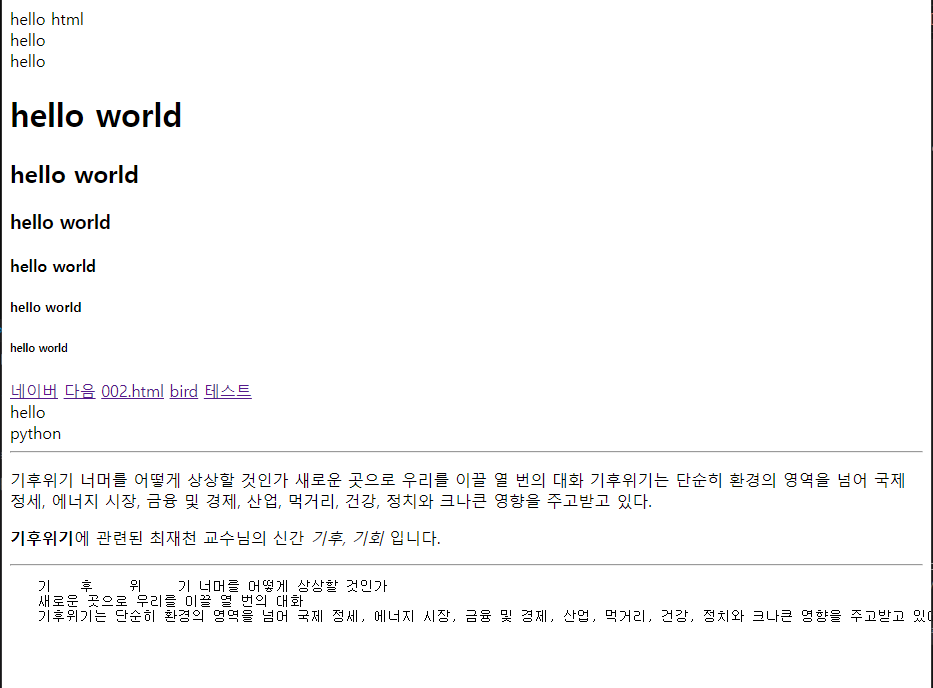
실습 2. 002.html
- 리스트
<!DOCTYPE html>
<html lang="ko">
<head>
    <meta charset="UTF-8">
    <meta name="viewport" content="width=device-width, initial-scale=1.0">
    <title>Document</title>
</head>
<body>
    <!-- unordered list -->
    <ul>
        <li>hello</li>
        <li>hello</li>
        <li>hello</li>
        <li>hello</li>
    </ul>
    <!-- ordered list -->
    <ol>
        <li>hello</li>
        <li>hello</li>
        <li>hello</li>
        <li>hello</li>
    </ol>

    <ol type = 'A'>
        <li>hello</li>
        <li>hello</li>
        <li>hello</li>
        <li>hello</li>
    </ol>

    <ol type = 'i'>
        <li>hello</li>
        <li>hello</li>
        <li>hello</li>
        <li>hello</li>
    </ol>
</body>
</html>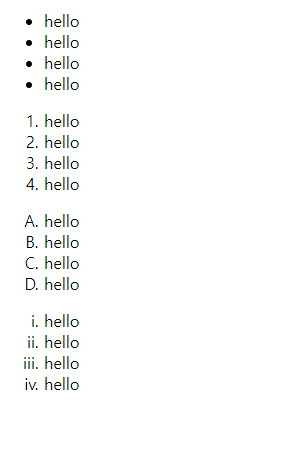
실습 3. 003.html
- 이미지
- iframe 태그는 외국 사이트에서 많이 사용함
<!DOCTYPE html>
<html lang="ko">
<head>
    <meta charset="UTF-8">
    <meta name="viewport" content="width=device-width, initial-scale=1.0">
    <title>Document</title>
</head>
<body>
    <a href = '002.html'>
    <img width = '300' height = '300' src = './bird.jpg' alt = '새'>
    </a>
    <iframe width = '935' height = '526' src = 'https://www.coupang.com/' title = '네이버' frameborder = '0'></iframe>
</body>
</html>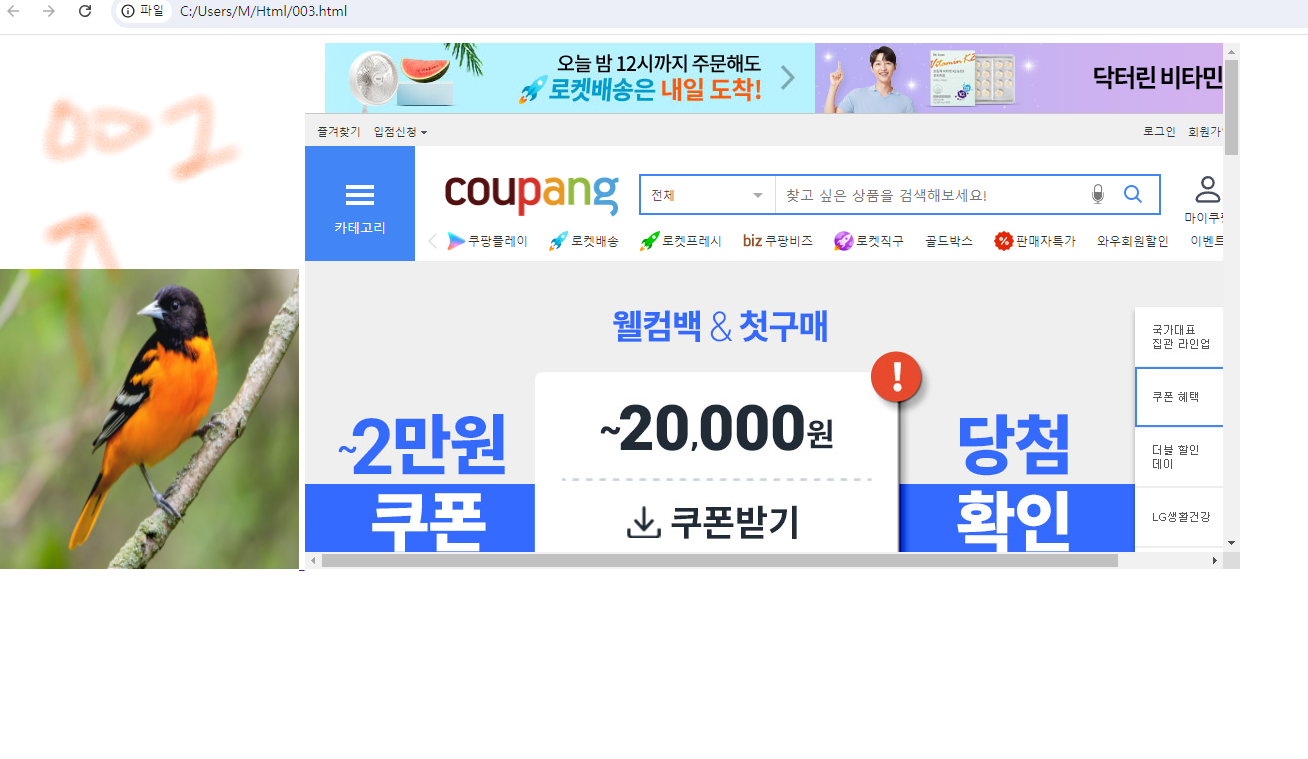
실습 4. 004.html
<!DOCTYPE html>
<html lang="ko">
<head>
    <meta charset="UTF-8">
    <meta name="viewport" content="width=device-width, initial-scale=1.0">
    <title>Document</title>
    <style>
        h1 {
            background-color: darkblue;
            color:aliceblue;
        }
        div{
            width: 500px;
            border: 1px solid black;
            border-radius: 20px;
            padding : 10px;
            margin: 10px;
        }
        span{
            background-color: wheat;
        }
    </style>
</head>
<body>

    <h1>FaceBook</h1>

    <div>
        <h2>해니</h2>
        <img width = '100%' src = './bird.jpg'  alt = 'SAE'>
        <p>기후위기 너머를 어떻게 상상할 것인가 새로운 곳으로 우리를 이끌 열 번의 대화 기후위기는 단순히 환경의 영역을 넘어 국제 정세, 에너지 시장, 금융 및 경제, 산업, 먹거리, 건강, 정치와 크나큰 영향을 주고받고 있다.</p>
    </div>

    <div>
        <h2>해니</h2>
        <img width = '100%' src = './bird.jpg'  alt = 'SAE'>
        <p>기후위기 너머를 어떻게 상상할 것인가 새로운 곳으로 우리를 이끌 열 번의 대화 기후위기는 단순히 환경의 영역을 넘어 국제 정세, 에너지 시장, 금융 및 경제, 산업, 먹거리, 건강, 정치와 크나큰 영향을 주고받고 있다.</p>
    </div>

</body>
</html>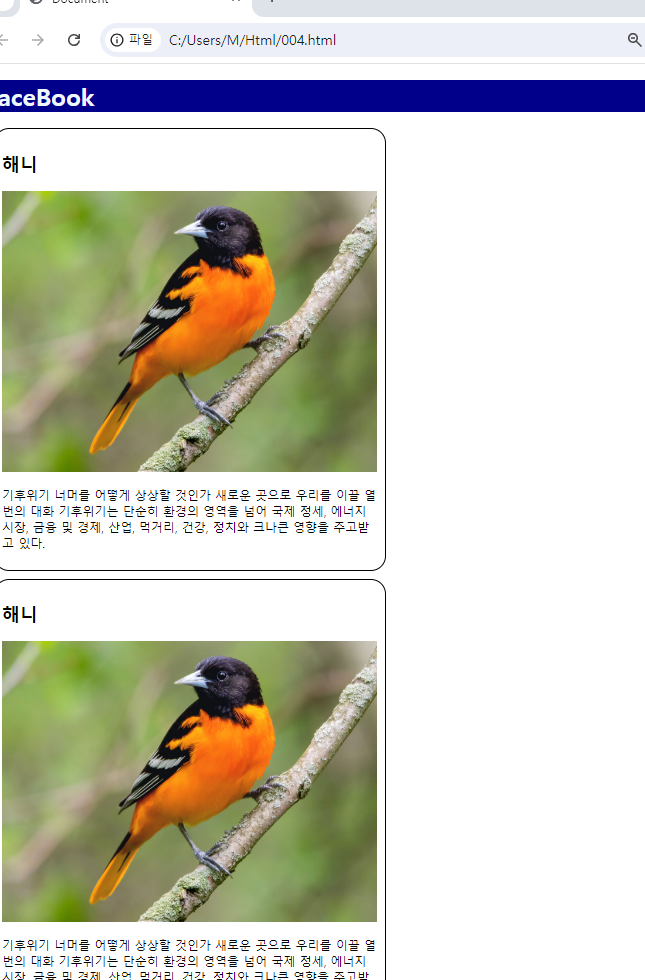
실습 5. 005.html
<!DOCTYPE html>
<html lang="ko">
<head>
    <meta charset="UTF-8">
    <meta name="viewport" content="width=device-width, initial-scale=1.0">
    <title>Document</title>
</head>
<body>
    <form action = '' method = 'post'>
        <input type = 'text' name = 'id' placeholder = '아이디'>
        <input type = 'password' name = 'pw' placeholder = '비밀번호'>
        <button type = 'submit'>로그인</button>
        <br>
        <textarea name = 'opnion' cols = '30' rows = '10' placeholder = '의견을 입력하세요'></textarea>
        <br>
    </form>

    <form action = ''>
        <input type = 'date' name = ''>
        <input type = 'number' name = ''>
        <input type = 'range' name = ''>
        <input type = 'color' name = ''>
        <input type = 'file' name = ''>
    </form>

    <form action = '/login' method = 'post'>
        <label for = 'username'>아이디</label>
        <input type = 'text' id = 'username' name = 'username'>
        <label for = 'password'>비밀번호</label>
        <input type = 'password' id = 'password' name = 'password'>
        <button type = 'submit'>로그인</button>
    </form>
</body>
</html>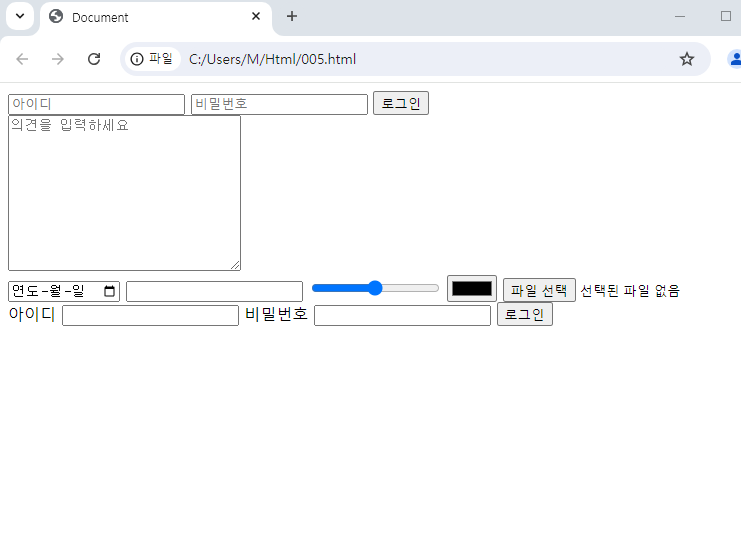
실습 6. 006.html
<!DOCTYPE html>
<html lang="ko">
<head>
    <meta charset="UTF-8">
    <meta name="viewport" content="width=device-width, initial-scale=1.0">
    <title>Document</title>
    <style>
        table{
            width: 100% black;
            border-collapse: collapse;
        }
        th, td{
            border: 1px solid black;
            padding: 10px;
        }
    </style>
</head>
<body>
    <table>
        <thead>
            <tr>
                <th>책 번호</th>
                <th>책 이름</th>
                <th>판매량</th>
            </tr>
        </thead>
        <tbody>
            <tr>
                <td>1</td>
                <td>책 이름1</td>
                <td>100</td>
            </tr>
            <tr>
                <td>2</td>
                <td>책 이름2</td>
                <td>200</td>
            </tr>
            <tr>
                <td>3</td>
                <td>책 이름3</td>
                <td>300</td>
            </tr>
    </table>

</body>
</html>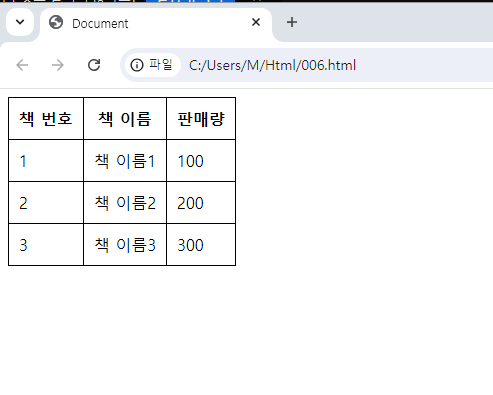
실습 7. 007.html
<!DOCTYPE html>
<html lang="ko">
<head>
    <meta charset="UTF-8">
    <meta name="viewport" content="width=device-width, initial-scale=1.0">
    <title>Document</title>
    <style>
        h1{
            border: solid 1px black;
            color: red;
        }
        .one{
            color:blue;
        }
    </style>
</head>
<body>
    <h1>hello world</h1>
    <h1 class = 'one'>hello world</h1>
    <script>
        alert('안녕하세요. 저는 자바스크립트 입니다.')
    </script>

</body>
</html>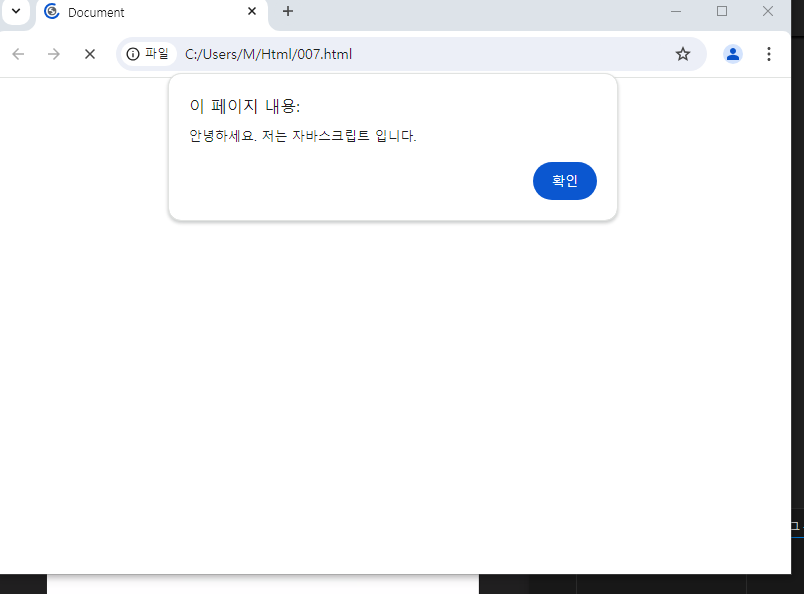
- 자바스크립트 경고창
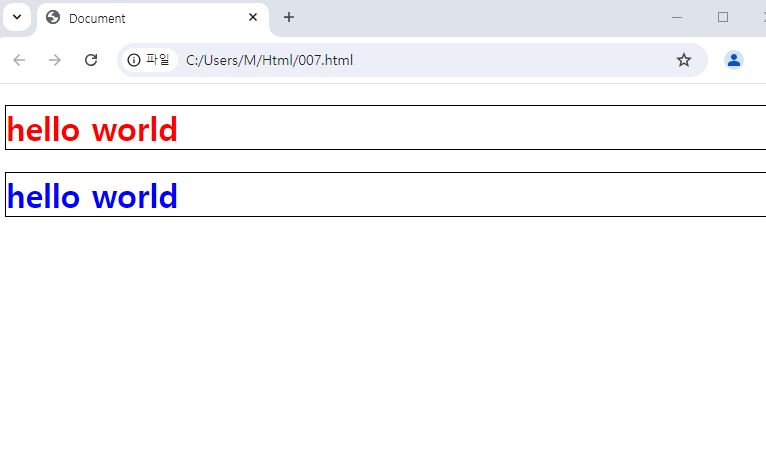
- 경고창 끄면 이렇게~!