6. static getDerivedStateFromProps(() 사용하기
컴포넌트 생명주기 함수 중 getDerivedStateFromProps()에 대해 알아보자
// scr/App.js

import React from 'react';
import './App.css';
import LifecycleEx from './R006_LifecycleEx'   // R006_LifecycleEx.js 임포트

function App() {
  return (
    <div>
      <h1>Start React 200!</h1>
      <p>CSS 적용하기</p>
      <LifecycleEx
        prop_value = 'FromApp.js'   // R006_LifecycleEx 컴포넌트로 prop_value 라는 변수 전달
      />
    </div>
  );
}

export default App;
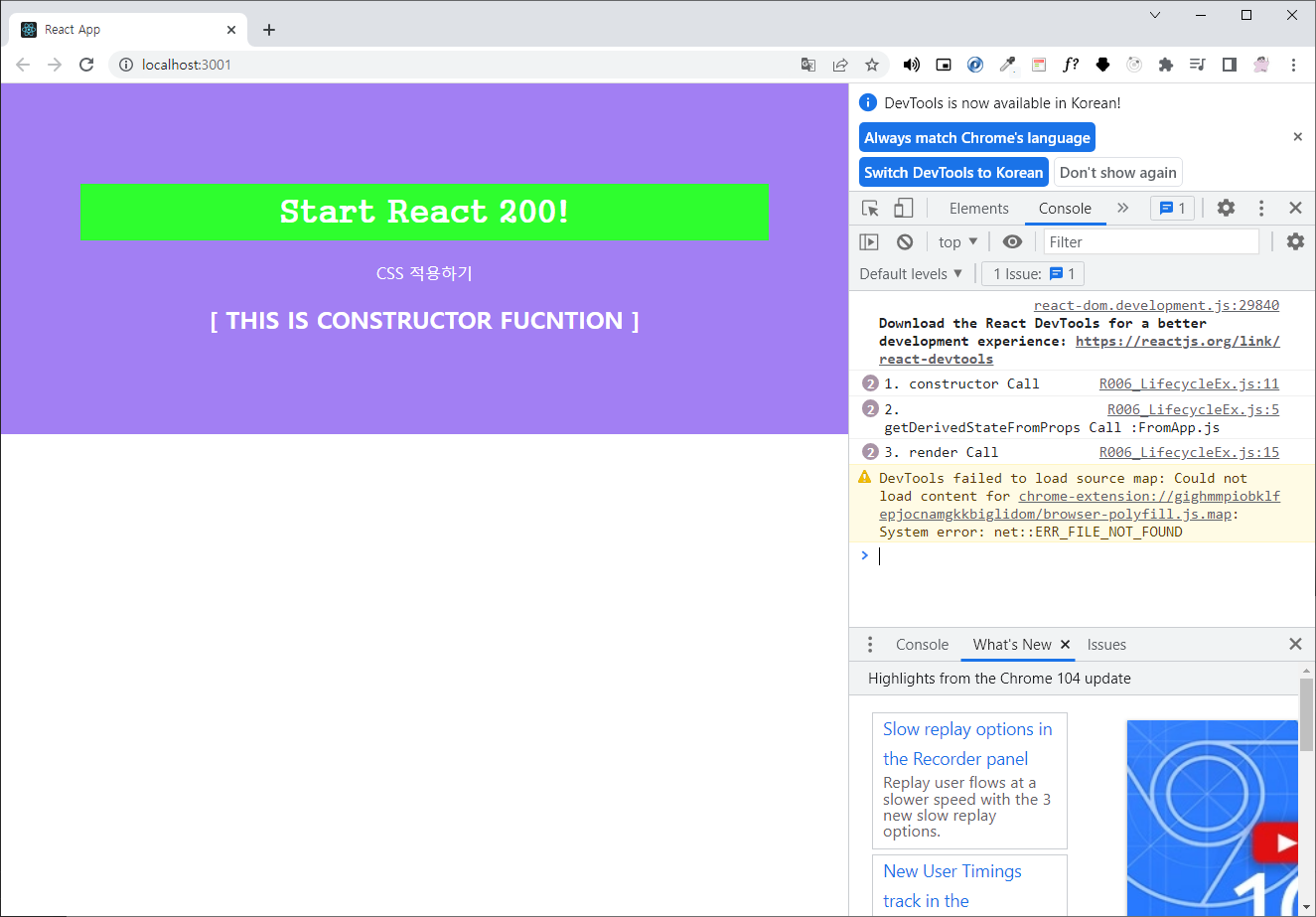
getDerivedStateFromProps(props, state) 함수는 constructor(props) 함수 다음으로 실행된다. 컴포넌트가 새로운 props를 받게 됐을 때 state를 변경해준다.
// src/R006_LifecycleEx.js

import React, { Component } from 'react';

class R006_LifecycleEx extends Component {
  static getDerivedStateFromProps(props, state) {
    console.log('2. getDerivedStateFromProps Call :'+props.prop_value);
    return {};
  }
  constructor(props) {
    super(props);
    this.state = {};
    console.log('1. constructor Call');
  }

  render() {
    console.log('3. render Call');
    return (
      <h2>[ THIS IS CONSTRUCTOR FUCNTION ]</h2>
    )
  }
}

export default R006_LifecycleEx;
App.js 에서 전달한 prop_value 라는 변수를 props.prop_value로 접근해 값을 가져올 수 있다.
실행 결과
7. componentDidMount()
컴포넌트 생명주기 함수 중 componentDidMount() 에 대해 알아보자
// scr/App.js

import React from 'react';
import './App.css';
import LifecycleEx from './R007_LifecycleEx'   // R007_LifecycleEx.js 임포트

function App() {
  return (
    <div>
      <h1>Start React 200!</h1>
      <p>CSS 적용하기</p>
      <LifecycleEx
        prop_value = 'FromApp.js'   // R006_LifecycleEx 컴포넌트로 prop_value 라는 변수 전달
      />
    </div>
  );
}

export default App;
R007_LifecycleEx.js 파일을 생성 후 아래와 같이 작성한다.
// src/R007_LifecycleEx.js

import React, { Component } from 'react';

class R007_LifecycleEx extends Component {
  static getDerivedStateFromProps(props, state) {
    console.log('2. getDerivedStateFromProps Call :'+props.prop_value);
    return {tmp_state:props.prop_value};
  }

  constructor(props) {
    super(props);
    this.state = {};
    console.log('1. constructor Call');
  }

  componentDidMount() {
    console.log('4. componentDidMount Call');
    console.log('5. tmp_state : '+this.state.tmp_state);
  }

  render() {
    console.log('3. render Call');
    return (
      <h2>[ THIS IS COMPONENTDIDMOUNT FUCNTION ]</h2>
    )
  }
}

export default R007_LifecycleEx;
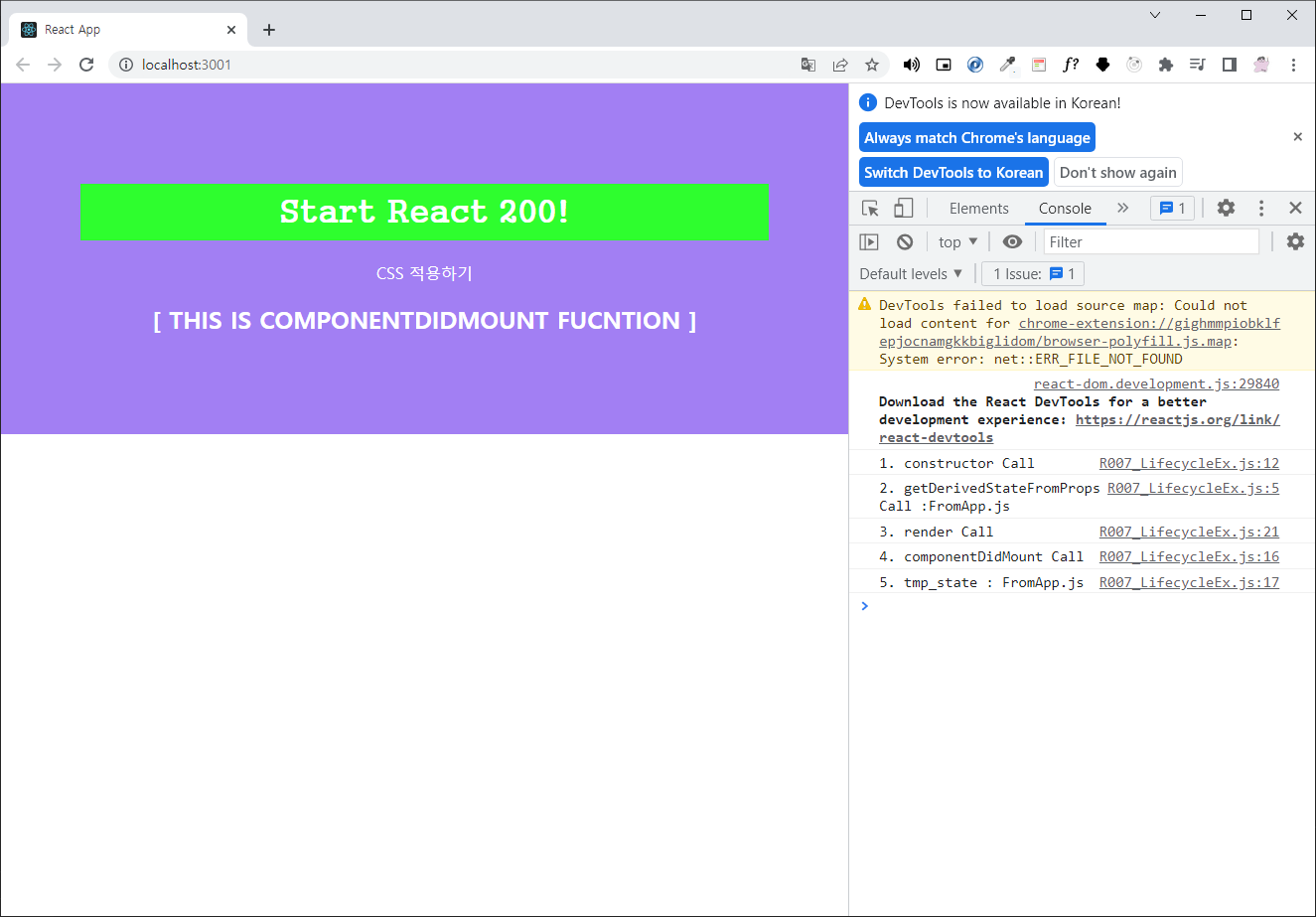
componentDidMount() 함수는 작성한 함수들 중 가장 마지막으로 실행된다. render() 함수가 return 되는 html 형식의 코드를 화면에 그려준 후 실행된다.
화면이 모두 그려진 후에 실행돼야 하는 이벤트 처리, 초기화 등에 가장 많이 활용되는 함수다.
실행 결과
8. shouldComponentUpdate()
컴포넌트 생명주기 함수 중 shouldComponentUpdate() 에 대해 알아보자
import 를 바꿔준다.
// scr/App.js

import React from 'react';
import './App.css';
import LifecycleEx from './R008_LifecycleEx'   // R008_LifecycleEx.js 임포트

... 이하생략
react 에서 컴포넌트의 생명주기란 생성, 변경, 소멸의 과정을 뜻한다.
shouldComponentUpdate() 함수는 컴포넌트의 변경 과정에 속한다. 즉 props나 state의 변경을 말한다.
// src/R008_LifecycleEx.js
import React, { Component } from 'react';

class R008_LifecycleEx extends Component {
  static getDerivedStateFromProps(props, state) {
    console.log('2. getDerivedStateFromProps Call :'+props.prop_value);
    return {tmp_state:props.prop_value};
  }

  constructor(props) {
    super(props);
    this.state = {};
    console.log('1. constructor Call');
  }

  componentDidMount() {
    console.log('4. componentDidMount Call');
    console.log('5. tmp_state : '+this.state.tmp_state);
    this.setState({tmp_state2 : true});
  }

  shouldComponentUpdate(props, state) {
    console.log('6. shouldComponentUpdate Call / tmp_state2 = ' + state.tmp_state2);
    return state.tmp_state2
  }

  render() {
    console.log('3. render Call');
    return (
      <h2>[ THIS IS shouldComponentUpdate FUCNTION ]</h2>
    )
  }
}

export default R008_LifecycleEx;
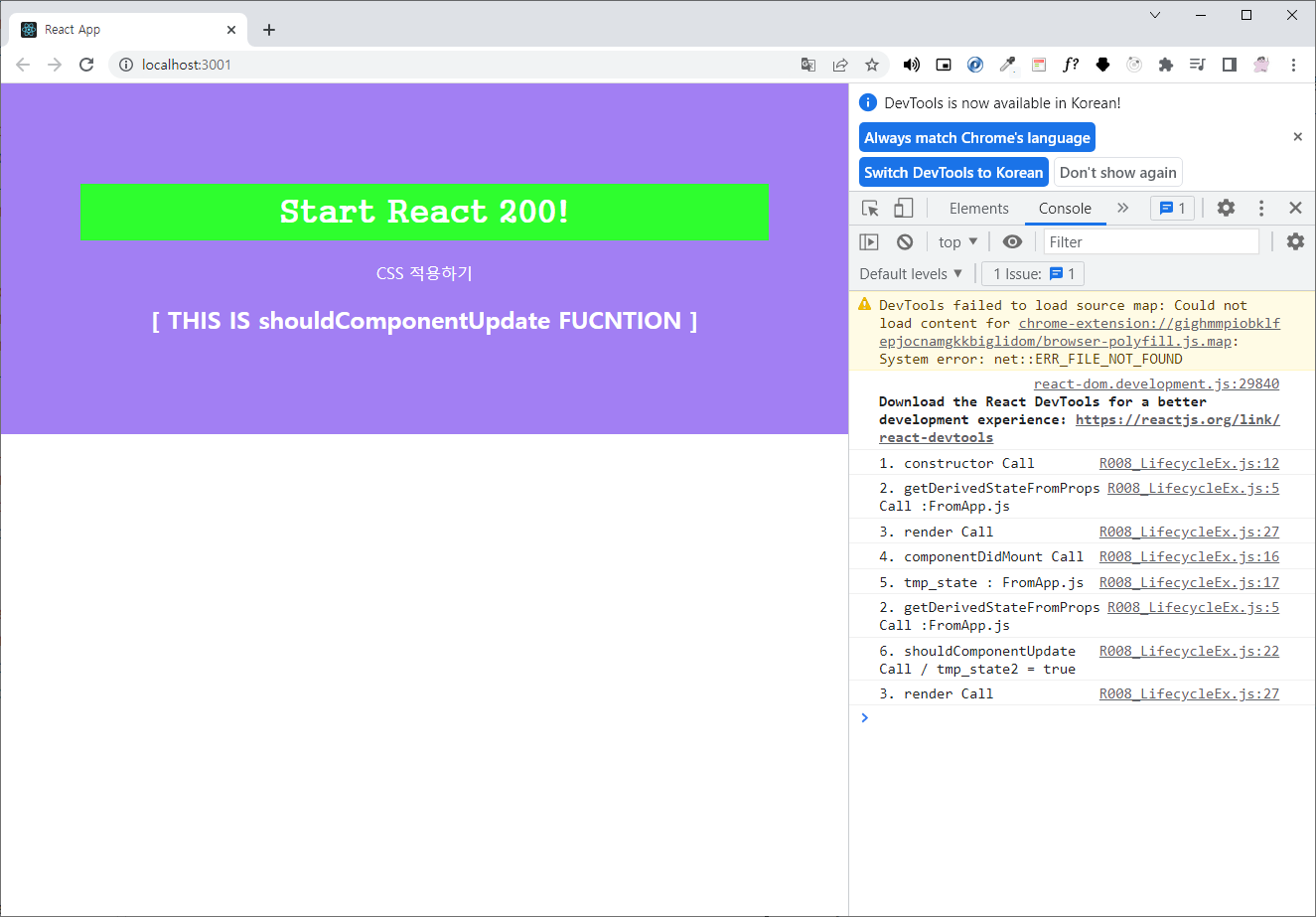
componentDidMount() 함수는 '생성' 단계의 함수 중 가장 마지막으로 실행
tmp_state2 라는 state 변수에 true 를 세팅하고, setState() 함수는 변수의 선언과 초기화를 동시에 실행한다.
componentDidMount() 안의 this.setState({tmp_state2 : true}) 에서 state의 변경이 발생했기 때문에 '변경' 단계의 생명주기함수 shouldComponentUpdate() 가 실행된다.
shouldComponentUpdate() 는 boolean 타입의 데이터를 반환하는데 그 값이 true 일 경우 render() 함수를 한번 더 호출한다.
실행 결과