[Spring, JavaScript] Why, How - 비로그인 상태에서 Ajax 요청시 리다이렉트가 제대로 작동되지 않는 문제 해결.
Error, Why, What, How
목록 보기
44/68
1. 현재 상황.
@RequiredArgsConstructor
@Configuration
@EnableWebSecurity
@EnableMethodSecurity(prePostEnabled = true)
public class SecurityConfig {
    private final UserDetailsServiceImpl userDetailsServiceImpl;
    @Bean
    public SecurityFilterChain securityFilterChain(HttpSecurity httpSecurity) throws Exception {
        httpSecurity
                .authorizeHttpRequests(
                        (authorizeHttpRequests) -> authorizeHttpRequests
                .requestMatchers("/article/create", "/comment/create/**", "/article/vote/**", "/comment/vote/**").authenticated()
                                                             .anyRequest().permitAll())
                .formLogin(

                					....

                )
                .logout(

                					....

                )
                .rememberMe(

                            		....

                            );
        return httpSecurity.build();
} @PostMapping("/vote/{id}")
@ResponseBody
public ResponseEntity<Integer> articleVote(@PathVariable("id") Integer id, Principal principal) {
Article article = articleService.getArticle(id);
SiteUser siteUser = userService.findByUsernameOrThrow(principal.getName());
articleService.toggleVote(article, siteUser);
return ResponseEntity.status(HttpStatus.OK).body(article.getVoter().size());
}/article/vote/**"경로는 로그인된, 즉 인증된 사용자만 요청할 수 있음.
    document.querySelectorAll('.vote-btn').forEach(btn => {
        btn.addEventListener('click', () => {
            const id = btn.dataset.id;
            const type = btn.dataset.type;
            const url = `/${type}/vote/${id}`;
            const countSpan = btn.querySelector('.vote-count')

            fetch(url, {
                method: 'POST',
                headers: {
                    [csrfHeader]: csrfToken,
                    'X-Requested-With': 'XMLHttpRequest'
                }
            })
            .then(res => {
//                if (res.status === 302)
                if (res.status === 401) {
                    alert('로그인이 필요해요.');
                    window.location.href = '/user/login';
                    return;
                }
                return res.text();
            })
            .then(voteCount => {
                countSpan.textContent = voteCount;

                if (btn.classList.contains('btn-primary')) {
                    btn.classList.remove('btn-primary');
                    btn.classList.add('btn-outline-success');
                } else {
                    btn.classList.remove('btn-outline-success');
                    btn.classList.add('btn-primary');
                }
            })
            .catch(err => console.error(err));
        })
})- 서버에서 추천 수의 총합을 응답하므로
res.text()으로 해놨음.
만약 비로그인 상태에서 추천 버튼을 눌러보면.
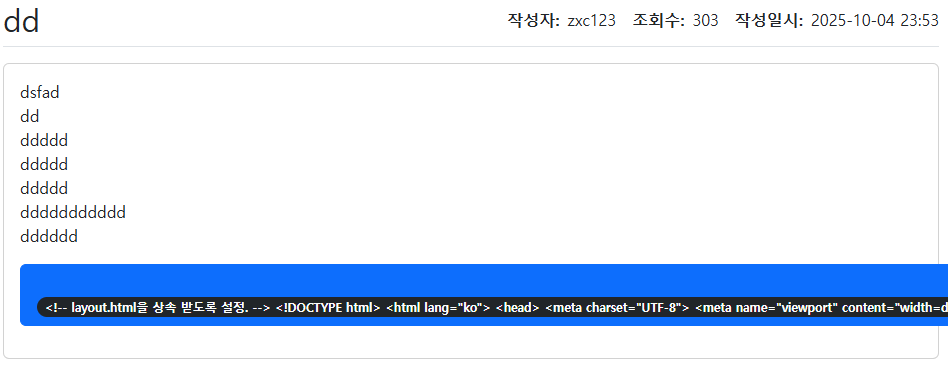
↑위 처럼 HTML 코드가 버튼에 들어가버림.
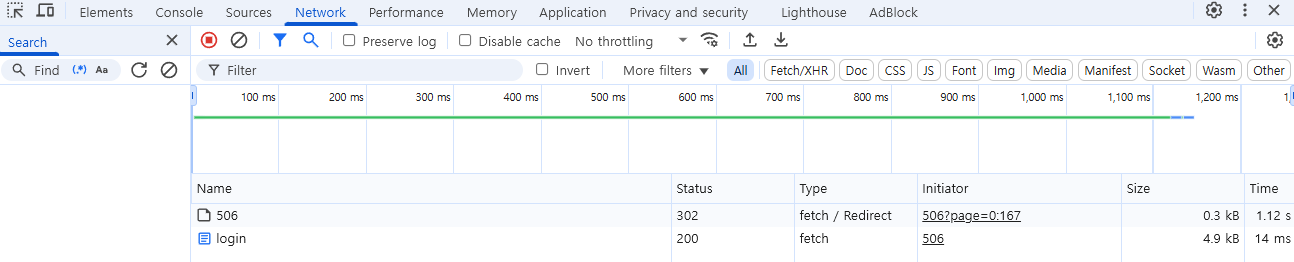
- 개발자 도구에서 Network 탭에 보면 302(리다이렉트)가 발생했고
/user/login으로 리다이렉트로 인해login.html이 응답되었음.
- 개발자 도구에서 Network 탭에 보면 302(리다이렉트)가 발생했고
- 비로그인 요청이면 401 반환될거라 생각해서 JS에서
if (res.status === 401)조건문도 걸어봤지만 결과는 똑같았음.- 리다이렉트 요청이 302이므로 302도 해봤지만 안됨.
2. 디버깅.
- Interface AuthenticationEntryPoint
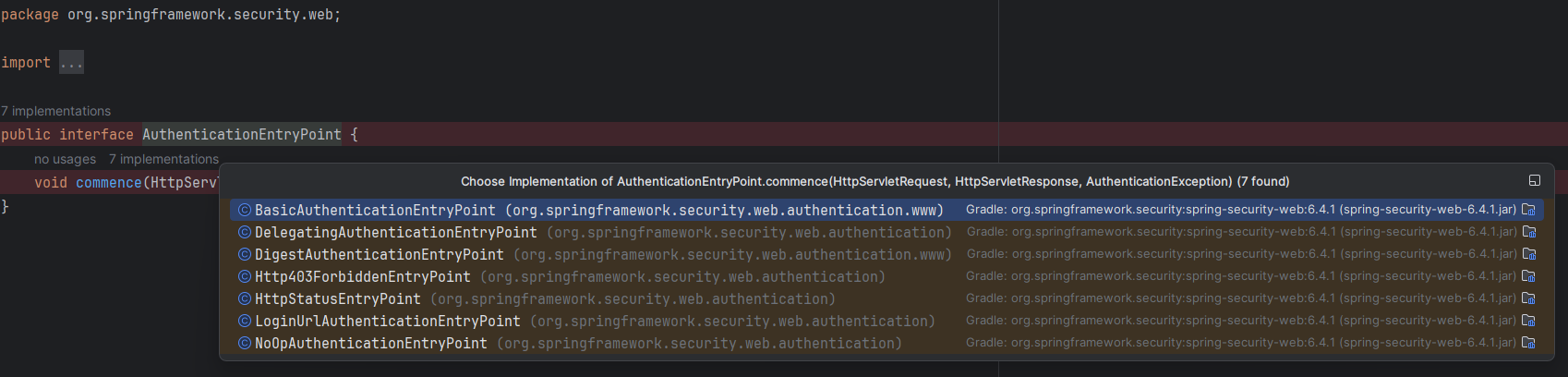
- 스프링 시큐리티에서 인증되지 않은 사용자가 인증이 필요한 리소스에 접근하려고 하면 호출되는 인터페이스는
AuthenticationEntryPoint임.AuthenticationEntryPoint인터페이스를 구현한 곳을 전부 브레이크 포인트를 걸어놓고 디버깅을 했음.
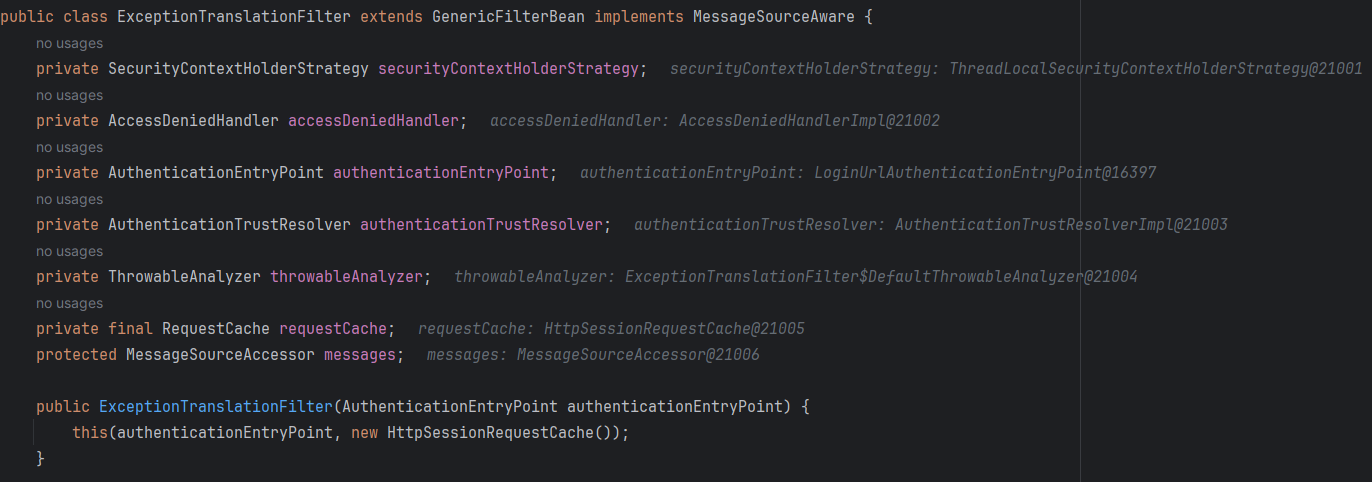
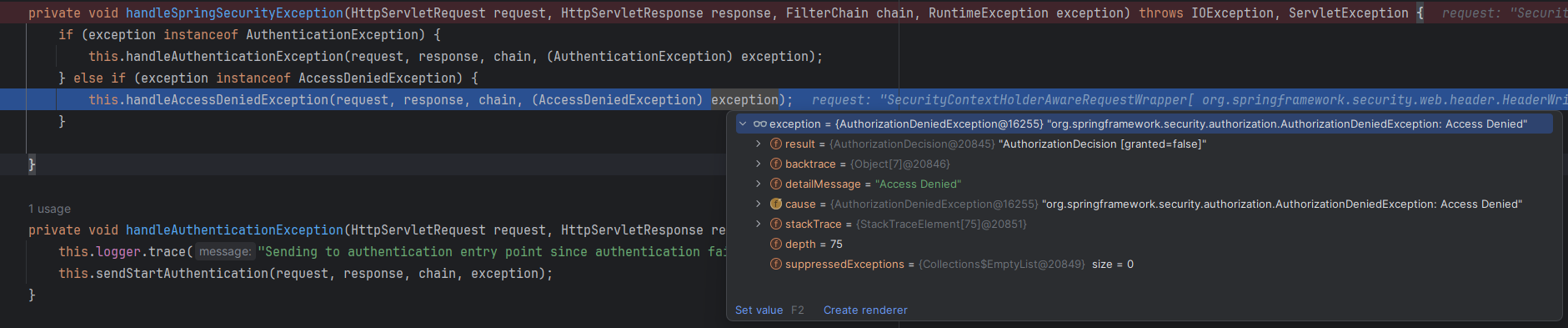
- 먼저
ExceptionTranslationFilter의handleSpringSecurityException()가 호출됨.- 조건문과
instanceof를 통해 타입을 확인함. AuthenticationException은 인증 문제이고AccessDeniedException은 인가 문제임.
- 조건문과
- 그 후
ExceptionTranslationFilter의handleAccessDeniedException()메서드가 호출이 됨.
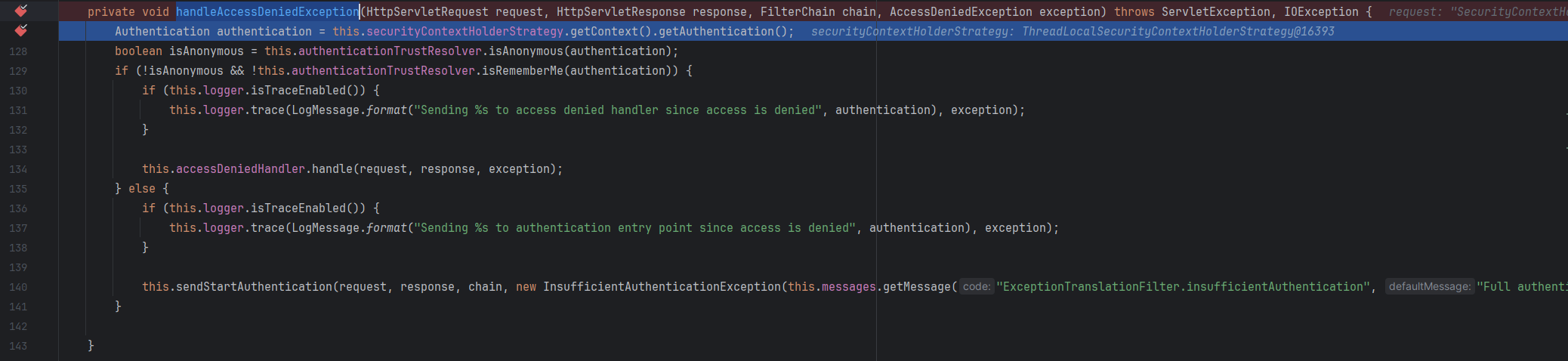

authentication을 확인해보면principal=anonymousUser를 확인할 수 있음.
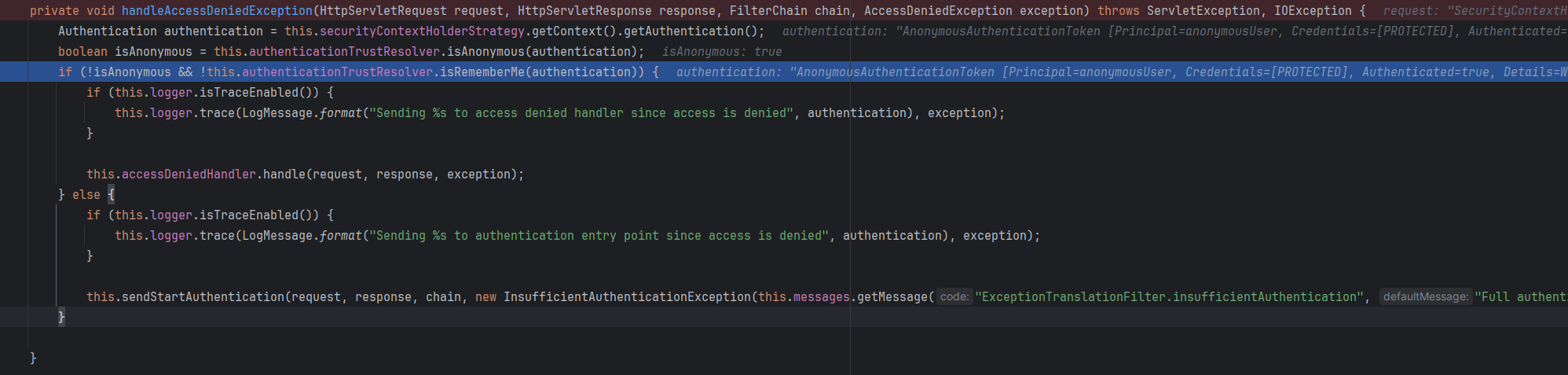
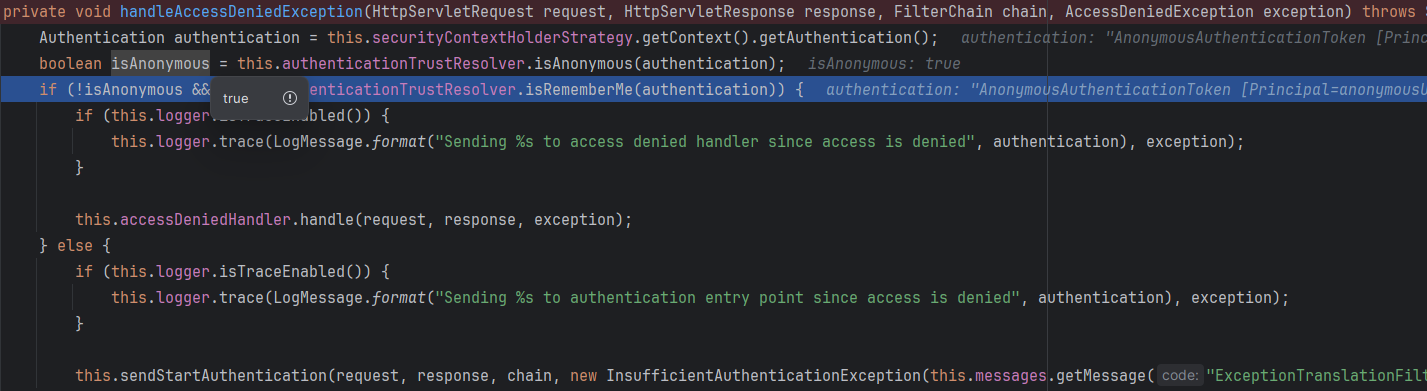
- 그 후
if문으로isAnonymous인지 확인하는 절차가 있는데
여기서accessDeniedHandler.handle()로 갈지 아니면sendStartAuthentication()으로 갈지 정해짐.- 전자는
인가, 후자는인증을 담당함.
- 전자는
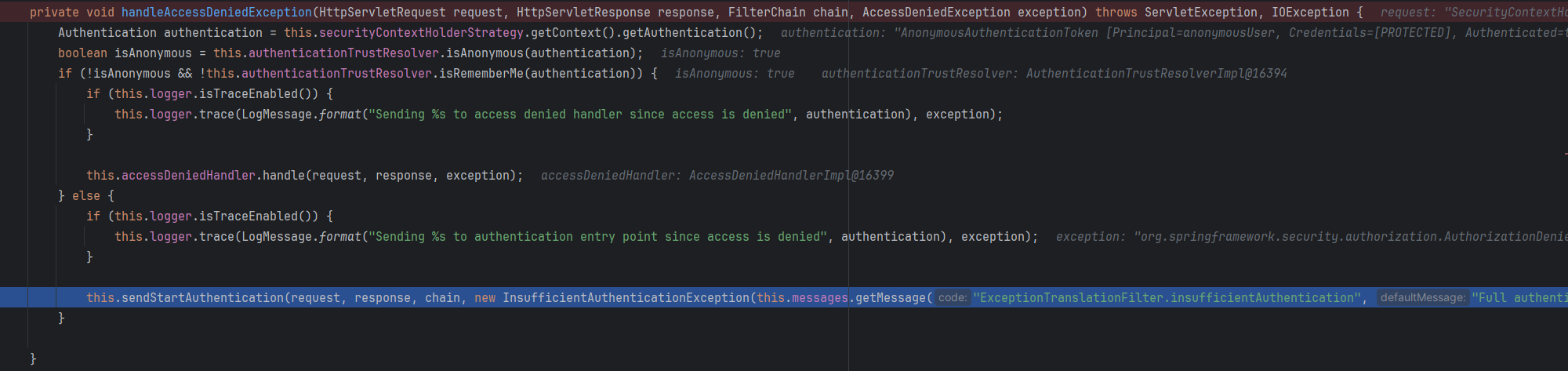
- 비로그인 상태로 요청을 했기 때문에
isAnonymous가true임. 그래서sendStartAuthentication()가 호출됨.sendStartAuthentication()내부에서authenticationEntryPoint.commence()가 호출됨.
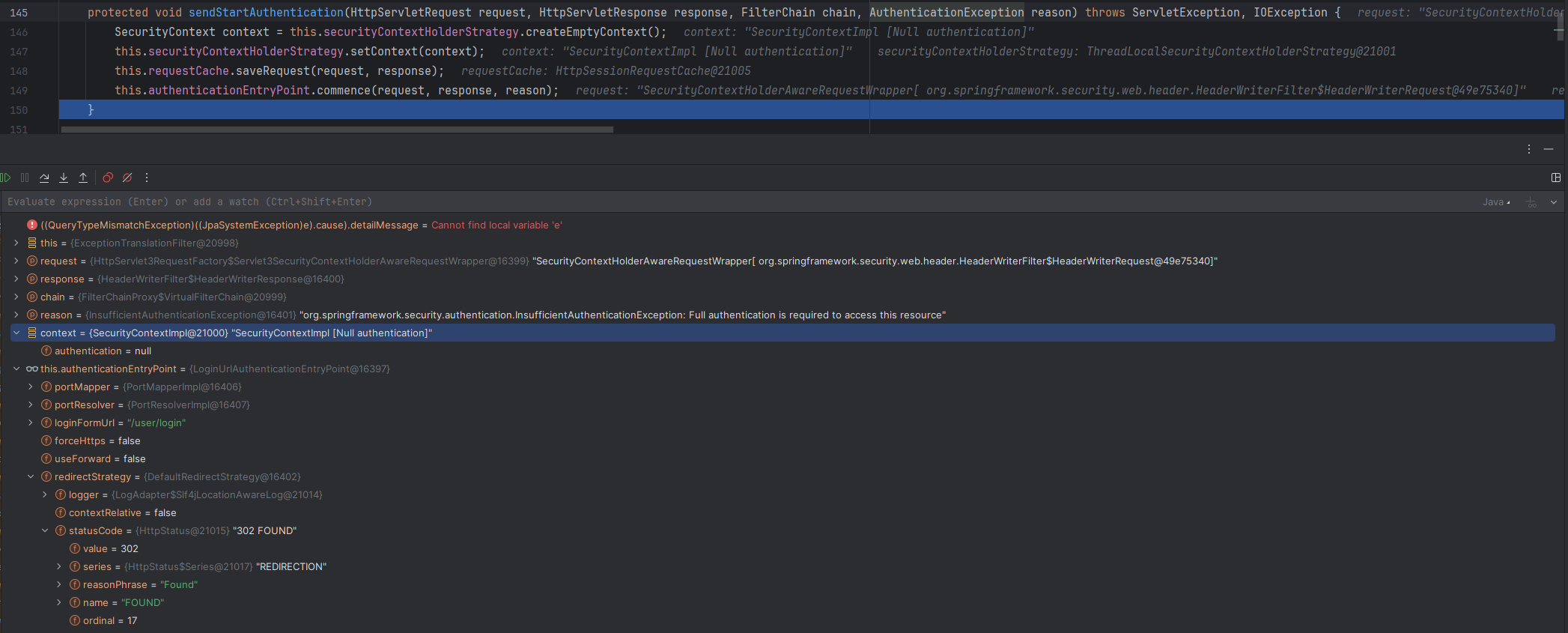
SecurityContext타입의 context를 보면authentication=null을 확인할 수 있음.authenticationEntryPoint를 보면loginFormUrl과statusCode를 확인할 수 있음.
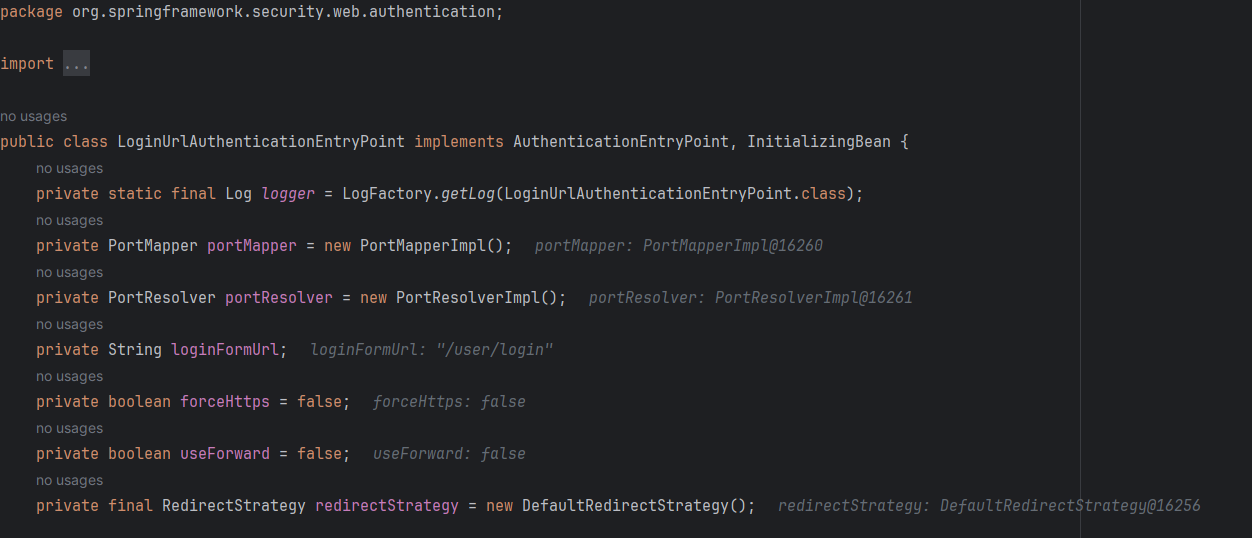
AuthenticationEntryPoint인터페이스를 구현한LoginUrlAuthenticationEntryPoint클래스의 commence()메서드에 걸렸음.
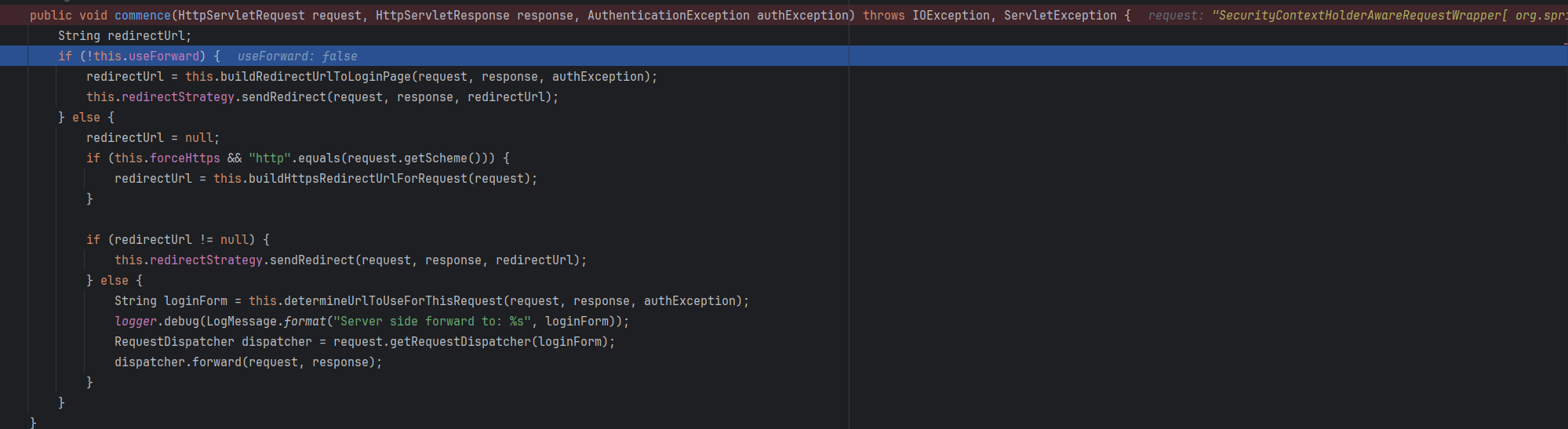
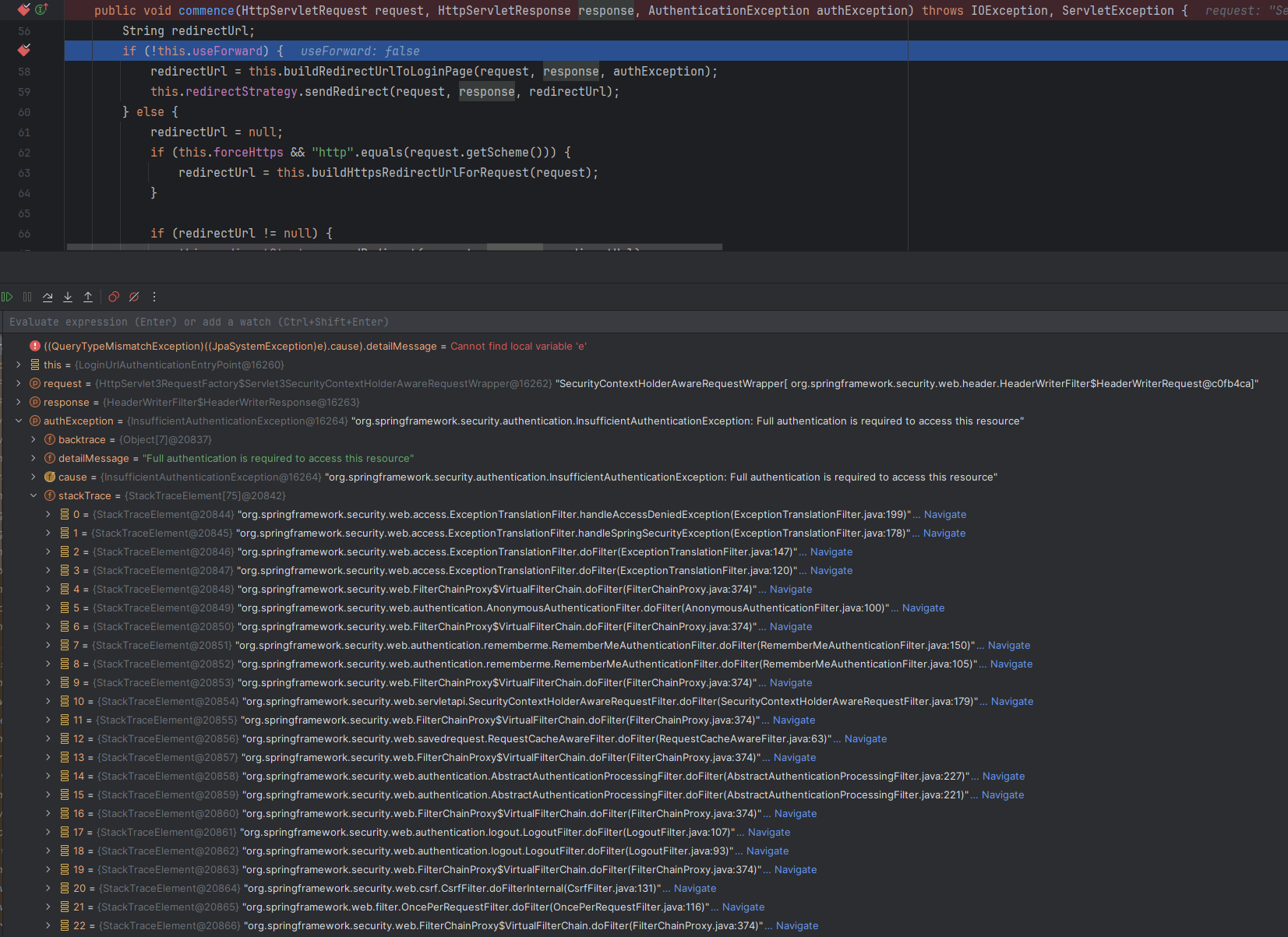
- 매개변수로 들어온
authException의 스택트레이스는 위와 같음.
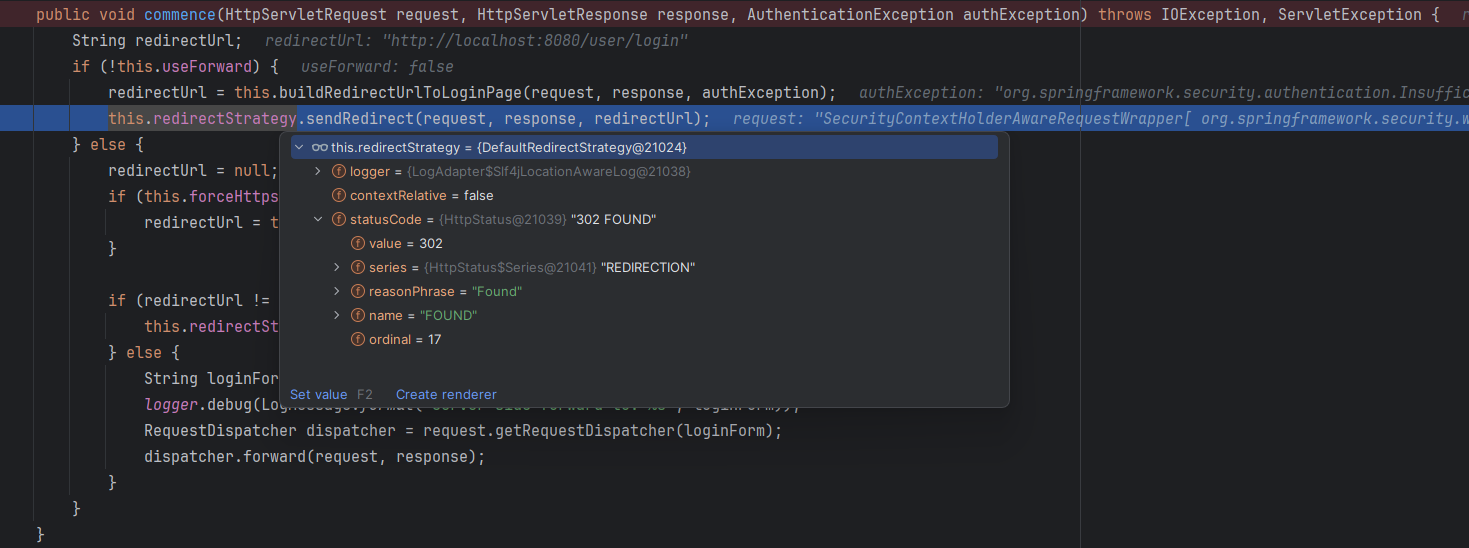
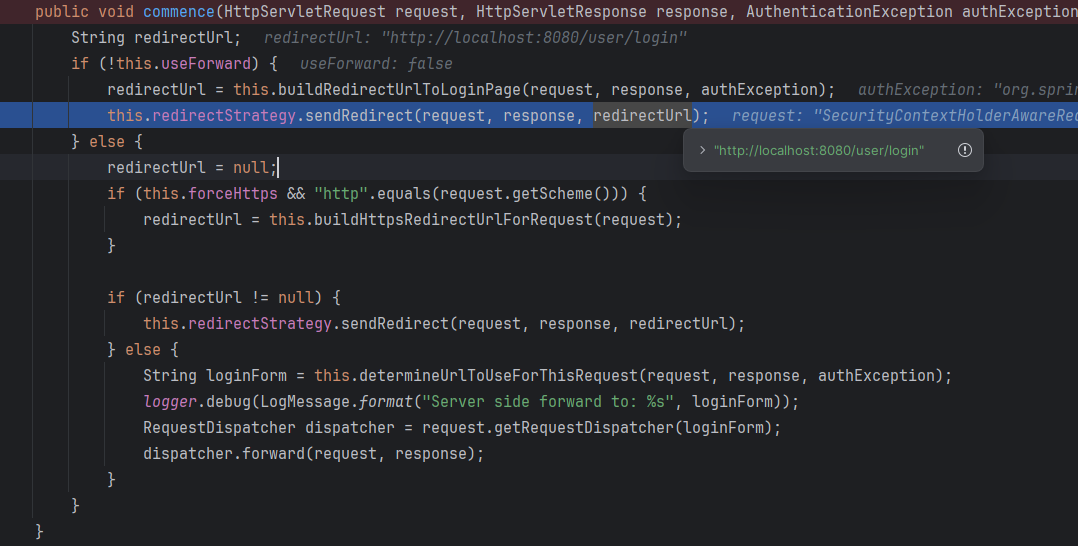
redirectUrl에는 당연히/user/login이 담겨있음.
3. 문제 해결.
3-1 AuthenticationEntryPoint 직접 구현.
AuthenticationEntryPoint인터페이스를 직접 구현해서securityFilterChain에 넣어주면 됨.
@Component
public class CustomAuthenticationEntryPoint implements AuthenticationEntryPoint {
    @Override
    public void commence(HttpServletRequest request, HttpServletResponse response, AuthenticationException authException) throws IOException, ServletException {
        String ajaxHeader = request.getHeader("X-Requested-With");
        if ("XMLHttpRequest".equals(ajaxHeader)) {
            response.setStatus(HttpServletResponse.SC_UNAUTHORIZED);                // 상태코드 401.
            response.setContentType("application/json;charset=UTF-8");
            response.getWriter().write("{\"error\": \"로그인이 필요해요.\"}");     // 큰따옴표(")를 이스케이프 처리.
        } else {
            response.sendRedirect(request.getContextPath() + "/user/login");
        }
    }
}-
HttpServletRequest의헤더를 보면 어떤 요청으로 왔는지 알 수 있음.coyoteRequest란? : 톰캣(tomcat) 내부에서 사용되는 객체. 모듈이라 생각하면 됨.
톰캣 내부에서 HTTP 요청을 처리할 때 사용함.
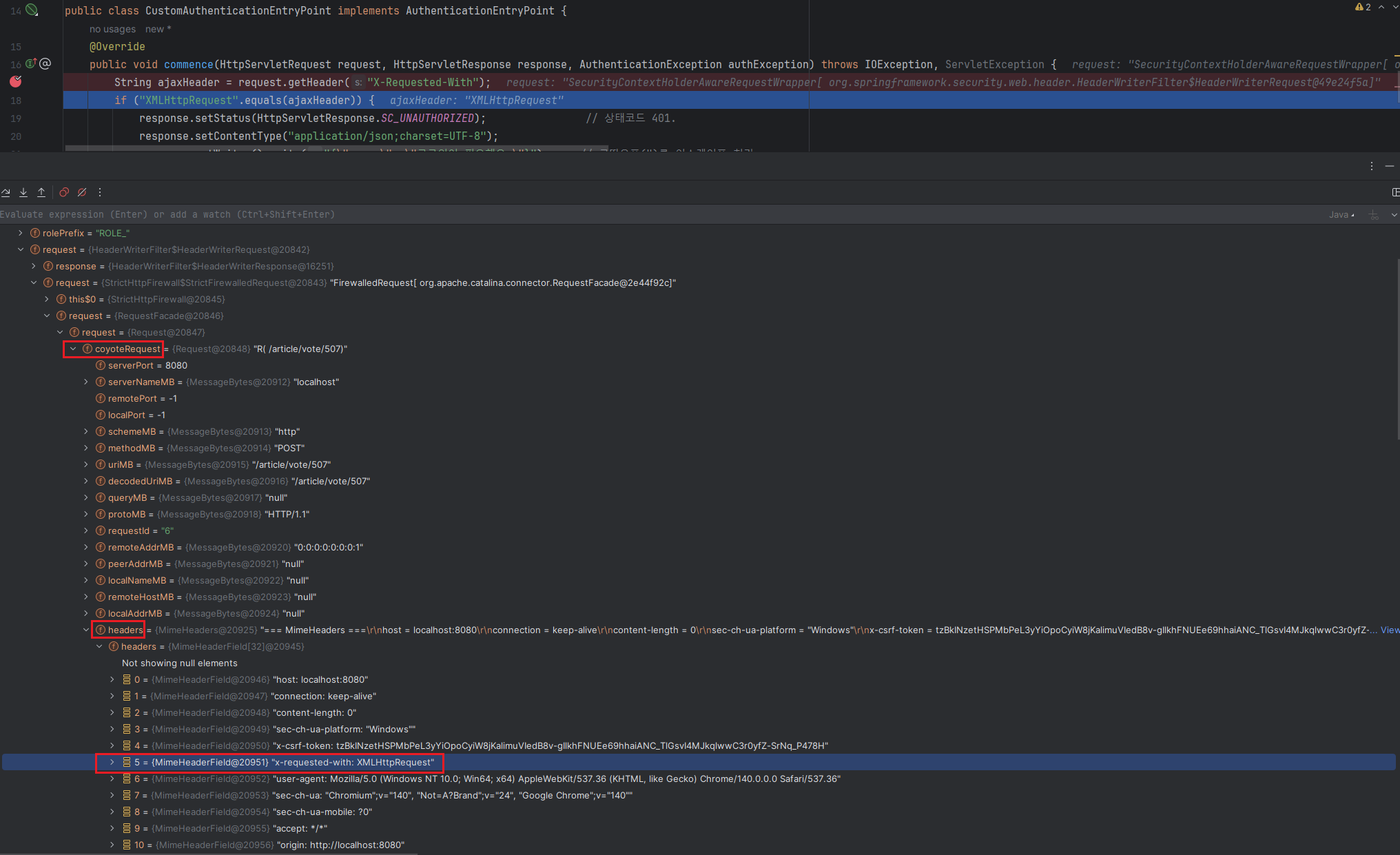
- 즉, 비로그인 상태에서 인증이 필요한 리소스에 접근하려고 할 때
AuthenticationEntryPoint가 호출되고 헤더에X-Requested-With가 있다면 응답객체에 값을 설정함.
-
만약 Ajax, 즉 비동기 방식이 아닌 요청이라면?
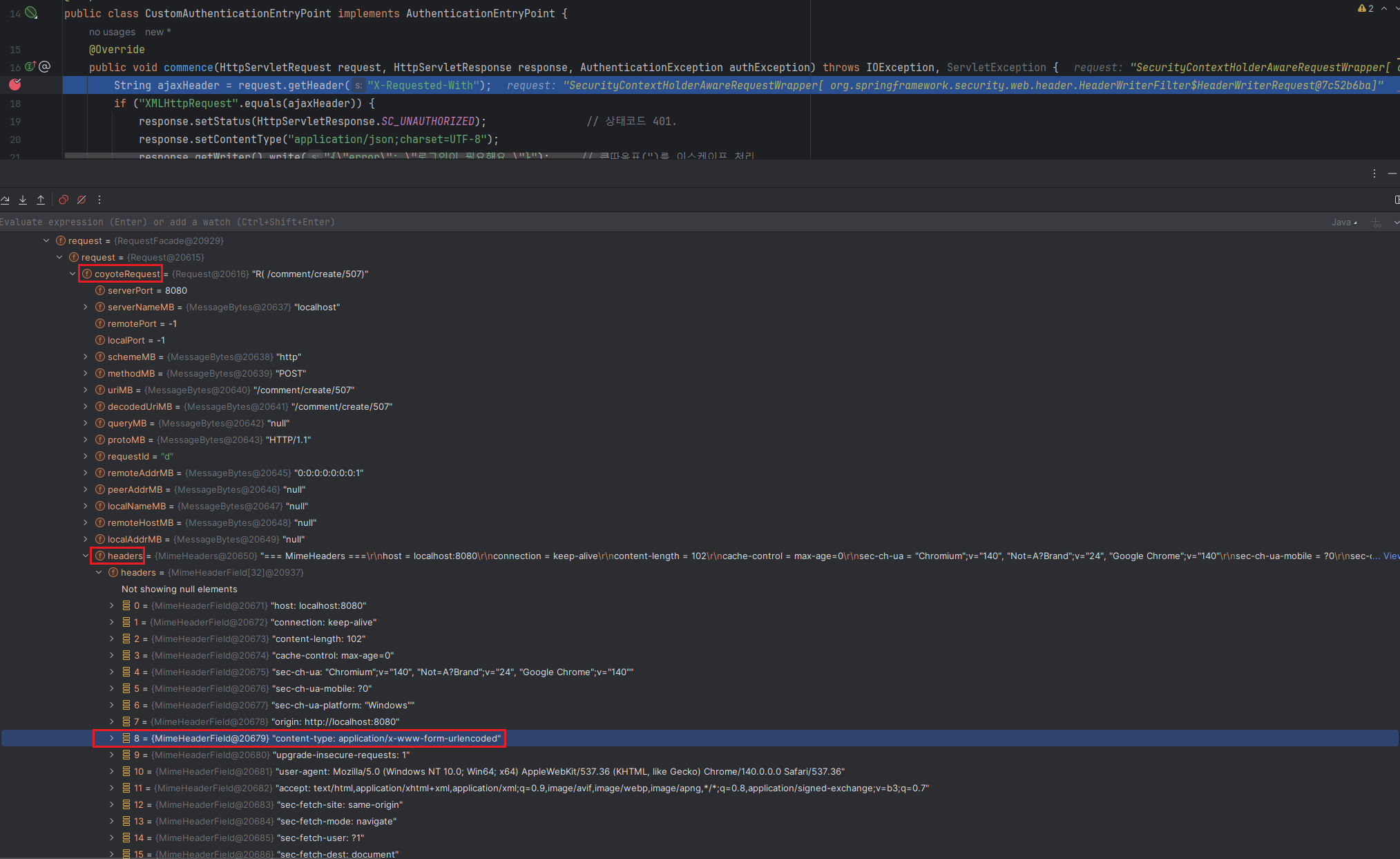
Content-Type: application/x-www-form-urlencoded- 클라이언트에서 HTML의
<form>태그를 통해 데이터를 서버로 전송했다는 의미임.
요청 방식이 GET방식이였을 경우 해당 헤더(Content-Type: application/x-www-form-urlencoded)를 보낼 필요가 없기 때문에 이 요청 방식은 POST임.
- 클라이언트에서 HTML의
@RequiredArgsConstructor
@Configuration
@EnableWebSecurity
@EnableMethodSecurity(prePostEnabled = true)
public class SecurityConfig {
    private final UserDetailsServiceImpl userDetailsServiceImpl;
    private final CustomAuthenticationEntryPoint customAuthenticationEntryPoint;
    @Bean
    public SecurityFilterChain securityFilterChain(HttpSecurity httpSecurity) throws Exception {
        httpSecurity
                .authorizeHttpRequests(
                        (

                        	....

                        )
                .logout(

                			....

                )
                .rememberMe(

                			....

                )
                .exceptionHandling((exception -> exception.authenticationEntryPoint(customAuthenticationEntryPoint)));
        return httpSecurity.build();
    }

    						....

}
4. 리다이렉트가 안 되었던 이유.
- 스프링 시큐리티에서 비로그인 상태로 인증이 필요한 리소스를 요청하면 로그인 페이지(/user/login)로 리다이렉트 되는 게 디폴트값임.
- 하지만
AJAX(Asynchronous JavaScript and XML)요청에 대해서는 302(리다이렉트) 응답을 보내고 브라우저가 자동으로응답 Location 헤더에 있는/user/login으로 GET요청을 보냄./user/login을 GET방식으로 요청을 보냈으니 서버는 다시 해당 요청을 처리함으로서최종적으로 200 OK 응답과 함께 로그인 페이지의 HTML 내용을 보냄.
- 즉, 자바스크립트의 fetch가 받는 응답객체는 302 응답이 아니라 자동으로 리다이렉트 된 요청의 최종 결과물인 200 OK 응답임.
- 그래서 개발자 도구 - Network 탭에 302, 200 둘 다 보였던거임.
5. 참고.
- 스프링 시큐리티 기본 API & Filter 이해 (7)
- authenticationEntryPoint 에서 sendRedirect말고 formLogin을 다시 띄워주는 방법
- Handle Spring Security Exceptions
- ExceptionHandler가 AccessDeniedHandler(Http403Handler)를 먹어버리는 현상
- AccessDeniedHandler and AuthenticationEntryPoint does not work Because of the global exception handler
- spring AccessDeniedHandler interface don't get called when i have ExceptionHandler of RuntimeException in ControllerAdvice?
- coyoteRequest 아시는 분 계신가요?

Every cloud has a silver lining.
와 저는 계속 302가 떨어져서 전에 GPT로 찾아봤을때
/loginres.status가 200으로 보임이런식으로 항상 302가 떨어진다해서
이런식으로 API 요청만 fetch로 보내는것들 명시적으로 401로 떨어지게 FilterChain에서 지정했었거든요
(SSR html 태그로부터 오는 요청을 401로 주면 로그인 페이지로 리다이렉트가 안되니 -> form 태그 나 a태그에서 JS로 응답 코드 확인 하지 않을 경우 이동이 안되니 그대로 302로 떨어지게 유지했습니다.)
커스텀으로 만드는 것 대박이네유