📚 Part 14 UI 패턴 경험
📁 UI 변경 및 추가
📌 다양한 UI 경험
- 드롭다운
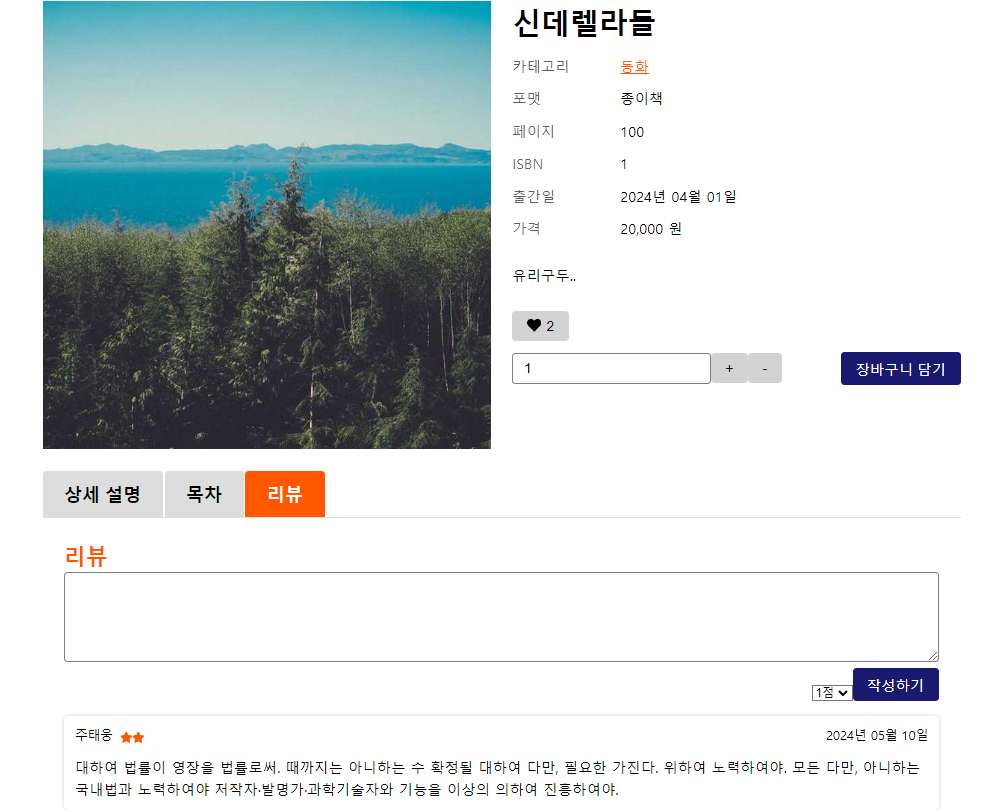
- 탭
- 모달
- 토스트 (showAlert 대체)
- 무한 스크롤
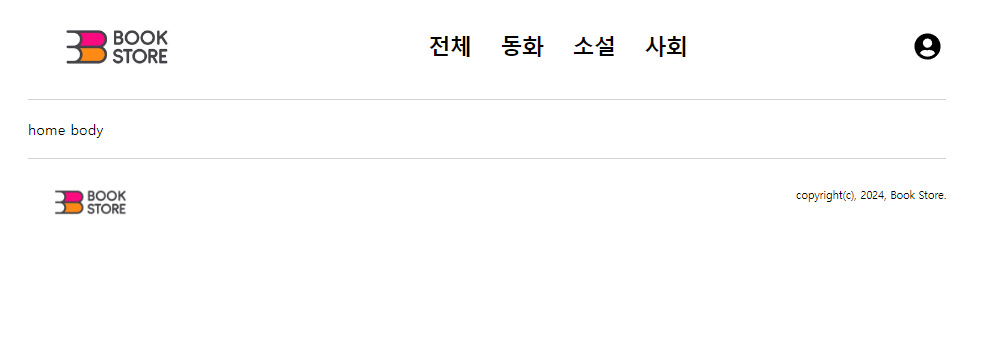
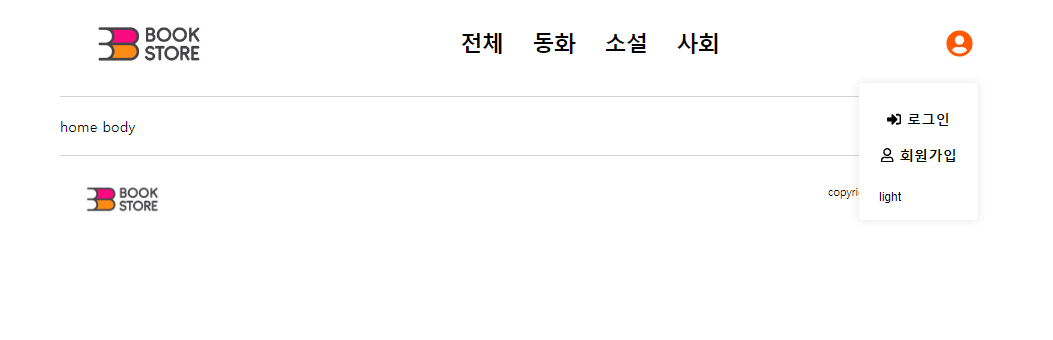
📌 드롭다운
import { useEffect, useRef, useState } from "react";
import { styled } from "styled-components";

interface Props {
    children: React.ReactNode;
    toggleButton: React.ReactNode;
    isOpen?: boolean;
}

function Dropdown({ children, toggleButton, isOpen = false }: Props) {
    const [open, setOpen] = useState(isOpen);
    const dropdownRef = useRef<HTMLDivElement>(null);

    useEffect(() => {
        function handleOutsideClick(event: MouseEvent) {
            if (
                dropdownRef.current &&
                !dropdownRef.current.contains(event.target as Node)
            ) {
                // 외부 클릭 되었음
                setOpen(false);
            }
        }

        document.addEventListener("mousedown", handleOutsideClick);

        return () => {
            document.removeEventListener("mousedown", handleOutsideClick);
        };
    }, [dropdownRef]);

    return (
        <DropdownStyle $open={open} ref={dropdownRef}>
            <button className="toggle" onClick={() => setOpen(!open)}>
                {toggleButton}
            </button>
            {open && <div className="panel">{children}</div>}
        </DropdownStyle>
    );
}
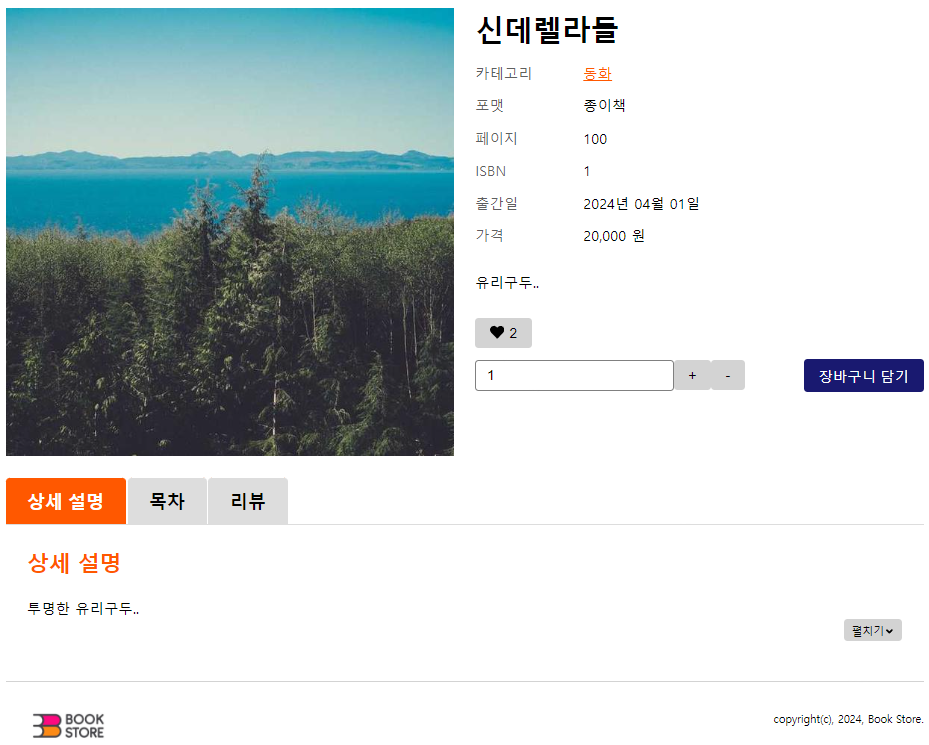
📌 탭
📌 토스트
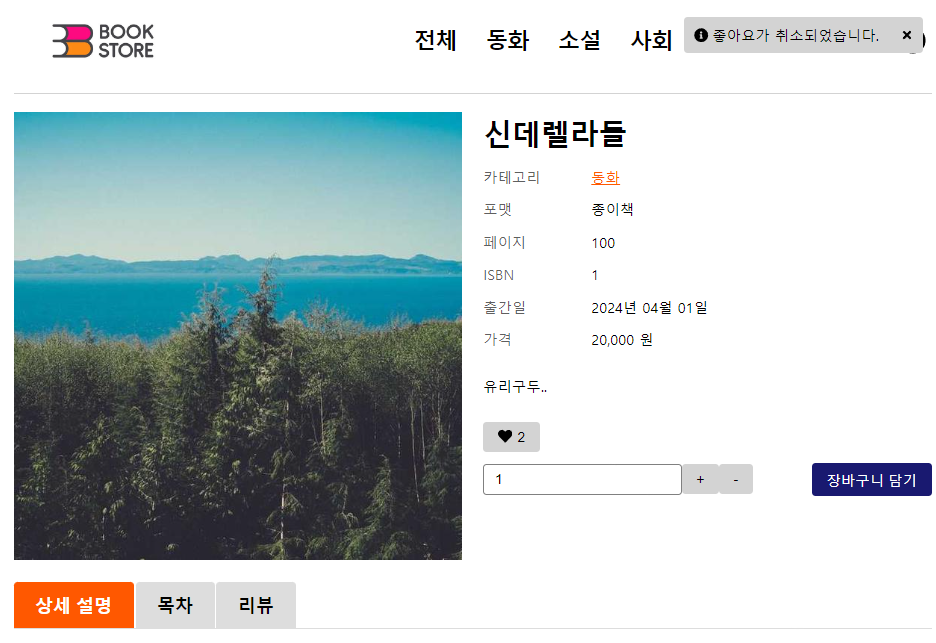
// ToastStore.ts
import create from "zustand";

export type ToastType = "info" | "error";

export interface ToastItem {
    id: number;
    message: string;
    type: ToastType;
};

interface ToastStoreState {
    toasts: ToastItem[];
    addToast: (message: string, type?: ToastType) => void;
    removeToast: (id: number) => void;
};

const useToastStore = create<ToastStoreState>((set) => ({
    toasts: [],
    addToast: (message, type = "info") => {
        set((state) => ({
            toasts: [...state.toasts, { message, type, id: Date.now() }],
        }));
    },
    removeToast: (id) => {
        set((state) => ({
            toasts: state.toasts.filter((toast) => toast.id !== id),
        }));
    },
}));

export default useToastStore;
// useToast.ts
import useToastStore from "@/store/toastStore"
export const useToast = () => {
const showToast = useToastStore((state) => state.addToast);
return { showToast };
};// useTimeout.ts
import { useEffect } from "react";
export const useTimeout = (callback: () => void, delay: number) => {
useEffect(() => {
const timer = setTimeout(callback, delay);
return () => clearTimeout(timer);
}, [callback, delay]);
};📌 모달
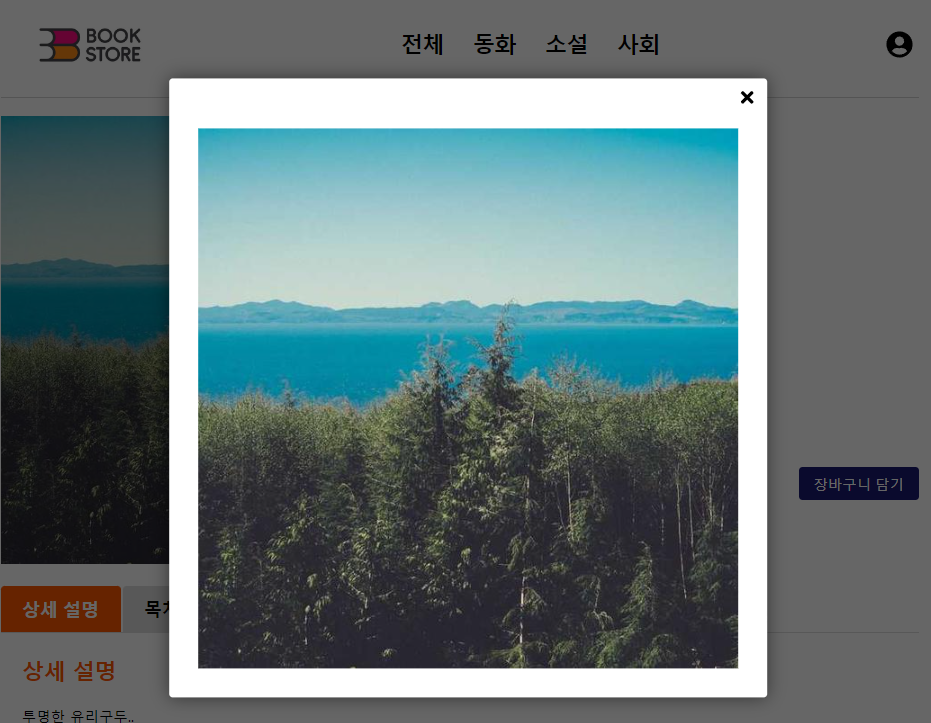
import { useEffect, useRef, useState } from "react";
import { createPortal } from "react-dom";
import { FaPlus } from "react-icons/fa";
import { styled } from "styled-components";

interface Props {
    children: React.ReactNode;
    isOpen: boolean;
    onClose: () => void;
}
function Modal({ children, isOpen, onClose }: Props) {
    const [isFadingOut, setIsFadingOut] = useState(false);
    const modalRef = useRef<HTMLDivElement | null>(null);
    const handleClose = () => {
        setIsFadingOut(true);
    };

    const handleOverlayClick = (e: React.MouseEvent) => {
        if (modalRef.current && !modalRef.current?.contains(e.target as Node)) {
            handleClose();
        }
    };

    const handleKeydown = (e: KeyboardEvent) => {
        if (e.key === "Escape") {
            handleClose();
        }
    };

    const handleAnimationEnd = () => {
        if (isFadingOut) {
            onClose();
            setIsFadingOut(false);
        }
    };

    useEffect(() => {
        if (isOpen) {
            window.addEventListener("keydown", handleKeydown);
        } else {
            window.removeEventListener("keydown", handleKeydown);
        }

        return () => {
            window.removeEventListener("keydown", handleKeydown);
        };
    }, [isOpen]);

    if (!isOpen) return null;

    return createPortal(
        <ModalStyle
            className={isFadingOut ? "fade-out" : "fade-in"}
            onClick={handleOverlayClick}
            onAnimationEnd={handleAnimationEnd}
        >
            <div className="modal-body" ref={modalRef}>
                <div className="modal-contents">{children}</div>
                <button className="modal-close" onClick={handleClose}>
                    <FaPlus />
                </button>
            </div>
        </ModalStyle>,
        document.body
    );
}

const ModalStyle = styled.div`
    @keyframes fade-in {
        from {
            opacity: 0;
        }
        to {
            opacity: 1;
        }
    }

    @keyframes fade-out {
        from {
            opacity: 1;
        }
        to {
            opacity: 0;
        }
    }

    &.fade-in {
        animation: fade-in 0.3s ease-in-out forwards;
    }

    &.fade-out {
        animation: fade-out 0.3s ease-in-out forwards;
    }

    position: fixed;
    top: 0;
    left: 0;
    width: 100vw;
    height: 100vh;
    z-index: 1000;
    background-color: rgba(0, 0, 0, 0.6);

    .modal-body {
        position: absolute;
        top: 50%;
        left: 50%;
        transform: translate(-50%, -50%);
        padding: 56px 32px 32px;
        border-radius: ${({ theme }) => theme.borderRadius.default};
        box-shadow: 0 0 20px rgba(0, 0, 0, 0.5);

        background-color: #fff;
        max-width: 80%;
    }

    .modal-close {
        border: none;
        background-color: transparent;
        cursor: pointer;

        position: absolute;
        top: 0;
        right: 0;
        padding: 12px;

        svg {
            width: 20px;
            height: 20px;
            transform: rotate(45deg);
        }
    }
`;

export default Modal;
📌 무한 스크롤
// useBooksInfinite.ts
import { useLocation } from "react-router-dom";
import { fetchBooks } from "../api/books.api";
import { QUERYSTRING } from "../constants/querystring";
import { LIMIT } from "../constants/pagination";
import { useInfiniteQuery } from "react-query";

export const useBooks = () => {
    const location = useLocation();

    const getBooks = ({ pageParam }: { pageParam: number }) => {
        const params = new URLSearchParams(location.search);
        const category_id = params.get(QUERYSTRING.CATEGORY_ID)
            ? Number(params.get(QUERYSTRING.CATEGORY_ID))
            : undefined;
        const newBook = params.get(QUERYSTRING.NEWS) ? true : undefined;
        const currentPage = pageParam;
        const limit = LIMIT;

        return fetchBooks({
            category_id,
            newBook,
            currentPage,
            limit,
        });
    };

    const { data, fetchNextPage, hasNextPage, isFetching } = useInfiniteQuery(
        ["books", location.search],
        ({ pageParam = 1 }) => getBooks({ pageParam }),
        {
            getNextPageParam: (lastPage) => {
                if (!lastPage.pagination) return null;

                const isLastPage =
                    Math.ceil(lastPage.pagination.totalCount / LIMIT) ===
                    lastPage.pagination.currentPage;

                return isLastPage ? null : lastPage.pagination.currentPage + 1;
            },
        }
    );

    const books = data ? data.pages.flatMap((page) => page.books) : [];
    const pagination = data ? data.pages[data.pages.length - 1].pagination : {};
    const isEmpty = books.length === 0;

    return {
        books,
        pagination,
        isEmpty,
        isBooksLoading: isFetching,
        fetchNextPage,
        hasNextPage,
    };
};
결과 = {
books, pagination
}
결과 = {
pages: [
{books, pagination},
{books, pagination},
{books, pagination}
]
}- react-router-dom의 useLocation 훅을 사용하여 현재 위치의 검색 문자열을 가져옴
- fetchBooks API를 사용하여 책 데이터를 가져오는 getBooks 함수 정의
- useInfiniteQuery 훅을 사용하여 무한 스크롤을 구현
- 페이지네이션 처리를 위해 lastPage.pagination을 검증하여 다음 페이지 파라미터 결정
- books, pagination, isEmpty, isBooksLoading, fetchNextPage, hasNextPage 상태를 반환

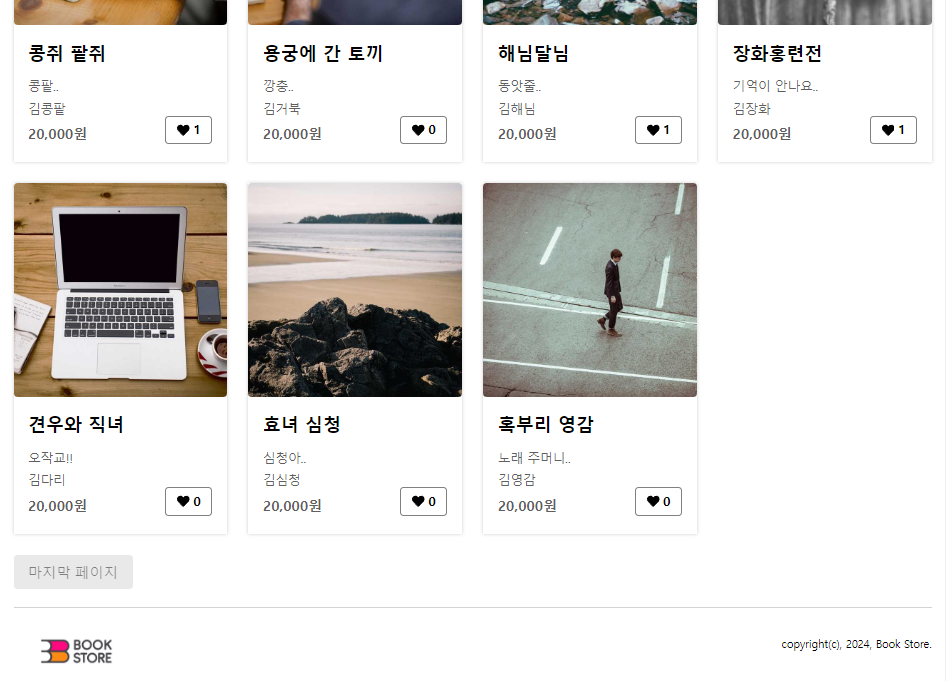
무한 스크롤을 통한 도서 목록 가져오기 기능 구현
🔗 IntersectionObserver
뷰포트와 지정한 타겟(html 요소)이 만났을 때(교차를 했을 때) 특정한 값을 반환함. 지속적으로 reactive 한 것처럼 전달해줌 ⇒ 굉장히 편리하게 사용 가능
import { useEffect, useRef } from "react";

type Callback = (entries: IntersectionObserverEntry[]) => void;

interface ObserverOptions {
    root?: Element | null;
    rootMargin? : string;
    threshold? : number | number[];
}

export const useIntersectionObserver = (callback: Callback, options?: ObserverOptions) => {
    const targetRef = useRef(null);

    useEffect(() => {
        const observer = new IntersectionObserver(callback, options);

        if (targetRef.current) {
            observer.observe(targetRef.current);
        }

        return () => {
            if (targetRef.current) {
                observer.unobserve(targetRef.current);
            }
        }
    });

    return targetRef;
};