React - 5일차
학습 내용
- 동기와 비동기
- 비동기 실습 : 날씨앱 만들기
# 동기와 비동기
동기
작업(task)이 순차적으로 진행되는 것
한 작업이 진행되는 동안 다른 작업들은 blocking 된다
비동기
작업들이 순차적으로 이루어지지 않음
다른 작업들은 non-blocking 된다
자바스크립트를 사용한 비동기 통신방식을 Ajax(어싱크러너스 자바스크립트 앤드 xml)
# 실습 준비
확장팩 설치
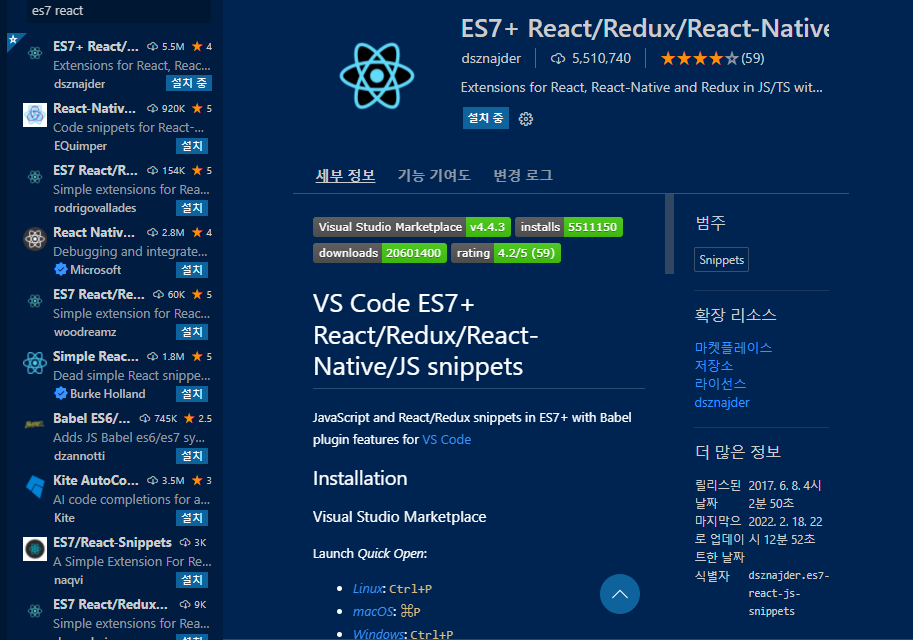
확장탭에서 es7 react 검색 및 설치
기능
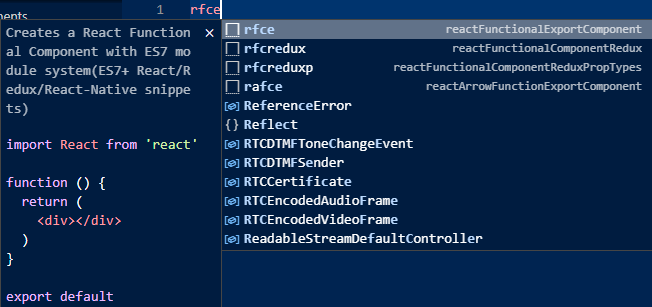
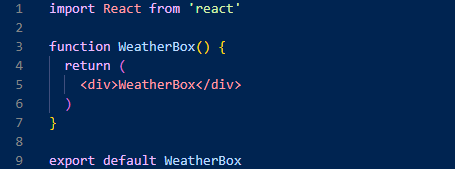
rfce 를 입력하면 현재 파일이름을 이용해서 자동으로 function이 만들어진다
부트스트랩 설치
npm install react-bootstrap bootstrapReact spinner 설치
데이터를 들고오는 동안 로딩스피너가 도는 부분을 구현한다
npm install --save react-spinners# 비동기 실습 : 날씨앱 만들기
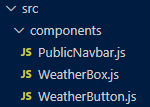
src 폴더 아래 components 폴더를 만들고 WeatherBox.js, WeatherButton.js 파일들을 생성한다
WetherBox : 온도 습도를 뿌리기 위한 컴포넌트
WetherButton : 도시 선택 버튼들을 위한 컴포넌트
기본 형태를 만들기
App.js 작성
import './App.css';
import 'bootstrap/dist/css/bootstrap.min.css'
import {Container} from 'react-bootstrap'
import WeatherBox from './components/WeatherBox'
import WeatherButton from './components/WeatherButton'

function App() {
  return (
    <Container className="vh-100">
      <div></div>
      <div className='main-container'>
        <WeatherBox />
        <WeatherButton />
      </div>
    </Container>
  );
}

export default App;
WeatherBox.js 작성
import React from 'react'

const WeatherBox = () => {
  return (
    <div>
        <h3>대구</h3>
        <h3>33/91</h3>
        <h3>흐림</h3>
    </div>
  )
}

export default WeatherBox
WeatherButton.js 작성
import React from 'react'

function WeatherButton() {
  return (
    <div>WetherButton</div>
  )
}

export default WeatherButton- 기본 화면
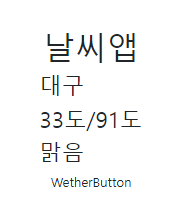
API 및 비동기 적용
여기에 API를 이용해서 정보를 업데이트하도록 수정해본다
App.js
import './App.css';
import 'bootstrap/dist/css/bootstrap.min.css'
import {Container} from 'react-bootstrap'
import WeatherBox from './components/WeatherBox'
import WeatherButton from './components/WeatherButton'
import React, { useEffect, useState } from 'react';
import {ClipLoader} from 'react-spinners';

const API_KEY = APIKey;
const cities = ['paris', 'new york', 'tokyo', 'seoul'];

const App = () => {
  // 부모에서 모든 정보를 가지고 있기 위한 저장공간을 만듦
  const [city, setCity] = useState(null);
  const [weather, setWeather] = useState(null);
  const [loading, setLoading] = useState(false); // 초기값은 false

  const getWeatherByCurrentLocation = async (lat, lon) => {
    try {
      // API 추가 (기본형)
      // let url = 'https://api.openweathermap.org/data/2.5/weather?lat={lat}&lon={lon}&appid={API key}';
      // 도시명을 사용하는 방법
      // let url = 'https://api.openweathermap.org/data/2.5/weather?q={city name}&appid={API key}';
      let url = `https://api.openweathermap.org/data/2.5/weather?lat=35.87222&lon=128.60250&appid=${API_KEY}`;

      const res = await fetch(url);
      const data = await res.json();
      setWeather(data); // 정보를 뿌려줌
      setLoading(false);  // await 끝나면 false
    } catch (err) {
      console.log(err.message);
      setLoading(false); // 에러나면 false
    }
  }

  const getCurrentLocation = () => {
    navigator.geolocation.getCurrentPosition((position) => {
      const { latitude, longitude } = position.coords;
      getWeatherByCurrentLocation(latitude, longitude);
      console.log('현재위치?', latitude, longitude);
    });
  }

  const getWeatherByCity = async () => {
    try {
      let url = `https://api.openweathermap.org/data/2.5/weather?q=${city}&appid=${API_KEY}`;

      const res = await fetch(url);
      const data = await res.json;
      setWeather(data); // 정보를 뿌려줌
      setLoading(false);
    } catch (err) {
      console.log(err);
      setLoading(false);
    }
  }

  // 쉽게 데이터를 주기 위한 라이브러리
  useEffect(() => {
    // 아무 정보가 없으면
    if(city == null){
      setLoading(true);
      // 위도 정보를 가져온다
      getCurrentLocation();
    }else{  // 정보가 있다면
      // 도시 정보를 뿌려준다
      getWeatherByCity();
    }
  }, [city]);

  const handleCityChange = (city) => {
    if(city === 'current'){
      setCity(null);
    } else {
      setCity(city);
    }
  }

  return (
    <Container className="vh-100">
      <div></div>
      <div className='main-container'>
        <WeatherBox weather={weather} />
        <WeatherButton
          cities={cities}
          handleCityChange={handleCityChange}
          selectedCity={city}
        />
      </div>
    </Container>
  );
}

export default App;
WeatherBox.js
import React from 'react';
import { Card } from 'react-bootstrap';

const WeatherBox = ({ weather }) => {
  // 화씨 섭씨 계산
  const temperatureC =
    weather && weather.main ? (weather.main.temp - 273.15).toFixed(2) : '';
  const temperatureF =
    weather && weather.main
      ? (((weather.main.temp - 273.15) * 9) / 5 + 32).toFixed(2)
      : '';
  return (
    <Card className="weather-card">
      <Card.ImgOverlay className="d-flex flex-column justify-content-center text-center">
        {/* weather?.name 도시가 있으면 도시이름을 가져온다 */}
        <Card.Title><h1>{weather?.name}</h1></Card.Title>
        <Card.Text className="text-success h1">
          {`${temperatureC} °C / ${temperatureF} °F`}
        </Card.Text>
        <Card.Text className="text-info text-uppercase h2">
          {/* description : 날씨 정보 */}
          {weather && weather.weather[0]?.description}
        </Card.Text>
      </Card.ImgOverlay>
    </Card>
  );
};

export default WeatherBox;
WeatherButton.js
import React from 'react';
import { Button } from 'react-bootstrap';

const WeatherButton = ({ cities, selectedCity, handleCityChange }) => {
  return (
    <div class="menu-container">
      {/* 선택한 버튼은 아웃라인만 있는 outline-warning으로 처리하고 선택되지 않은 버튼은 waring으로 처리함 */}
      <Button
        variant={`${selectedCity === null ? 'outline-warning' : 'warning'}`}
        onClick={() => handleCityChange('current')}
      >
        Current Location
      </Button>

      {/* cities.map 배열의 데이터를 가져온다 */}
      {cities.map((city) => (
        <Button
          variant={`${selectedCity === city ? 'outline-warning' : 'warning'}`}
          onClick={() => handleCityChange(city)}
        >
          {city}
        </Button>
      ))}
    </div>
  );
};

export default WeatherButton;
WeatherBox.js
import React from 'react';
import { Card } from 'react-bootstrap';

const WeatherBox = ({ weather }) => {
  const temperatureC =
    weather && weather.main ? (weather.main.temp - 273.15).toFixed(2) : '';
  const temperatureF =
    weather && weather.main
      ? (((weather.main.temp - 273.15) * 9) / 5 + 32).toFixed(2)
      : '';
  return (
    <Card className="weather-card">
      <Card.ImgOverlay className="d-flex flex-column justify-content-center text-center">
        <Card.Title><h1>{weather?.name}</h1></Card.Title>
        <Card.Text className="text-success h1">
          {`${temperatureC} °C / ${temperatureF} °F`}
        </Card.Text>
        <Card.Text className="text-info text-uppercase h2">
          {weather && weather.weather[0]?.description}
        </Card.Text>
      </Card.ImgOverlay>
    </Card>
  );
};

export default WeatherBox;
WeatherButton.js
import React from 'react';
import { Button } from 'react-bootstrap';

const WeatherButton = ({ cities, selectedCity, handleCityChange }) => {
  return (
    <div class="menu-container">
      <Button
        variant={`${selectedCity === null ? 'outline-warning' : 'warning'}`}
        onClick={() => handleCityChange('current')}
      >
        Current Location
      </Button>

      {cities.map((city) => (
        <Button
          variant={`${selectedCity === city ? 'outline-warning' : 'warning'}`}
          onClick={() => handleCityChange(city)}
        >
          {city}
        </Button>
      ))}
    </div>
  );
};

export default WeatherButton;
App.css
body {
    background: url(https://images.unsplash.com/photo-1641187959749-1504b9d14ec2?ixlib=rb-1.2.1&ixid=MnwxMjA3fDB8MHxwaG90by1wYWdlfHx8fGVufDB8fHx8&auto=format&fit=crop&w=1332&q=80);
    height: 100vh;
    background-repeat: no-repeat;
    background-size: cover;
}
.weather-card{
    background-color: rgba(52,52,52,.7);
    padding: 50px;
    border: 2px solid #fff;
    border-radius: 20px;
    max-width: 700px;
    width:100%;
    height: 300px;
}
.main-container {
    display: flex;
    flex-direction: column;
    align-items: center;
    justify-content: center;
    height: 100%;
}
.menu-container{
    display: flex;
    justify-content: center;
    background-color: #214040;
    border-radius: 60px;
    max-width: 700px;
    width:100%;
    padding: 30px;
    margin-top: 30px;
}
.menu-container Button{
    margin-right:30px;
}
.menu-container Button:hover{
    background-color: #D9734E;
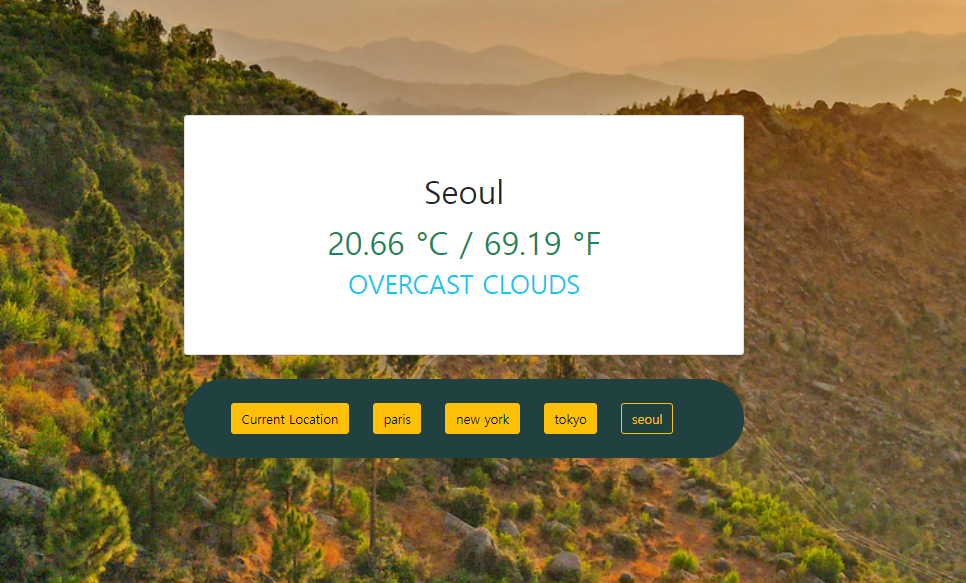
}- 최종 화면
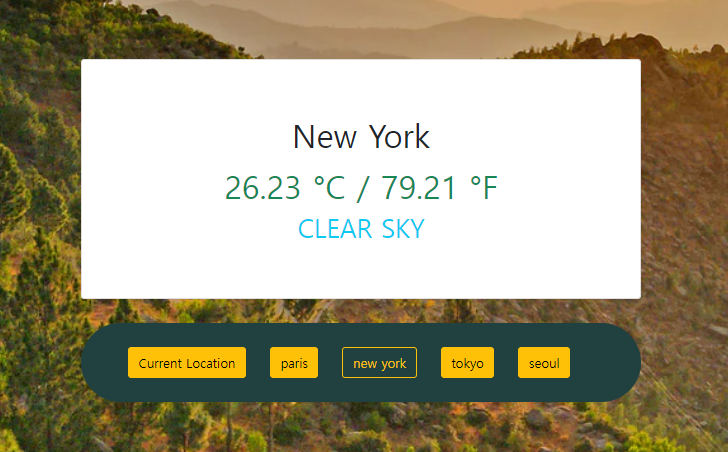
?
현재 위치의 날씨 페이지는 뜨는데 다른 도시를 누르면 화면이 없어진다
!
브라우저 콘솔에서 확인해보니 시작할 땐 아래와 같은 에러가 뜨고

버튼을 누르면 아래와 같은 에러가 뜬다

코드에서 API url을 사용하는 부분이 두 군데였는데
날씨정보를 업데이트하는 부분의 url을 가져오는 코드를 복사 붙여넣기하고 수정하지 않아서 생긴 오류였다
let url = 'https://api.openweathermap.org/data/2.5/weather?q={city}&appid={API_key}';위 코드를 아래와 같이 수정했다
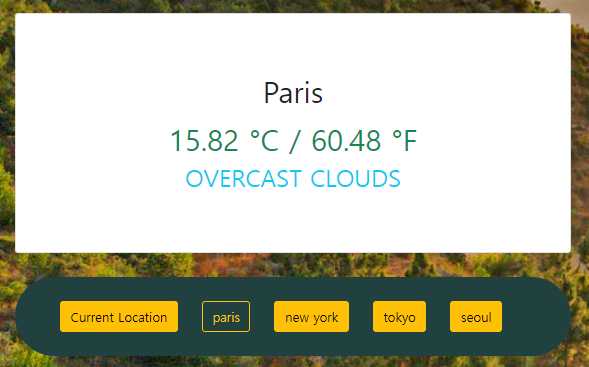
let url = `https://api.openweathermap.org/data/2.5/weather?q=${city}&appid=${API_KEY}`;백틱으로 수정하고 변수를 사용했다
다른 도시의 날씨정보도 잘 불러온다
학습 후기
api로 실제 정보를 사용해 페이지를 만들어보니 더 잘 이해가 되는 것 같다. 정보를 가져오고 업데이트 하는 부분이 아직 어렵지만 배운 프로젝트를 혼자 만들어보는 등 연습할수록 느는 것 같다.